ESP32-C3-DevKitM-1 is an entry-level development board based on ESP32-C3-MINI-1, a module named for its small size. This board integrates complete Wi-Fi and Bluetooth LE functions. Most of the I/O pins on the ESP32-C3-MINI-1 module are broken out to the pin headers on both sides of this board for easy interfacing. Developers can either connect peripherals with jumper wires or mount ESP32-C3-DevKitM-1 on a breadboard. Specifications ESP32-C3-MINI-1 ESP32-C3-MINI-1 is a general-purpose Wi-Fi and Bluetooth LE combo module that comes with a PCB antenna. At the core of this module is ESP32-C3FN4, a chip that has an embedded flash of 4 MB. Since flash is packaged in the ESP32-C3FN4 chip, rather than integrated into the module, ESP32-C3-MINI-1 has a smaller package size. 5 V to 3.3 V LDO Power regulator that converts a 5 V supply into a 3.3 V output. 5 V Power On LED Turns on when the USB power is connected to the board. Pin Headers All available GPIO pins (except for the SPI bus for flash) are broken out to the pin headers on the board. For details, please see Header Block. Boot Button Download button. Holding down Boot and then pressing Reset initiates Firmware Download mode for downloading firmware through the serial port. Micro-USB Port USB interface. Power supply for the board as well as the communication interface between a computer and the ESP32-C3FN4 chip. Reset Button Press this button to restart the system. USB-to-UART Bridge Single USB-UART bridge chip provides transfer rates up to 3 Mbps. RGB LED Addressable RGB LED, driven by GPIO 8. Downloads ESP32-C3 Datasheet ESP32-C3-MINI-1 Datasheet ESP32-C3-DevKitM-1 Schematic ESP32-C3-DevKitM-1 PCB Layout ESP32-C3-DevKitM-1 Dimensions
The official Raspberry Pi micro HDMI to HDMI (A/M) cable (black, 1 m) designed for the Raspberry Pi 4 and 5.
19-pin HDMI Type D(M) to 19-pin HDMI Type A(M)
1 m cable (black)
Nickel-plated plugs
4Kp60 compliant
RoHS compliant
3 Mohm 300 VDC insulation, withstands 300 VDC for 0.1s
Jan Didden created Linear Audio in 2010 and published 14 Volumes between 2010 and 2017. Each 200-page Volume contains on average 10 articles by expert authors in the field of audio, acoustics, and instrumentation. Whether you are interested in tube amplifiers, solid-state equipment, loudspeaker design, capacitor and resistor distortion or distortion measurement, you are certain to find helpful advice and interesting discussions. From beginner to advanced level, for the audio professional or the serious hobbyist, this ExpertCollection will advance your understanding and offer new perspectives on common issues.
Bonus material included with this collection is a 5-part YouTube series on negative feedback as applied to audio by renowned author Jan Didden, and nine additional landmark audio articles and presentations.
If you are seriously interested in audio, acoustics, and instrumentation, you can’t afford to miss this! The published material is indexed and fully searchable and will provide an almost limitless resource for many years to come.
You can read about Linear Audio’s authors, and the Table of Contents of each Volume, at linearaudio.net.
The official Raspberry Pi micro HDMI to HDMI (A/M) cable designed for the Raspberry Pi 4 and 5.
19-pin HDMI Type D(M) to 19-pin HDMI Type A(M)
1 m cable (white)
Nickel-plated plugs
4Kp60 compliant
RoHS compliant
3 Mohm 300 VDC insulation, withstands 300 VDC for 0.1s
Designed for overclockers and other power users, this fan keeps your Raspberry Pi 4 at a comfortable operating temperature even under heavy load. The temperature-controlled fan delivers up to 1.4 CFM of airflow over the processor, memory, and power management IC. The bundled heatsink (18 x 8 x 10 mm) with self-adhesive pad improves heat transfer from the processor. The Raspberry Pi 4 Case Fan works with Raspberry Pi 4 and the official Raspberry Pi 4 case.
In Get Started with MicroPython on Raspberry Pi Pico, you will learn how to use the beginner-friendly language MicroPython to write programs and connect up hardware to make your Raspberry Pi Pico interact with the world around it. Using these skills, you can create your own electro‑mechanical projects, whether for fun or to make your life easier.
Microcontrollers, like RP2040 at the heart of Raspberry Pi Pico, are computers stripped back to their bare essentials. You don’t use monitors or keyboards, but program them to take their input from, and send their output to the input/output pins.
Using these programmable connections, you can light lights, make noises, send text to screens, and much more. In Get Started with MicroPython on Raspberry Pi Pico, you will learn how to use the beginner-friendly language MicroPython to write programs and connect up hardware to make your Raspberry Pi Pico interact with the world around it. Using these skills, you can create your own electro‑mechanical projects, whether for fun or to make your life easier.
The robotic future is here – you just have to build it yourself. We’ll show you how.
About the authors
Gareth Halfacree is a freelance technology journalist, writer, and former system administrator in the education sector. With a passion for open-source software and hardware, he was an early adopter of the Raspberry Pi platform and has written several publications on its capabilities and flexibility.
Ben Everard is a geek who has stumbled into a career that lets him play with new hardware. As the editor of HackSpace magazine, he spends more time than he really should experimenting with the latest (and not-solatest) DIY tech.
Some Highlights from the contents Surround-sound decoder Compact amp Sampling rate converter Battery powered preamplifier Titan 2000 amplifier Crescendo Millennium amplifier Audio-DAC/ADC IR-S/PDFI receiver and transmitter High-End Power Amp Hi-fi Wireless Headset Paraphase Tone Control and more… Using Adobe Reader you are able to browse and search the articles on your computer, as well as print texts, circuit diagrams and PCB layouts.
More than 200 power supply designs for home construction This USB Stick contains over 200 different power supply circuits from the volumes 2001-2022 of Elektor. The article search feature allows you to search full-text content. The results are always displayed as pre-formatted PDF documents. Highlights Cuk Converter Automatic Battery Switchover Battery Voltage LED Digital Benchtop Power Supply Lithium-Ion Charger Solar Cell Charger Electronic Fuse High Voltage Regulator Power Supply for USB Devices Step-up Converter for LEDs Battery Management and much more... On the Stick you will also find a folder with additional material such as PCB layouts, Gerber files and software.
This USB stick holds a selection of more than 350 articles on RF, Radio and Communication published in Elektor Magazine. The content consists of both background articles and projects with the following topics:
Basic radio-related circuits as well as more complex circuits like filters, oscillators, and amplifiers.
Design, construction, and theory of antennas for transmitting and receiving radio signals efficiently.
Design and analysis of RF circuits including filters, mixers, PLLs, and frequency synthesizers. Tools and techniques for predicting radio wave propagation paths and measuring RF signal strength.
Techniques for processing digital signals in RF systems, including modulation and demodulation methods.
Projects on radio receivers, AM, FM, SSB, CW, DRM, DAB, DAB+, Software Defined Radio, and more.
Projects on Wi-Fi, Bluetooth, LoRaWAN, and more.
You can use the article search function to locate specific content in the full text. The results are always shown as preformatted PDF documents. You can use Adobe Reader to browse articles, and you can use Adobe Reader’s integrated search functions to find instances of individual words and expressions.
PiKVM V3 is an open-source Raspberry Pi-based KVM over IP device. It will help you to manage servers or workstations remotely, whatever the state of the operating system or whether one is installed.
PiKVM V3 allows you to turn on/off or restart your computer, configure the UEFI/BIOS, and even reinstall the OS using the virtual CD-ROM or flash drive. You can use your remote keyboard and mouse or PiKVM can simulate a keyboard, mouse, and a monitor, which are then presented in a web browser as if you were working on a remote system directly.
Features
HDMI Full HD capture based on the TC358743 chip (extra low latency ~100 ms and many features like compression control).
OTG Keyboard & mouse; Mass Storage Drive emulation.
Ability to simulate 'removal and insertion' for USB.
Onboard ATX power control
Onboard fan controller
Real-time clock (RTC)
RJ-45 and USB serial console port (to manage PiKVM OS or to connect with the server).
Optional AVR-based HID (for some rare and strange motherboards whose BIOS doesn't understand the OTG emulated keyboard).
Optional OLED screen to display network status or other desired information.
Ready-made board. No need for soldering or breadboarding.
PiKVM OS – the software is fully open.
Included
PiKVM V3 HAT board for Raspberry Pi 4
USB-C bridge board – to connect the HAT with Pi over USB-C
ATX controller adapter board and wiring – to connect the HAT to the motherboard (if you want to manage power supply through hardware).
2 flat CSI cables
Screws and brass standoffs
Required
Raspberry Pi 4
MicroSD card
USB-C to USB-A cable
HDMI cable
Straight Ethernet cable (for the ATX expansion board connection)
Power supply unit (5.1 V/3 A USB-C, officiel RPi power supply is recommended)
Downloads
User Guide
Images
GitHub
Links
The PiKVM Project and Lessons Learned: Q&A with PiKVM creator and developer Maxim Devaev
PiKVM: Raspberry Pi as a KVM Remote Control
The ESP32-PICO-Kit fits into a mini breadboard. It is fully functional with the minimum number of discrete components, while it has all the ESP32 pins exposed.
Features
Complete up-to-date documentation is available.
All instructions and commands presented work as described.
Plentiful additional information and hardware documentation are available too.
Applications for the ESP32-PICO-KIT can be developed on Windows, Linux or Mac.
Two cores and a radio
Like the ESP8266 the ESP32 has Wi-Fi but adds Bluetooth. It also has two 32-bit cores inside, making it extremely powerful, and providing all the ports and interfaces that the ESP8266 is lacking.Oversimplifying things, one might say that the ESP8266 is a Wi-Fi controller that provides some I/O, whereas the ESP32 is a full-fledged controller that also has Wi-Fi.
ESP32 peripherals
The ESP32 exposes an ADC & DAC, touch sensor circuitry, an SD/SDIO/MMC host controller, an SDIO/SPI slave controller, an EMAC, PWM to control LEDs and motors, UART, SPI, I²C, I²S, infrared remote controller, and, of course, GPIO.
ESP32-PICO-KIT Development board
The ESP32-PICO-D4 is a System-on-Chip (SoC) integrating an ESP32 chip together with a 4 MB SPI flash memory in a tiny 7 x 7 mm package.
The ESP32-PICO-KIT is a breakout board for this SoC with an onboard USB-to-serial converter for easy programming and debugging.
Besides the board, you'll need a programming toolchain. Complete, up-to-date documentation from Espressif is available on the Read the Docs website.
All instructions and commands presented work as described.Plentiful additional information and hardware documentation are available too.
Applications for the ESP32-PICO-KIT can be developed on Windows, Linux or Mac.
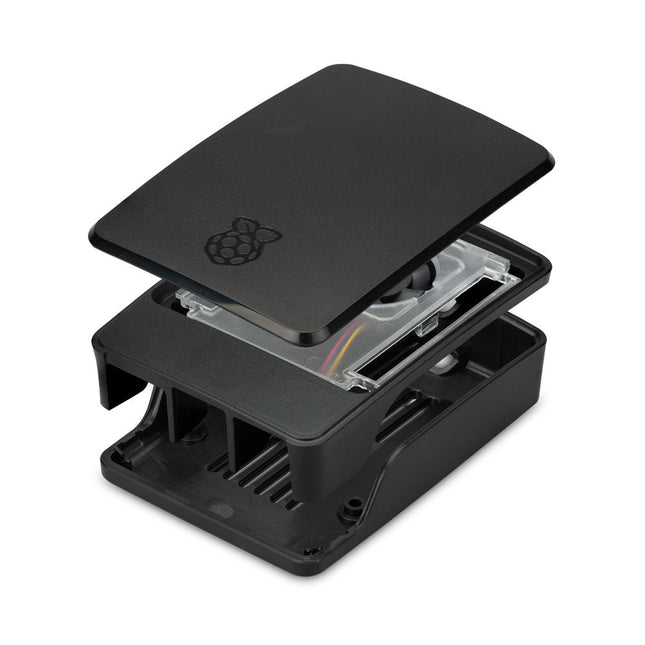
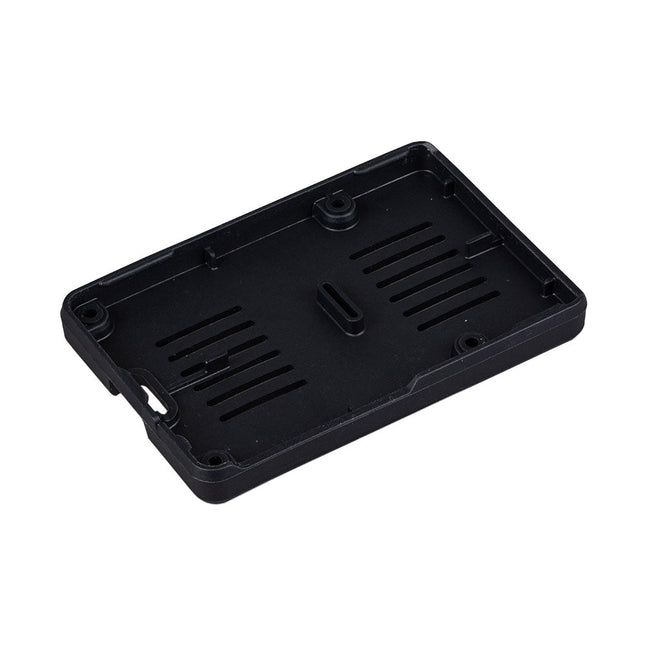
The Raspberry Pi 5 case is a refinement of the Raspberry Pi 4 case with improved thermal features to support the higher peak power consumption of the Raspberry Pi 5. It integrates a variable speed fan that is powered and controlled via a dedicated connector on the Raspberry Pi 5.
The official Raspberry Pi mini-HDMI to HDMI (A/M) cable designed for all Raspberry Pi Zero models. 19-pin HDMI Type D(M) to 19-pin HDMI Type A(M) 1 m cable (white) Nickel-plated plugs 4Kp60 compliant RoHS compliant 3 Mohm 300 VDC insulation, withstands 300 VDC for 0.1s
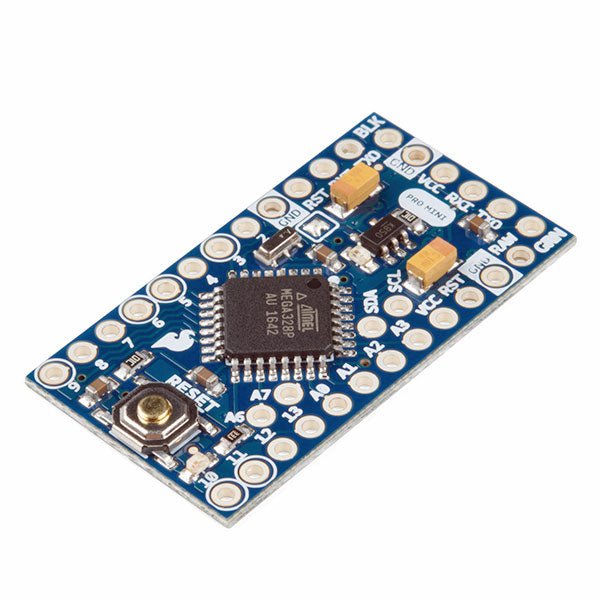
The Arduino Pro Mini is a microcontroller board based on the ATmega328P.
It has 14 digital input/output pins (of which 6 can be used as PWM outputs), 6 analog inputs, an on-board resonator, a reset button, and holes for mounting pin headers. A six pin header can be connected to an FTDI cable or SparkFun breakout board to provide USB power and communication to the board.
The Arduino Pro Mini is intended for semi-permanent installation in objects or exhibitions. The board comes without pre-mounted headers, allowing the use of various types of connectors or direct soldering of wires. The pin layout is compatible with the Arduino Mini.
The Arduino Pro Mini was designed and is manufactured by SparkFun Electronics.
Specifications
Microcontroller
ATmega328P
Board Power Supply
5-12 V
Circuit Operating Voltage
5 V
Digital I/O Pins
14
PWM Pins
6
UART
1
SPI
1
I²C
1
Analog Input Pins
6
External Interrupts
2
DC Current per I/O Pin
40 mA
Flash Memory
32 KB of which 2 KB used by bootloader
SRAM
2 KB
EEPROM
1 KB
Clock Speed
16 MHz
Dimensions
18 x 33.3 mm (0.7 x 1.3")
Downloads
Eagle files
Schematics
The Raspberry Pi 5 case is a refinement of the Raspberry Pi 4 case with improved thermal features to support the higher peak power consumption of the Raspberry Pi 5. It integrates a variable speed fan that is powered and controlled via a dedicated connector on the Raspberry Pi 5.
The Raspberry Pi M.2 HAT+ enables you to connect M.2 peripherals such as NVMe drives and AI accelerators to Raspberry Pi 5’s PCIe 2.0 interface, supporting fast (up to 500 MB/s) data transfer to and from NVMe drives and other PCIe accessories.
Raspberry Pi M.2 HAT+ supports devices that have the M.2 M key edge connector, in the 2230 and 2242 form factors. It is capable of supplying up to 3 A to connected M.2 devices.
Features
Supports single-lane PCIe 2.0 interface (500 MB/s peak transfer rate)
Supports devices that use the M.2 M key edge connector
Supports devices with the 2230 or 2242 form factor
Capable of supplying up to 3 A to connected M.2 devices
Power and activity LEDs
Included
1x Raspberry Pi 5 M.2 HAT+
1x Ribbon cable
1x GPIO stacking header
4x Spacers
8x Screws
Downloads
Datasheet
Schematics
Assembly instructions
This USB Stick contains more than 300 Arduino-related articles published in Elektor Magazine. The content includes both background articles and projects on the following topics:
Software & hardware development: Tutorials on Arduino software development using Arduino IDE, Atmel Studio, Shields, and essential programming concepts.
Learning: The Microcontroller Bootcamp offers a structured approach to programming embedded systems.
Data acquisition & measurement: Projects such as a 16-bit data logger, lathe tachometer, and an AC grid analyzer for capturing and analyzing real-time signals.
Wireless communication: Learn how to implement wireless networks, create an Android interface, and communicate effectively with microcontrollers.
Robotics and automation: This covers the Arduino Nano Robot Controller, supporting boards for automation, and explores various Arduino shields to enhance functionality.
Self-build projects: Unique projects such as laser projection, Numitron clock and thermometer, ELF receiver, Theremino, and touch LED interfaces highlight creative applications.
Whether you're a beginner or an experienced maker, this collection is a valuable resource for learning, experimenting, and pushing the boundaries of Arduino technology.
This bundle contains:
Book: Get Started with the NXP FRDM-MCXN947 Development Board (normal price: €40)
NXP FRDM-MCXN947 Development Board (normal price: €30)
Book: Get Started with the NXP FRDM-MCXN947 Development Board
Develop projects on connectivity, graphics, machine learning, motor control, and sensors
This book is about the use of the FRDM-MCXN947 Development Board, developed by NXP Semiconductors. It integrates the dual Arm Cortex-M33, operating at up to 150 MHz. Ideal for Industrial, IoT, and machine learning applications. It features Hi-Speed USB, CAN 2.0, I³C and 10/100 Ethernet. The board includes an on-board MCU-Link debugger, FlexI/O for LCD control, and dual-bank flash for read-while-write operations, supporting large external serial memory configurations.
One of the important features of the development board is that it features an integrated eIQ Neutron Neural Processing Unit (NPU), thus enabling users to develop AI-based projects. The development board also supports Arduino Uno form factor header pins, making it compatible with many Arduino shields, mikroBUS connector for MikroElektronika Click Boards, and Pmod connector.
One of the nice things of the FRDM-MCXN947 development board is that it includes several on-board debug probes, allowing programmers to debug their programs by communicating directly with the MCU. With the help of the debugger, programmers can single-step through a program, insert breakpoints, view and modify variables and so on.
Many working and tested projects have been developed in the book using the popular MCUXpresso IDE and the SDK with various sensors and actuators. Use of the popular CMSIS-DSP library is also explained with several commonly used matrix operations.
The projects provided in the book can be used without any modifications in many applications. Alternatively, readers can base their projects on those given in the book during the development of their own projects.
NXP FRDM-MCXN947 Development Board
The FRDM-MCXN947 is a compact and versatile development board designed for rapid prototyping with MCX N94 and N54 microcontrollers. It features industry-standard headers for easy access to the MCU's I/Os, integrated open-standard serial interfaces, external flash memory, and an onboard MCU-Link debugger.
Specifications
Microcontroller
MCX-N947 Dual Arm Cortex-M33 cores @ 150 MHz each with optimized performance efficiency, up to 2 MB dual-bank flash with optional full ECC RAM, External flash
Accelerators: Neural Processing Unit, PowerQuad, Smart DMA, etc.
Memory Expansion
*DNP Micro SD card socket
Connectivity
Ethernet Phy and connector
HS USB-C connectors
SPI/I²C/UART connector (PMOD/mikroBUS, DNP)
WiFi connector (PMOD/mikroBUS, DNP)
CAN-FD transceiver
Debug
On-board MCU-Link debugger with CMSIS-DAP
JTAG/SWD connector
Sensor
P3T1755 I³C/I²C Temp Sensor, Touch Pad
Expansion Options
Arduino Header (with FRDM expansion rows)
FRDM Header
FlexIO/LCD Header
SmartDMA/Camera Header
Pmod *DNP
mikroBUS
User Interface
RGB user LED, plus Reset, ISP, Wakeup buttons
Included
1x FRDM-MCXN947 Development Board
1x USB-C Cable
1x Quick Start Guide
Downloads
Datasheet
Block diagram