
Search results for "arduino OR sensor OR kit OR base"
-
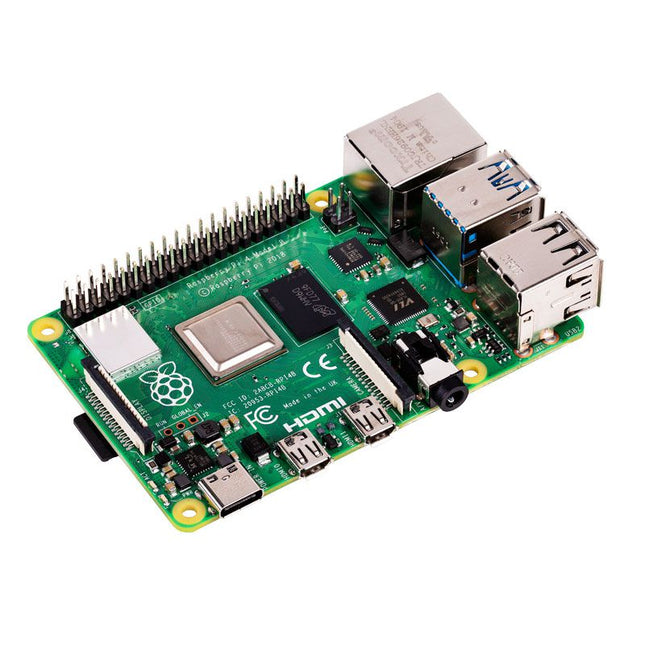
Raspberry Pi Foundation Raspberry Pi 4 B (1 GB RAM)
The Raspberry Pi 4 B is 3x faster than its 3 B+ predecessor and offers 4x faster multimedia performance (comparable to the desktop performance of an entry-level x86-based PC). Features High-performance 64-bit quad-core processor Dual-display support at resolutions up to 4K via a pair of micro-HDMI ports Hardware video decode at up to 4Kp60 Up to 8 GB of RAM Dual-band 2.4/5 GHz wireless LAN Bluetooth 5.0 Gigabit Ethernet USB 3.0 PoE capability (via a separate PoE HAT add-on) Specifications SoC Broadcom BCM2711 CPU 64-bit ARM Cortex-A72 (4x 1.5 GHz) GPU Broadcom VideoCore VI RAM Up to 8 GB LPDDR4 Wireless LAN 2.4 GHz and 5 GHz IEEE 802.11b/g/n/ac wireless LAN Bluetooth Bluetooth 5.0, BLE Ethernet Gigabit Ethernet USB 2x USB-A 3.02x USB-A 2.0 GPIO Standard 40-pin GPIO header (fully backwards-compatible with previous boards) Video 2x micro-HDMI ports (up to 4Kp60 supported)2-lane MIPI DSI port (display)2-lane MIPI CSI port (camera) Audio 4-pole stereo audio and composite video port Multimedia H.265 (4Kp60 decode)H.264 (1080p60 decode, 1080p30 encode)OpenGL ES, 3.0 graphics SD card microSD (for operating system and storage) Power 5 V | 3 A (via USB-C)5 V | 3 A (via GPIO)Power over Ethernet (PoE) enabled – (requires separate PoE HAT) Raspberry Pi 4 B 2 GB RAM 4 GB RAM 8 GB RAM
-
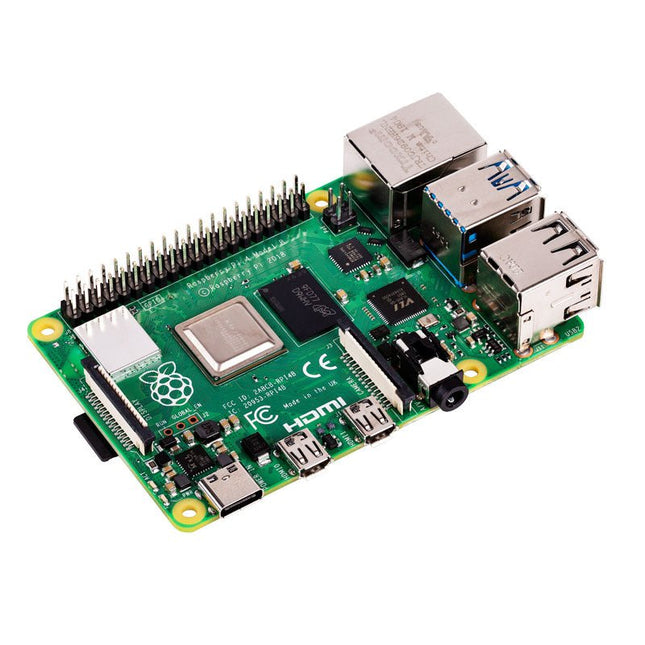
Raspberry Pi Foundation Raspberry Pi 4 B (2 GB RAM)
The Raspberry Pi 4 B is 3x faster than its 3 B+ predecessor and offers 4x faster multimedia performance (comparable to the desktop performance of an entry-level x86-based PC). Features High-performance 64-bit quad-core processor Dual-display support at resolutions up to 4K via a pair of micro-HDMI ports Hardware video decode at up to 4Kp60 Up to 8 GB of RAM Dual-band 2.4/5 GHz wireless LAN Bluetooth 5.0 Gigabit Ethernet USB 3.0 PoE capability (via a separate PoE HAT add-on) Specifications SoC Broadcom BCM2711 CPU 64-bit ARM Cortex-A72 (4x 1.5 GHz) GPU Broadcom VideoCore VI RAM Up to 8 GB LPDDR4 Wireless LAN 2.4 GHz and 5 GHz IEEE 802.11b/g/n/ac wireless LAN Bluetooth Bluetooth 5.0, BLE Ethernet Gigabit Ethernet USB 2x USB-A 3.02x USB-A 2.0 GPIO Standard 40-pin GPIO header (fully backwards-compatible with previous boards) Video 2x micro-HDMI ports (up to 4Kp60 supported)2-lane MIPI DSI port (display)2-lane MIPI CSI port (camera) Audio 4-pole stereo audio and composite video port Multimedia H.265 (4Kp60 decode)H.264 (1080p60 decode, 1080p30 encode)OpenGL ES, 3.0 graphics SD card microSD (for operating system and storage) Power 5 V | 3 A (via USB-C)5 V | 3 A (via GPIO)Power over Ethernet (PoE) enabled – (requires separate PoE HAT) Raspberry Pi 4 B 1 GB RAM 4 GB RAM 8 GB RAM
-

Robins Tools Pixel Pump – Pick-and-Place Machine for Manual SMT Assembly
Pixel Pump is an open source vacuum pump for manual SMT assembly. It comes with a comfortable pen, a foot pedal, RGB LED buttons, and a variety of features that make hand assembly a lot more fun. It’s the perfect companion for manual SMT soldering applications, from individual prototypes to small production runs. Thoughtful, High-Quality Design Pixel Pump ships with a set of five stainless-steel nozzles in each of five different sizes, with outer diameters ranging from 0.3 mm all the way up to 1.8 mm. With this set, you should be able to pick and place most SMD components, including small 0402 passives, larger parts like inductors and ICs, and just about everything in between. The nozzles are held in place by a Luer lock slip fitting that facilitates quick nozzle changes and broad compatibility with third-party nozzles. The pen itself features a barbed connection for the air hose and incorporates four M8 steel nuts to give it some heft and to enable magnetic attachment to Pixel Pump. Tactile silicone buttons with RGB backlighting offer full control over the unit. You can change operation modes, switch between high- and low-power settings, or activate reverse mode to clean your nozzle. The buttons also allow you to configure things like vacuum power and LED brightness. Pixel Pump has a pressure-relief valve that dumps vacuum to ensure that your part gets released quickly when you release the foot pedal. Optionally, you can configure that valve to switch from suction mode to pressure mode, which quickly and easily cleans the nozzle in case you have accidentally sucked in debris like solder paste. A sintered air filter protects the vacuum pump and valves from debris that might otherwise be sucked into the system. It is accessible from the outside and can easily be cleaned and reused. A Perfect Companion For Prototype Boards & Small-Scale Manufacturing Pixel Pump was designed primarily for individuals and organizations that manufacture one-off prototypes, but it’s also well suited for small production runs. It’s super easy to use and is actually faster than an automated pick-and-place machine for smaller batch sizes, especially when combined with SMD Magazines. Pixel Pump is the perfect companion for hobbyists and professionals who love making their own PCBs. Features Comfortable pen that accommodates various vacuum nozzles Small, flexible, heat-resistant silicone hose that connects the pen to Pixel Pump Magnetic base for the pen Strong, adjustable vacuum, perfect for picking small and large components alike Tactile, silicone RGB-button interface Foot pedal for triggering the pump Adjustable high/low power settings Adjustable LED brightness Reverse mode, which creates pressure instead of suction to clean nozzles Vacuum relief valve for quick depressurization to drop parts more quickly Easy software updates via USB Type-C Compact design that respects the limited surface area of your workbench Downloads 3D STL Files Firmware Mainboard Schematics UI Board Schematics Motor Controller Schematics
-
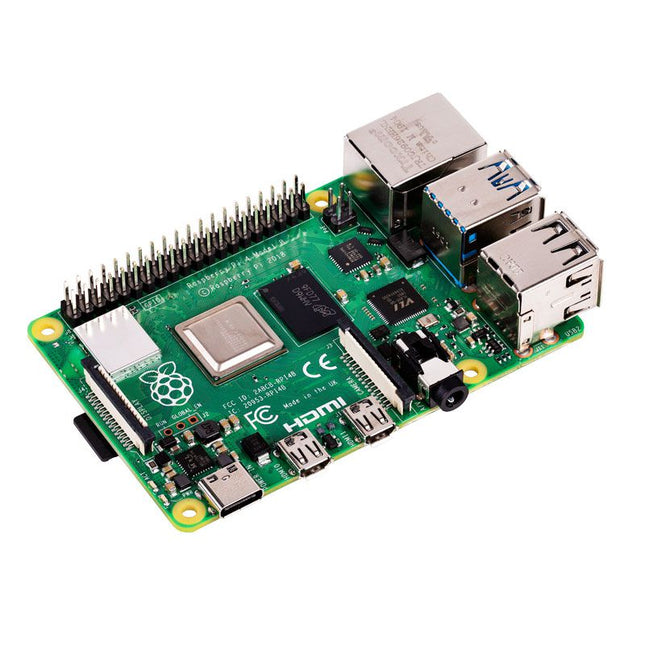
Raspberry Pi Foundation Raspberry Pi 4 B (8 GB RAM)
The Raspberry Pi 4 B is 3x faster than its 3 B+ predecessor and offers 4x faster multimedia performance (comparable to the desktop performance of an entry-level x86-based PC). Features High-performance 64-bit quad-core processor Dual-display support at resolutions up to 4K via a pair of micro-HDMI ports Hardware video decode at up to 4Kp60 Up to 8 GB of RAM Dual-band 2.4/5 GHz wireless LAN Bluetooth 5.0 Gigabit Ethernet USB 3.0 PoE capability (via a separate PoE HAT add-on) Specifications SoC Broadcom BCM2711 CPU 64-bit ARM Cortex-A72 (4x 1.5 GHz) GPU Broadcom VideoCore VI RAM Up to 8 GB LPDDR4 Wireless LAN 2.4 GHz and 5 GHz IEEE 802.11b/g/n/ac wireless LAN Bluetooth Bluetooth 5.0, BLE Ethernet Gigabit Ethernet USB 2x USB-A 3.02x USB-A 2.0 GPIO Standard 40-pin GPIO header (fully backwards-compatible with previous boards) Video 2x micro-HDMI ports (up to 4Kp60 supported)2-lane MIPI DSI port (display)2-lane MIPI CSI port (camera) Audio 4-pole stereo audio and composite video port Multimedia H.265 (4Kp60 decode)H.264 (1080p60 decode, 1080p30 encode)OpenGL ES, 3.0 graphics SD card microSD (for operating system and storage) Power 5 V | 3 A (via USB-C)5 V | 3 A (via GPIO)Power over Ethernet (PoE) enabled – (requires separate PoE HAT) Raspberry Pi 4 B 1 GB RAM 2 GB RAM 4 GB RAM
-
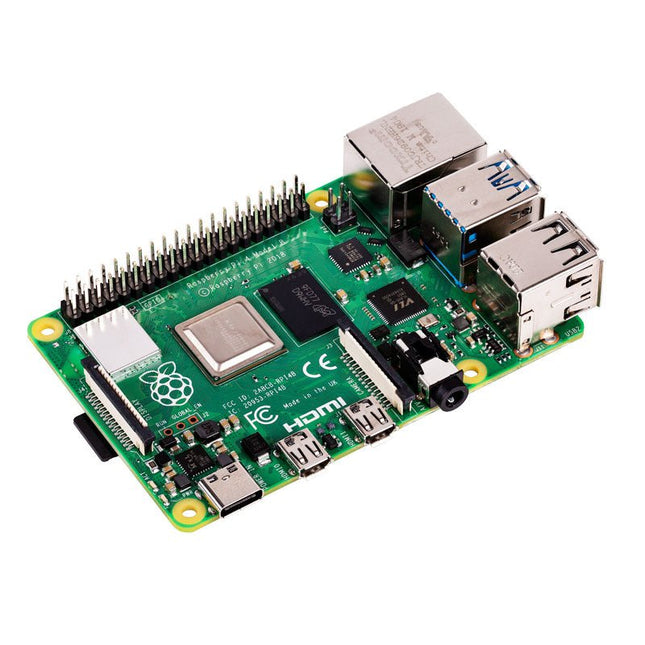
Raspberry Pi Foundation Raspberry Pi 4 B (4 GB RAM)
The Raspberry Pi 4 B is 3x faster than its 3 B+ predecessor and offers 4x faster multimedia performance (comparable to the desktop performance of an entry-level x86-based PC). Features High-performance 64-bit quad-core processor Dual-display support at resolutions up to 4K via a pair of micro-HDMI ports Hardware video decode at up to 4Kp60 Up to 8 GB of RAM Dual-band 2.4/5 GHz wireless LAN Bluetooth 5.0 Gigabit Ethernet USB 3.0 PoE capability (via a separate PoE HAT add-on) Specifications SoC Broadcom BCM2711 CPU 64-bit ARM Cortex-A72 (4x 1.5 GHz) GPU Broadcom VideoCore VI RAM Up to 8 GB LPDDR4 Wireless LAN 2.4 GHz and 5 GHz IEEE 802.11b/g/n/ac wireless LAN Bluetooth Bluetooth 5.0, BLE Ethernet Gigabit Ethernet USB 2x USB-A 3.02x USB-A 2.0 GPIO Standard 40-pin GPIO header (fully backwards-compatible with previous boards) Video 2x micro-HDMI ports (up to 4Kp60 supported)2-lane MIPI DSI port (display)2-lane MIPI CSI port (camera) Audio 4-pole stereo audio and composite video port Multimedia H.265 (4Kp60 decode)H.264 (1080p60 decode, 1080p30 encode)OpenGL ES, 3.0 graphics SD card microSD (for operating system and storage) Power 5 V | 3 A (via USB-C)5 V | 3 A (via GPIO)Power over Ethernet (PoE) enabled – (requires separate PoE HAT) Raspberry Pi 4 B 1 GB RAM 2 GB RAM 8 GB RAM
-
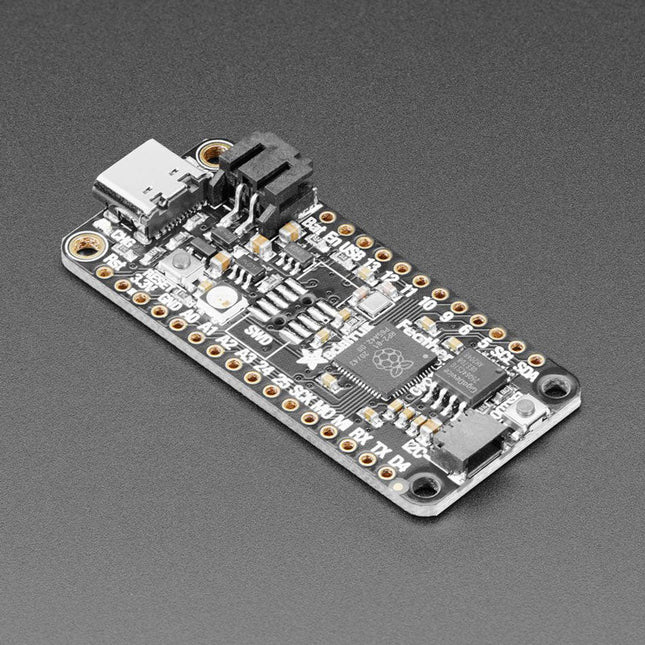
Adafruit Adafruit Feather RP2040
Inside the RP2040 is a 'permanent ROM' USB UF2 bootloader. What that means is when you want to program new firmware, you can hold down the BOOTSEL button while plugging it into USB (or pulling down the RUN/Reset pin to ground) and it will appear as a USB disk drive you can drag the firmware onto. Folks who have been using Adafruit products will find this very familiar – Adafruit uses the technique on all thier native-USB boards. Just note you don't double-click reset, instead hold down BOOTSEL during boot to enter the bootloader! The RP2040 is a powerful chip, which has the clock speed of our M4 (SAMD51), and two cores that are equivalent to our M0 (SAMD21). Since it is an M0 chip, it does not have a floating point unit, or DSP hardware support – so if you're doing something with heavy floating-point math, it will be done in software and thus not as fast as an M4. For many other computational tasks, you'll get close-to-M4 speeds! For peripherals, there are two I²C controllers, two SPI controllers, and two UARTs that are multiplexed across the GPIO – check the pinout for what pins can be set to which. There are 16 PWM channels, each pin has a channel it can be set to (ditto on the pinout). Specifications Measures 2.0 x 0.9 x 0.28' (50.8 x 22.8 x 7 mm) without headers soldered in Light as a (large?) feather – 5 grams RP2040 32-bit Cortex M0+ dual core running at ~125 MHz @ 3.3 V logic and power 264 KB RAM 8 MB SPI FLASH chip for storing files and CircuitPython/MicroPython code storage. No EEPROM Tons of GPIO! 21 x GPIO pins with following capabilities: Four 12 bit ADCs (one more than Pico) Two I²C, Two SPI and two UART peripherals, one is labeled for the 'main' interface in standard Feather locations 16 x PWM outputs - for servos, LEDs, etc The 8 digital 'non-ADC/non-peripheral' GPIO are consecutive for maximum PIO compatibility Built in 200 mA+ lipoly charger with charging status indicator LED Pin #13 red LED for general purpose blinking RGB NeoPixel for full color indication. On-board STEMMA QT connector that lets you quickly connect any Qwiic, STEMMA QT or Grove I²C devices with no soldering! Both Reset button and Bootloader select button for quick restarts (no unplugging-replugging to relaunch code) 3.3 V Power/enable pin Optional SWD debug port can be soldered in for debug access 4 mounting holes 24 MHz crystal for perfect timing. 3.3 V regulator with 500mA peak current output USB Type C connector lets you access built-in ROM USB bootloader and serial port debugging RP2040 Chip Features Dual ARM Cortex-M0+ @ 133 MHz 264 kB on-chip SRAM in six independent banks Support for up to 16 MB of off-chip Flash memory via dedicated QSPI bus DMA controller Fully-connected AHB crossbar Interpolator and integer divider peripherals On-chip programmable LDO to generate core voltage 2 on-chip PLLs to generate USB and core clocks 30 GPIO pins, 4 of which can be used as analog inputs Peripherals 2 UARTs 2 SPI controllers 2 I²C controllers 16 PWM channels USB 1.1 controller and PHY, with host and device support 8 PIO state machines Comes fully assembled and tested, with the UF2 USB bootloader. Adafruit also tosses in some header, so you can solder it in and plug it into a solderless breadboard.

