
Search results for "raspberry OR pi OR bundle OR zero OR w OR buffer OR board"
-
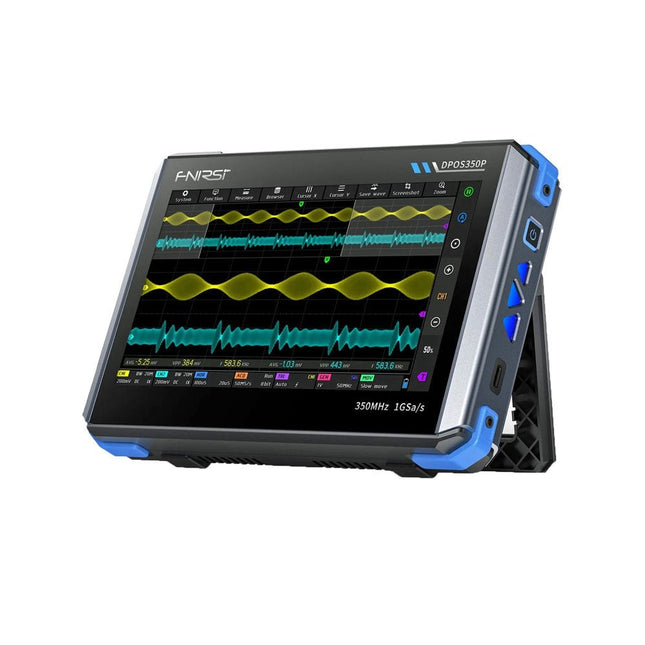
FNIRSI FNIRSI DPOS350P (4-in-1) 2-ch Tablet Oscilloscope (350 MHz) + Signal Generator + Frequency Response Analyzer + Spectrum Analyzer
2 Channels • 350 MHz • 1 GSa/s • 50,000 wfm/s • 7 inch Touchscreen The FNIRSI DPOS350P is a sleek 4-in-1 powerhouse in tablet form! This compact and portable device packs serious functionality: it combines a 2-channel oscilloscope (350 MHz), a signal generator (50 MHz), a frequency response analyzer (50 MHz), and a spectrum analyzer (200 kHz–350 MHz) – all in one unit. Whether you're in R&D, troubleshooting, or field testing, the DPOS350P delivers the tools you need to measure, generate, analyze, and visualize electronic signals with precision and clarity. Its responsive high-resolution touchscreen and intuitive controls make signal analysis fast, flexible and efficient. Features Powerful Multi-Function Integration 350 MHz 2-channel oscilloscope with 1 GSa/s real-time sampling 50 MHz signal generator with 14 standard + custom waveforms Spectrum analyzer (200 kHz–350 MHz): Perfect for EMI, RF & HF testing Frequency response analyzer (FRA) up to 50 MHz High-Performance Waveform Capture 50,000 wfm/s refresh rate for real-time signal clarity 350 MHz bandwidth (single-channel mode) Detects rare and low-probability anomalies Crisp Display & Smooth Operation 7" IPS touchscreen (1024 x 600 resolution) Switch between grayscale and color temperature display Easy to operate in various test environments Reliable, Protected & Fast-Charging High-voltage protection up to 400 V Fast charging with QC 18 W (full charge in 2 hours) Built for stable long-term operation Data Storage & Export Save up to 500 waveform records + 90 screenshots USB export for easy reporting and offline analysis Specifications General Display 7 inch (IPS full viewing angle) Resolution 1024 x 600 pixels Interaction mode Capacitive touch screen Total power consumption 10 W Power-on configuration 5 presets Charging QC 18 W, 12 V/1.5 A (USB-C) Battery 3.7 V, 8000 mAh lithium battery Battery life approx. 3 hours in operation, 5 hours standby Heat dissipation Air cooling Expansion interface USB data port Automatic shutdown 15~60 minutes / off Firmware upgrade Support .iso image upgrade Languages English / Portuguese / Russian / Chinese Dimensions 190 x 128 x 37 mm Oscilloscope Analog channels 2 Analog bandwidth 350 MHz Rise time 1ns Real-time sampling rate 1 GSa/s Memory depth 60 Kpts Input impedance 1 MΩ / 14PF Time base range 5ns ~ 50s Roll time base 50ms ~ 50s Vertical sensitivity 2 mV ~ 20 V (1X) Vertical range 16 mV ~ 160 V (1X) DC accuracy ±2% Time accuracy ±0.01% Input coupling DC / AC Probe attenuation 1X / 10X / 100X Hardware bandwidth limit 150M / 20M High resolution mode 8bit ~ 16bit Parameter measurements 12 types Cursor measurement Time, period, frequency, level, voltage Trigger detection Digital trigger Trigger channel CH1 / CH2 Trigger mode Auto / Single / Normal Trigger edge Rising edge / Falling edge Trigger suppression L1 ~ L3 Trigger level Manual / automatic 10% ~ 90% Screenshot storage 90 pictures Waveform storage 500 groups Background grid Display / hide Waveform movement Coarse adjustment / fine adjustment Overvoltage protection Withstand voltage 400 V Waveform brightness Adjustable Simple FFT display Yes Digital fluorescence Yes Color temperature display Yes X-Y mode Yes ZOOM time base Yes One-key automatic adjustment Yes One-key return to zero Yes Data browser Yes Signal Generator Waveform types 14 standard functions + captured waveform Frequency 0~50 MHz (sine wave only, other waveforms up to 10M/5M/3M) Amplitude 0~5 VPP Offset -2.5 V ~ +2.5V Duty cycle 0.1~99.9% Frequency resolution 1 Hz Amplitude resolution 1 mV Offset resolution 1 mV Duty cycle resolution 0.1% Customizable captured waveform 500 groups Frequency Response Analyzer (FRA) Excitation signal frequency 100 Hz ~ 50 MHz Excitation signal amplitude 0~5 VPP Excitation signal offset -2.5V ~ +2.5V Excitation frequency count 20~500 Cursor measurement Frequency / gain / phase Operating mode Single / cyclic System calibration Yes Spectrum Analyzer Conversion method FFT FFT length 4K ~ 32K Frequency range 200 KHz ~ 350 MHz Level range -60 dBmV ~ +260 dBmV Cursor measurement Frequency / amplitude Marking parameter Maximum energy harmonic Waterfall chart Yes 3D waterfall chart Yes Automatic adjustment Yes System calibration Yes Included 1x FNIRSI DPOS350P (4-in-1) 2x 350 MHz Probes 1x QC 18 W Fast Charger (EU) 1x USB Data Cable 1x Alligator Clip 1x Storage Bag 1x Manual Downloads Manual Firmware
-
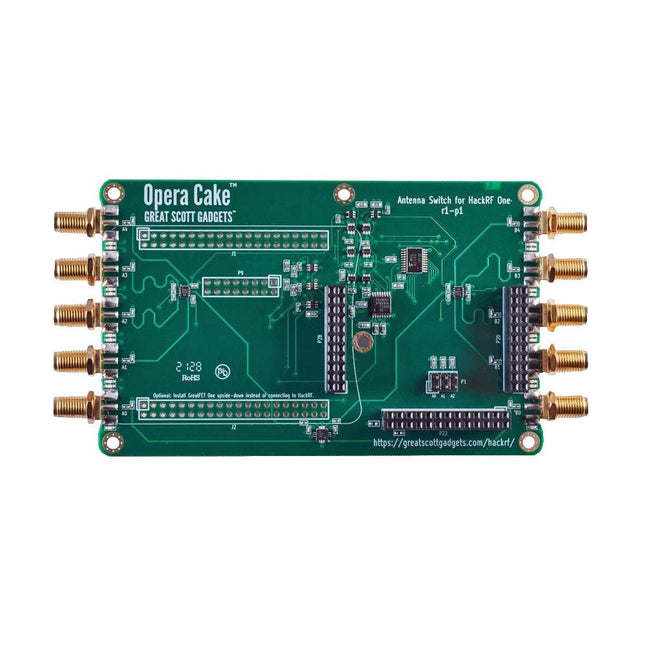
Great Scott Gadgets Great Scott Gadgets Opera Cake (Antenna Switch for HackRF One/Pro)
Opera Cake is an antenna switching add-on board for HackRF One/Pro that is configured with command-line software either manually, or for automated port switching based on frequency or time. It has two primary ports, each connected to any of eight secondary ports, and is optimized for use as a pair of 1x4 switches or as a single 1x8 switch. Its recommended frequency range is 1 MHz to 4 GHz. When HackRF One/Pro is used to transmit, Opera Cake can automatically route its output to the appropriate transmit antennas, as well as any external filters, amplifiers, etc. No changes are needed to the existing SDR software, but full control from the host is available. Opera Cake also enhances the HackRF One/Pro’s use as a spectrum analyzer across its entire operating frequency range of 1 MHz to 4 GHz. Antenna switching works with the existing hackrf_sweep feature, which can sweep the whole tuning range in less than a second. Automatic switching mid-sweep enables the use of multiple antennas when sweeping a wide frequency range. Downloads Documentation GitHub
-
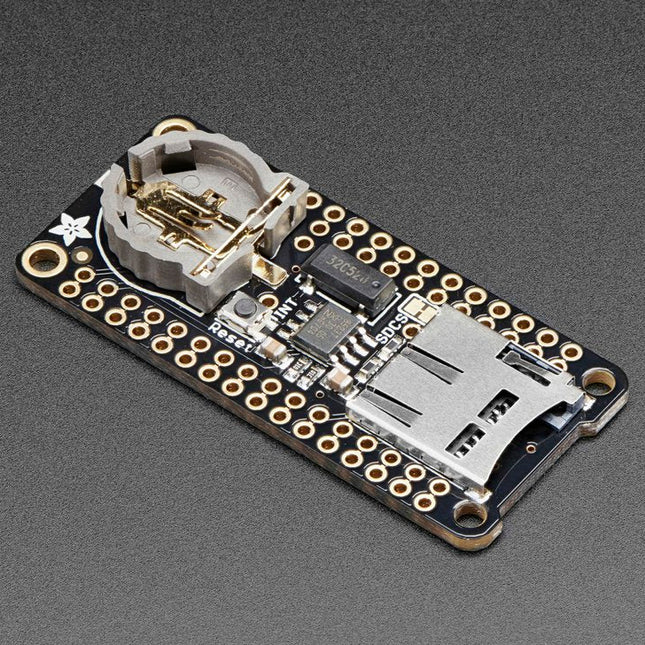
Adafruit Adafruit Adalogger FeatherWing (RTC + SD Add-on)
This FeatherWing will make it easy to add data logging to any Feather Board you might have. You get both an I²C real-time clock (PCF8523) with 32 KHz crystal and battery backup, and a microSD socket that connects to the SPI port pins (+ extra pin for CS). Note: FeatherWing doesn't come with a microSD card. A CR1220 coin cell is required to use the RTC battery-backup capabilities. If you're not using the RTC part of the FeatherWing, a battery is not required. To talk to the microSD card socket Arduino's default SD library is recommended. Some light soldering is required to attach the headers onto the Wing. Pinouts Power pins On the bottom row, the 3.3 V (second from left) and GND (fourth from left) pin are used to power the SD card and RTC (to take a load off the coin cell battery when main power is available) RTC & I²C Pins In the top right SDA (rightmost) and SCL (to the left of SDA) are used to talk to the RTC chip. SCL - I²C clock pin to connect to your microcontroller's I2C clock line. This pin has a 10 kΩ pull-up resistor to 3.3 V SDA - I²C data pin to connect to your microcontroller's I2C data line. This pin has a 10 kΩ pull-up resistor to 3.3 V There's also a breakout for INT which is the output pin from the RTC. It can be used as an interrupt output or it could also be used to generate a square wave. Note that this pin is an open drain - you must enable the internal pull-up on whatever digital pin it is connected to. SD & SPI Pins Starting from the left you've got SPI Clock (SCK) - output from feather to wing SPI Master Out Slave In (MOSI) - output from feather to wing SPI Master In Slave Out (MISO) - input from wing to feather These pins are in the same location on every Feather. They are used for communicating with the SD card. When the SD card is not inserted, these pins are completely free.
-
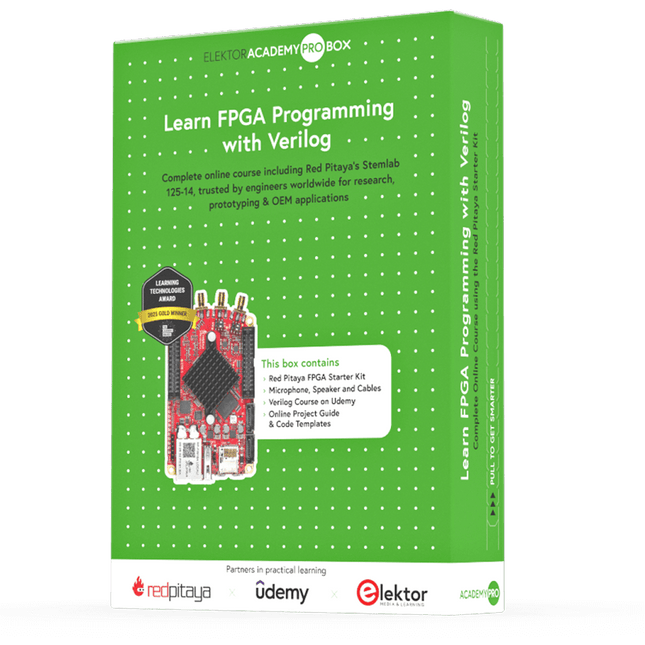
Elektor Academy Pro Learn FPGA Programming with Verilog
Master FPGA programming with the Red Pitaya Academy Pro Box. Learn Verilog and build a real-time audio processing system using Red Pitaya – with a full online course and hands-on project materials. The Academy Pro Box "Learn FPGA Programming with Verilog" is a complete learning solution for students, engineers and developers looking to gain hands-on experience with FPGA programming in Verilog. Combining theory with practice, the programme integrates a well-established Udemy course on Verilog fundamentals with nine exclusive practical modules developed by Elektor & Red Pitaya, designed specifically for the Red Pitaya STEMlab platform. Participants work with real hardware – delivered as part of the box – including the Red Pitaya STEMlab 125-14 Starter Kit and essential electronic components, enabling them to apply their knowledge immediately through real-world test setups. This combination of guided theory and structured experimentation ensures not only a strong understanding of FPGA principles, but also the ability to implement and verify designs independently. The box is aimed at professionals and advanced learners who want to go beyond simulation and gain practical skills in digital design. By the end of the programme, participants will have completed working FPGA projects, using industry-relevant tools and workflows – making this a valuable resource for academic & career development and technical innovation. What you’ll learn? Fundamentals of FPGA and Verilog Programming How to simulate, synthesize & implement digital circuits How to interface audio hardware with your FPGA Real-time Digital Signal Processing (DSP) techniques How to build, test, and customize audio filters Perfect for Professionals looking to level up their skills in Digital System Design Designers aiming to accelerate time-to-market for their applications Engineers pushing the boundaries of technological innovation Support when you need it In-depth troubleshooting in the course Community forums & Red Pitaya documentation Udemy Q&A and hardware support email What's inside the Box (Course)? Red Pitaya STEMlab 125-14 Starter Kit (valued at €550) 1x STEMlab 125-14 board 1x USB power supply (EU, UK & US) 1x microSD card (16 GB) with pre-installed OS 1x Ethernet cable Extra: 2x Oscilloscope Probes Extra: 2x SMA to BNC adapters Microphone & speaker set with cables Step-by-step project guide Downloadable code templates and schematics Lifetime access to a complete, self-paced Udemy course on Verilog Learning Material (of this Box/Course) 9 Practical Modules with Red Pitaya ▶ Click here to open Introduction Setting Up the Vivado Development Environment Project Setup & Vivado Integration Synthesis, Implementation & Bitstream Generation FPGA Image Overview First FPGA Projects – LEDs Full Audio Pass-Through Module 5 kHz Low-Pass Filter (4-Pole Cascade) Real-Time Microphone Input → Speaker Output Verilog Course with 28 Lessons on Udemy ▶ Click here to open Installing Vivado Vivado Design Flow Part 1 Vivado Design Flow Part 2 Commonly Asked Question’s from previous Module Fundamentals of Verilog Commonly Asked Question’s from previous Module Modeling Styles Assignment Operators in Verilog FAQ Behavioral Modeling Style Commonly Asked Question's from previous Module Gate Level Modeling Style Switch level Modeling Style Structural Modeling Style Schematic based Design Entry with IP integrator and Xilinx IP's Memories Commonly Asked Question's from previous Module Finite State Machines Commonly Asked Question's from previous Module Writing Testbenches Hardware Debugging with Vivado Required Hardware v File I/0 Projects RTL for Synthesis FPGA Architecture Fundamentals Commonly Asked Question's from previous Module Interview Preparations Next Step What is Elektor Academy Pro? Elektor Academy Pro delivers specialized learning solutions designed for professionals, engineering teams, and technical experts in the electronics and embedded systems industry. It enables individuals and organizations to expand their practical knowledge, enhance their skills, and stay ahead of the curve through high-quality resources and hands-on training tools. From real-world projects and expert-led courses to in-depth technical insights, Elektor empowers engineers to tackle today’s electronics and embedded systems challenges. Our educational offerings include Academy Books, Pro Boxes, Webinars, Conferences, and industry-focused B2B magazines – all created with professional development in mind. Whether you're an engineer, R&D specialist, or technical decision-maker, Elektor Academy Pro bridges the gap between theory and practice, helping you master emerging technologies and drive innovation within your organization.
