
Search results for "microscop"
-

Elektor Digital PIC Cookbook for Virtual Instrumentation (E-book)
The software simulation of gauges, control-knobs, meters and indicators which behave just like real hardware components on a PC’s screen is known as virtual instrumentation. In this book, the Delphi program is used to create these mimics and PIC based external sensors are connected via a USB/RS232 converter communication link to a PC. Detailed case studies in this Book include a virtual compass displayed on the PC’s screen, a virtual digital storage oscilloscope, virtual -50 to +125 degree C thermometer, and FFT sound analyser, a joystick mouse and many examples detailing virtual instrumentation Delphi components. Arizona’s embedded microcontrollers – the PIC's are used in the projects and include PIC16F84A, PIC16C71, DSPIC30F6012A, PIC16F877, PIC12F629 and the PIC16F887. Much use is made of Microchip’s 44 pin development board (a virtual instrument ‘engine)’, equipped with a PIC16F887 with an onboard potentiometer in conjunction with the PIC’s ADC to simulate the generation of a variable voltage from a sensor/transducer, a UART to enable PC RS232 communications and a bank of 8 LED's to monitor received data is also equipped with an ISP connector to which the ‘PICKIT 2’ programmer may easily be connected. Full source code examples are provided both for several different PIC’s, both in assembler and C, together with the Pascal code for the Delphi programs which use different 3rd party Delphi virtual components.
€ 19,95
Members € 15,96
-
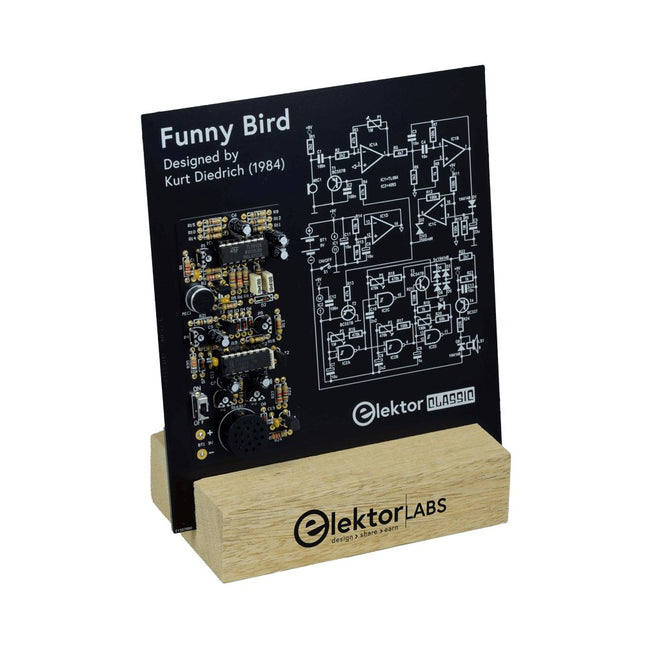
Elektor Labs Elektor Funny Bird
Whistle And It Chirps Back At You! Although birds of all sorts are lovingly owned and watched by many people, sadly most of them have not yet learnt to communicate with us. This all-electronic bird takes a step in the right direction: when you whistle at it, it chirps back! Features Responds to Whistling Adjustable Bird Sounds (Tone and Length) Elektor Heritage Circuit Symbols Tried & Tested by Elektor Labs Educational & Geeky Project Through-Hole Parts Only Included Printed Circuit Board All Components Wooden Stand Bill of Materials Resistors R1,R2 = 2.2kΩ R3,R4,R13 = 47kΩ R5 = 4.7kΩ R6 = 3.3kΩ R7,R10,R11,R12,R17 = 100kΩ R8,R19,R23 = 1kΩ R9 = 1MΩ R14,R15 = 10kΩ R16,R18 = 470kΩ R20 = 68kΩ R21 = 10MΩ R22 = 2.7kΩ R24 = 22Ω P1,P2 = 1MΩ P3,P5 = 470kΩ P4 = 100kΩ Capacitors C1,C2,C12 = 100nF C3,C4 = 10nF C5 = 22μF, 16V C6,C7,C11 = 10μF, 16V C8 = 2.2μF, 100V C9 = 1μF, 50V C10 = 2.2nF C13 = 10nF Semiconductors D1,D3,D4,D5,D6,D7,D8 = 1N4148 D2 = 3V3 Zener diode T1,T2 = BC557B T3 = BC547B T4 = BC327-40 IC1 = TL084CN IC2 = 4093 Miscellaneous BT1 = wired battery clip for 6LR61/PP3 LS1 = miniature loudspeaker, 8Ω, 0.5W S1 = switch, slide, SPDT MIC1 = electret microphone PCB 230153-1 v1.1
€ 49,95€ 19,98
Members identical
-
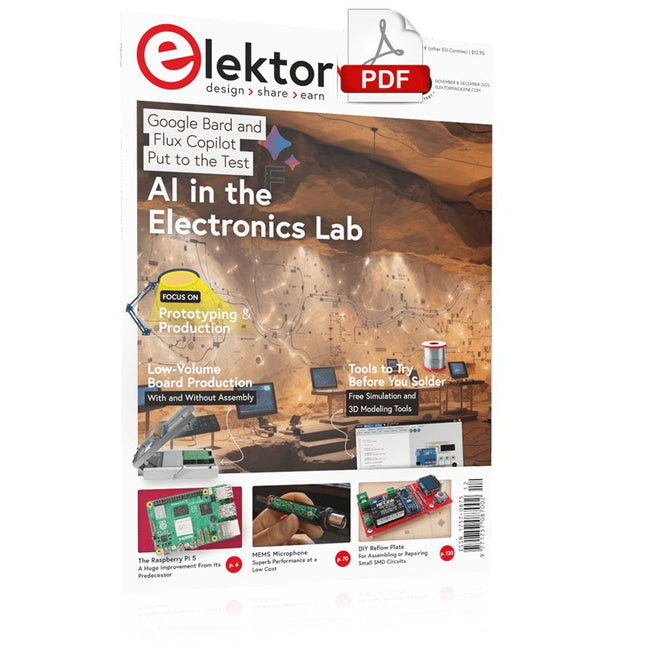
Elektor Digital Elektor November/December 2023 (PDF)
Elektor GREEN and GOLD members can download their digital edition here. Not a member yet? Click here. The Raspberry Pi 5A Huge Improvement From Its Predecessor AI in the Electronics LabGoogle Bard and Flux Copilot Put to the Test Arduino Nano Waveform GeneratorNano + Code = Function Generator Solar-Powered Christmas GarlandAn Eco-Friendly Solution for Garnishing Your Balcony USB Killer DetectorBetter Safe Than Sorry A Simple CNCed EnclosureWith Autodesk Fusion 360 for Personal Use Low-Volume Board ProductionWith and without Assembly IoT Simulation Simplified with WokwiDeveloper Uri Shaked on Design, Software, and More A Bare-Metal Programming Guide (Part 3)CMSIS Headers, Automatic Testing, and a Web Server LoRa, a Swiss Army Knife (2)The Hardware and Software MEMS Microphone Design and Construction Tools to Try Before You SolderSimulation and 3D Modeling Tools That Can Be Used for Free New Tools From Microchip!PICkit 5 and MPLAB ICD 5 Available Now! Rapid Prototyping of Flexible, Stretchable ElectronicsHow the Voltera NOVA Speeds Up Innovation in Wearable Electronic Systems Galvanic IsolationUsing Phototransistor Optocouplers Successfully The Complex Solution or the Anybus Solution?Embedded Industrial Ethernet in 2 Days Rather Than Many Months Your Essential DFM ChecklistHow to Start Designing for Manufacture 3D Printing FilamentsTypes, Features and Use in Prototyping Specialists for Effective Signal Analysis from ELF to EHF BandAaronia’s latest real-time SPECTRAN® V6 series spectrum analyzers Challenges of DFM Analysis for Flex and Rigid-Flex Design Setting Up an SMT Line The Right Combination for a Reliable Assembly Revolutionizing IndustriesThe Rise of Autonomous Mobile Robots (AMRs) Evolved for More ChallengesRohde & Schwarz Adds Eight-Channel R&S MXO 5 to Next-Generation Oscilloscopes Starting Out in Electronics……Amplifying Differences Mini Reflow PlateFor Assembling or Repairing Small SMD Circuits Don’t Start with a Prototype – Start with a Pretotype!Check That a Market Exists for Your Product Before Warming Your Soldering Iron 2023: An AI OdysseyGetting Help Designing a Physical Project Brussels Is InnovatingSupport for Deep Tech
€ 7,50
-

LabNation LabNation SmartScope USB Oscilloscope
SmartScope is a compact 2-channel USB oscilloscope with a bandwidth of 30 MHz and a sampling rate of 2x 100 MSa/s. It is compatible with all major platforms, including Windows, macOS, Linux, and Android. The operation and display of measurement signals are done via smartphone, tablet, or PC. Additionally, a logic analyzer and a signal generator are integrated. Even more, you can get mobile with it: take the SmartScope on the road, thanks to the single-cable connectivity. Everything is going to be intuitive: pointing, pinching and swiping finally replaces the clunky interfaces of old scopes. With the SmartScope you develop your digital interfaces using the 100 MS/s logic analyzer. With this tool you can design any signal you want using Excel, then upload it to the built-in Arbitrary Waveform Generator (AWG). At the end capture the voltage at any point of your design at 100 million times each second. The Software for the support of Windows / macOS / Linux / Android and Export formats (Excel .csv / Matlab .mat) are given. Features Channel sampled at 100 MHz/s each AC/DC coupling on analog inputs 100% silent 64 Mbit RAM: x10000 zoom Arbitrary Waveform Generator 8 digital inputs at 100 MS/s each 4 digital outputs at 100 MS/s each Externally power your scope in case your mobile can't supply the juice. Specifications Oscilloscope Bandwidth 30 MHz (-3 dB point) Sample rate 2x 100 MS/s Channels 2 Max pre-trigger position 16x full scale Max post-trigger position Full scale Max full voltage scale 10 V/div (±35 V input range) Min full voltage scale 20 mV/div Analog input range -35 V, +35 V Max input peak-to-peak 40 V Signal coupling AC / DC Precision 8 bit Input impedance 1 MΩ // 10 pF Waverforms 200 waveforms/s Data delay to host < 10 ms Sample depth Up to 4 million samples per channel External trigger Yes Logic Analyzer Input channels 8 Input impedance 100 kOhm // 2 pF to GND Sample rate 100 MS/s Logic level 1.8 V to 5.0 V Diode protection Bidirectional Input data buffer 4 million samples Waverforms 200 waveforms/s Data delay to host < 10 ms Protocol decoders I²C, SPI, UART, I²S integrated User extensible Wave Generator (Analog Output) Output channels 1 Data rate Up to 50 MS/s Output level 0-3.3 V (Opamp driven) Output buffer Up to 2048 samples Max slew rate 30 ns/V Step 13 mV Wave Generator (Digital Output) Channels 4 Data rate Up to 100 MS/s Output level 3.3 V or 5 V (selectable) Output buffer Up to 2048 samples Diode protected Yes Programmable Logic USB controller MicroChip PIC18F14K50 USB interface PicKit3 or USB flashable FPGA Xilinx Spartan 6 FPGA interface JTAG and USB flashable Size & Weight Dimensions (L x W x D) 110 x 64 x 24.2 mm (4.33 x 2.52 x 0.95") Weight 158 g Case Aluminium Connectivity Device/Host mini USB included Record waveforms Store Matlab (.mat) or Excel (.csv) files through Dropbox Analog BNC 2 probes included Digital 8x 0.1" pitch, probes (included) Sync USB micro B-B Power USB micro B (optional) Included 1x SmartScope USB Oscilloscope 2x Analog probes 1x Digital probe cable 1x USB cable Downloads Manual Software GitHub Wiki

