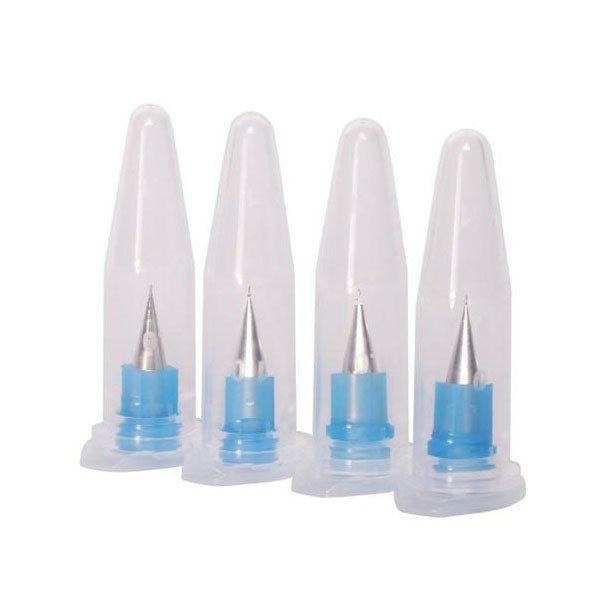
If you want to push the resolution limits of the V-One, these dispensing tips will help enable your experimental projects. This pack contains 4 extra fine nozzles with an internal diameter of 0.150 mm (6 mil).
Do not use with solder paste! It will clog!
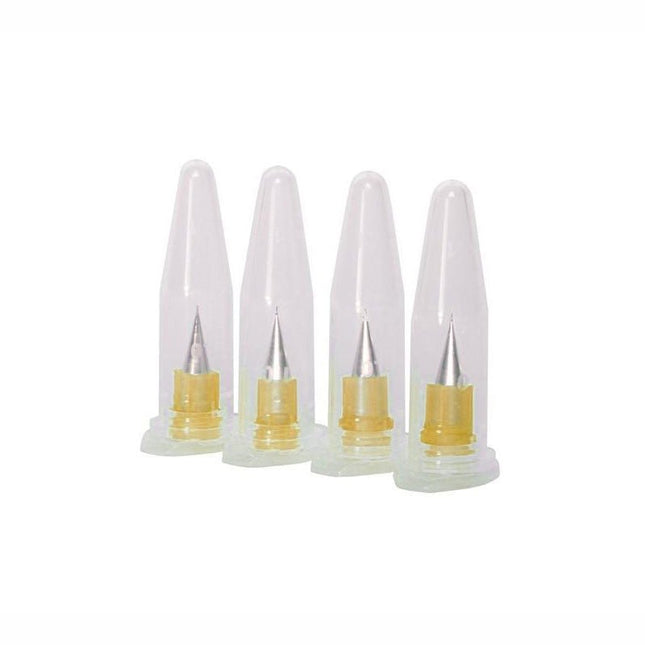
Looking to dispense materials with a lower viscosity? These are the nozzles for you. Don't use this with our standard ink or solder paste... that will result in poor performance.
This pack contains 4 extra fine nozzles with an internal diameter of 0.100 mm (4 mil).
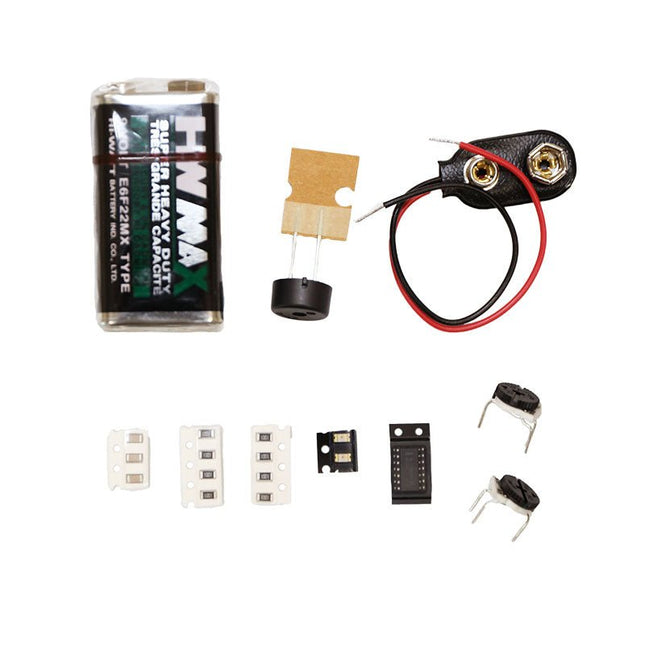
The Punk Console circuit is an advanced tutorial to get you familiar with the V-One Drill attachment. Learn how to create a double sided board and turn the knobs to create music!
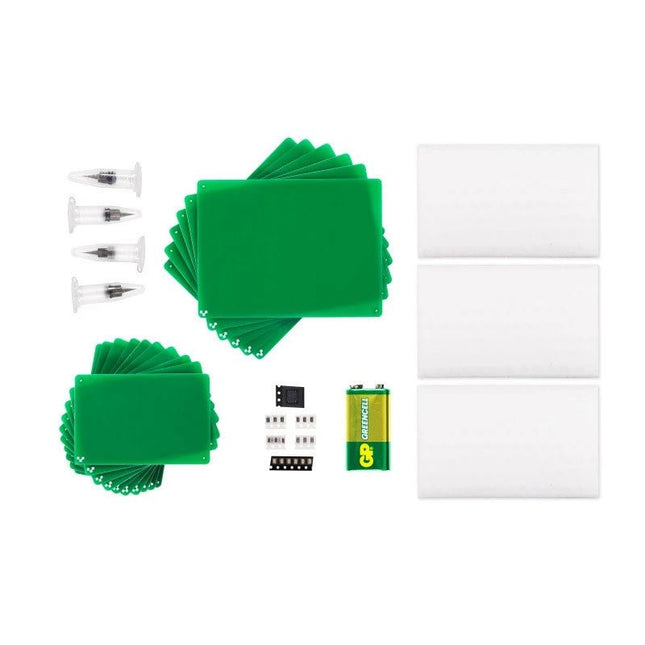
The kit contains:
2x Green LEDs
8x 1k Resistors
3x 0.01uF Capacitor
2x 500K Trimpots
1x 556 Timer
1x Piezo Buzzer
1x 9 V Battery
1x 9 V Battery Connector
Rivets and a V-One Drill are required.
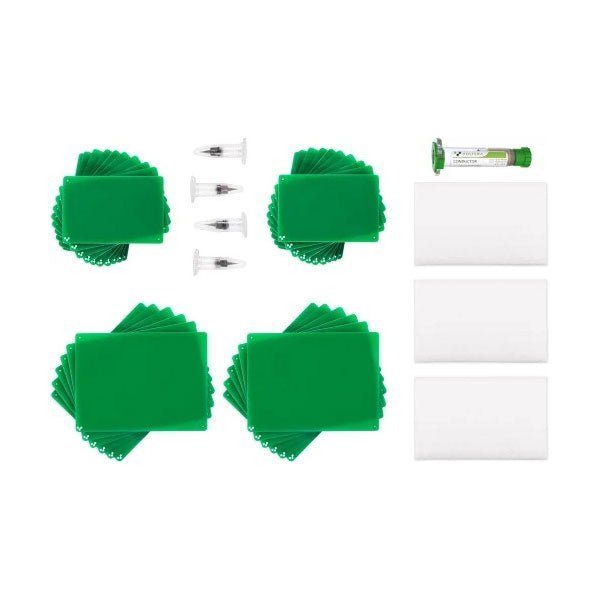
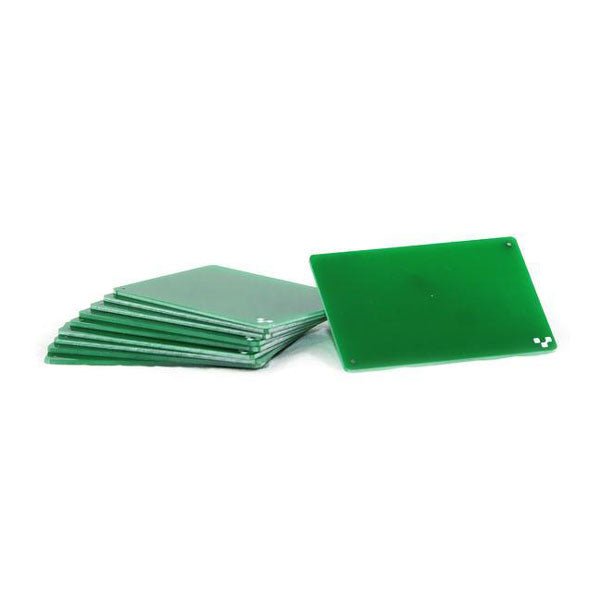
If you are going to be drilling, we recommend drilling on FR1 substrates. Unlike FR4, FR1 dust does not contain fiber glass. It is also a softer material, which means a less wear and tear on the drill bits. Download the template and incorporate them into your design here. 10 substrates included.
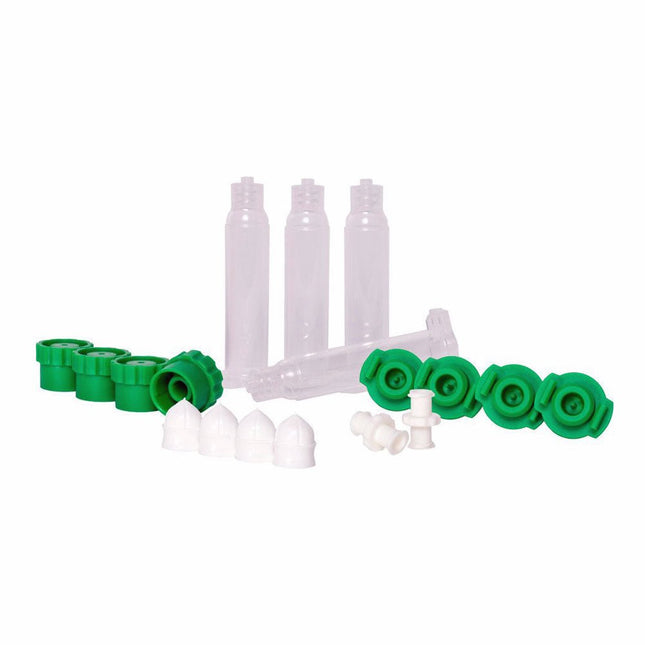
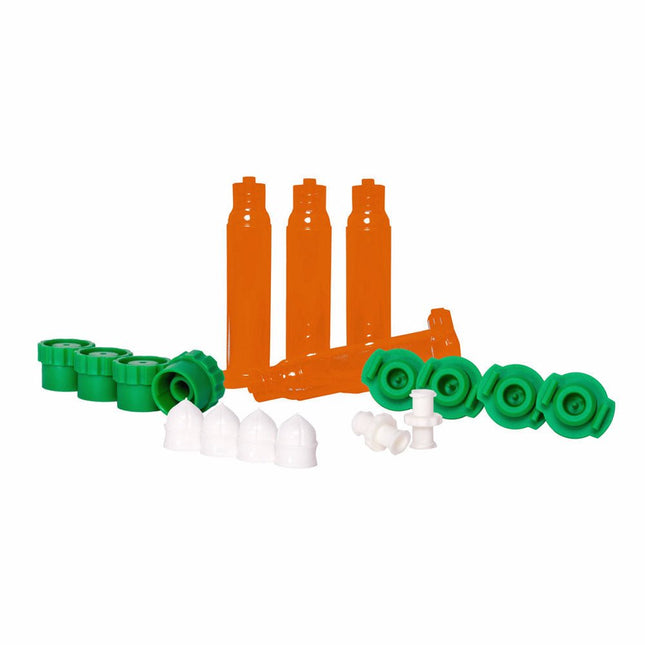
Need to dispense your own UV sensitive fluids (up to 550nm)?
Included
4x 5cc UV-Blocking Syringe Barrels
4x Standard Fit Pistons (white)
4x High Viscosity Fit Pistons (red)
4x Tip Caps
4x End Caps
2x Female to Female Luer couplers
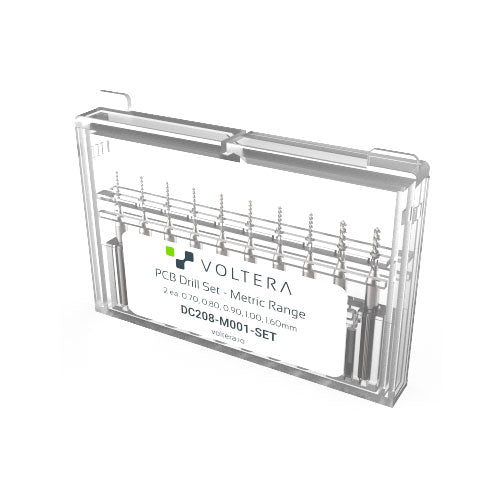
A set of high precision drill bits, covering the most common drill bit sizes.
Just pop them in the V-One Drill with a 2.5 mm hex key (not included) and start drilling.
The following sizes are included (2 of each):
0.70 mm
0.80 mm
0.90 mm
1.00 mm
1.60 mm
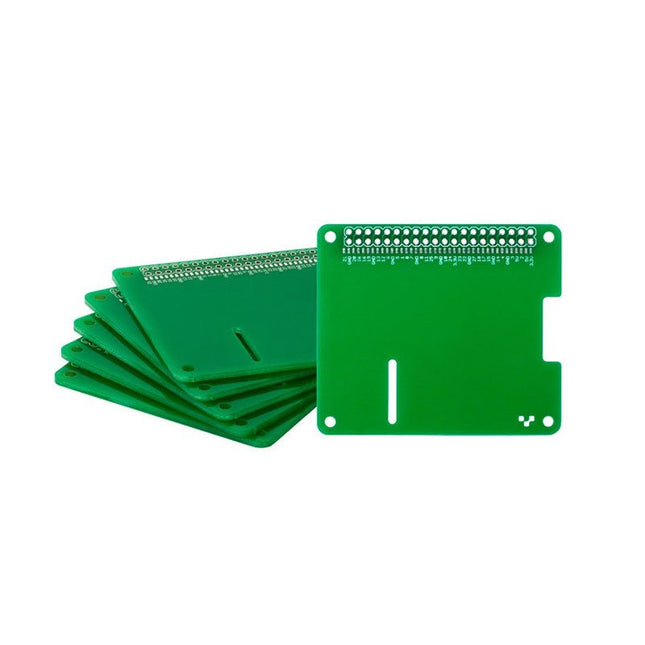
These templates are your starting point if you’re building a Raspberry Pi HAT.
Each pack contains six Raspberry Pi B+ templates.
Downloads
Gerber files
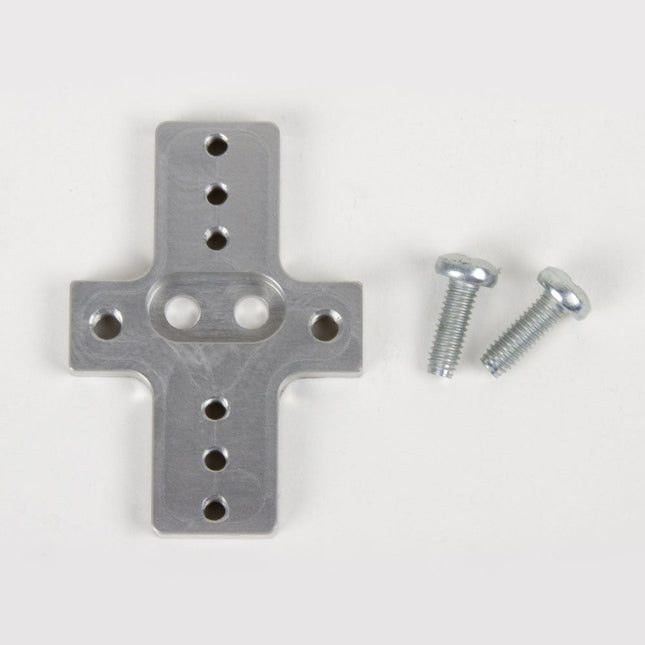
This rigid end effector plate is designed to be in place of the standard AxiDraw pen-lift Z stage, and provides an alternative mounting scheme for mounting various things to the end of the AxiDraw's arm, for applications where greater rigidity is important but the lifting ability of the standard Z stage is not required.
The rigid end effector is custom machined from aluminum, and provides six M3 tapped holes and two M4 tapped holes for mounting what ever it is that you would like to mount to the end of the AxiDraw, to use it as a 2D robot arm. The hole pattern is compatible with the AxiDraw pen clip, so you can, if you like, mount the AxiDraw's pen clip to this end effector.
Installation is straightforward, but requires a Pozidrive PZ2 screwdriver, not included*. Remove the AxiDraw's pen clip, and then remove the pen-lift Z stage by removing two screws with the PZ2 screwdriver. Install the rigid end effector plate in its place, using the two included mounting screws and the PZ2 screwdriver. You may wish to also tie back or fully remove the AxiDraw's cable guides, which normally extend to power the pen-lift stage.
Specifications
Material: Anodized 6061-T6 aluminum
Size: 1.97 x 1.38 x 0.19 inches (50 x 35 x 4.8 mm)
Weight: Approximately 11 g
Mounting hardware: included (Two M4x12 pozidrive-head self-tapping screws)
Compatibility
All AxiDraw V3 family pen plotters
AxiDraw V3/A3
AxiDraw SE/A3
AxiDraw MiniKit models
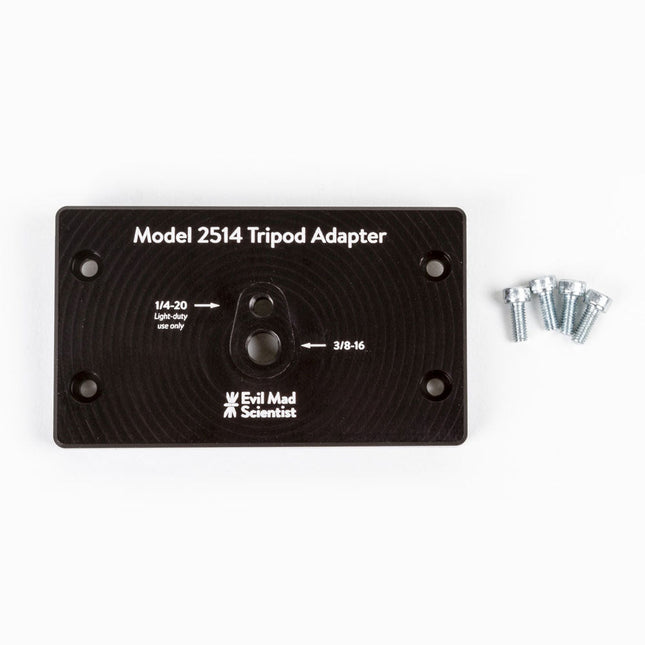
The tripod adapter is custom machined from a solid block of aluminum, and provides two standard tripod mounting points with 3/8-16 and light-duty 1/4-20 thread respectively. This allows you to mount the AxiDraw to a tripod, should you have reason to do so.
We would highly recommend using a sturdy tripod with a 3/8-16 connection point and appropriate counterweight (sand bag, lifting weights, etc) to balance the weight of the AxiDraw while in use.
Installation is straightforward, and does not require any tools other than those included with AxiDraw: Remove the existing foot pads from the AxiDraw (either standard or outrigger feet, depending on model) and attach this plate to the captured nuts in the bottom surface of the AxiDraw. For AxiDraw SE/A3 (April 2019 and newer), the tripod adapter attaches directly to tapped holes in the base of the machine.
This heavy-duty tripod adapter is compatible with AxiDraw V3, AxiDraw V3/A3 and AxiDraw V3 XLX. It is also compatible with AxiDraw SE/A3 manufactured in April 2019 and newer.
Specifications
Material: Anodized 6061-T6 aluminum
Size: 3.90 x 2.36 x 0.35 inches (99.1 x 60 x 8.3 mm)
Weight: Approximately 144 g
Mounting hardware: included (four M4x10 high-strength steel mounting screws)
Extra easel boards for AxiDraw V3/A3 can be used as replacements, or for staging additional workpieces for quickly swapping to the next plot. This set consists of one 11.75 x 17 inch (29.85 x 43.18 cm) hardboard platen with rubber feet attached, plus eight micro binder clips.
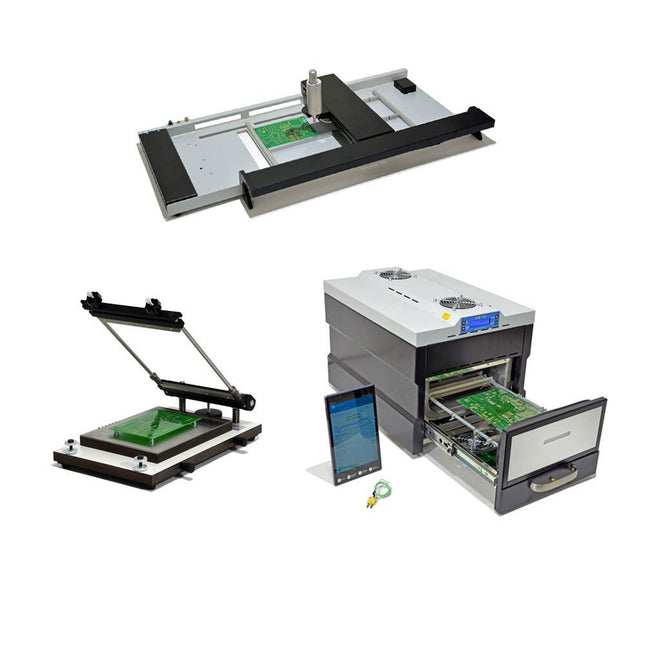
The SMD Starter I prototype production line consists of the stencil printer TSD240, the SMD placement device PlaceMAN and the reflow oven 3LHR10. Stencil printer SD240 (+ Metal Squeegee 155 mm) Stencil size: max. 175 x 255 mm PCB size: max. 180 x 240 mm Size: 410 x 270 x 110 mm Weight: 6.7 kg incl. metal squeegee 155 mm incl. 8 magnets to hold the PCB, 6 of them with M3 grub screw Manual SMD pick-and-place device PlaceMAN for standard components incl. vacuum pump (without feeders, camera, monitor and dispenser) Equipped with smooth-running placement arm, placement head with one-hand operation, rotation of the Z-axis and automatic vacuum switch-off, incl. PCB holder, vacuum unit and 2 placement needles with rubber suction cups. Capacity of feeder (not included) 2x feeder cassette for 10 x 8 mm wheels left 4x feeder cassette for rod feeders for 5 rods each Further feeding systems are possible within the assembly area, e.g. strip-feeder plug-in system Dimensions Base unit (LxWxH): 765 x 390 x 210 mm With feeder cassette for 10 x 8 mm rolls (LxWxH): 765 x 390 x 210 mm With feeder cassette for 10 x 8 mm rolls and feeder cassette for rod feeder (LxWxH): 765 x 430 x 210 mm (height may vary due to rod length) With feeder cassette for 10 x 8 mm rolls incl. holder for 10 rolls and feeder cassette for rod feeder (LxWxH): 765 x 430 x 210 mm (height may vary due to rod length) Specifications Weight of basic unit: approx. 6 kg Axis travel (x,y,z): 470 x 230 x 15 mm Max. working area: 380 x 240 mm Max. PCB size: 230 x 360 mm Power supply: 230/12 V, 800 mA Power supply vacuum pump: 230 V, 6 W 3LHR10 Reflow Oven (programmable for lead-free soldering with manual drawer and tablet control) Reflow oven with IR and convection heating. Forced hot air convection ensures a uniform temperature profile throughout the chamber. After manually opening the door, the fans are turned on and the soldered PCB is quickly cooled. Small reflow oven with manual door Industry 4.0 ready, Bluetooth communication + tablet IR + convection heating Android application to connect to tablet or smartphone 100 different user programs Delivery content: 3LHR10, tablet with app, protective cover for tablet, 4 PCB holders, external thermocouple, manual at tablet Application Connect the oven to the power supply and connect the optionally available extraction system (3LFE10S) to the exhaust air nozzle. After the first turn on, the oven will search for a tablet or smartphone. When both are connected to the Android app, choose the programming of the oven. Here, programmable temperature and preheating time as well as temperature and other data are to be set. Register with the tablet to use the full scope of the software. If the oven is already programmed, the user can control the operation with buttons and display at the front panel. When the reflow process is complete, an audible signal sounds. A signal is also displayed on the tablet/smartphone. The drawer must now be opened manually. The Android application displays process status, time and temperature or other information. Specifications Power supply: 230 V, 50 Hz Maximum power: 3100 W Temperatures: 50-260°C Dimensions: 510 x 370 x 340 mm Maximum weight: 16 kg Grid dimensions: 350 x 220 mm Maximum dimensions of the printed circuit board: 300 x 200 mm Maximum component height on the PCB: 50 mm at the top, 30 mm at the bottom Scope of delivery Stencil printer TSD240 SMD placement device PlaceMAN Reflow oven 3LHR10
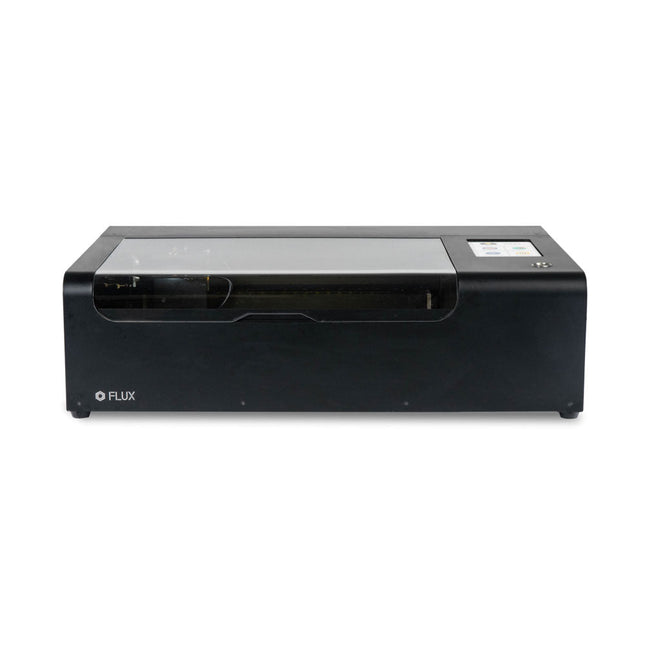
FLUX Beamo is a powerful and compact 30 W CO2 desktop laser cutter that can cut and engrave a range of materials including metals. With its easy-to-use design, intuitive controls and features, you can effortlessly create amazing things.
Built-in HD camera
Cutting and engraving is hassle-free with our preview mode. Place your material, preview the work area in the Beam Studio software and engrave. Your design comes out exactly as shown in the preview.
Integrated safety features
If left opened, auto pause ensures the laser stops. The internal water cooling system provides a stable cutting process. Plus, you can stop production with a single switch at any time.
Powerful high resolution laser
The Beamo ultra thin laser can engrave exceptional detail down to 0.05 mm wide with a clear resolution of 1,000 dpi. Fitting for any craft or small business project.
The most precise compact CO2 laser engraver
Beamo's sleek, modern and compact design fits beautifully in any home, school or workshop space. It comes pre-assembled with a metal body and acrylic lid, measuring 615 x 445 x 177 mm. Bring your designs to life with its 30 W CO2 laser operating on a 30 x 21 cm work area.
Safe for home and school
Beamo prioritises safety with its thoughtful design features. The machine is fully enclosed, and it automatically pauses if the lid is opened during a task. Additionally, there is a single switch for immediate machine shutdown in case of emergencies. Beamo is equipped with a Class 1 laser, which is completely safe under normal use.
Specifications
Dimensions
615 x 445 x 177 mm
Weight
22 kg
Work Area
300 x 210 x 45 mm (11.81 x 8,27 x 1.77')
Camera Preview Area
300 x 195 mm
Voltage
AC 110 V / 220 V
Touch Panel
1024 x 600 LCD
Camera
HD CMOS
I/O
Wi-Fi / Ethernet
Laser Spec
30 W CO₂ Laser
Laser Moving Speed
0~300 mm/s
Laser Cutting Thickness
0-5 mm (varies by material)
Software Mode
Vector / Graphic (monochrome, gray scale)
Operating System
Windows / macOS / Linux
Software File Type
JPG / PNG / SVG / DXF
Included
FLUX Beamo (distilled water included)
Vent hose Duct Clamp
Double sided tape to align the mirror's
Ethernet cable
Vent Hose
Double head wrench
Wood piece
Torx screwdriver and 2.5 mm hexagonal wrench
Funnel
1x Laser Cutter Lubricant
Power cord
Wifi Dongle USB
Beamo Manual
Honey Comb Platform (30 W)
Downloads
Firmware
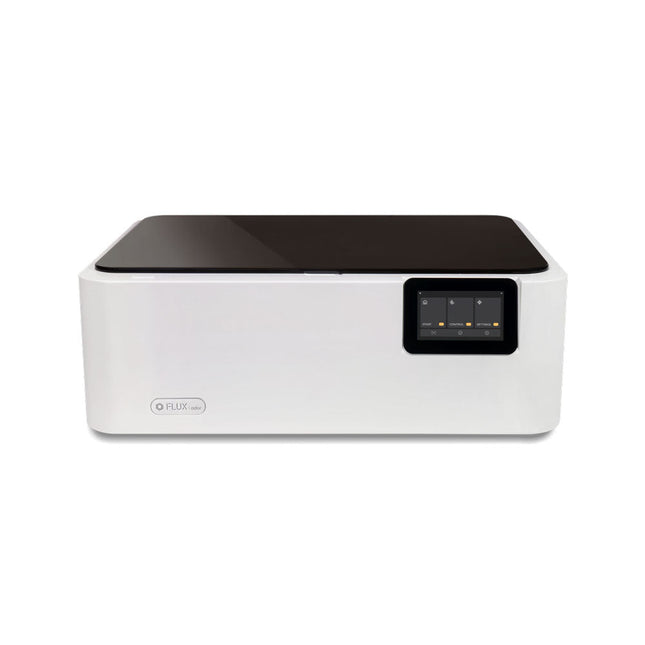
FLUX Ador is the world's first color printing laser cutter. Powered by three high-quality, interchangeable modules, Ador enables you to engrave and cut though a wide range of materials while enhancing your projects with a pop of color.
New creative potential with Ador
Whether you’re an educator, small business, crafter or designer, with Ador, the application boundary is for you to define.
Easy to use
Place material then autofocus
Drag and drop your design
Engrave, cut or print
Project Completed!
Big workspace, big ideas
Ador offers a big working space of 430 x 300 mm, with a depth of 30 mm, expanding the horizons of your creativity.
Specifications
Dimensions
637 x 488 x 226 mm
Weight
19 kg
Work Area
X&Y: 20 W Diode laser: 430 x 300 mm (X & Y varies with different modules)Z: 30 mm (for all modules) & 20 mm (with prism)
Camera Preview Area
Whole work area
Voltage
AC 110-240 V
Touch Panel
Yes, 8 inches (diagonal)
Camera
8 MP
I/O
USB / WiFi
Laser Spec
W Diode laser Module
Laser Moving Speed
0~400 mm/s
Laser Cutting Thickness
Varies for different materials
Software Mode
Vector / Graphic (monochrome, gray scale)
Operating System
Windows / macOS / Linux
Software File Type
JPG / PNG / SVG / DXF
Included
FLUX Ador
20 W diode laser module
6x prism lift
Power adapter
Power cord
Hex key
Vent Hose
Vent hose Duct Clamp
Wooden test piece
Laser Cutter Lubricant
Downloads
Firmware
The single backlit button is a simple mechanical switch that comes with an LED inside. When you press the button, the circuit is completed, driving your pin high or low. Use the embedded LED to make a glowing power icon, logo , or whatever suits your fancy.
Features
Press durability: Up to 10,000 times pressing under 5lbf (22.24 N)
LED Voltage: 5 V
Component: 2" x 3" Individual (5,08 x 7,62 cm)
Button Size: 1" radius circle (2,54 cm)
Double Backlit User Interface: The dual backlit button is just like the single backlit button, but twice the fun! Use this component when you need to operate something up and down, or right to left. Using cut-out vinyl, you can create icons and stickers on fabric that show your users button functionality.
Features
Component: 4.6 x 6.3"
Individual Button Size: 1" radius circle
Press Durability: Up to 10,000 presses under 5lbf
LED Voltage: 5 V