
Raspberry Pi

93 products

  • PID - based Practical Digital Control with Raspberry Pi and Arduino Uno - Elektor

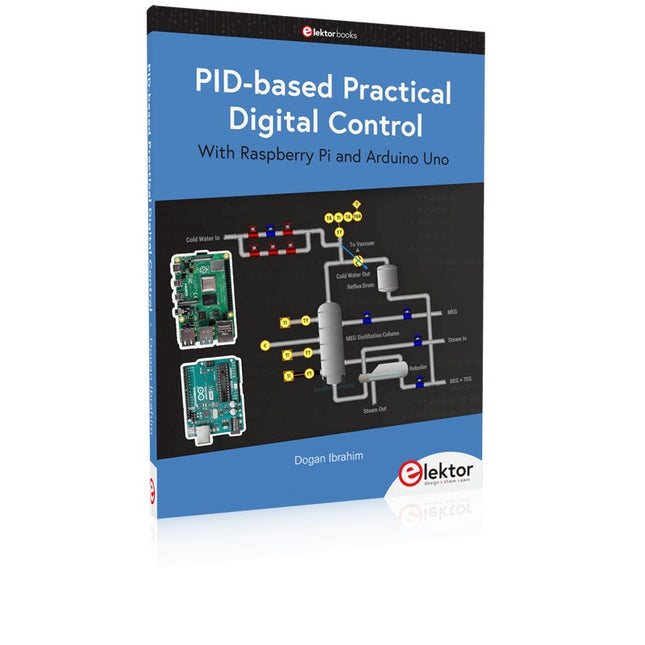
    Elektor Publishing PID-based Practical Digital Control with Raspberry Pi and Arduino Uno

    The Arduino Uno is an open-source microcontroller development system encompassing hardware, an Integrated Development Environment (IDE), and a vast number of libraries. It is supported by an enormous community of programmers, electronic engineers, enthusiasts, and academics. The libraries in particular really smooth Arduino programming and reduce programming time. What’s more, the libraries greatly facilitate testing your programs since most come fully tested and working. The Raspberry Pi 4 can be used in many applications such as audio and video media devices. It also works in industrial controllers, robotics, games, and in many domestic and commercial applications. The Raspberry Pi 4 also offers Wi-Fi and Bluetooth capability which makes it great for remote and Internet-based control and monitoring applications. This book is about using both the Raspberry Pi 4 and the Arduino Uno in PID-based automatic control applications. The book starts with basic theory of the control systems and feedback control. Working and tested projects are given for controlling real-life systems using PID controllers. The open-loop step time response, tuning the PID parameters, and the closed-loop time response of the developed systems are discussed together with the block diagrams, circuit diagrams, PID controller algorithms, and the full program listings for both the Raspberry Pi and the Arduino Uno. The projects given in the book aim to teach the theory and applications of PID controllers and can be modified easily as desired for other applications. The projects given for the Raspberry Pi 4 should work with all other models of Raspberry Pi family. The book covers the following topics: Open-loop and closed-loop control systems Analog and digital sensors Transfer functions and continuous-time systems First-order and second-order system time responses Discrete-time digital systems Continuous-time PID controllers Discrete-time PID controllers ON-OFF temperature control with Raspberry Pi and Arduino Uno PID-based temperature control with Raspberry Pi and Arduino Uno PID-based DC motor control with Raspberry Pi and Arduino Uno PID-based water level control with Raspberry Pi and Arduino Uno PID-based LED-LDR brightness control with Raspberry Pi and Arduino Uno

    € 39,95

    Members € 35,96

  • The CAN Bus Companion - Elektor

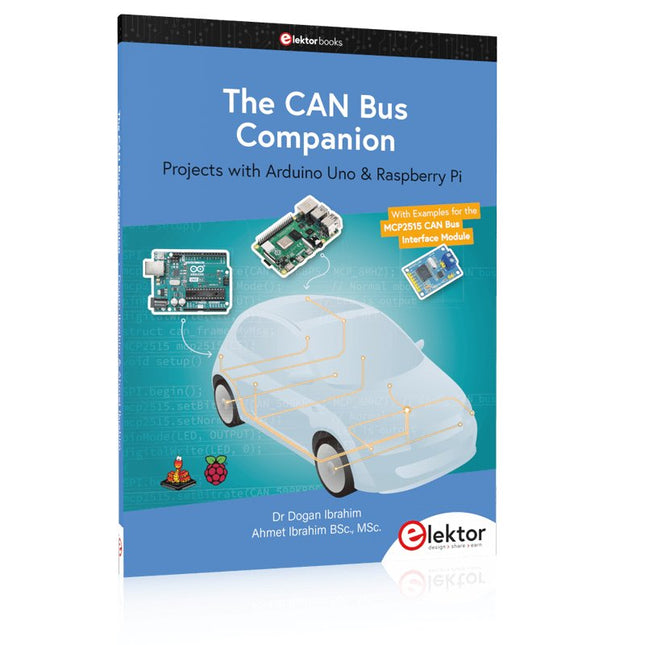
    Elektor Publishing The CAN Bus Companion

    This book details the use of the Arduino Uno and the Raspberry Pi 4 in practical CAN bus based projects. Using either the Arduino Uno or the Raspberry Pi with off-the-shelf CAN bus interface modules considerably ease developing, debugging, and testing CAN bus based projects. This book is written for students, practicing engineers, enthusiasts, and for everyone else wanting to learn more about the CAN bus and its applications. The book assumes that the reader has some knowledge of basic electronics. Knowledge of the C and Python programming languages and programming the Arduino Uno using its IDE and Raspberry Pi will be useful, especially if the reader intends to develop microcontroller-based projects using the CAN bus. The book should be a useful source of reference material for anyone interested in finding answers to questions such as: What bus systems are available for the automotive industry? What are the principles of the CAN bus? How can I create a physical CAN bus? What types of frames (or data packets) are available in a CAN bus system? How can errors be detected in a CAN bus system and how dependable is a CAN bus system? What types of CAN bus controllers exist? How do I use the MCP2515 CAN bus controller? How do I create 2-node Arduino Uno-based CAN bus projects? How do I create 3-node Arduino Uno-based CAN bus projects? How do I set the acceptance masks and acceptance filters? How do I analyze data on the CAN bus? How do I create 2-node Raspberry Pi-based CAN bus projects? How do I create 3-node Raspberry Pi-based CAN bus projects?

    € 34,95

    Members € 31,46

  • Raspberry Pi Pico Essentials - Elektor

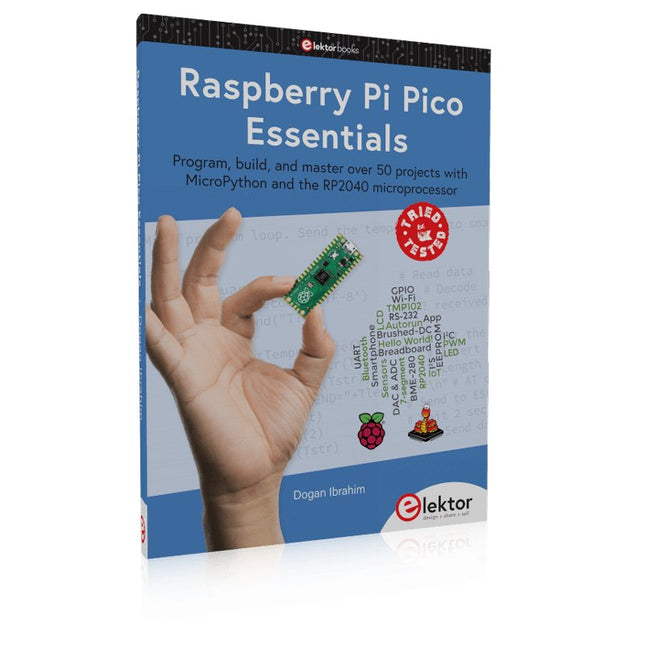
    Elektor Publishing Raspberry Pi Pico Essentials

    Program, build, and master over 50 projects with MicroPython and the RP2040 microprocessor The Raspberry Pi Pico is a high-performance microcontroller module designed especially for physical computing. Microcontrollers differ from single-board computers, like the Raspberry Pi 4, in not having an operating system. The Raspberry Pi Pico can be programmed to run a single task very efficiently within real-time control and monitoring applications requiring speed. The ‘Pico’ as we call it, is based on the fast, efficient, and low-cost dual-core ARM Cortex-M0+ RP2040 microcontroller chip running at up to 133 MHz and sporting 264 KB of SRAM, and 2 MB of Flash memory. Besides its large memory, the Pico has even more attractive features including a vast number of GPIO pins, and popular interface modules like ADC, SPI, I²C, UART, and PWM. To cap it all, the chip offers fast and accurate timing modules, a hardware debug interface, and an internal temperature sensor. The Raspberry Pi Pico is easily programmed using popular high-level languages such as MicroPython and or C/C++. This book is an introduction to using the Raspberry Pi Pico microcontroller in conjunction with the MicroPython programming language. The Thonny development environment (IDE) is used in all the projects described. There are over 50 working and tested projects in the book, covering the following topics: Installing the MicroPython on Raspberry Pi Pico using a Raspberry Pi or a PC Timer interrupts and external interrupts Analogue-to-digital converter (ADC) projects Using the internal temperature sensor and external temperature sensor chips Datalogging projects PWM, UART, I²C, and SPI projects Using Wi-Fi and apps to communicate with smartphones Using Bluetooth and apps to communicate with smartphones Digital-to-analogue converter (DAC) projects All projects given in the book have been fully tested and are working. Only basic programming and electronics experience is required to follow the projects. Brief descriptions, block diagrams, detailed circuit diagrams, and full MicroPython program listings are given for all projects described. Readers can find the program listings on the Elektor web page created to support the book.

    € 39,95

    Members € 35,96

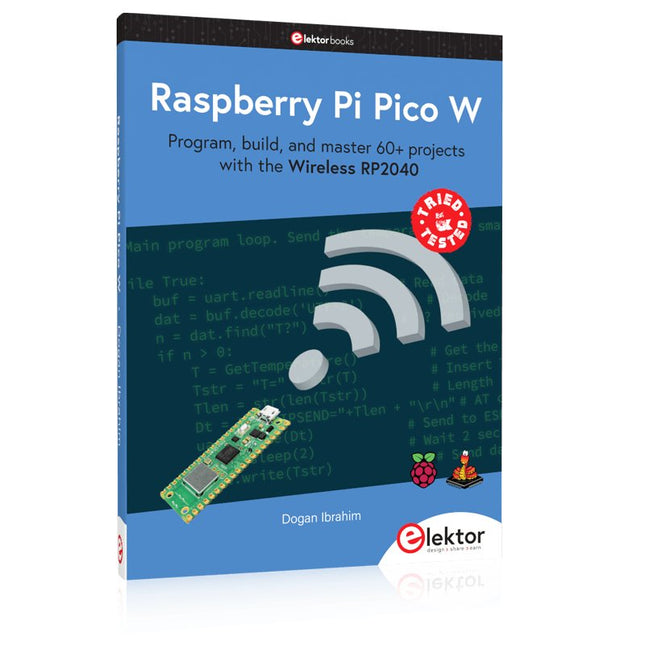
  • Raspberry Pi Pico W (Book) - Elektor

    Elektor Publishing Raspberry Pi Pico W (Book)

    Program, build, and master 60+ projects with the Wireless RP2040 The Raspberry Pi Pico and Pico W are based on the fast, efficient, and low-cost dual-core ARM Cortex M0+ RP2040 microcontroller chip running at up to 133 MHz and sporting 264 KB of SRAM and 2 MB of Flash memory. Besides spacious memory, the Pico and Pico W offer many GPIO pins, and popular peripheral interface modules like ADC, SPI, I²C, UART, PWM, timing modules, a hardware debug interface, and an internal temperature sensor. The Raspberry Pi Pico W additionally includes an on-board Infineon CYW43439 Bluetooth and Wi-Fi chipset. At the time of writing this book, the Bluetooth firmware was not yet available. Wi-Fi is however fully supported at 2.4 GHz using the 802.11b/g/n protocols. This book is an introduction to using the Raspberry Pi Pico W in conjunction with the MicroPython programming language. The Thonny development environment (IDE) is used in all of the 60+ working and tested projects covering the following topics: Installing the MicroPython on Raspberry Pi Pico using a Raspberry Pi or a PC Timer interrupts and external interrupts Analogue-to-digital converter (ADC) projects Using the internal temperature sensor and external sensor chips Using the internal temperature sensor and external temperature sensor chips Datalogging projects PWM, UART, I²C, and SPI projects Using Bluetooth, WiFi, and apps to communicate with smartphones Digital-to-analogue converter (DAC) projects All projects are tried & tested. They can be implemented on both the Raspberry Pi Pico and Raspberry Pi Pico W, although the Wi-Fi-based subjects will run on the Pico W only. Basic programming and electronics experience are required to follow the projects. Brief descriptions, block diagrams, detailed circuit diagrams, and full MicroPython program listings are given for all projects.

    € 44,95

    Members identical

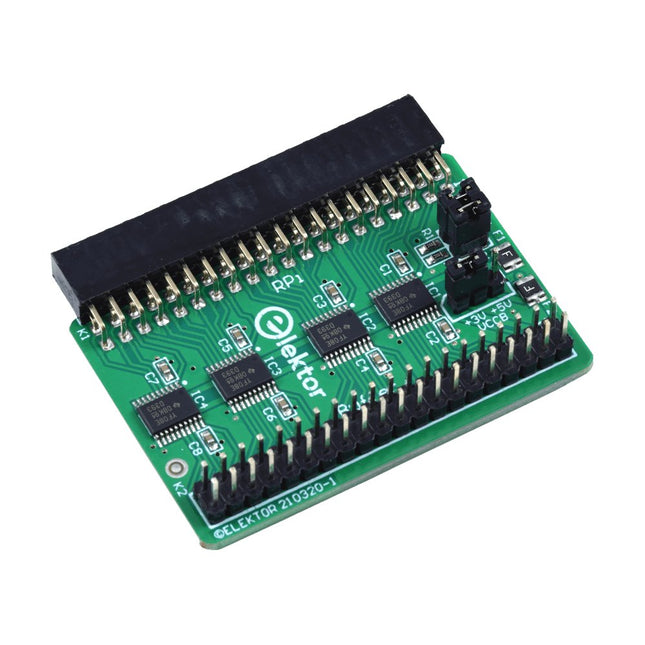
  •  -14% Elektor Raspberry Pi Buffer Board - Elektor

    Elektor Labs Elektor Raspberry Pi Buffer Board

    When you experiment with the Raspberry Pi on a regular basis and you connect a variety of external hardware to the GPIO port via the header you may well have caused some damage in the past. The Elektor Raspberry Pi Buffer Board is there to prevent this! The board is compatible with Raspberry Pi Zero, Zero 2 (W), 3, 4, 5, 400 and 500. All 26 GPIOs are buffered with bi-directional voltage translators to protect the Raspberry Pi when experimenting with new circuits. The PCB is intended to be inserted in the back of Raspberry Pi 400/500. The connector to connect to the Raspberry Pi is a right angled 40-way receptacle (2x20). The PCB is only a fraction wider. A 40-way flat cable with appropriate 2x20 headers can be connected to the buffer output header to experiment for instance with a circuit on a breadboard or PCB. The circuit uses 4x TXS0108E ICs by Texas Instruments. The PCB can also be put upright on a Raspberry Pi. Downloads Schematics Layout

    € 34,95€ 29,95

    Members identical

  •  -50% Official HDMI Cable for Raspberry Pi (black, 1 m) - Elektor

    Raspberry Pi Foundation Official HDMI Cable for Raspberry Pi (black, 1 m)

    The official Raspberry Pi micro HDMI to HDMI (A/M) cable (black, 1 m) designed for the Raspberry Pi 4 and 5. 19-pin HDMI Type D(M) to 19-pin HDMI Type A(M) 1 m cable (black) Nickel-plated plugs 4Kp60 compliant RoHS compliant 3 Mohm 300 VDC insulation, withstands 300 VDC for 0.1s

    € 6,95€ 3,50

    Members identical

  •  -50% Raspberry Pi 4 Case Fan - Elektor

    Raspberry Pi Foundation Raspberry Pi 4 Case Fan

    Designed for overclockers and other power users, this fan keeps your Raspberry Pi 4 at a comfortable operating temperature even under heavy load. The temperature-controlled fan delivers up to 1.4 CFM of airflow over the processor, memory, and power management IC. The bundled heatsink (18 x 8 x 10 mm) with self-adhesive pad improves heat transfer from the processor. The Raspberry Pi 4 Case Fan works with Raspberry Pi 4 and the official Raspberry Pi 4 case.

    € 6,95€ 3,50

    Members identical

  •  -50% Official HDMI Cable for Raspberry Pi (white, 1 m) - Elektor

    Raspberry Pi Foundation Official HDMI Cable for Raspberry Pi (white, 1 m)

    The official Raspberry Pi micro HDMI to HDMI (A/M) cable designed for the Raspberry Pi 4 and 5. 19-pin HDMI Type D(M) to 19-pin HDMI Type A(M) 1 m cable (white) Nickel-plated plugs 4Kp60 compliant RoHS compliant 3 Mohm 300 VDC insulation, withstands 300 VDC for 0.1s

    € 6,95€ 3,50

    Members identical

  •  -50% Get Started with MicroPython on Raspberry Pi Pico - Elektor

    Raspberry Pi Foundation Get Started with MicroPython on Raspberry Pi Pico

    In Get Started with MicroPython on Raspberry Pi Pico, you will learn how to use the beginner-friendly language MicroPython to write programs and connect up hardware to make your Raspberry Pi Pico interact with the world around it. Using these skills, you can create your own electro‑mechanical projects, whether for fun or to make your life easier. Microcontrollers, like RP2040 at the heart of Raspberry Pi Pico, are computers stripped back to their bare essentials. You don’t use monitors or keyboards, but program them to take their input from, and send their output to the input/output pins. Using these programmable connections, you can light lights, make noises, send text to screens, and much more. In Get Started with MicroPython on Raspberry Pi Pico, you will learn how to use the beginner-friendly language MicroPython to write programs and connect up hardware to make your Raspberry Pi Pico interact with the world around it. Using these skills, you can create your own electro‑mechanical projects, whether for fun or to make your life easier. The robotic future is here – you just have to build it yourself. We’ll show you how. About the authors Gareth Halfacree is a freelance technology journalist, writer, and former system administrator in the education sector. With a passion for open-source software and hardware, he was an early adopter of the Raspberry Pi platform and has written several publications on its capabilities and flexibility. Ben Everard is a geek who has stumbled into a career that lets him play with new hardware. As the editor of HackSpace magazine, he spends more time than he really should experimenting with the latest (and not-solatest) DIY tech.

    € 19,95€ 9,95

    Members identical

  • Control Your Home with Raspberry Pi - Elektor

    Elektor Publishing Control Your Home with Raspberry Pi

    Secure, Modular, Open-Source and Self-Sufficient Ever since the Raspberry Pi was introduced, it has been used by enthusiasts to automate their homes. The Raspberry Pi is a powerful computer in a small package, with lots of interfacing options to control various devices. This book shows you how you can automate your home with a Raspberry Pi. You’ll learn how to use various wireless protocols for home automation, such as Bluetooth, 433.92 MHz radio waves, Z-Wave, and Zigbee. Soon you’ll automate your home with Python, Node-RED, and Home Assistant, and you’ll even be able to speak to your home automation system. All this is done securely, with a modular system, completely open-source, without relying on third-party services. You’re in control of your home, and no one else. At the end of this book, you can install and configure your Raspberry Pi as a highly flexible home automation gateway for protocols of your choice, and link various services with MQTT to make it your own system. This DIY (do it yourself) approach is a bit more laborious than just installing an off-the-shelf home automation system, but in the process, you can learn a lot, and in the end, you know exactly what’s running your house and how to tweak it. This is why you were interested in the Raspberry Pi in the first place, right? Turn your Raspberry Pi into a reliable gateway for various home automation protocols. Make your home automation setup reproducible with Docker Compose. Secure all your network communication with TLS. Create a video surveillance system for your home. Automate your home with Python, Node-RED, Home Assistant and AppDaemon. Securely access your home automation dashboard from remote locations. Use fully offline voice commands in your own language. Downloads Errata on GitHub

    € 44,95

    Members € 40,46

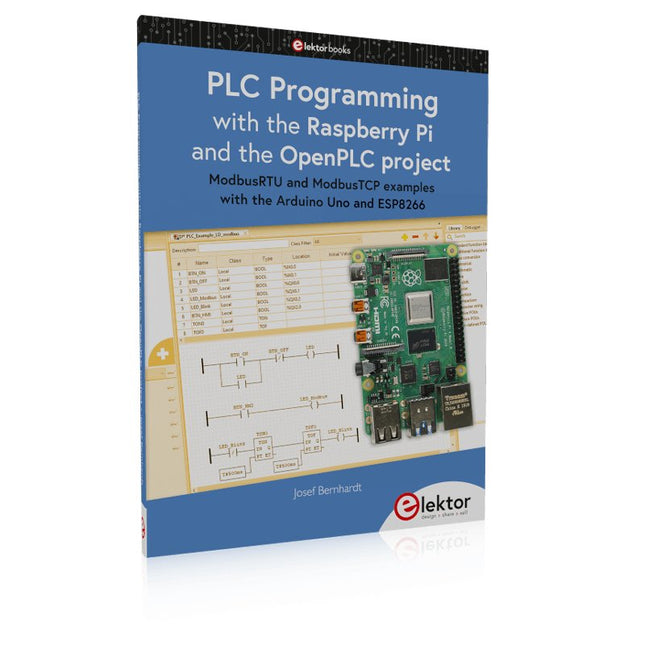
  • PLC Programming with the Raspberry Pi and the OpenPLC Project - Elektor

    Elektor Publishing PLC Programming with the Raspberry Pi and the OpenPLC Project

    ModbusRTU and ModbusTCP examples with the Arduino Uno and ESP8266 Introduction to PLC programming with OpenPLC, the first fully open source Programmable Logic Controller on the Raspberry Pi, and Modbus examples with Arduino Uno and ESP8266 PLC programming is very common in industry and home automation. This book describes how the Raspberry Pi 4 can be used as a Programmable Logic Controller. Before taking you into the programming, the author starts with the software installation on the Raspberry Pi and the PLC editor on the PC, followed by a description of the hardware. You'll then find interesting examples in the different programming languages complying with the IEC 61131-3 standard. This manual also explains in detail how to use the PLC editor and how to load and execute the programs on the Raspberry Pi. All IEC languages are explained with examples, starting with LD (Ladder Diagram) over ST (Structured Control Language) to SFC (Special Function Chart). All examples can be downloaded from the author's website. Networking gets thorough attention too. The Arduino Uno and the ESP8266 are programmed as ModbusRTU or ModbusTCP modules to get access to external peripherals, reading sensors and switching electrical loads. I/O circuits complying with the 24 V industry standard may also be of interest for the reader. The book ends with an overview of commands for ST and LD. After reading the book, the reader will be able to create his own controllers with the Raspberry Pi.

    € 39,95

    Members € 35,96

  •  -51% Heatsink Set for Raspberry Pi (black) - Elektor

    Kuongshun Heatsink Set for Raspberry Pi (black)

    3-in-1 Aluminum Heatsink Set for Raspberry Pi 4 and 5 Contents 1x 14x14x6 mm 1x 15x10x5 mm 1x 8.8x8.8x5 mm

    € 3,95€ 1,95

    Members identical

  •  -50% PiKVM V3 KVM over IP for Raspberry Pi 4 - Elektor

    PiKVM PiKVM V3 KVM over IP for Raspberry Pi 4

    PiKVM V3 is an open-source Raspberry Pi-based KVM over IP device. It will help you to manage servers or workstations remotely, whatever the state of the operating system or whether one is installed. PiKVM V3 allows you to turn on/off or restart your computer, configure the UEFI/BIOS, and even reinstall the OS using the virtual CD-ROM or flash drive. You can use your remote keyboard and mouse or PiKVM can simulate a keyboard, mouse, and a monitor, which are then presented in a web browser as if you were working on a remote system directly. Features HDMI Full HD capture based on the TC358743 chip (extra low latency ~100 ms and many features like compression control). OTG Keyboard & mouse; Mass Storage Drive emulation. Ability to simulate 'removal and insertion' for USB. Onboard ATX power control Onboard fan controller Real-time clock (RTC) RJ-45 and USB serial console port (to manage PiKVM OS or to connect with the server). Optional AVR-based HID (for some rare and strange motherboards whose BIOS doesn't understand the OTG emulated keyboard). Optional OLED screen to display network status or other desired information. Ready-made board. No need for soldering or breadboarding. PiKVM OS – the software is fully open. Included PiKVM V3 HAT board for Raspberry Pi 4 USB-C bridge board – to connect the HAT with Pi over USB-C ATX controller adapter board and wiring – to connect the HAT to the motherboard (if you want to manage power supply through hardware). 2 flat CSI cables Screws and brass standoffs Required Raspberry Pi 4 MicroSD card USB-C to USB-A cable HDMI cable Straight Ethernet cable (for the ATX expansion board connection) Power supply unit (5.1 V/3 A USB-C, officiel RPi power supply is recommended) Downloads User Guide Images GitHub Links The PiKVM Project and Lessons Learned: Q&A with PiKVM creator and developer Maxim Devaev PiKVM: Raspberry Pi as a KVM Remote Control

    € 229,00€ 114,50

    Members identical

  •  -50% Official Case for Raspberry Pi 4 (black/grey) - Elektor

    Raspberry Pi Foundation Official Case for Raspberry Pi 4 (black/gray)

    Official Case for Raspberry Pi 4 (black/gray)

    € 7,95€ 3,95

    Members identical

  •  -50% Official Case for Raspberry Pi 4 (white/red) - Elektor

    Raspberry Pi Foundation Official Case for Raspberry Pi 4 (white/red)

    Official Case for Raspberry Pi 4 (white/red)

    € 7,95€ 3,95

    Members identical

  •  -51% Official Raspberry Pi Mini - HDMI to HDMI Adapter Cable - Elektor

    Raspberry Pi Foundation Official Raspberry Pi Mini-HDMI to HDMI Adapter Cable

    This short cable (10 cm) connects a standard HDMI cable to the Mini-HDMI port of a Raspberry Pi Zero.

    € 3,95€ 1,95

    Members identical

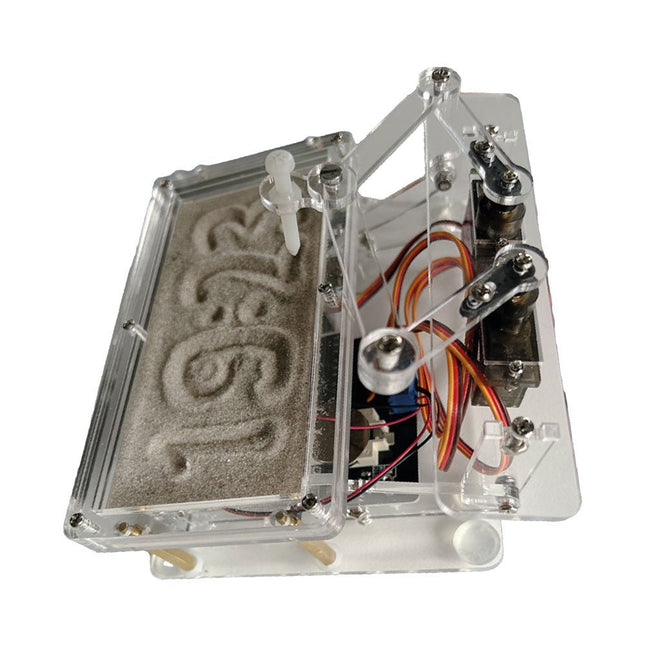
  •  -20% Sand Clock Kit (based on Raspberry Pi Pico) - Elektor

    Elektor Labs Elektor Sand Clock for Raspberry Pi Pico

    Raspberry Pi-based Eye Catcher A standard sand clock just shows how time passes. In contrast, this Raspberry Pi Pico-controlled sand clock shows the exact time by “engraving” the four digits for hour and minute into the layer of sand. After an adjustable time the sand is flattened out by two vibration motors and everything begins all over again. At the heart of the sand clock are two servo motors driving a writing pen through a pantograph mechanism. A third servo motor lifts the pen up and down. The sand container is equipped with two vibration motors to flatten the sand. The electronic part of the sand clock consists of a Raspberry Pi Pico and an RTC/driver board with a real-time clock, plus driver circuits for the servo motors. A detailed construction manual is available for downloading. Features Dimensions: 135 x 110 x 80 mm Build time: approx. 1.5 to 2 hours Included 3x Precut acrylic sheets with all mechanical parts 3x Mini servo motors 2x Vibration motors 1x Raspberry Pi Pico 1x RTC/driver board with assembled parts Nuts, bolts, spacers, and wires for the assembly Fine-grained white sand

    € 49,95€ 39,95

    Members identical

  •  -49% USB - A to USB - C Cable with ON/OFF Switch - Elektor

    Kuongshun USB-A to USB-C Cable with ON/OFF Switch

    Features Type C cable USB type C is suitable for new version Raspberry Pi 4 No need to pull the cable to restart or reboot your Pi, just press the button to turn your Pi on and off Can be used as power supply for the Pi up to 2 Amp Help prevent the Pi's USB connector from wear and tear due to frequently pulling and inserting the USB cable Specifications Interface: USB Type C Current: 3 A Length: 1.5 m Use for: Raspberry Pi 4 Model B Packing List: 1x USB Type C power cable

    € 4,95€ 2,50

    Members identical

  •  -48% Official Raspberry Pi USB - C Adapter (black) - Elektor

    Raspberry Pi Foundation Official Raspberry Pi USB-C Adapter (black)

    This small adapter allows you to convert an existing micro USB power supply into a USB-C power supply.

    € 0,95€ 0,49

    Members identical

  •  -50% Official Case for Raspberry Pi 5 (white/red) - Elektor

    Raspberry Pi Foundation Official Case for Raspberry Pi 5 (white/red)

    The Raspberry Pi 5 case is a refinement of the Raspberry Pi 4 case with improved thermal features to support the higher peak power consumption of the Raspberry Pi 5. It integrates a variable speed fan that is powered and controlled via a dedicated connector on the Raspberry Pi 5.

    € 11,95€ 5,95

    Members identical

  •  -51% Official Mini - HDMI Cable for Raspberry Pi Zero - Elektor

    Raspberry Pi Foundation Official Mini-HDMI Cable for Raspberry Pi Zero

    The official Raspberry Pi mini-HDMI to HDMI (A/M) cable designed for all Raspberry Pi Zero models. 19-pin HDMI Type D(M) to 19-pin HDMI Type A(M) 1 m cable (white) Nickel-plated plugs 4Kp60 compliant RoHS compliant 3 Mohm 300 VDC insulation, withstands 300 VDC for 0.1s

    € 3,95€ 1,95

    Members identical

  •  -50% Official Case for Raspberry Pi Zero

    Raspberry Pi Foundation Official Case for Raspberry Pi Zero

    The case consists of two parts. It has a standard base featuring a cut-out to allow access to the GPIO, and a choice of three lids: a plain lid, a GPIO lid (allowing access to the GPIO from above), and a camera lid (which, when used with the short camera cable supplied, allows the Raspberry Pi Camera or Camera Noir to be fitted neatly inside it). Included 1x base 3x lids (plain, GPIO, camera) 1x short camera cable 4x rubber feet

    € 7,95€ 3,95

    Members identical

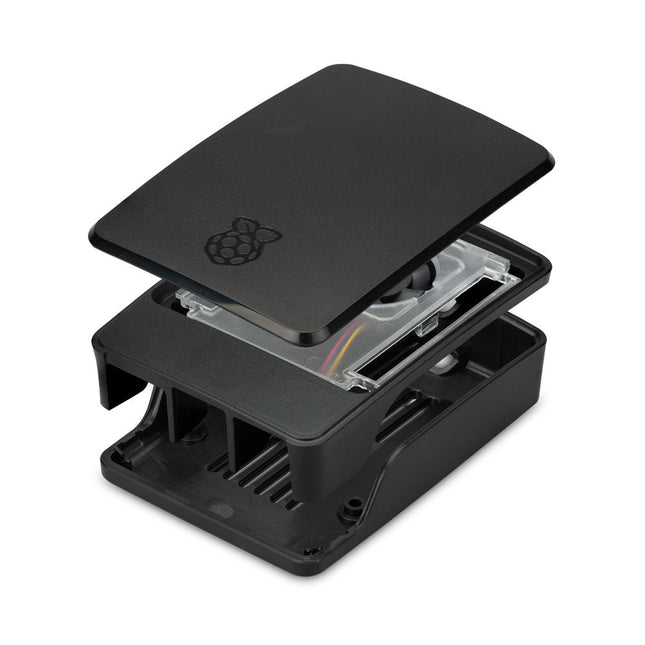
  •  -50% Official Case for Raspberry Pi 5 (black/gray) - Elektor

    Raspberry Pi Foundation Official Case for Raspberry Pi 5 (black/gray)

    The Raspberry Pi 5 case is a refinement of the Raspberry Pi 4 case with improved thermal features to support the higher peak power consumption of the Raspberry Pi 5. It integrates a variable speed fan that is powered and controlled via a dedicated connector on the Raspberry Pi 5.

    € 11,95€ 5,95

    Members identical

  •  -50% Raspberry Pi 5 M.2 HAT+ - Elektor

    Raspberry Pi Foundation Raspberry Pi 5 M.2 HAT+

    The Raspberry Pi M.2 HAT+ enables you to connect M.2 peripherals such as NVMe drives and AI accelerators to Raspberry Pi 5’s PCIe 2.0 interface, supporting fast (up to 500 MB/s) data transfer to and from NVMe drives and other PCIe accessories. Raspberry Pi M.2 HAT+ supports devices that have the M.2 M key edge connector, in the 2230 and 2242 form factors. It is capable of supplying up to 3 A to connected M.2 devices. Features Supports single-lane PCIe 2.0 interface (500 MB/s peak transfer rate) Supports devices that use the M.2 M key edge connector Supports devices with the 2230 or 2242 form factor Capable of supplying up to 3 A to connected M.2 devices Power and activity LEDs Included 1x Raspberry Pi 5 M.2 HAT+ 1x Ribbon cable 1x GPIO stacking header 4x Spacers 8x Screws Downloads Datasheet Schematics Assembly instructions

    € 13,95€ 6,95

    Members identical

Buy a Raspberry Pi

What is Raspberry Pi? Why do you need a Raspberry Pi board? What are the benefits?

Raspberry Pi is a minicomputer or a so-called Single Board Computer (or SBC for short) from the Raspberry Pi Foundation from Cambridge (GB). In a single-board computer, all important components such as the processor, RAM and GPU are mounted on one board.

The foundation published the first Raspberry Pi version in 2012 with the idea of promoting computer science as a school and study subject. The main goal to achieve this was a retail price of $35 that should be affordable for everyone.

Elektor also wanted to arouse early interest in computer science and electronics among pupils and students. As an official Raspberry Pi reseller, Elektor has direct personal contact with the Raspberry Pi developers in Cambridge and with the actual intellectual father of the Raspberry Pi, Eben Upton. Elektor not only offers official Raspberry Pi hardware, but also offers its customers interesting first-hand projects, reviews, tutorials and specialist books. Elektor thus occupies a special position among all Raspberry Pi dealers.

Our Raspberry Pi range

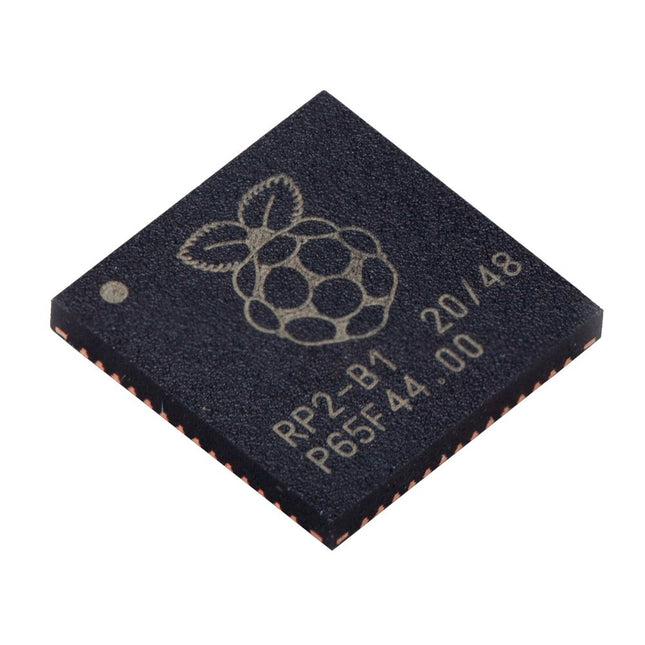
In addition to the currently available Raspberry Pi boards Elektor offers you official Raspberry Pi accessories and a carefully selected selection tested third party products (construction kits, HATs, power supplies, cases, displays, cameras, books and miscellaneous. We also have an extensive range of RP2040 products based on the RP2040 microcontroller chip developed by the Raspberry Pi Foundation.

Buying a Raspberry Pi board: what can you do with it?

What makes the Raspberry Pi so special? This small, full-fledged, credit card-sized computer has won the hearts of software and hardware developers around the world and continues to reinvent itself with each new hardware version. With more than 20 million boards sold, Raspberry Pi has turned the electronics world upside down. It doesn't matter if you are a beginner or a professional developer, Raspberry Pi is the universal tool for every electronics technician! Use the Raspberry Pi for your own developments, control your smart home products with it or use it as a media player in the living room for streaming. Raspberry Pi cuts a fine figure in every area. The application possibilities are almost endless. The steadily growing community develops fun, but above all useful projects that are easy to make yourself.

Raspberry Pi accessories

Buying a Raspberry Pi is just the first step. As an official Raspberry Pi reseller, Elektor not only offers the Raspberry Pi, but also the necessary accessories and extensions to benefit as much as possible from the compact Raspberry Pi. At Elektor you will find power supplies, housings (with or without fans), kits, sensors, robots, cameras, displays, books, HATs and other expansion cards to help realize your projects.

Smart Home projects with Raspberry Pi

Today, a Smart Home is one of the most used applications for the Raspberry Pi. The reason for this is logical because a Smart Home provides more comfort in the home and makes saving on energy costs easy. Below you will find three of the most commonly used applications of Raspberry Pi in a Smart Home environment

Home automation system

The Raspberry Pi can be used to build a home automation system that allows you to perform tasks automatically. This includes controlling lighting, heating, entertainment and air conditioning.

Home monitoring

Home monitoring is a system that uses sensors to take measurements of your home environment and transmit this information to a central device. The system can take measurements of: temperatures, humidity, light intensity and movement. Use home monitoring to monitor your home environment, allowing you to use alarm systems, security cameras and other devices to protect your home.

A good example of this is when you close your roller shutters automatically as soon as it threatens to get too hot. This way you can easily restore the heat in your home.

Smart switches

A smart switch is a device used to turn electrical appliances on and off remotely. It is a wireless device that is connected to your home network and can be controlled with a mobile app, a remote control or a voice assistant.

A good example of smart switches combined with Raspberry Pi is turning off lights when you watch a movie via Kodi. You can even go so far that when you pause the movie, the lights come back on.

Buy your Raspberry Pi from Elektor

Elektor is an official reseller approved by the Raspberry Pi Foundation. We only obtain the Raspberry Pi directly from the manufacturer/developer and not from a distributor. New products are immediately available from stock on the day of publication. By eliminating the middleman, we can offer the Raspberry Pi and other official accessories at the lowest possible price.

Login

Forgot password?

Don't have an account yet?
Create account