Inside the RP2040 is a 'permanent ROM' USB UF2 bootloader. What that means is when you want to program new firmware, you can hold down the BOOTSEL button while plugging it into USB (or pulling down the RUN/Reset pin to ground) and it will appear as a USB disk drive you can drag the firmware onto. Folks who have been using Adafruit products will find this very familiar – Adafruit uses the technique on all thier native-USB boards. Just note you don't double-click reset, instead hold down BOOTSEL during boot to enter the bootloader!
The RP2040 is a powerful chip, which has the clock speed of our M4 (SAMD51), and two cores that are equivalent to our M0 (SAMD21). Since it is an M0 chip, it does not have a floating point unit, or DSP hardware support – so if you're doing something with heavy floating-point math, it will be done in software and thus not as fast as an M4. For many other computational tasks, you'll get close-to-M4 speeds!
For peripherals, there are two I²C controllers, two SPI controllers, and two UARTs that are multiplexed across the GPIO – check the pinout for what pins can be set to which. There are 16 PWM channels, each pin has a channel it can be set to (ditto on the pinout).
Specifications
Measures 2.0 x 0.9 x 0.28' (50.8 x 22.8 x 7 mm) without headers soldered in
Light as a (large?) feather – 5 grams
RP2040 32-bit Cortex M0+ dual core running at ~125 MHz @ 3.3 V logic and power
264 KB RAM
8 MB SPI FLASH chip for storing files and CircuitPython/MicroPython code storage. No EEPROM
Tons of GPIO! 21 x GPIO pins with following capabilities:
Four 12 bit ADCs (one more than Pico)
Two I²C, Two SPI and two UART peripherals, one is labeled for the 'main' interface in standard Feather locations
16 x PWM outputs - for servos, LEDs, etc
The 8 digital 'non-ADC/non-peripheral' GPIO are consecutive for maximum PIO compatibility
Built in 200 mA+ lipoly charger with charging status indicator LED
Pin #13 red LED for general purpose blinking
RGB NeoPixel for full color indication.
On-board STEMMA QT connector that lets you quickly connect any Qwiic, STEMMA QT or Grove I²C devices with no soldering!
Both Reset button and Bootloader select button for quick restarts (no unplugging-replugging to relaunch code)
3.3 V Power/enable pin
Optional SWD debug port can be soldered in for debug access
4 mounting holes
24 MHz crystal for perfect timing.
3.3 V regulator with 500mA peak current output
USB Type C connector lets you access built-in ROM USB bootloader and serial port debugging
RP2040 Chip Features
Dual ARM Cortex-M0+ @ 133 MHz
264 kB on-chip SRAM in six independent banks
Support for up to 16 MB of off-chip Flash memory via dedicated QSPI bus
DMA controller
Fully-connected AHB crossbar
Interpolator and integer divider peripherals
On-chip programmable LDO to generate core voltage
2 on-chip PLLs to generate USB and core clocks
30 GPIO pins, 4 of which can be used as analog inputs
Peripherals
2 UARTs
2 SPI controllers
2 I²C controllers
16 PWM channels
USB 1.1 controller and PHY, with host and device support
8 PIO state machines
Comes fully assembled and tested, with the UF2 USB bootloader. Adafruit also tosses in some header, so you can solder it in and plug it into a solderless breadboard.
The nRF52840 dongle is a small, low-cost USB dongle that supports Bluetooth 5.3, Bluetooth mesh, Thread, ZigBee, 802.15.4, ANT and 2.4 GHz proprietary protocols. The dongle is the perfect target hardware for use with nRF Connect for Desktop as it is low-cost but still support all the short range wireless standards used with Nordic devices.
The dongle has been designed to be used as a wireless HW device together with nRF Connect for Desktop. For other use cases please do note that there is no debug support on the dongle, only support for programming the device and communicating through USB.
It is supported by most of the nRF Connect for Desktop apps and will automatically be programmed if needed. In addition custom applications can be compiled and downloaded to the dongle. It has a user programmable RGB LED, a green LED, a user programmable button as well as 15 GPIO accessible from castellated solder points along the edge. Example applications are available in the nRF5 SDK under the board name PCA10059.
The nRF52840 dongle is supported by nRF Connect for Desktop as well as programming through nRFUtil.
Features
Bluetooth 5.2 ready multiprotocol radio
2 Mbps
Long Range
Advertising Extensions
Channel Selection Algorithm #2 (CSA #2)
IEEE 802.15.4 radio support
Thread
ZigBee
Arm Cortex-M4 with floating point support
DSP instruction set
ARM CryptoCell CC310 cryptographic accelerator
15 GPIO available via edge castellation
USB interface direct to nRF52840 SoC
Integrated 2.4 GHz PCB antenna
1 user-programmable button
1 user-programmable RGB LED
1 user-programmable LED
1.7-5.5 V operation from USB or external
Downloads
Datasheet
Hardware Files
This 900 MHz radio version can be used for either 868 MHz or 915 MHz transmission/reception – the exact radio frequency is determined when you load the software since it can be tuned around dynamically.
At the Feather 32u4's heart is at ATmega32u4 clocked at 8 MHz and at 3.3 V logic. This chip has 32 K of flash and 2 K of RAM, with built in USB so not only does it have a USB-to-Serial program & debug capability built in with no need for an FTDI-like chip, it can also act like a mouse, keyboard, USB MIDI device, etc.
To make it easy to use for portable projects, we added a connector for any 3.7 V Lithium polymer batteries and built in battery charging. You don't need a battery, it will run just fine straight from the micro USB connector. But, if you do have a battery, you can take it on the go, then plug in the USB to recharge. The Feather will automatically switch over to USB power when its available. We also tied the battery thru a divider to an analog pin, so you can measure and monitor the battery voltage to detect when you need a recharge.
Features
Measures 2.0' x 0.9' x 0.28' (51 x 23 x 8 mm) without headers soldered in
Light as a (large?) feather – 5.5 grams
ATmega32u4 @ 8 MHz with 3.3 V logic/power
3.3 V regulator with 500 mA peak current output
USB native support, comes with USB bootloader and serial port debugging
You also get tons of pins – 20 GPIO pins
Hardware Serial, hardware I²C, hardware SPI support
7x PWM pins
10x analog inputs
Built in 100 mA lipoly charger with charging status indicator LED
Pin #13 red LED for general purpose blinking
Power/enable pin
4 mounting holes
Reset button
The Feather 32u4 Radio uses the extra space left over to add an RFM69HCW 868/915 MHz radio module. These radios are not good for transmitting audio or video, but they do work quite well for small data packet transmission when you ned more range than 2.4 GHz (BT, BLE, WiFi, ZigBee)
SX1231 based module with SPI interface
Packet radio with ready-to-go Arduino libraries
Uses the license-free ISM band ('European ISM' @ 868 MHz or 'American ISM' @ 915 MHz)
+13 to +20 dBm up to 100 mW Power Output Capability (power output selectable in software)
50 mA (+13 dBm) to 150 mA (+20 dBm) current draw for transmissions
Range of approx. 350 meters, depending on obstructions, frequency, antenna and power output
Create multipoint networks with individual node addresses
Encrypted packet engine with AES-128
Simple wire antenna or spot for uFL connector
Comes fully assembled and tested, with a USB bootloader that lets you quickly use it with the Arduino IDE. Headrs are also included so you can solder it in and plug into a solderless breadboard. You will need to cut and solder on a small piece of wire (any solid or stranded core is fine) in order to create your antenna.
Lipoly battery and USB cable not included.
Is your house haunted? Or, rather, are you convinced that your house is haunted but have never been able to prove it since you've never had a camera that integrated with your Raspberry Pi Zero but was still small enough that the ghosts wouldn't notice it?
Luckily, the spy camera for Raspberry Pi Zero is smaller than a thumbnail with a high enough resolution to see people, ghosts, or whatever it is you're looking for. It's about the size of a cell phone camera – the module being just 8.6 x 8.6 mm – with only a 2' cable, so you can create an extra compact and sneaky little spy cam. It has a 160-degree focal angle for a very wide/distorted fisheye effect that's great for security systems or watching a big swath of the living room or roadway.
Like the Raspberry Pi camera board, it attaches to your Raspberry Pi Zero v1.3 or Zero W by way of the small socket on the board's edge closest to the 'PWR in' port. This interface uses the dedicated CSI interface, which was designed especially for interfacing to cameras. The CSI bus is capable of extremely high data rates, and it exclusively carries pixel data.
The camera is connected to the BCM2835 processor on the RPi via the CSI bus, a higher bandwidth link which carries pixel data from the camera back to the processor. This bus travels along the ribbon cable that attaches the camera board to the Pi. The ribbon cables are compatible with both the RPi Zero v1.3 and RPi Zero W.
The sensor itself has a native resolution of 5 megapixels and has a fixed focus lens onboard. It has similar specs as the original RPi camera, but is not as high-res as the new RPi camera v2!
Specifications
Camera Module Dimensions: 8.6 x 8.6 mm
Lens Diameter: 10 mm
Total Length: 60 mm
Lens Focal Angle: 160 degrees
Weight: 1.9 g
The FNIRSI FNB58 USB tester (with Bluetooth) is a comprehensive and very accurate USB voltage and current meter. It features a 2.0-inch full-color HD TFT display, built-in USB-A, micro USB and USB-C interface. With this device you can measure the power supply or power consumption of products or the charging power of cell phones and power supplies. You can also determine the fast charging protocol of chargers.
Features
USB-A and USB-C interface
2.0" HD display
Data at a glance
Wide compatibility
Ultra-precise data detection
Play with fast charging technology
Automatic protocol detection (PD2.0, 3.0, 3.1, PPS, QC2.0, 3.0, FCP, SCP, AFC, PE, DASH VOOC, SuperVOOC and more)
Simple user interface, easy to operate
4 function curve displays (real-time voltage and current curve, offline curve recording, D+/D- voltage curve, high-speed power supply ripple measurement)
Cable detection
10 groups of energy recording battery capacity calculation
PC connectivity for data logging and firmware updates
Bluetooth app for Android devices
Specifications
Voltage range
4-28 V
Current range
0-7 A
Power range
0-120 W
Load equivalent internal resistance
0-9999.9 Ω
D+/D- voltage
0-3.3 V
Capacity
0-9999.99 Ah
Power consumption
0-9999.99 Wh
Cable resistance
0-9999.9 Ω
Interfaces
micro USB, USB-A, USB-C
Dimensions
42 x 13 x 82 mm
Downloads
Manual
Firmware V0.68
Features
Data-logger & Multimeter & Thermometer
3 (5/6) digits
True RMS test supported
BLE 4.0 wireless transmission, more stable, less power consumption
Chart and Diagram mode, to analyze your data
Supports NCV
Voice Broadcast simplifies testing
Flashlight function
Built-in offline recording function
Supports Android, iOS
Included
Test leads
K-type thermocouple
9 V Battery
Bolt driver
Crocodile clip
Quick guide
Bluno is the first of its kind in integrating Bluetooth 4.0 (BLE) module into Arduino Uno, making it an ideal prototyping platform for both software and hardware developers to go BLE. You will be able to develop your own smart bracelet, smart pedometer, and more. Through the low-power Bluetooth 4.0 technology, real-time low energy communication can be made really easy.
Bluno integrates a TI CC2540 BT 4.0 chip with the Arduino UNno. It allows wireless programming via BLE, supports Bluetooth HID, AT command to config BLE and you can upgrade BLE firmware easily. Bluno is also compatible with all 'Arduino Uno' pins which means any project made with Uno can directly go wireless!
Specifications
On-board BLE chip: TI CC2540
Wireless Programming via BLE
Support Bluetooth HID
Support AT command to config the BLE
Transparent communication through Serial
Upgrade BLE firmware easily
DC Supply: USB Powered or External 7~12 V DC
Microcontroller: Atmega328
Bootloader: Arduino Uno ( disconnect any BLE device before uploading a new sketch )
Compatible with the Arduino Uno pin mapping
Size: 60 x 53 mm(2.36 x 2.08')
Weight: 30 g
For Raspberry Pi, ESP32 and nRF52 with Python, Arduino and Zephyr
Bluetooth Low Energy (BLE) radio chips are ubiquitous from Raspberry Pi to light bulbs. BLE is an elaborate technology with a comprehensive specification, but the basics are quite accessible.
A progressive and systematic approach will lead you far in mastering this wireless communication technique, which is essential for working in low power scenarios.
In this book, you’ll learn how to:
Discover BLE devices in the neighborhood by listening to their advertisements.
Create your own BLE devices advertising data.
Connect to BLE devices such as heart rate monitors and proximity reporters.
Create secure connections to BLE devices with encryption and authentication.
Understand BLE service and profile specifications and implement them.
Reverse engineer a BLE device with a proprietary implementation and control it with your own software.
Make your BLE devices use as little power as possible.
This book shows you the ropes of BLE programming with Python and the Bleak library on a Raspberry Pi or PC, with C++ and NimBLE-Arduino on Espressif’s ESP32 development boards, and with C on one of the development boards supported by the Zephyr real-time operating system, such as Nordic Semiconductor's nRF52 boards.
Starting with a very little amount of theory, you’ll develop code right from the beginning. After you’ve completed this book, you’ll know enough to create your own BLE applications.
For Raspberry Pi, ESP32 and nRF52 with Python, Arduino and Zephyr
Bluetooth Low Energy (BLE) radio chips are ubiquitous from Raspberry Pi to light bulbs. BLE is an elaborate technology with a comprehensive specification, but the basics are quite accessible.
A progressive and systematic approach will lead you far in mastering this wireless communication technique, which is essential for working in low power scenarios.
In this book, you’ll learn how to:
Discover BLE devices in the neighborhood by listening to their advertisements.
Create your own BLE devices advertising data.
Connect to BLE devices such as heart rate monitors and proximity reporters.
Create secure connections to BLE devices with encryption and authentication.
Understand BLE service and profile specifications and implement them.
Reverse engineer a BLE device with a proprietary implementation and control it with your own software.
Make your BLE devices use as little power as possible.
This book shows you the ropes of BLE programming with Python and the Bleak library on a Raspberry Pi or PC, with C++ and NimBLE-Arduino on Espressif’s ESP32 development boards, and with C on one of the development boards supported by the Zephyr real-time operating system, such as Nordic Semiconductor's nRF52 boards.
Starting with a very little amount of theory, you’ll develop code right from the beginning. After you’ve completed this book, you’ll know enough to create your own BLE applications.
Realize your own projects with the Elektor Arduino Nano MCCAB Training Board
The microcontroller is probably the most fascinating subfield of electronics. Due to the multitude of functions, it combines on its chip, it is a universal multi-tool for developers to realize their projects. Practically every device of daily use today is controlled by a microcontroller. However, for an electronic layman, realizing his own ideas with a microcontroller has so far remained a pipe dream due to its complexity. The Arduino concept has largely simplified the use of microcontrollers, so that now even laymen can realize their own electronics ideas with a microcontroller.
Book & Hardware in the Bundle: 'Learning by Doing'
This book, which is included in the bundle, shows how you can realize your own projects with a microcontroller even without much experience in electronics and programming languages. It is a microcontrollers hands-on course for starters, because after an overview of the internals of the microcontroller and an introduction to the programming language C, the focus of the course is on the practical exercises. The reader acquires the necessary knowledge by 'learning by doing': in the extensive practical section with 12 projects and 46 exercises, what is learned in the front part of the book is underpinned with many examples. The exercises are structured in such a way that the user is given a task to solve using the knowledge built up in the theoretical part of the book. Each exercise is followed by a sample solution that is explained and commented on in detail, which helps the user to solve problems and compare it with his own solution.
Arduino IDE
The Arduino IDE is a software development environment that can be downloaded for free to your own PC and that contains the entire software package needed for your own microcontroller projects. You write your programs ('apps') with the IDE’s editor in the C programming language. You translate them into the bits and bytes that the microcontroller understands using the Arduino IDE's built-in compiler, and then load them into the microcontroller's memory on the Elektor Arduino MCCAB Nano Training Board via a USB cable.
Query or control external sensors, motors or assemblies
In addition to an Arduino Nano microcontroller module, the Elektor Arduino Nano MCCAB Training Board contains all the components required for the exercises, such as light-emitting diodes, switches, pushbuttons, acoustic signal transmitters, etc. External sensors, motors or assemblies can also be queried or controlled with this microcontroller training system.
Specifications (Arduino Nano MCCAB Training Board)
Power Supply
Via the USB connection of the connected PC or an external power supply unit (not included)
Operating Voltage
+5 Vcc
Input Voltage
All inputs
0 V to +5 V
VX1 and VX2
+8 V to +12 V (only when using an external power supply)
Hardware periphery
LCD
2x16 characters
Potentiometer P1 & P2
JP3: selection of operating voltage of P1 & P2
Distributor
SV4: Distributor for the operating voltagesSV5, SV6: Distributor for the inputs/outputs of the microcontroller
Switches and buttons
RESET button on the Arduino Nano module 6x pushbutton switches K1 ... K6 6x slide switches S1 ... S6 JP2: Connection of the switches with the inputs of the microcontroller
Buzzer
Piezo buzzer Buzzer1 with jumper on JP6
Indicator lights
11 x LED: Status indicator for the inputs/outputs LED L on the Arduino Nano module, connected to GPIO D13 JP6: Connection of LEDs LD10 ... LD20 with GPIOs D2 ... D12
Serial interfacesSPI & I²C
JP4: Selection of the signal at pin X of the SPI connector SV12 SV9 to SV12: SPI interface (3.3 V/5 V) or I²C interface
Switching output for external devices
SV1, SV7: Switching output (maximum +24 V/160 mA, externally supplied) SV2: 2x13 pins for connection of external modules
3x3 LED matrix(9 red LEDs)
SV3: Columns of the 3x3 LED matrix (outputs D6 ... D8) JP1: Connection of the rows with the GPIOs D3 ... D5
Software
Library MCCABLib
Control of hardware components (switches, buttons, LEDs, 3x3 LED matrix, buzzer) on the MCCAB Training Board
Operating Temperature
Up to +40 °C
Dimensions
100 x 100 x 20 mm
Specifications (Arduino Nano)
Microcontroller
ATmega328P
Architecture
AVR
Operating Voltage
5 V
Flash Memory
32 KB, of which 2 KB used by bootloader
SRAM
2 KB
Clock Speed
16 MHz
Analog IN Pins
8
EEPROM
1 KB
DC Current per I/O Pins
40 mA on one I/O pin, total maximum 200 mA on all pins together
Input Voltage
7-12 V
Digital I/O Pins
22 (6 of which are PWM)
PWM Output
6
Power Consumption
19 mA
Dimensions
18 x 45 mm
Weight
7 g
Included
1x Elektor Arduino Nano MCCAB Training Board
1x Arduino Nano
1x Book: Microcontrollers Hands-on Course for Arduino Starters
,
by Jean-François Simon
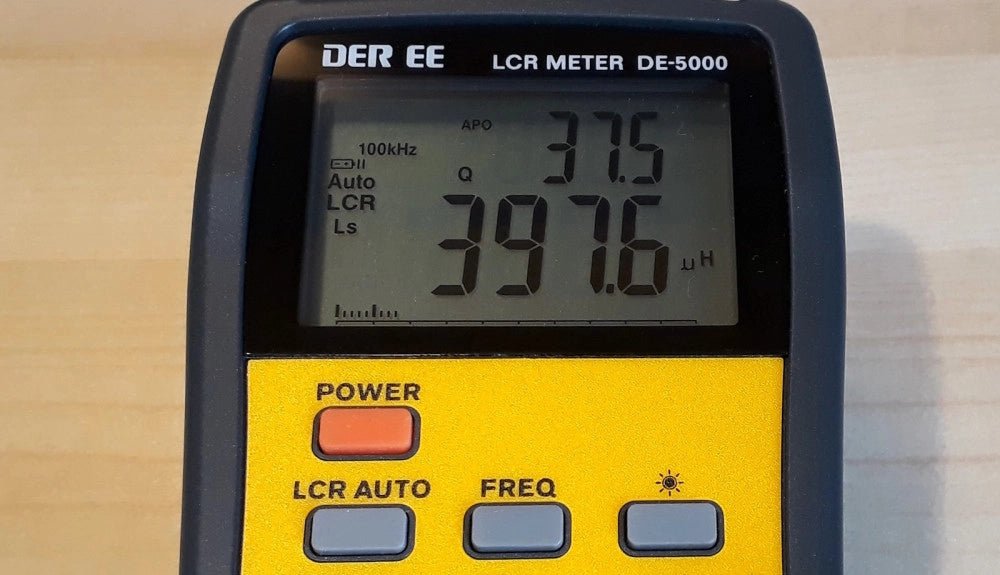
The DE-5000 LCR Meter (Review)
The DER-EE DE-5000 is a streamlined, portable LCR meter ideally suited for precise measurements of inductance, capacitance, and resistance in electronic components. Dive into its...