
Search results for "arduino OR nano OR esp32"
-

Elektor Digital LoRaWAN-Knoten im IoT (PDF)
Fertige und selbst aufgebaute Arduino-Knoten im TTN LoRaWAN hat sich als Kommunikationslösung im IoT hervorragend entwickelt. The Things Network (TTN) hat hierzu seinen Beitrag geleistet. Aktuell wird The Things Network auf The Things Stack Community Edition (TTS (CE)) aktualisiert. Die Cluster von TTN V2 werden gegen Ende 2021 geschlossen. Der Autor zeigt Ihnen die notwendigen Schritte, damit Sie in gewohnter Weise LoRaWAN-Knoten mit Hilfe von TTS (CE) betreiben und vielleicht auch das Netz der Gateways durch ein eigenes Gateway erweitern. Mittlerweile gibt es sogar für den mobilen Einsatz geeignete LoRaWAN-Gateways mit denen Sie über Ihr Mobiltelefon Verbindung zum TTN-Server aufbauen können. In diesem Buch werden eine Reihe kommerzieller und Arduino-basierter LoRaWAN-Knoten als auch neue, kostengünstige und für den Batteriebetrieb geeignete Hardware zum Aufbau autonomer LoRaWAN-Knoten vorgestellt. Die Registrierung von LoRaWAN-Knoten und Gateways im TTS (CE) sowie die Bereitstellung der erhobenen Daten über MQTT und die Visualisierung über Node-RED, Cayenne, Thingspeak und Datacake ermöglichen komplexe IoT-Projekte und völlig neue Anwendungen zu sehr geringen Kosten. Das vorliegende Buch versetzt Sie in die Lage, mit batteriebetriebenen Sensoren (LoRaWAN-Knoten) erfasste Daten drahtlos im Internet bereitzustellen und zu visualisieren. Sie lernen die Grundlagen für Smart-City- und IoT-Anwendungen, die beispielsweise die Messung von Luftqualität, Wasserständen, Schneehöhen, das Ermitteln von freien Parkfeldern (Smart Parking) und die intelligente Steuerung der Straßenbeleuchtung (Smart Lighting) u.a.m. ermöglichen.
€ 32,80
Members: € 29,52
-

Elektor Publishing The Maker’s Guide to AI Coding
If you can describe it, you can build it AI coding assistants are changing what makers and solopreneurs can build. Tasks that once demanded weeks of learning a new language, framework, or software stack can now be delegated to an AI—provided you know how to describe the job, judge the result, and keep control of the process. The Maker’s Guide to AI Coding is a practical guide to doing exactly that. It explains how to work with AI coding tools as collaborators rather than vending machines, how much to delegate, how to write specifications that produce useful results, and how to recognise hallucinations, context drift, overconfidence, and code that runs but is still wrong. The book is built around four increasingly ambitious projects. You begin with a browser-based RC filter analyser, then develop a live serial data plotter for Arduino and other microcontrollers. Next comes a datasheet questionand- answer tool using retrieval-augmented generation (RAG), followed by a complete multi-user resource booking system with authentication, a database, external services, background jobs, and deployment. No advanced programming background is required. The emphasis is on thinking clearly, guiding the AI, testing what it produces, and preserving the skills needed to evaluate its work. Along the way, you learn development workflow designed to remain useful as tools evolve. If you can describe what you want to build, this book shows you how to turn that description into working software.
€ 34,95
Members: € 31,46
-

Elektor November/December 2025 (NL)
Elektor GREEN en GOLD leden kunnen deze uitgave hier downloaden. Nog geen lid? Klik hier om een lidmaatschap af te sluiten. Relio v1.0 – Aanwezigheidsdetectie en afstandsbedieningEen smart controller met Matter-functionaliteit voor AC-apparaten Betere printplaten ontwerpenEen praktische gids voor professionals en makers KiCad 9De belangrijkste nieuwe en verbeterde functies Precisie pico-ampèremeter (1)Met curvetracer-functionaliteit tot in het pA-bereik! Kerstster 2025soldeer de sterren van de hemel! 100mV-doorgangstester Wie verlegt de grenzen van de Europese elektronica?Bedrijven om in het oog te houden Productronica 2025: Wat is er nieuw in de ontwikkeling en productie van elektronica Automatisering om reshoring van productie, invoerheffingen en tekorten aan arbeidskrachten aan te pakken Meer dan toekomstbestendigCirculariteit in elektronica Passieve componentenVerliesarme inductoren voor hoogrendements DC/DC-converters Hoe desktopmachines de printplaatproductie toegankelijker maken Alle begin......heeft voeding nodig Uit het leven gegrepenKnopjeskoorts Soldeertechniek in 2025Praktische soldeertips rechtstreeks van de werkbank SimulIDEEen alles-in-één tool voor circuit-prototyping 2025: Een AI OdysseyVan autocomplete tot collega Wordy Christmas TreeEen feestelijk elektronica-project met een taalkundig tintje Err-lectronicsCorrecties, updates en lezersbrieven Analoge pipeline-vervormingEen fraai audio-effect voor gitaren en andere instrumenten ESP32 audiotransceiver-board (deel 3)Stereotransmissie en dual-radio
€ 15,95
-

Elektor Digital Starten met Internet of Things (E-book)
35 projecten met Raspberry Pi en wireless Arduino Internet of Things (alles aan het internet) is een trend die zich niet meer laat keren. We willen alles in huis met onze mobiel of tablet doen, van Facebook tot TV kijken, van lichten bedienen tot de temperatuur in de gaten houden. In dit boek laten we in 35 leuke en handige projecten zien hoe u op eenvoudige wijze zelf een Internet of Things systeem kunt aanleggen. We gaan in op de hardware (de perfecte combinatie van Raspberry Pi en Arduino) en de software om bediening via internet mogelijk te maken. We maken gebruik van Wi-Fi en radioverbindingen zodat er geen kabels dwars door uw huis hoeven. Wanneer u deze projecten maakt heeft u een compleet Internet of Things systeem waarmee u van alles in uw huis kunt bedienen en bekijken. Bijvoorbeeld of er post in de brievenbus ligt en of de auto in de garage staat. U kunt op vanaf de bank het licht aandoen en het alarm bedienen. Door de heldere uitleg kunt u de projecten eenvoudig aanpassen om bijvoorbeeld uw koffiezetautomaat of tv op afstand aan te zetten. Via de index vindt u gemakkelijk creatieve projecten die als voorbeeld kunnen dienen, zodat u zelfstandig alles met het internet kunt verbinden.
€ 29,95
Members: € 26,96
-

Elektor Digital Elektor 11-12/2023 (PDF)
Diese Ausgabe steht allen GOLD- und GREEN-Mitgliedern auf der ElektorMagazine-Website zum Download bereit! Sie sind noch kein Mitglied? Hier klicken! Der Raspberry Pi 5Gegenüber seinem Vorgänger enorm verbessert KI im ElektroniklaborSchaltungsdesign, Bauteil-Suche, Software Funktionsgenerator mit dem Arduino NanoNano + Code = Funktionsgenerator Solarbetriebene WeihnachtsgirlandeEine umweltfreundliche Lösung für die Dekoration Ihres Balkons USB-Killer-DetektorBesser sicher als traurig Ein einfaches CNC-GehäuseSchritt für Schritt mit Autodesk Fusion 360 Platinenproduktion in kleinen StückzahlenMit und ohne Bestückung IoT-Simulation vereinfacht mit WokwiEntwickler Uri Shaked über Entwicklung, Software und mehr Eine Anleitung zur Bare-Metal-ProgrammierungTeil 3: CMSIS-Header, automatische Tests und ein Webserver LoRa, ein Schweizer TaschenmesserTeil 2: Hard- und Software MEMS-MikrofoneEntwurf und Konstruktion eines Messmikrofons Werkzeuge zum Ausprobieren, bevor Sie lötenSimulations- und 3D-Modellierungstools, die kostenlos genutzt werden können Neue Tools von Microchip!Version 5 von PICkit und ICD jetzt erhältlich Rapid Prototyping von flexibler, dehnbarer ElektronikWie Voltera NOVA Innovationen bei tragbaren elektronischen Systemen beschleunigt Galvanische TrennungPhototransistor-Optokoppler erfolgreich einsetzen Die komplexe Lösung oder die Lösung von Anybus?Embedded Industrial Ethernet als Kurzstrecke statt als Marathon Ihre essentielle DFM-ChecklisteWie Sie mit dem Entwurf für die Fertigung beginnen Filamente für den 3D-DruckArten, Eigenschaften und Verwendung im Prototyping Spezialisten für eine effektive Signalauswertung von ELF bis EHF-BandAaronias neueste Echtzeit-Spektrumanalyzer der SPECTRAN® V6-Serie Herausforderungen der DFM-Analyse für Flex- und Rigid-Flex-Design Einrichten einer SMT-Fertigungsstrecke Die richtige Kombination für die zuverlässige Baugruppe Revolution in der IndustrieDer Aufstieg der Autonomen Mobilen Roboter (AMR) Für höchste Anforderungen weiterentwickeltR&S MXO 5 mit acht Kanälen ergänzt Oszilloskope der nächsten Generation Aller Anfang...... muss nicht schwer sein: Verstärkung von Unterschieden Mini-Reflow-PlatteFür die Bestückung und die Reparatur kleiner SMD-Schaltungen Starte nicht mit einem Prototyp – starte mit einem Pretotyp!Prüfe erst, ob es einen Markt für dein Produkt gibt, bevor du deinen Lötkolben vorwärmst 2023: Odyssee in die KIHilfe beim Entwerfen eines physikalischen Projekts erhalten Innovationen aus BrüsselUnterstützung für die Spitzentechnologie
€ 11,90
-
Unitree Unitree Go2 Edu Quadruped Robot
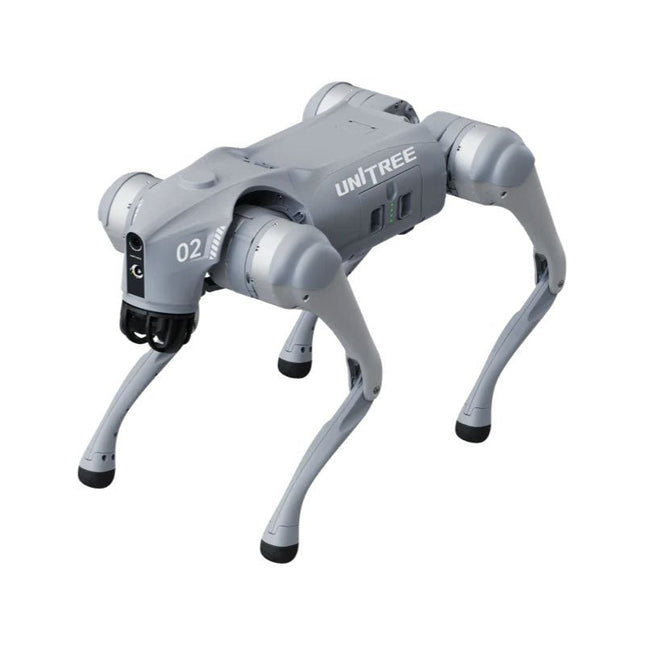
Temporary Delay in the Delivery of Unitree Robots Like many other suppliers, we are currently experiencing delays in the delivery of Unitree robots. A shipment from our supplier is currently held in customs, which has unfortunately led to later-than-planned deliveries for previously placed orders. We are actively working with our supplier to resolve this issue and expect more clarity soon, but at this time, we cannot provide any guarantees. Additionally, a new shipment is already on its way, though it will take some time to arrive. Since other suppliers are facing similar challenges, switching to a different provider is unlikely to result in a faster solution. Our top priority remains fulfilling existing orders. If you have any questions or would like to update your order, please do not hesitate to contact our customer service team. We will keep you informed of any further developments. Unitree Go2 series consists of quadruped robots for the research & development of autonomous systems in the fields of human-robot interaction (HRI), SLAM & transportation. Due to the four legs, as well as the 12DOF, this robot can handle a variety of different terrains. The Go2 comes with a perfected drive & power management system, which enables a speed (depending on the version) of up to 3.7 m/s or 11.88 km/h with an operating time of up to 4 hours. Furthermore, the motors have a torque of 45 N.m at the body/thighs and at the knees, which also allow jumps or backflips. Features Super Recognition System: 4D LIDAR L1 Max Running Speed: approx. 5 m/s Peak Joint Torque: approx. 45 N.m Wireless Module: WiFi 6/Bluetooth/4G Ultra-long battery Endurance: approx. 2-4 h (long battery life measured in real life) Intelligent Side-follow System: ISS 2.0 Specifications Tracking module: Remote-controlled or automatic tracking Front camera: Image tansmission Resolution 1280x720, FOV 120°, Ultra wide angle lens deliver rich clarity Front lamp: Brightly lights the way ahead 4D LiDAR L1: 360°x90° omnidirectional ultra-wide-angle scanning allows automatic avoidance with small blind spot and stable operation 12 knee joint motors: Strong and powerful, Beautiful and simple, Brandy new visual experience Intercom microphone: Effective communication with no scenario restrictions Self-retracting strap: Easy to carry and load things More stable, more powerful with advanced devices: 3D LiDAR, 4G ESIM Card, WiFi 6 with Dual-band, Bluetooth 5.2 for stable connection and remote control Powerful Computing Core: Motion controller, High-performance ARM processor, Improved Al algorithm processor, External ORIN NX/NANO Smart battery: Standard 8000 mAh battery, Long-endurance 15000 mAh battery, Protection from over-temp, overcharge and short-circuit Speaker for music play: Listen to music as your pleasure Unitree Go2 Variants The Go2 impresses not only with its technical capabilities, but also with a modern and slim design that gives it a futuristic look and makes it a real eye-catcher. The Go2 Air is specially designed for demos and presentations. With its basic features, it offers a solid basis for demonstrating the movement capabilities and functionality of a four-legged robot. Important: The Go2 Air is delivered without a controller. This can be purchased optionally. With a powerful 8-core high-performance CPU, the Pro and Edu offer impressive computing power required for complex tasks and demanding calculations. This enables faster and more efficient data processing and makes the Pro and Edu a reliable partner for your projects. From the Edu version onwards, the Go2 is programmable and opens up endless possibilities for developing and researching your own robotics applications. The Go2 is also able to handle a step height of up to 14 cm. This makes it an ideal tool for research, education and entry into the world of robotics. The Go2 Edu comes with a remote controller that gives you easy and intuitive control. You also get a docking station with impressive computing power of 100 TOPS, which is equipped with powerful AI algorithms and offers you technical support. Go2 Edu is equipped with a powerful 15000 mAh battery that gives it an impressive runtime of up to 4 hours. This long operating time allows the robot to carry out longer exploration missions and complete demanding tasks. Model Comparison Air Pro Edu/Edu Plus Dimensions (standing) 70 x 31 x 40 cm 70 x 31 x 40 cm 70 x 31 x 40 cm Dimensions (crouching) 76 x 31 x 20 cm 76 x 31 x 20 cm 76 x 31 x 20 cm Material Aluminium alloy + High strength engineering plastic Aluminium alloy + High strength engineering plastic Aluminium alloy + High strength engineering plastic Weight (with battery) about 15 kg about 15 kg about 15 kg Voltage 28~33.6 V 28~33.6 V 28~33.6 V Peaking capacity about 3000 W about 3000 W about 3000 W Payload ≈7 kg (MAX ~ 10 kg) ≈8 kg (MAX ~ 10 kg) ≈8 kg (MAX ~ 12 kg) Speed 0~2.5 m/s 0~3.5 m/s 0~3.7 m/s (MAX ~ 5 m/s) Max Climb Drop Height about 15 cm about 16 cm about 16 cm Max Climb Angle 30° 40° 40° Basic Computing Power N/A 8-core High-performance CPU 8-core High-performance CPU Aluminum knee joint motor 12 set 12 set 12 set Intra-joint circuit (knee) ✓ ✓ ✓ Joint Heat Pipe Cooler ✓ ✓ ✓ Range of Motion Body: −48~48° Body: −48~48° Body: −48~48° Thigh: −200°~90° Thigh: −200°~90° Thigh: −200°~90° Shank: −156°~−48° Shank: −156°~−48° Shank: −156°~−48° Max Torque N/A about 45 N.m about 45 N.m Super-wide-angle 3D LiDAR ✓ ✓ ✓ Wireless Vector Positioning Tracking Module N/A ✓ ✓ HD Wide-angle Camera ✓ ✓ ✓ Foot-end force sensor N/A N/A ✓ Basic Action ✓ ✓ ✓ Auto-scaling strap N/A ✓ N/A Upgraded Intelligent OTA ✓ ✓ ✓ RTT 2.0 Image Transmission ✓ ✓ ✓ App Basic Remote Control ✓ ✓ ✓ App Data Viewing ✓ ✓ ✓ App Graphical Programme ✓ ✓ ✓ Front Lamp (3 W) ✓ ✓ ✓ WiFi 6 with Dual-band ✓ ✓ ✓ Bluetooth 5.2/4.2/2.1 ✓ ✓ ✓ 4G Module N/A CN/GB CN/GB Voice Function N/A ✓ ✓ Music Playback N/A ✓ ✓ ISS 2.0 Intelligent side-follow system N/A ✓ ✓ Intelligent detection and avoidance ✓ ✓ ✓ Secondary development N/A N/A ✓ Manual controller Optional Optional ✓ High computing power module N/A N/A Edu: 40 TOPS computing power Edu Plus: 100 TOPS computing power NVIDIA Jetson Orin (optional) Smart Battery Standard (8000 mAh) Standard (8000 mAh) Long endurance (15000 mAh) Battery Life 1-2 h 1-2 h 2-4 h Charger Standard (33.6 V, 3.5 A) Standard (33.6 V, 3.5 A) Fast charge (33.6 V, 9 A) Included 1x Unitree Go2 Edu 1x Unitree Go2 Remote Controller 1x Unitree Go2 Battery (15000 mAh) 1x Unitree Docking station with 40 TOPS computing power Downloads Documentation iOS/Android apps GitHub
€ 12.499,00
Best Price
-

Elektor Digital Motorsteuerung mit Arduino und Raspberry Pi (PDF)
Dieses Buch beschäftigt sich mit DC-Elektromotoren und deren Einsatz in Arduino und Raspberry Pi Zero W-Projekten. Das Buch enthält zahlreiche Motorsteuerungsprojekte, wobei jedes Projekt denselben Aufbau besitzt: Projekttitel Beschreibung des Projekts Blockschaltbild Schaltplan Zusammenbau Vollständiges Programmlisting Umfassende Erläuterung des Programms Die Projekte im Buch umfassen die Standard-DC-Motoren, Schrittmotoren, Servomotoren und mobile Roboter. Das Buch richtet sich an Elektronik-Bastler, die Projekte mit dem Arduino Uno oder dem Raspberry Pi Zero W entwickeln und dabei Motoren einsetzen möchten. Ein besonders reizvolles Projekt dieses Buches ist die Fernsteuerung eines mobilen Roboters von einem Mobiltelefon aus mit dem Arduino Uno sowie dem Raspberry Pi Zero W. Dieses Projekt wird sowohl über Wi-Fi als auch über Bluetooth mit dem Handy gesteuert. Die Leser sollten in der Lage sein, einen Roboter vorwärts, rückwärts, links oder rechts zu bewegen, indem sie einfache Befehle vom Mobiltelefon aus senden. Die vollständigen Programmlistings aller Projekte sowie die detaillierten Programmbeschreibungen finden Sie im Buch. Der Leser kann die Projekte Schritt für Schritt nachbauen oder sie an die eigenen Bedürfnisse anpassen.
€ 32,80
Members: € 29,52
-

Elektor Digital Elektronik-Grundlagen und Einsteiger-Projekte (PDF)
Die Hobbyelektronik ist reizvoll, macht Spaß und bringt nützliche Erfahrungen, die auch im Beruf oder bei der Berufswahl entscheidend sein können. Wer die Elektronik von den Wurzeln her kennt, kann auch eigene Schaltungen entwerfen und Projekte entwickeln. Entscheidend ist, dass man sich auch den kleineren Problemen widmet, die ja auch in größeren Projekten immer wieder wichtig werden können. Alles beginnt mit der analogen Elektronik. Man sollte die einfachsten Bauteile und Schaltungen genau kennen und ihr Verhalten sowie mögliche Probleme verstehen. Der beste Weg dazu sind reale Experimente, die Theorie allein reicht nicht. Dieses Buch bietet eine große Zahl praktisch nutzbarer Einsteiger-Schaltungen, mit denen jeder die nötigen Erfahrungen sammeln kann. Mit der breiten Einführung von Mikrocontrollern wurde ein neues Kapitel der Elektronik aufgeschlagen. Immer mehr Aufgaben, die ursprünglich mit diskreten Bauelementen oder konventionellen ICs gelöst wurden, erledigt inzwischen ein Mikrocontroller. Der Einstieg ist dank Bascom, Arduino, micro:bit und Co. immer einfacher geworden. Das Buch zeigt zahlreiche überschaubare Mikrocontroller-Anwendungen. Ab jetzt wird weniger gelötet und mehr programmiert.
€ 32,80
Members: € 29,52
-
Elektor Digital Elektor January/February 2021 (PDF) EN
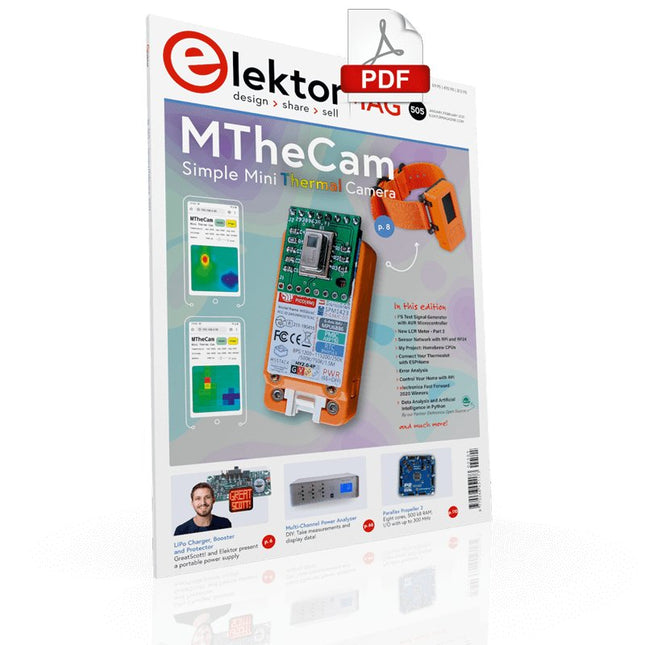
DIY LiPo Supercharger BundleGreatScott and Elektor's LiPo Charger, Booster, and Protector MTheCamA Simple Mini Thermal Camera Weller WE 1010Soldering Station electronica Fast Forward 2020 Winners I2S Test Signal Generator with AVR Microcontroller32-Bit 1-kHz Digital Sine, fs 192 kHz, Level Adjustable from 0 to -110 dB Control Your Home with Raspberry PiRPi snoops on 433.92 MHz Simulate Circuits Online From Life's ExperienceThe Fine Line Between Order and Chaos Starting Out in ElectronicsEasier Than imagined! Homebrew CPUsThe Discrete Microcontroller Connect Your Thermostat with ESPHomeAn Attempt at Doing Home Automation the Right Way Developer’s ZoneTips & Tricks, Best Practices and Other Useful Information Small Circuits RevivalFrom the Elektor suggestions box Raspberry Pi Full StackRPi and RF24 at the heart of a sensor network Practical ESP32 Multitasking (6)Event Groups Multi-Channel Power Analyzer: Up to 3 Channels, with Graphic and Alphanumeric Display Analogue Filter Design (Part 3)Passive Filters JOY-iT VAX-1030Wireless Measurement Module New LCR Meter 50 Hz - 2 MHz Part 2Operation, Calibration, and Firmware Programming Error AnalysisTips on Voltage Regular Circuits, PCB Design, and More The Open Hardware ObservatoryCommunity-Based Open Source Hardware Assessment Java on the Raspberry PiAn Interview with Frank Delporte Data Analysis and Artificial Intelligence in PythonInterpreting Real Data with NumPy, pandas and scikit-learn Project 2.0Corrections, Updates and Readers’ letters Getting to Know the Parallax Propeller 2 (Part 1)An Introduction Hexadoku
€ 7,50
-
Elektor Digital Python 3 Programming and GUIs (E-book)
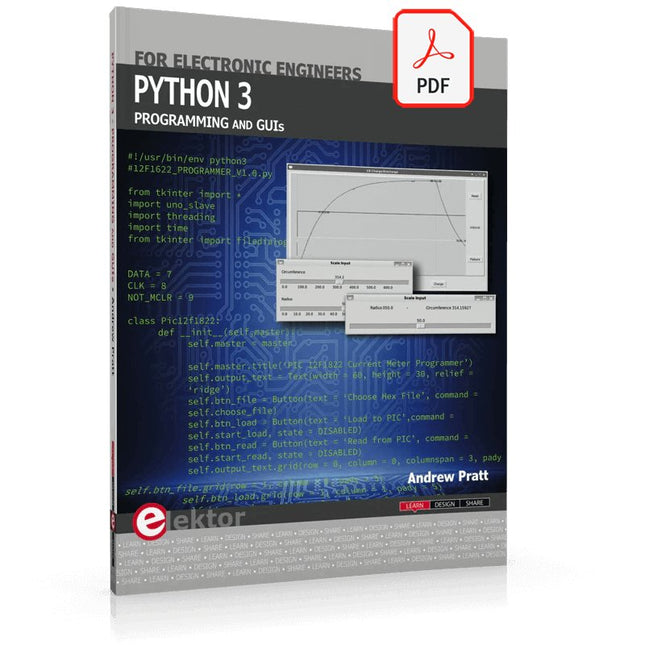
This is the second edition of a book aimed at engineers, scientists, and hobbyists who want to interface PCs with hardware projects using graphical user interfaces. Desktop and web-based applications are covered. The programming language used is Python 3, which is one of the most popular languages around: speed of programming being a key feature. The book has been revised and updated with an emphasis on getting the user to produce practical designs with ease – a text editor is all that is required to produce Python programs. Hardware interfacing is achieved using an Arduino Uno as a remote slave. A full description and source code of the communication interface is given in the book. The slave provides digital and analog input and outputs. Multiple Unos can be included in one project with all control code written in Python and running on a PC One project involves a PIC microcontroller with the code provided that can be loaded into the PIC using the Uno. The web applications and server are all implemented in Python, allowing you to access your electronic hardware over the Internet. The Raspberry Pi computer can be used as your web server. An introductory chapter is provided to get you started with using Linux. The book is written for use with Debian or variations including Mint or Ubuntu. All of the programs in the book are freely available, ready to use and experiment with by way of a download from Elektor.
€ 29,95
Members: € 26,96
-
Elektor Digital Using Displays in Raspberry Pi Projects (E-book)
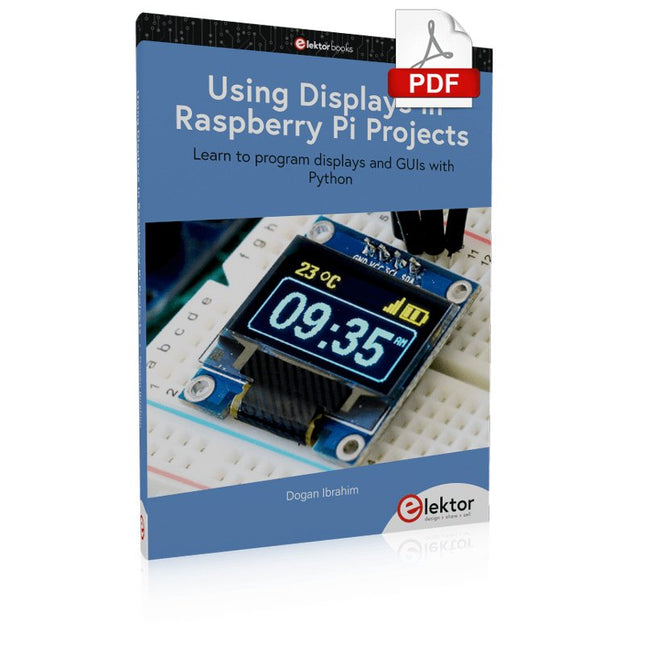
Learn to program displays and GUIs with Python This book is about Raspberry Pi 4 display projects. The book starts by explaining how to install the latest Raspbian operating system on an SD card, and how to configure and use the GPIO ports. The core of the book explains the following topics in simple terms with fully tested and working example projects: Simple LED projects Bar graph LED projects Matrix LED projects Bitmap LED projects LED strips LCDs OLED displays E-paper displays TFT displays 7-inch touch screen GUI Programming with Tkinder One unique feature of this book is that it covers almost all types of display that readers will need to use in their Raspberry Pi based projects. The operation of each project is fully given, including block diagrams, circuit diagrams, and commented full program listings. It is therefore an easy task to convert the given projects to run on other popular platforms, such as Arduino or PIC microcontrollers. Python program listings of all Raspberry Pi projects developed in this book are available for download at Elektor.com. Readers can use these programs in their projects. Alternatively, they can modify the programs to suit their applications.
€ 32,95
Members: € 29,66
-
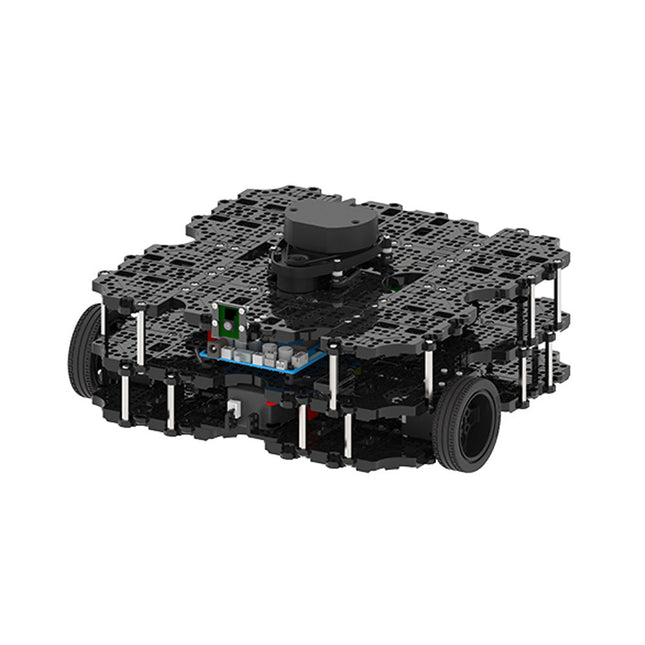
Robotis Robotis TurtleBot3 Waffle Pi (incl. Raspberry Pi 4)
World’s Most Popular ROS Platform TurtleBot is the most popular open source robot for education and research. The new generation TurtleBot3 is a small, low cost, fully programmable, ROS based mobile robot. It is intended to be used for education, research, hobby and product prototyping. Affordable Cost TurtleBot was developed to meet the cost-conscious needs of schools, laboratories and companies. TurtleBot3 is the most affordable robot among the SLAM-able mobile robots equipped with a 360° Laser Distance Sensor LDS-01. ROS Standard The TurtleBot brand is managed by Open Robotics, which develops and maintains ROS. Nowadays, ROS has become the go-to platform for all the roboticists around the world. TurtleBot can be integrated with existing ROS-based robot components, but TurtleBot3 can be an affordable platform for whom want to get started learning ROS. Extensibility TurtleBot3 encourages users to customize its mechanical structure with some alternative options: open source embedded board (as a control board), computer and sensors. TurtleBot3 Waffle Pi is a two-wheeled differential drive type platform but it is able to be structurally and mechanically customized in many ways: Cars, Bikes, Trailers and so on. Extend your ideas beyond imagination with various SBC, sensors and motors on a scalable structure. Modular Actuator for Mobile Robot TurtleBot3 is able to get a precise spatial data by using 2 DYNAMIXEL’s in the wheel joints. DYNAMIXEL XM series can be operated by one of 6 operating modes (XL series: 4 operating modes): Velocity control mode for wheels, Torque control mode or Position control mode for joint, etc. DYNAMIXEL can be used even to make a mobile manipulator which is light but can be precisely controlled with velocity, torque and position control. DYNAMIXEL is a core component that makes TurtleBot3 perfect. It is easy to assemble, maintain, replace and reconfigure. Open Control Board for ROS The control board is open-sourced in hardware wise and in software wise for ROS communication. The open source control board OpenCR1.0 is powerful enough to control not only DYNAMIXEL’s but also ROBOTIS sensors that are frequently being used for basic recognition tasks in cost effective way. Various sensors such as Touch sensor, Infrared sensor, Color sensor and a handful more are available. The OpenCR1.0 has an IMU sensor inside the board so that it can enhance precise control for countless applications. The board has 3.3 V, 5 V, 12 V power supplies to reinforce the available computer device lineups. Open Source The hardware, firmware and software of TurtleBot3 are open source which means that users are welcomed to download, modify and share source codes. All components of TurtleBot3 are manufactured with injection molded plastic to achieve low cost, however, the 3D CAD data is also available for 3D printing. Specifications Maximum translational velocity 0.26 m/s Maximum rotational velocity 1.82 rad/s (104.27 deg/s) Maximum payload 30 kg Size (L x W x H) 281 x 306 x 141 mm Weight (+ SBC + Battery + Sensors) 1.8 kg Threshold of climbing 10 mm or lower Expected operating time 2h Expected charging time 2h 30m SBC (Single Board Computers) Raspberry Pi 4 (2 GB RAM) MCU 32-bit ARM Cortex-M7 with FPU (216 MHz, 462 DMIPS) Remote Controller RC-100B + BT-410 Set (Bluetooth 4, BLE) Actuator XL430-W210 LDS (Laser Distance Sensor) 360 Laser Distance Sensor LDS-01 or LDS-02 Camera Raspberry Pi Camera Module v2.1 IMU Gyroscope 3 AxisAccelerometer 3 Axis Power connectors 3.3 V/800 mA5 V/4 A12 V/1 A Expansion pins GPIO 18 pinsArduino 32 pin Peripheral 3x UART, 1x CAN, 1x SPI, 1x I²C, 5x ADC, 4x 5-pin OLLO DYNAMIXEL ports 3x RS485, 3x TTL Audio Several programmable beep sequences Programmable LEDs 4x User LED Status LEDs 1x Board status LED1x Arduino LED1x Power LED Buttons and Switches 2x Push buttons, 1x Reset button, 2x Dip switch Battery Lithium polymer 11.1 V 1800 mAh / 19.98 Wh 5C PC connection USB Firmware upgrade via USB / via JTAG Power adapter (SMPS) Input: 100-240 VAC 50/60 Hz, 1.5 A @maxOutput: 12 VDC, 5 A Downloads ROS Robot Programming GitHub E-Manual Community
€ 1.879,00
Best Price


