Raspberry Pi

93 products

  •  -48% Official Raspberry Pi USB - C Adapter (white) - Elektor

    Raspberry Pi Foundation Official Raspberry Pi USB-C Adapter (white)

    This small adapter allows you to convert an existing micro USB power supply into a USB-C power supply.

    € 0,95€ 0,49

    Members identical

  •  -50% JOY - iT Magnetic Multimedia Case for Raspberry Pi 4 - Elektor

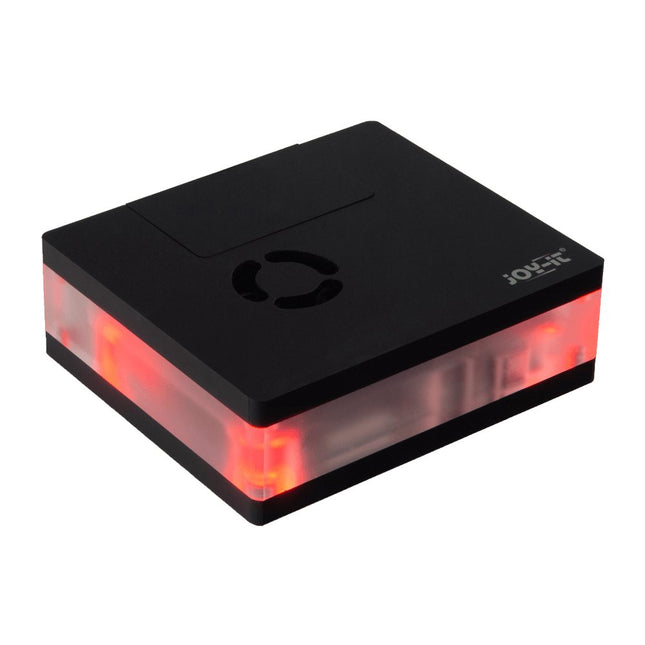
    JOY-iT JOY-iT Magnetic Multimedia Case for Raspberry Pi 4

    This multimedia case for all Raspberry Pi 4 models is characterized by high functionality, modern design and a sumptuous equipment: Integrated IR receiver, controllable with almost all IR remote controls Controllable LED lighting Switching on/off, controlling additional functions of the Raspberry Pi Active, quiet cooling Toolless, magnetic assembly All connections of the Raspberry Pi are on the backside GPIO port is accessible via separate lid Perfect as a multimedia platform in the living room, desktop device or for the use in digital signage. Specifications Material Acryl Color Black Compatible to Raspberry Pi 4 Power supply 5 VDC (USB-C) Microcontroller STM32F030F4P Infrared receiver TSOP4838 LEDs 4x WS2812Mini Led out connections 1x USB-C, 1x Aux, 2x microHDMIFrom Raspberry Pi: 2x USB-A 3.0, 2x USB-A 2.0, 1x RJ45 Weight 280 g Dimensions 113 x 100 x 38 mm Scope of delivery Multimedia case, adapter board, control board, Aux adapter cable Downloads Datasheet (177.9 KB) Manual (3.5 MB) Expert Guide (6.5 MB) Firmware v1.0.9-beta (11.2 KB) Addons for LibreElec 9 (2.6 MB) Code Examples Addon - Multimedia Case Configuration Addon - LED Configuration Addon - IR Control Configuration Prepared LibreElec Image Prepared LibreElec Image 10.BETA GitHub

    € 29,95€ 14,95

    Members identical

  • Programming Voice - controlled IoT Applications with Alexa and Raspberry Pi - Elektor

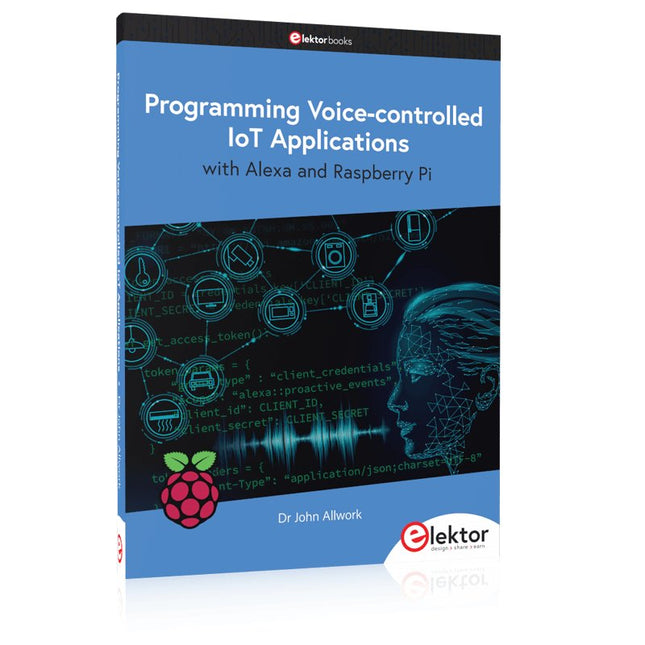
    Elektor Publishing Programming Voice-controlled IoT Applications with Alexa and Raspberry Pi

    Learn programming for Alexa devices, extend it to smart home devices and control the Raspberry Pi The book is split into two parts: the first part covers creating Alexa skills and the second part, designing Internet of Things and Smart Home devices using a Raspberry Pi. The first chapters describe the process of Alexa communication, opening an Amazon account and creating a skill for free. The operation of an Alexa skill and terminology such as utterances, intents, slots, and conversations are explained. Debugging your code, saving user data between sessions, S3 data storage and Dynamo DB database are discussed. In-skill purchasing, enabling users to buy items for your skill as well as certification and publication is outlined. Creating skills using AWS Lambda and ASK CLI is covered, along with the Visual Studio code editor and local debugging. Also covered is the process of designing skills for visual displays and interactive touch designs using Alexa Presentation Language. The second half of the book starts by creating a Raspberry Pi IoT 'thing' to control a robot from your Alexa device. This covers security issues and methods of sending and receiving MQTT messages between an Alexa device and the Raspberry Pi. Creating a smart home device is described including forming a security profile, linking with Amazon, and writing a Lambda function that gets triggered by an Alexa skill. Device discovery and on/off control is demonstrated. Next, readers discover how to control a smart home Raspberry Pi display from an Alexa skill using Simple Queue Service (SQS) messaging to switch the display on and off or change the color. A node-RED design is discussed from the basic user interface right up to configuring MQTT nodes. MQTT messages sent from a user are displayed on a Raspberry Pi. A chapter discusses sending a proactive notification such as a weather alert from a Raspberry Pi to an Alexa device. The book concludes by explaining how to create Raspberry Pi as a stand-alone Alexa device.

    € 39,95

    Members € 35,96

  •  -50% 5 V/2 A Micro - USB Power Supply (EU) - Elektor

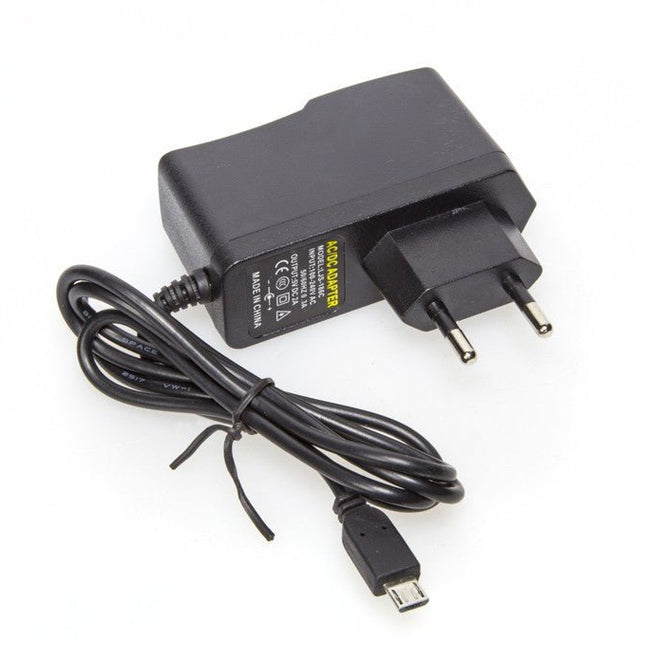
    Kuongshun 5 V/2 A Micro-USB Power Supply (EU)

    5 V/2 A Micro-USB Power Supply (EU)

    € 7,95€ 3,95

    Members identical

  • Innovate with Sense HAT for Raspberry Pi - Elektor

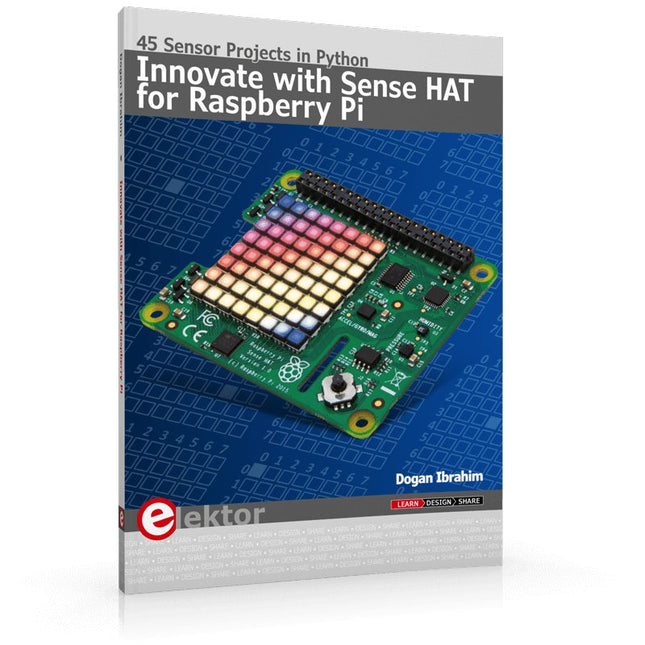
    Elektor Publishing Innovate with Sense HAT for Raspberry Pi

    Ready to explore the world around you? By attaching the Sense HAT to your Raspberry Pi, you can quickly and easily develop a variety of creative applications, useful experiments, and exciting games. The Sense HAT contains several helpful environmental sensors: temperature, humidity, pressure, accelerometer, magnetometer, and gyroscope. Additionally, an 8x8 LED matrix is provided with RGB LEDs, which can be used to display multi-color scrolling or fixed information, such as the sensor data. Use the small onboard joystick for games or applications that require user input. In Innovate with Sense HAT for Raspberry Pi, Dr. Dogan Ibrahim explains how to use the Sense HAT in Raspberry Pi Zero W-based projects. Using simple terms, he details how to incorporate the Sense HAT board in interesting visual and sensor-based projects. You can complete all the projects with other Raspberry Pi models without any modifications. Exploring with Sense HAT for Raspberry Pi includes projects featuring external hardware components in addition to the Sense HAT board. You will learn to connect the Sense HAT board to the Raspberry Pi using jumper wires so that some of the GPIO ports are free to be interfaced to external components, such as to buzzers, relays, LEDs, LCDs, motors, and other sensors. The book includes full program listings and detailed project descriptions. Complete circuit diagrams of the projects using external components are given where necessary. All the projects were developed using the latest version of the Python 3 programming language. You can easily download projects from the book’s web page. Let’s start exploring with Sense HAT.

    € 34,95

    Members € 31,46

  •  -50% Official Raspberry Pi US Keyboard (white/red) - Elektor

    Raspberry Pi Foundation Official Raspberry Pi US Keyboard (white/red)

    The official Raspberry Pi keyboard and hub is a standard 78-key US keyboard that includes an additional three USB 2.0 type A ports to power other peripherals. The keyboard is available in different language/country options as detailed below. 78-key US keyboard Three USB 2.0 type A ports for powering other peripherals Automatic keyboard language detection USB type A to micro USB type B cable included for connection to compatible computer Ergonomic design for comfortable use Compatible with all Raspberry Pi products

    € 17,95€ 8,95

    Members identical

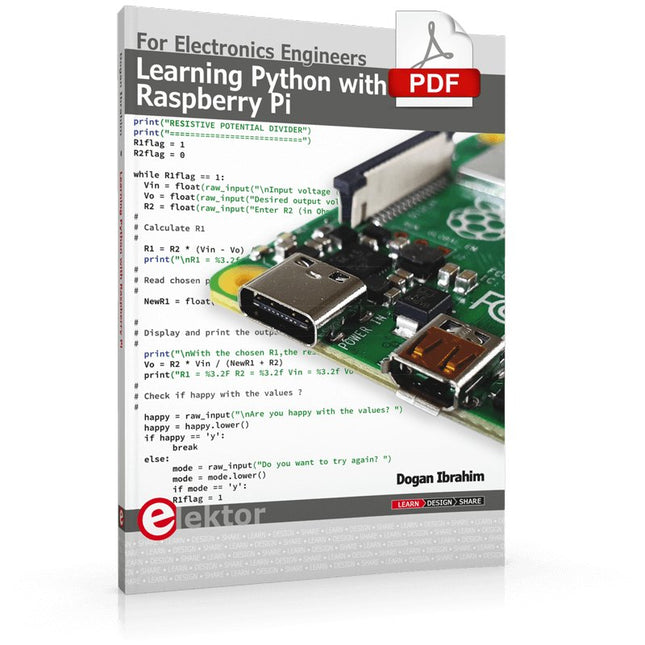
  • Learning Python with Raspberry Pi (E - book) - Elektor

    Elektor Digital Learning Python with Raspberry Pi (E-book)

    This book is about teaching the Python programming language using the Raspberry Pi 4 computer. The book makes an introduction to Raspberry Pi 4 and then teaches Python with the topics: variables, strings, arrays, matrices, tuples, lists, dictionaries, user functions, flow of control, printing, keyboard input, graphics, GUI, object oriented programming and many more topics. The book is aimed for beginners, students, practising engineers, hobbyists, and for anyone else who may want to learn to program in Python. The book includes many example programs and case studies. All the example programs and case studies have been tested fully by the author and are all working. The example programs aim to teach the various programming concepts of Python. The case studies cover the use of Python in the analysis and design of electronic circuits. Some of the case study topics are: Resistor colour code identification Resistive potential divider circuits Resistive attenuator design Zener diode voltage regulator design RC and RLC transient circuits Circuit frequency response Saving data on external memory stick Mesh and node circuit analysis using matrices Resonance in RLC circuits Transistor Biasing analysis Transistor amplifier design Design of active filters Interfacing hardware with GPIO, I²C and SPI Using Wi-Fi with Python and TCP/IP and UDP programs Using Bluetooth from Python Full program listings of all the programs used in the book are available at the Elektor website of the book. Readers should be able just to copy and use these programs in their Raspberry Pi projects without any modifications.

    € 32,95

    Members € 26,36

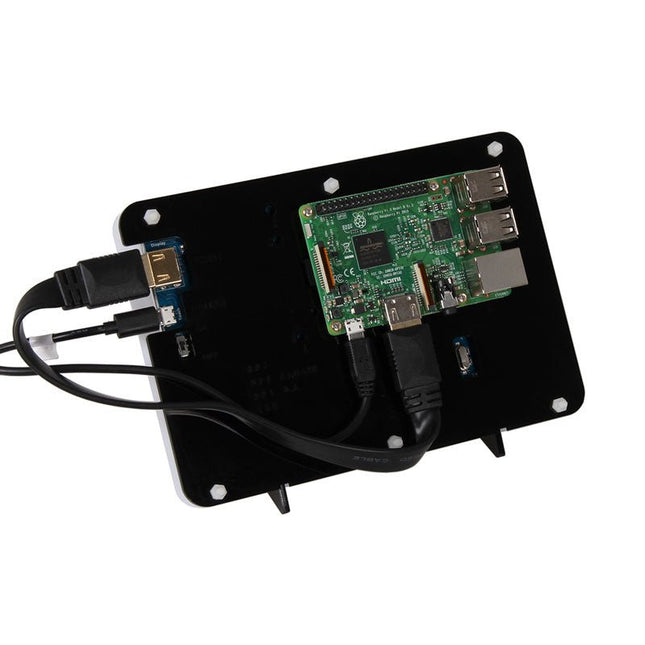
  •  -50% Case for 7" RGB - Touch - Display for Raspberry Pi - Elektor

    JOY-iT Case for 7" RGB-Touch-Display for Raspberry Pi

    Case for 7' RGB-Touch-Display for Raspberry Pi

    € 12,95€ 6,50

    Members identical

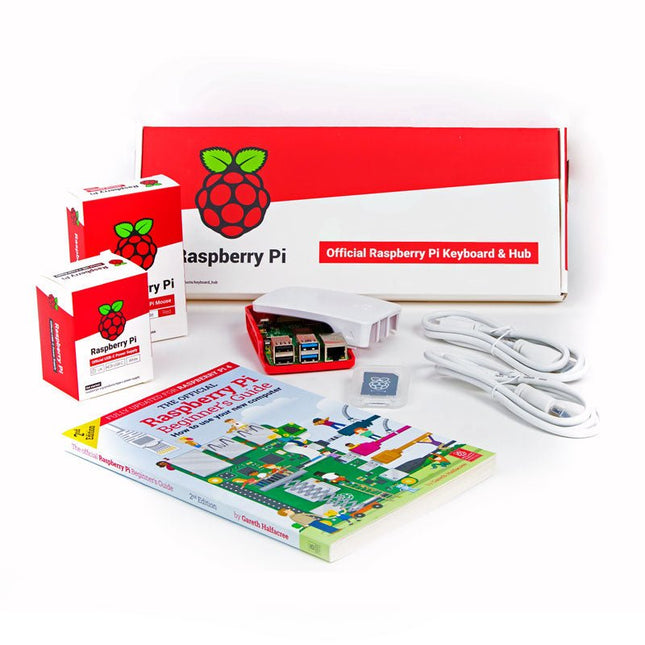
  •  -50% Official Raspberry Pi 4 Desktop Kit (EU) - Elektor

    Raspberry Pi Foundation Official Raspberry Pi 4 Desktop Kit (EU)

    This 'All in One' Raspberry Pi 4 Desktop Starterkit contains all official parts and allows an easy and quick start! Raspberry Pi 4 Desktop Kit contains: Raspberry Pi US Keyboard & Mouse 2x micro HDMI to Standard HDMI cable (A/M) 1 m Raspberry Pi 15.3 W USB-C Power Supply (EU version) Raspberry Pi 4 Case Official Raspberry Pi Beginner's Guide (English language) 16 GB NOOBS with Raspbian microSD card Raspberry Pi 4 B is NOT included.

    € 64,95€ 32,50

    Members identical

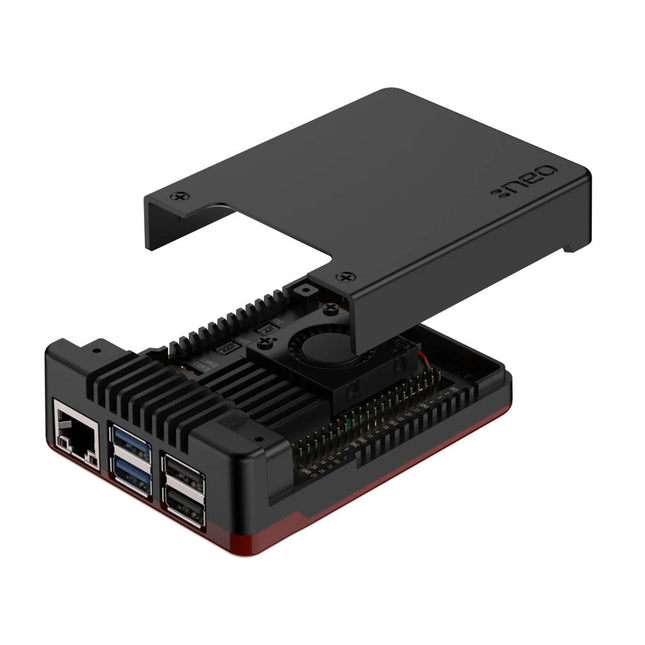
  •  -50%Last Stock! Argon NEO 5 BRED Case for Raspberry Pi 5 - Elektor

    Argon Argon NEO 5 BRED Case for Raspberry Pi 5

    1 in stock

    The Argon NEO 5 is redesigned specifically to meet the high demands of the Raspberry Pi 5. It offers an impressive heat dissipation solution for both passive and active cooling. Aluminum case enclosure with passive cooling fins that act as the heatsink Air intake vents allow for cool air to enter the case 30 mm PWM fan helps with the airflow and push out hot air to exhaust vents Simple and beautifully designed Made with aluminum alloy and polished with a Black & Red finish for stunning aesthetics. Easy assembly for the 3 part case with the Raspberry Pi 5. Small foot print allows to bring it anywhere – or easily mount to your desired station with built in mounting points. Complete access to all ports with the removable top cover. Superior protection & security Space grade aluminum helps protect Raspberry Pi 5 board from physical damage. The case has a screw on top cover to keep the ports safe when not in use. Optional SD card cover to protect your data even further. Native Raspberry Pi 5 board support Integrated power button LED light display

    1 in stock

    € 24,95€ 12,50

    Members identical

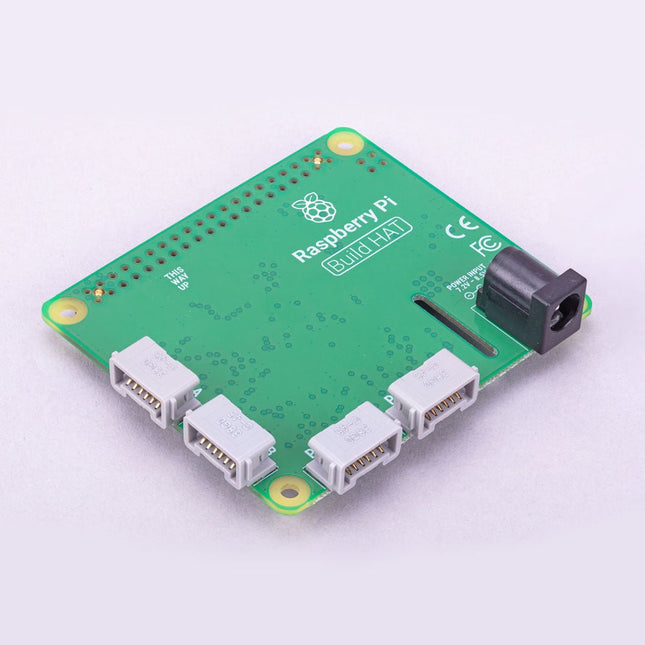
  •  -50% Raspberry Pi Build HAT - Elektor

    Raspberry Pi Foundation Raspberry Pi Build HAT

    Build robust, intelligent machines that combine Raspberry Pi computing power with LEGO components. The Raspberry Pi Build HAT provides four connectors for LEGO Technic motors and sensors from the SPIKE Portfolio. The available sensors include a distance sensor, a color sensor, and a versatile force sensor. The angular motors come in a range of sizes and include integrated encoders that can be queried to find their position. The Build HAT fits all Raspberry Pi computers with a 40-pin GPIO header, including – with the addition of a ribbon cable or other extension device — Raspberry Pi 400. Connected LEGO Technic devices can easily be controlled in Python, alongside standard Raspberry Pi accessories such as a camera module. Features Controls up to 4 motors and sensors Powers the Raspberry Pi (when used with a suitable external PSU) Easy to use from Python on the Raspberry Pi

    € 29,95€ 14,95

    Members identical

  •  -51% Passive Cooling for Raspberry Pi (Heatsink) - Elektor

    JOY-iT Passive Cooling for Raspberry Pi (Heatsink)

    Aluminium Heatsink Set for Raspberry Pi with pre-applied tape for easy installation 1 piece: 14 x 15 x 5 mm 2 pieces: 8 x 8 x 5 mm

    € 3,95€ 1,95

    Members identical

  •  -50% Bumper for Raspberry Pi 5 - Elektor

    Raspberry Pi Foundation Bumper for Raspberry Pi 5

    The Raspberry Pi Bumper is a snap-on silicone cover that protects the bottom and edges of the Raspberry Pi 5. Features One-piece flexible silicone rubber bumper Enables easy access to the power button Mounting holes remain accessible underneath the bumper Downloads Datasheet

    € 3,50€ 1,75

    Members identical

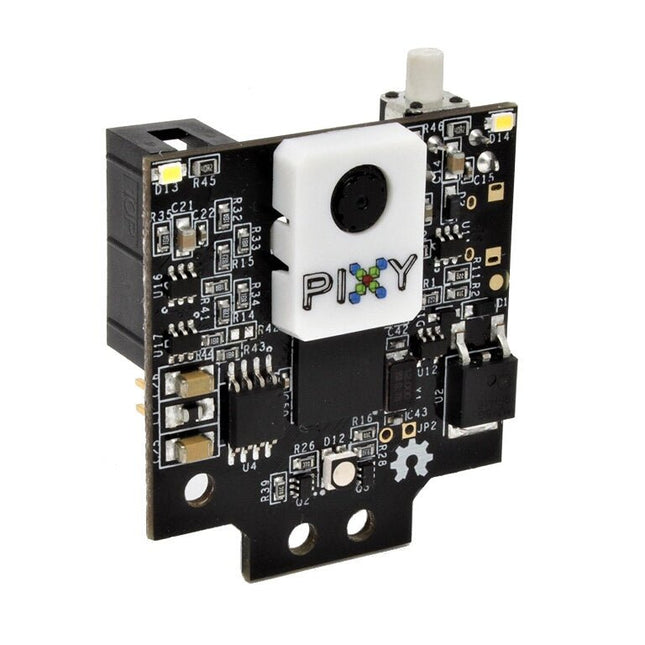
  •  -50%Last Stock! Pixy2 CMUcam5 - Smart Vision Sensor - Elektor

    Charmed Labs Pixy2 CMUcam5 – Smart Vision Sensor

    2 in stock

    Pixy2 can be taught to detect objects by the press of a button. It is equipped with a new line detection algorithm to use on line-following robots. It can learn to recognize intersection and follow road signs. Pixy2 comes with various cables so that you can connect it with an Arduino or a Raspberry Pi out of the box. Furthermore, the I/O port offers several interfaces (SOI, I²C, UART, USB) to plug your Pixy2 in most boards. Downloads Documentation Projects Software

    2 in stock

    € 94,95€ 47,50

    Members identical

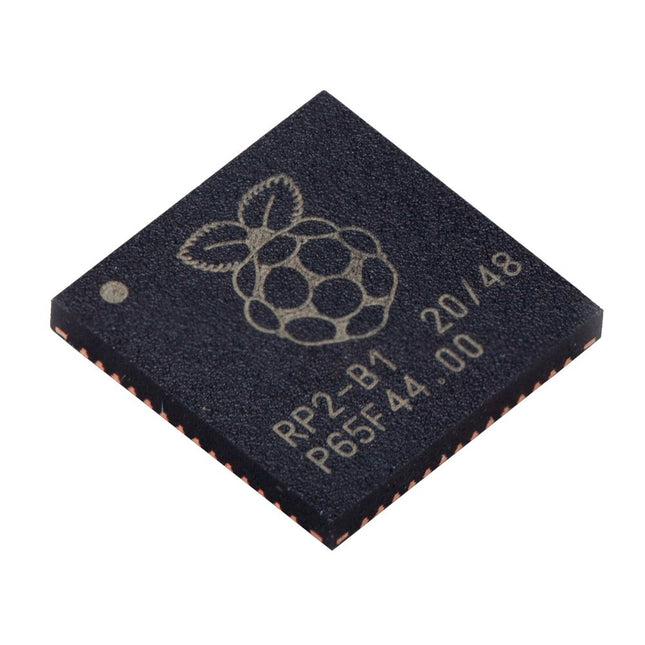
  •  -50% Raspberry Pi RP2040 Microcontroller (10 pcs) - Elektor

    Raspberry Pi Foundation Raspberry Pi RP2040 Microcontroller (10 pcs)

    Specifications Dual ARM Cortex-M0+ @ 133 MHz 264 kB on-chip SRAM in six independent banks Support for up to 16 MB of off-chip Flash memory via dedicated QSPI bus DMA controller Fully-connected AHB crossbar Interpolator and integer divider peripherals On-chip programmable LDO to generate core voltage 2x on-chip PLLs to generate USB and core clocks 30x GPIO pins, 4 of which can be used as analogue inputs Peripherals 2x UARTs 2x SPI controllers 2x I²C controllers 16x PWM channels USB 1.1 controller and PHY, with host and device support 8x PIO state machines What you'll get 10x bare RP2040 chips

    € 7,95€ 3,95

    Members identical

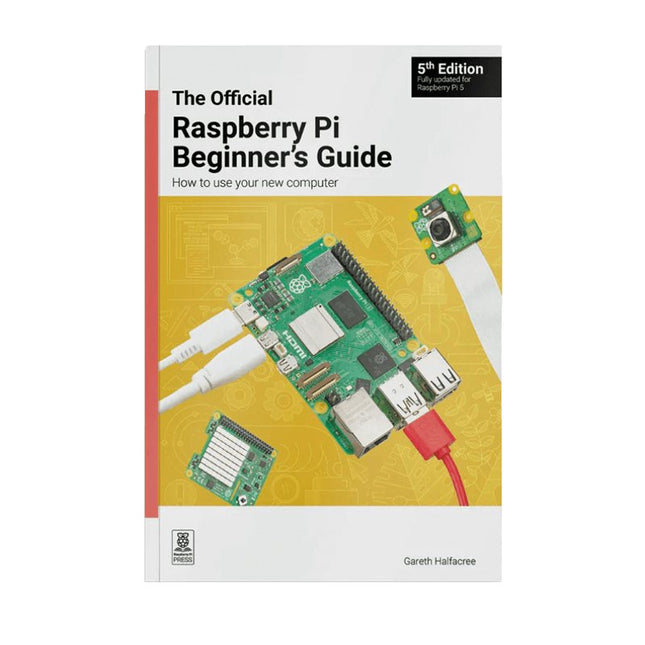
  •  -50% The Official Raspberry Pi Beginner's Guide (5th Edition) - Elektor

    Raspberry Pi Foundation The Official Raspberry Pi Beginner's Guide (5th Edition)

    Fully updated for Raspberry Pi 5 Raspberry Pi is a small, clever, British-built computer that's packed with potential. Made using a desktop-class, energy-efficient processor, Raspberry Pi is designed to help you learn coding, discover how computers work, and build your own amazing things. This book was written to show you just how easy it is to get started. Learn how to: Set up your Raspberry Pi, install its operating system, and start using this fully functional computer. Start coding projects, with step-by-step guides using the Scratch 3, Python, and MicroPython programming languages. Experiment with connecting electronic components, and have fun creating amazing projects. New in the 5th edition: Updated for the latest Raspberry Pi computers: Raspberry Pi 5 and Raspberry Pi Zero 2 W. Covers the latest Raspberry Pi OS. Includes a new chapter on the Raspberry Pi Pico. Downloads GitHub

    € 24,95€ 12,50

    Members identical

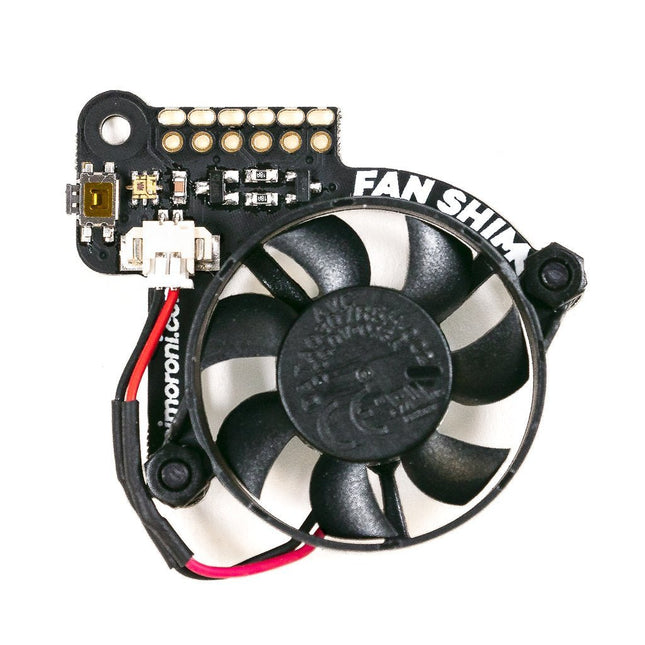
  •  -50% Fan SHIM - Active Cooling for Raspberry Pi 4 - Elektor

    Pimoroni Fan SHIM – Active Cooling for Raspberry Pi 4

    When Raspberry Pi 4's system on chip (SoC) achieves a certain temperature, it lowers its operating speed to protect itself from harm. As a result, you don't get maximum performance from the single board computer. Fan SHIM is an affordable accessory that effectively eliminates thermal throttling and boosts the performance of RPi 4. It's quite easy to attach the fan SHIM to Raspberry pi: fan SHIM uses a friction-fit header, so it just slips onto your Pi's pins and it's ready to go, no soldering required! The fan can be controlled in software, so you can adjust it to your needs, for example, toggle it on when the CPU reaches a certain temperature etc. You can also program the LED as a visual indicator of the fan status. The tactile switch can also be programmed, so you can use it to toggle the fan on or off, or to switch between temperature-triggered or manual mode. Features 30 mm 5 V DC fan 4,200 RPM 0.05 m³/min air flow 18.6 dB acoustic noise (whisper-quiet) Friction-fit header No soldering required RGB LED (APA102) Tactile switch Basic assembly required Compatible with Raspberry Pi 4 (and 3B+, 3A+) Python library and daemon Pinout Scope of delivery Fan SHIM PCB 30 mm 5 V DC fan with JST connector M2.5 nuts and bolts Assembly The assembly is really simple and almost takes no time With the component side of the PCB facing upwards, push the two M2.5 bolts through the holes from below, then screw on the first pair of nuts to secure them and act as spacers. Push the fan's mounting holes down onto the bolts, with the cable side of the fan downwards (as pictured) and the text on the fan upwards. Attach with another two nuts. Push the fan's JST connector into the socket on Fan SHIM. Software With the help of Python library you can control the fan (on/off), RGB LED, and switch. You'll also find a number of examples that demonstrate each feature, as well as a script to install a daemon (a computer program that runs as a background process) that runs the fan in automatic mode, triggering it on or off when the CPU reaches a threshold temperature, with a manual override via the tactile switch.

    € 13,95€ 6,95

    Members identical

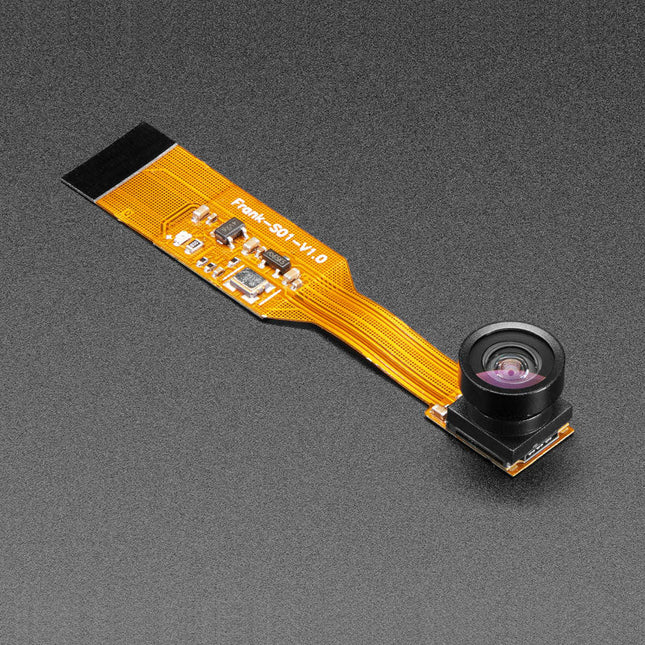
  •  -50%Last Stock! Adafruit Zero Spy Camera for Raspberry Pi Zero (160 Degree Focal Angle) - Elektor

    Adafruit Adafruit Zero Spy Camera for Raspberry Pi Zero (160 Degree Focal Angle)

    1 in stock

    Is your house haunted? Or, rather, are you convinced that your house is haunted but have never been able to prove it since you've never had a camera that integrated with your Raspberry Pi Zero but was still small enough that the ghosts wouldn't notice it? Luckily, the spy camera for Raspberry Pi Zero is smaller than a thumbnail with a high enough resolution to see people, ghosts, or whatever it is you're looking for. It's about the size of a cell phone camera – the module being just 8.6 x 8.6 mm – with only a 2' cable, so you can create an extra compact and sneaky little spy cam. It has a 160-degree focal angle for a very wide/distorted fisheye effect that's great for security systems or watching a big swath of the living room or roadway. Like the Raspberry Pi camera board, it attaches to your Raspberry Pi Zero v1.3 or Zero W by way of the small socket on the board's edge closest to the 'PWR in' port. This interface uses the dedicated CSI interface, which was designed especially for interfacing to cameras. The CSI bus is capable of extremely high data rates, and it exclusively carries pixel data. The camera is connected to the BCM2835 processor on the RPi via the CSI bus, a higher bandwidth link which carries pixel data from the camera back to the processor. This bus travels along the ribbon cable that attaches the camera board to the Pi. The ribbon cables are compatible with both the RPi Zero v1.3 and RPi Zero W. The sensor itself has a native resolution of 5 megapixels and has a fixed focus lens onboard. It has similar specs as the original RPi camera, but is not as high-res as the new RPi camera v2! Specifications Camera Module Dimensions: 8.6 x 8.6 mm Lens Diameter: 10 mm Total Length: 60 mm Lens Focal Angle: 160 degrees Weight: 1.9 g

    1 in stock

    € 34,95€ 17,50

    Members identical

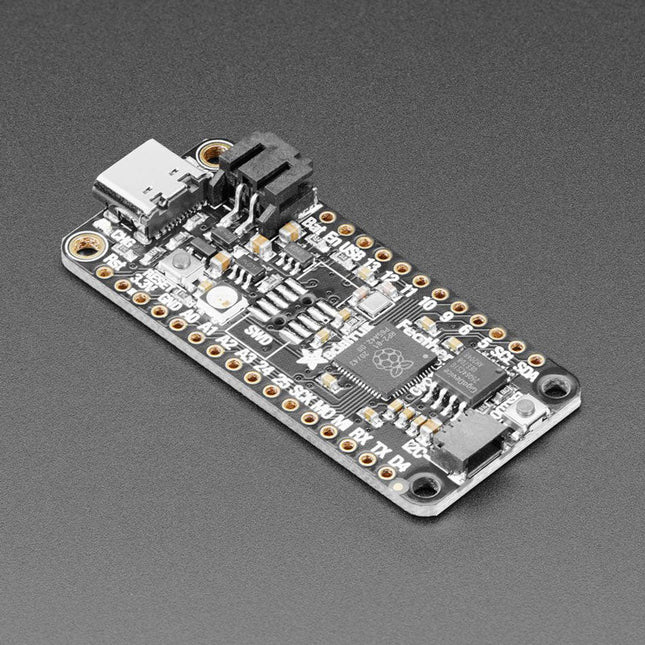
  •  -50% Adafruit Feather RP2040 - Elektor

    Adafruit Adafruit Feather RP2040

    Inside the RP2040 is a 'permanent ROM' USB UF2 bootloader. What that means is when you want to program new firmware, you can hold down the BOOTSEL button while plugging it into USB (or pulling down the RUN/Reset pin to ground) and it will appear as a USB disk drive you can drag the firmware onto. Folks who have been using Adafruit products will find this very familiar – Adafruit uses the technique on all thier native-USB boards. Just note you don't double-click reset, instead hold down BOOTSEL during boot to enter the bootloader! The RP2040 is a powerful chip, which has the clock speed of our M4 (SAMD51), and two cores that are equivalent to our M0 (SAMD21). Since it is an M0 chip, it does not have a floating point unit, or DSP hardware support – so if you're doing something with heavy floating-point math, it will be done in software and thus not as fast as an M4. For many other computational tasks, you'll get close-to-M4 speeds! For peripherals, there are two I²C controllers, two SPI controllers, and two UARTs that are multiplexed across the GPIO – check the pinout for what pins can be set to which. There are 16 PWM channels, each pin has a channel it can be set to (ditto on the pinout). Specifications Measures 2.0 x 0.9 x 0.28' (50.8 x 22.8 x 7 mm) without headers soldered in Light as a (large?) feather – 5 grams RP2040 32-bit Cortex M0+ dual core running at ~125 MHz @ 3.3 V logic and power 264 KB RAM 8 MB SPI FLASH chip for storing files and CircuitPython/MicroPython code storage. No EEPROM Tons of GPIO! 21 x GPIO pins with following capabilities: Four 12 bit ADCs (one more than Pico) Two I²C, Two SPI and two UART peripherals, one is labeled for the 'main' interface in standard Feather locations 16 x PWM outputs - for servos, LEDs, etc The 8 digital 'non-ADC/non-peripheral' GPIO are consecutive for maximum PIO compatibility Built in 200 mA+ lipoly charger with charging status indicator LED Pin #13 red LED for general purpose blinking RGB NeoPixel for full color indication. On-board STEMMA QT connector that lets you quickly connect any Qwiic, STEMMA QT or Grove I²C devices with no soldering! Both Reset button and Bootloader select button for quick restarts (no unplugging-replugging to relaunch code) 3.3 V Power/enable pin Optional SWD debug port can be soldered in for debug access 4 mounting holes 24 MHz crystal for perfect timing. 3.3 V regulator with 500mA peak current output USB Type C connector lets you access built-in ROM USB bootloader and serial port debugging RP2040 Chip Features Dual ARM Cortex-M0+ @ 133 MHz 264 kB on-chip SRAM in six independent banks Support for up to 16 MB of off-chip Flash memory via dedicated QSPI bus DMA controller Fully-connected AHB crossbar Interpolator and integer divider peripherals On-chip programmable LDO to generate core voltage 2 on-chip PLLs to generate USB and core clocks 30 GPIO pins, 4 of which can be used as analog inputs Peripherals 2 UARTs 2 SPI controllers 2 I²C controllers 16 PWM channels USB 1.1 controller and PHY, with host and device support 8 PIO state machines Comes fully assembled and tested, with the UF2 USB bootloader. Adafruit also tosses in some header, so you can solder it in and plug it into a solderless breadboard.

    € 16,95€ 8,50

    Members identical

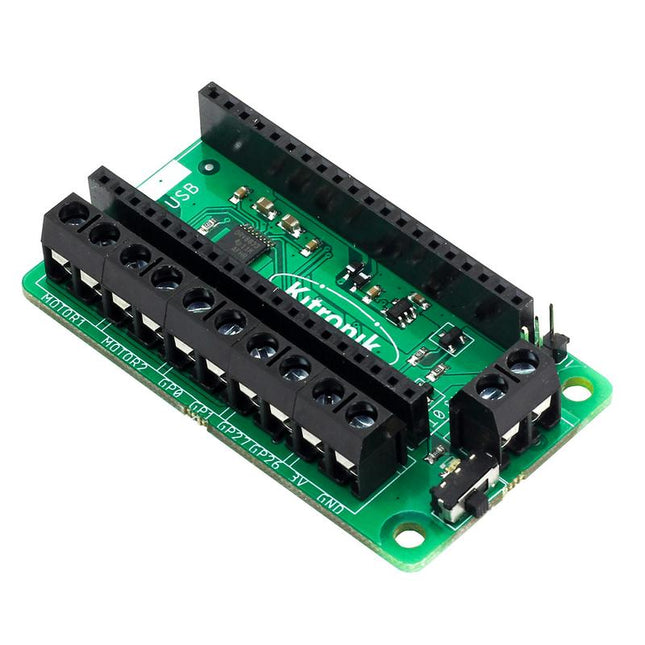
  •  -50% Kitronik Motor Driver Board for Raspberry Pi Pico - Elektor

    Kitronik Kitronik Motor Driver Board for Raspberry Pi Pico

    This board allows the Raspberry Pi Pico (connected via pin header) to drive two motors simultaneously with full forward, reverse & stop control, making it ideal for Pico controlled buggy projects. Alternatively, the board can be used to power a stepper motor. The board features the DRV8833 motor driver IC, which has built-in short circuit, over current and thermal protection. The board has 4 external connections to GPIO pins and a 3 V and GND supply from the Pico. This allows for additional IO options for your buggy builds that can be read or controlled by the Pico. In addition there is an on/off switch and power status LED, allowing you to see at a glance if the board is powered up and save your batteries when your project is not in use. To use the motor driver board, the Pico should have a soldered pin header and be inserted firmly into the connector. The board produces a regulated supply that is fed into the 40-way connector to power the Pico, removing the need to power the Pico directly. The motor driver board is powered via either screw terminals or a servo style connector. Kitronik has developed a micro-python module and sample code to support the use of the Motor Driver board with the Pico. This code is available in the GitHub repo. Features A compact yet feature-packed board designed to sit at the heart of your Raspberry Pi Pico robot buggy projects. The board can drive 2 motors simultaneously with full forward, reverse, and stop control. It features the DRV8833 motor driver IC, which has built-in short circuit, over current and thermal protection. Additionally, the board features an on/off switch and power status LED. Power the board via a terminal block style connector. The 3V and GND pins are also broken out, allowing external devices to be powered. Code it with MicroPython via an editor such as the Thonny editor. Dimensions: 63 mm (L) x 35 mm (W) x 11.6 mm (H) Download Datasheet

    € 15,95€ 7,95

    Members identical

  •  -50% Pimoroni Raspberry Pi Pico Wireless Pack - Elektor

    Pimoroni Pimoroni Raspberry Pi Pico Wireless Pack

    Raspberry Pi Pico Wireless Pack attaches to the back of your Pico and uses an ESP32 chip to let your Pico connect to 2.4 GHz wireless networks and transfer data. There's a microSD card slot for if you want to store lots of data locally as well as a RGB LED (for status updates) and a button (useful for things like enabling/disabling Wi-Fi). Great for quickly adapting an existing Pico project to have wireless functionality, Raspberry Pi Pico Wireless Pack would come in handy for sending sensor data into home automation systems or dashboards, for hosting a web page from a matchbox or for letting your Pico interact with online APIs. Features ESP32-WROOM-32E module for wireless connectivity (connected via SPI) (datasheet) 1x Tactile button RGB LED Micro-SD card slot Pre-soldered female headers for attaching your Raspberry Pi Pico Fully assembled No soldering required (as long as your Pico has header pins attached) Compatible with Raspberry Pi Pico Dimensions: approx 53 x 25 x 11 mm (L x W x H, including headers and components) C++ and MicroPython libraries

    € 17,95€ 8,95

    Members identical

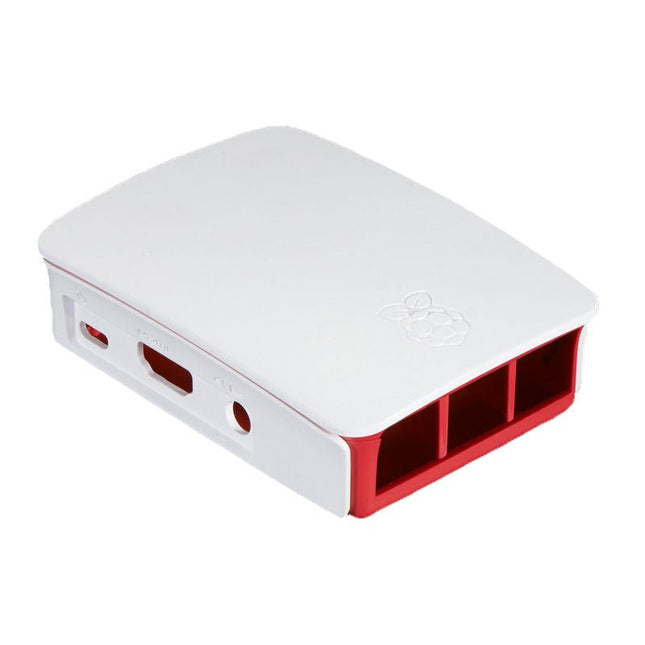
  •  -50% Official Case for Raspberry Pi 3, 2 and B+ (white/red) - Elektor

    Raspberry Pi Foundation Official Case for Raspberry Pi 3, 2 and B+ (white/red)

    High-quality ABS construction Removable side panels and lid for easy access to GPIO, camera and display connectors Light pipes for power and activity LEDs Extraordinarily handsome Colour: white/red

    € 7,95€ 3,95

    Members identical

  •  -50% SparkFun Thing Plus (RP2040) - Elektor

    SparkFun SparkFun Thing Plus (RP2040)

    The RP2040 contains two ARM Cortex-M0+ processors (up to 133 MHz) and features: 264 kB of embedded SRAM in six banks 6 dedicated IO for SPI Flash (supporting XIP) 30 multifunction GPIO: Dedicated hardware for commonly used peripherals Programmable IO for extended peripheral support Four 12-bit ADC channels with internal temperature sensor (up to 0.5 MSa/s) USB 1.1 Host/Device functionality The RP2040 is supported with C/C++ and MicroPython cross-platform development environments, including easy access to runtime debugging. It has a UF2 boot and floating-point routines baked into the chip. While the chip has a large internal RAM, the board includes an additional 16 MB of external QSPI flash memory to store program code. Features Raspberry Pi Foundation's RP2040 microcontroller 16MB QSPI Flash Memory JTAG PTH Pins Thing Plus (or Feather) Form-Factor: 18x Multifunctional GPIO Pins Four available 12-bit ADC channels with an internal temperature sensor (500 kSa/s) Up to eight 2-channel PWM Up to two UARTs Up to two I²C buses Up to two SPI buses USB-C Connector: USB 1.1 Host/Device functionality 2-pin JST Connector for a LiPo Battery (not included): 500 mA charging circuit Qwiic Connector Buttons: Boot Reset LEDs: PWR - Red 3.3 V power indicator CHG - Yellow battery charging indicator 25 - Blue status/test LED (GPIO 25) WS2812 - Addressable RGB LED (GPIO 08) Four Mounting Holes: 4-40 screw compatible Dimensions: 2.3' x 0.9' RP2040 Features Dual Cortex M0+ processors, up to 133 MHz 264 kB of embedded SRAM in 6 banks 6 dedicated IO for QSPI flash, supporting execute in place (XIP) 30 programmable IO for extended peripheral support SWD interface Timer with 4 alarms Real-time counter (RTC) USB 1.1 Host/Device functionality Supported programming languages MicroPython C/C++

    € 19,95€ 9,95

    Members identical

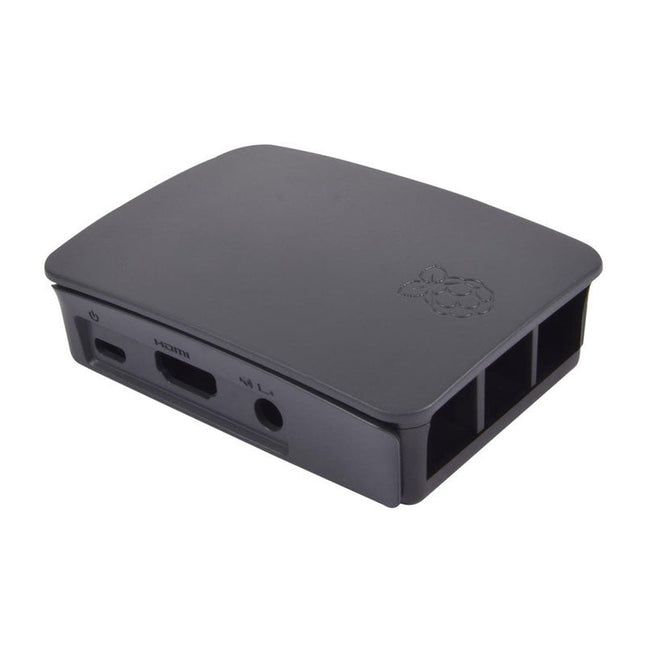
  •  -50% Official Case for Raspberry Pi 3, 2 and B+ (black/grey) - Elektor

    Raspberry Pi Foundation Official Case for Raspberry Pi 3, 2 and B+ (black/grey)

    High-quality ABS construction Removable side panels and lid for easy access to GPIO, camera and display connectors Light pipes for power and activity LEDs Extraordinarily handsome Colour: black/grey

    € 7,95€ 3,95

    Members identical

Buy a Raspberry Pi

What is Raspberry Pi? Why do you need a Raspberry Pi board? What are the benefits?

Raspberry Pi is a minicomputer or a so-called Single Board Computer (or SBC for short) from the Raspberry Pi Foundation from Cambridge (GB). In a single-board computer, all important components such as the processor, RAM and GPU are mounted on one board.

The foundation published the first Raspberry Pi version in 2012 with the idea of promoting computer science as a school and study subject. The main goal to achieve this was a retail price of $35 that should be affordable for everyone.

Elektor also wanted to arouse early interest in computer science and electronics among pupils and students. As an official Raspberry Pi reseller, Elektor has direct personal contact with the Raspberry Pi developers in Cambridge and with the actual intellectual father of the Raspberry Pi, Eben Upton. Elektor not only offers official Raspberry Pi hardware, but also offers its customers interesting first-hand projects, reviews, tutorials and specialist books. Elektor thus occupies a special position among all Raspberry Pi dealers.

Our Raspberry Pi range

In addition to the currently available Raspberry Pi boards Elektor offers you official Raspberry Pi accessories and a carefully selected selection tested third party products (construction kits, HATs, power supplies, cases, displays, cameras, books and miscellaneous. We also have an extensive range of RP2040 products based on the RP2040 microcontroller chip developed by the Raspberry Pi Foundation.

Buying a Raspberry Pi board: what can you do with it?

What makes the Raspberry Pi so special? This small, full-fledged, credit card-sized computer has won the hearts of software and hardware developers around the world and continues to reinvent itself with each new hardware version. With more than 20 million boards sold, Raspberry Pi has turned the electronics world upside down. It doesn't matter if you are a beginner or a professional developer, Raspberry Pi is the universal tool for every electronics technician! Use the Raspberry Pi for your own developments, control your smart home products with it or use it as a media player in the living room for streaming. Raspberry Pi cuts a fine figure in every area. The application possibilities are almost endless. The steadily growing community develops fun, but above all useful projects that are easy to make yourself.

Raspberry Pi accessories

Buying a Raspberry Pi is just the first step. As an official Raspberry Pi reseller, Elektor not only offers the Raspberry Pi, but also the necessary accessories and extensions to benefit as much as possible from the compact Raspberry Pi. At Elektor you will find power supplies, housings (with or without fans), kits, sensors, robots, cameras, displays, books, HATs and other expansion cards to help realize your projects.

Smart Home projects with Raspberry Pi

Today, a Smart Home is one of the most used applications for the Raspberry Pi. The reason for this is logical because a Smart Home provides more comfort in the home and makes saving on energy costs easy. Below you will find three of the most commonly used applications of Raspberry Pi in a Smart Home environment

Home automation system

The Raspberry Pi can be used to build a home automation system that allows you to perform tasks automatically. This includes controlling lighting, heating, entertainment and air conditioning.

Home monitoring

Home monitoring is a system that uses sensors to take measurements of your home environment and transmit this information to a central device. The system can take measurements of: temperatures, humidity, light intensity and movement. Use home monitoring to monitor your home environment, allowing you to use alarm systems, security cameras and other devices to protect your home.

A good example of this is when you close your roller shutters automatically as soon as it threatens to get too hot. This way you can easily restore the heat in your home.

Smart switches

A smart switch is a device used to turn electrical appliances on and off remotely. It is a wireless device that is connected to your home network and can be controlled with a mobile app, a remote control or a voice assistant.

A good example of smart switches combined with Raspberry Pi is turning off lights when you watch a movie via Kodi. You can even go so far that when you pause the movie, the lights come back on.

Buy your Raspberry Pi from Elektor

Elektor is an official reseller approved by the Raspberry Pi Foundation. We only obtain the Raspberry Pi directly from the manufacturer/developer and not from a distributor. New products are immediately available from stock on the day of publication. By eliminating the middleman, we can offer the Raspberry Pi and other official accessories at the lowest possible price.

Login

Forgot password?

Don't have an account yet?
Create account