Modelle für 3D-Druck, CNC-Fräsen, Prozesskommunikation und Dokumentation erstellen
Das Design dreidimensionaler Modelle mit Werkzeugen wie Blender oder 3D Studio Max ist eine Aufgabe, die ingenieurwissenschaftlich begabte Personen nur allzu gern delegieren.
OpenSCAD wählt einen erfrischend anderen Zugang. Anstatt ein Objekt als Punktwolke zu betrachten, schreibt der Modellerzeuger in einer an JavaScript erinnernden Sprache ein Programm. Dieses beschreibt die zu erzeugende Geometrie als eine Serie von Arbeitsschritten. Dreidimensionale Modelle entstehen so in einem Workflow, der an die Entwicklung klassischer ingenieurwissenschaftliche Güter erinnert. Wegen der Nähe zur manuellen Fertigung mit Werkzeug ist das ein Prozess, der Ingenieuren gut in die Hände spielt.
Aber Achtung: trotz der Einfachheit der Syntax ist OpenSCAD kein primitives Modellierungsprogramm. Umfangreiche Scriptingmöglichkeiten sorgen dafür, dass sich die Modelle dynamisch an geänderte Situationen anpassen.
Dieses Lehrbuch demonstriert die Möglichkeiten von OpenSCAD anhand praktischer Beispiele. Freuen Sie sich auf Ersatzknöpfe für ein LeCroy-Oszilloskop, Garderobenstangenhalter, einen Halter für Seifenspender und diverse andere Beispiele aus dem realen Leben.
Der mit mehr als 15 Dienstjahren Erfahrung ausgestattete Autor entwickelte dieses für Linux und Windows gleichermaßen geeignete Buch explizit für informatikaffine Personen. Wenn Sie mit irgendeiner Programmiersprache Erfahrung haben, ist dieses Buch ihr Weg zum schnellen und unbürokratischen Erzeugen dreidimensionaler Modelle.
The OWON SDS1102 is an affordable benchtop digital oscilloscope that combines solid performance with essential measurement features. This 2-channel oscilloscope offers a 100 MHz bandwidth, a 1 GS/s sampling rate, a 7-inch LCD display, and a 10 kpts memory depth, making it a practical choice for everyday electronics testing, troubleshooting, and education.
The SDS1102 features a simplified trigger system with level and edge triggering, making it easy to capture and analyze common signals. It is designed for applications that do not require deep memory or advanced trigger functions, offering a straightforward and cost-effective solution for basic signal analysis.
Features
Bandwidth: 100 MHz
2 channels
Sample rate: 1 GS/s
Ultra-thin body
7-inch high-res LCD
SCPI and LabVIEW supported
Specifications
Bandwidth
100 MHz
Horizontal Scale (s/div)
5 ns/div – 1000 s/div
Channel
2
Vertical Sensitivity
5 mV/div – 5 V/div (at input)
DC Gain Accuracy
3%
Vertical Resolution (A/D)
8 bits (2 channels simultaneously)
Input
Input Impedance
1 MΩ, 10 pF
Input Coupling
AC, DC, GND
Max Input Voltage
±400 V, CATI, CATII
Passive probes
х1; х10
Probe Attenuation Factor
х1; х10; х100; х1000
Trigger System
Trigger Mode
Auto, Normal, Single
Trigger Type
Edge, Video
Edge Trigger Source
CH1, CH2
Video Trigger
Sampling Type
Real-time
Sample Rate
1 GS/s
Equivalent Sample Rate
No
Wavelength
10K pts
Interpolation
sin(x)/x
Measurement and Mathematical Treatment System
Automatic Measurement
Vpp, Vavg, RMS, Frequency, Period, Vmax, Vmin, Vtop, Vbase, Width, Overshoot, Pre-shootRise time, Fall time, +Width, -Width, +Duty, -Duty, Delay A→B, Delay A→B, area, cycle area
Math Functions
Addition, Subtraction, Multiplication, Division, FFT
General Characteristics
Display type
7" color LCD
Display Resolution
800 x 480
Power
100-240 V, 45-440 Hz, <15 W
Dimensions
301 x 70 x 152 mm
Weight
1.1 kg
Included
1x OWON SDS1102 Oscilloscope
2x Oscilloscope probes
1x Probe adjust
1x Mains power cord
1x USB cable
1x CD-Rom
1x Quick guide
Downloads
Quick Guide
Manual
PC Software
SCPI Commands
L'ESP8266 d'Espressif est une puce Wi-Fi dotée d'une pile TCP/IP complète et d'une capacité de microcontrôleur. Il a fait des vagues dans la communauté des fabricants grâce à son prix bas.
Mais de nombreux développeurs étaient mécontents de la consommation électrique élevée de l'ESP8266. L'ESP32, équipé d'un coprocesseur ULP (Ultra Low Power), propose un remède à cela.
Cet e-book présente un certain nombre de projets mettant en vedette ESP32 et ESP8266 et démontre leurs performances dans différentes applications.
Des articles
Journal lumineux défiant512 pilotes LED pour Wi-Fi dotés d'un ESP-12F
Regarder avec VFD et ESP32À la précision d'Internet
L'ESP32 est idéal pour la consommationProgrammation du coprocesseur ULP
Adaptateur de programmation USB pour ESP8266Dans la famille Espressif, je voudrais l'ESP-01 et l'ESP-012
Émulateur DCF77 à ESP8266Des ondes radio à l'internet
Thermostat sur le bureau WiFiSurveillance de la température flexible et programmable
Minutes pour le thermostat du bureau WiFiSept canaux de temporisation d'une précision atomique
Coûteau suisse pour microcontrôleursPlatformIO, un outil de programmation universel
Station Météo NucleoInformations mises à jour sur l'affichage sur l'écran LCD
AllerNotifierUne interface flexible pour les captureurs d'IdO
Regarder RGBChiffreAffiche avec 7 segments et couleur
ESP32 pour les utilitaires exigeantsProgrammation avec les outils d'origine
Mutation de l'ESP8266Découvrons l'ESP32 avec l'EDI d'Arduino
MicroPythonLe Python des petits systèmes
MicroPython et PyBoardLa LED qui clignote…Au serveur web qui fait clignoter une LED
Machine de surveillance pour ESP8266Domotique pour la transition énergétique
WLAN compact et autonomeOu comment utiliser la puce ESP8266 sans µC
ESP8266 sur la carte d'entrées/sorties AndroidLancez-vous dans la mise à jour du micrologiciel
WLAN pour microcontrôleursAvec la puce ESP8266
Carte de commande Wi-Fi : le retourRelies des objets à votre ordiphone
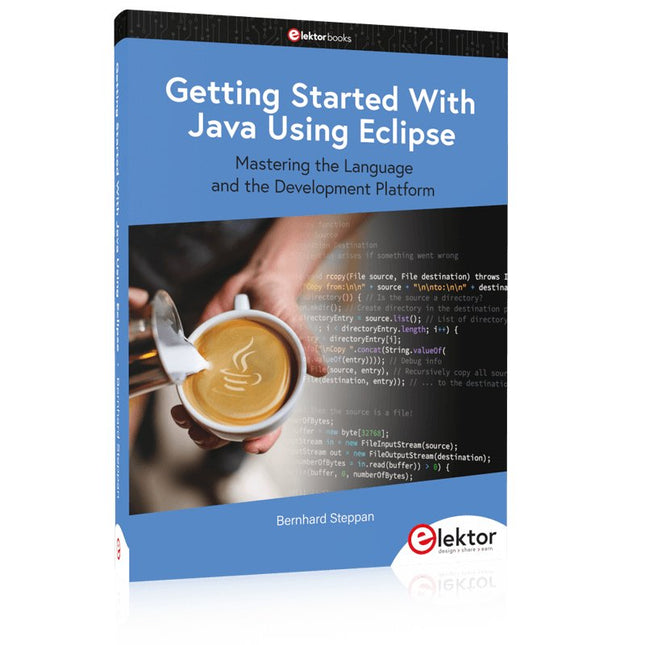
Mastering the Language and the Development Platform
Many people would like to learn Java but getting started is not easy since programming with Java requires at least two things: mastering the programming language and the development environment. With the help of many examples, this book shows how the language is structured. In addition, it employs the Eclipse development environment as an example of a powerful tool to teach developing Java programs.
In Basics, the first part of the book, you acquire your Java and Eclipse basic knowledge. This part lays the programming foundations, gives you an overview of Java technology, and shows you what is special about object-oriented programming.
In the second part called Java Language, everything revolves around the subtleties of the Java language and this is where the first small Java applications are created, aided by a fine blend of the knowledge part and practical exercises.
Java Technology is both the name and the focus of the third part which also introduces you to the rules to observe when programming, what class libraries are and what advantages they have. In addition, you will learn how to test programs, what algorithms are, and how to program them.
The fourth part, Java Projects, enables you to apply all the previous elements in an application with a graphical user interface. The project shows how to develop a larger application piece by piece with the Eclipse development environment. The Appendix concludes with a section on frequent errors that can occur when working with Eclipse, and a Glossary.
Mikrocontroller haben sich in den letzten Jahren in praktisch allen Bereichen der modernen Technik etabliert. In zunehmendem Maße dringen sie auch in die Gebiete der Künstlichen Intelligenz und der Robotertechnik vor. Das vorliegende Buch gibt eine umfassende Einführung in die Welt der Controller-Technik mit all ihren Facetten, von der einfachen Steuerung über die Sensor-Technik bis hin zur Datenübertragung in das Internet.
Als Basis dafür dient das von Elektor entwickelte AVR-Playground-Board. Das Board kann mit Controllern der ATmega-Familie bestückt werden und ist mit dem bekannten Arduino-System kompatibel, so dass auch die verschiedenen Arduino-Hardware-Erweiterungen verwendet werden können.
Für die Programmierung kommt die Sprache „C“ zum Einsatz. Auch hier wird im Buch auf das Arduino-System zurückgegriffen. Die frei verfügbare Arduino-Entwicklungsumgebung erlaubt den leichten Einstieg, ohne dass später Einschränkungen in Kauf genommen werden müssen. Die Hardware-nahe Programmierung steht dabei besonders im Fokus. Nach der Erläuterung von grundlegenden Anwendungen wird auf die anspruchsvolleren Themen wie Interrupts, Timer und Counter, Pulsweitenmodulation und Analog-Digital-Wandlung eingegangen.
Praktische Anwendungen können sowohl mit einem Arduino als auch mit dem AVR-Playground-Board durchgeführt werden. Da das AVR-Playground-Board bereits über eine Vielzahl von Peripherie-Einheiten verfügt, sind nur noch wenige externe Bauteile erforderlich. Das Board kann im Elektor-Shop hier bezogen werden.
Arduino Uno est une plaque de développement de microcontrôleur, avec superposition de code source (matériel, EDI et bibliothèques). Arduino est l'une des plus grandes communautés de programmeurs, d'ingénieurs et d'électroniciens, de passionnés et d'étudiants universitaires. Merci pour vos bibliothèques, le programme devient adapté à votre jeune enfant et la rapidité. Les bibliothèques entièrement testées et fonctionnelles facilitent le test des programmes.
Le Raspberry Pi 4, une version récente du système nano-ordonné, est utilisé pour les appareils multimédias, ainsi que pour les applications industrielles, robotiques, domestiques et commerciales. Grâce à la connectivité Wi-Fi et Bluetooth, votre Raspberry Pi 4 est parfait pour la commande et la surveillance à distance via Internet.
Ce livre avec une œuvre de Raspberry Pi 4 et de l'Arduino Uno dans des applications de régulation avec l'algorithme PID. Après avoir examiné la théorie des systèmes de régulation et des systèmes intégrés, l'évaluation des fonctions du projet et les tests de pilotage des systèmes de régulation PID en temps réel. Le timing et la structure des paramètres PID et le timing et la structure des systèmes détaillés et détaillés (schémas fonctionnels, schémas de circuits, algorithmes de régulation PID, liste complète des cartes).
Ces projets s'appuient constamment sur la théorie et les applications des régulateurs PID. C'est un simple modificateur pour d'autres applications. Les projets pour le Raspberry Pi 4 sont adaptables selon les différents modèles de la famille Raspberry Pi.
Le livre couvre les sujets suivants :
Systèmes de régulation et systèmes ouverts et fermés
Capteurs analogiques et numériques
Fonctions de transfert et de système en continu
Enregistrements temporels des systèmes du 1er et du 2ème ordre
Systèmes discrets (nombres)
Les régulateurs PID sont des systèmes à température continue
Numéros PID des régulateurs
Régulation de température selon Raspberry Pi et Arduino Uno
Régulation de température PID à l'aide de Raspberry Pi et Arduino Uno
Pilotage continu de moteurs utilisant Raspberry Pi et Arduino Uno
Régulation PID pour surveiller le niveau du Raspberry Pi et de l'Arduino Uno
Régulation PID pour piloter une LED avec Raspberry Pi et Arduino Uno
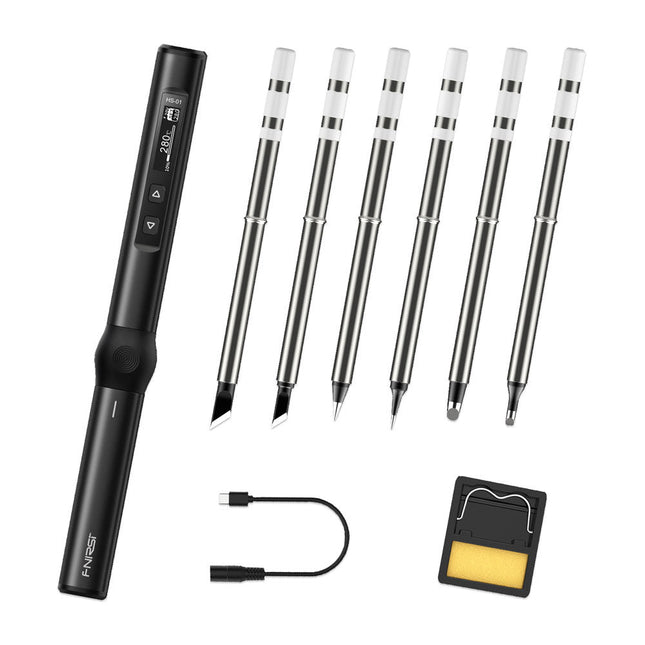
The perfect tool for quick repairs
The FNIRSI HS-01 is a powerful, adjustable smart soldering iron with a built-in 0.87-inch OLED display that quickly reaches temperatures between 80-420°C (180-780°F). The display shows all important information, including the status of the temperature level, the set temperature, the supply voltage and the power percentage. You can set the input voltage from 9-20 V directly in the menu according to your needs. The integrated sleep mode automatically turns off the iron after 30 minutes.
Features
96 W input (DC)
65 W PD power
OLED display
Constant temperature & fast heating
CNC metal integral molding
Smart safety anti-scald
Mini pocket size
Ergonomic design
Aluminum material
Left/right hand switch
Efficient heat radiation
Inductive sleep
Color: Black
Specifications
Power
65 W
Screen
0.87" OLED
Operating voltage
9-20 VDC
Power supply
USB-C
Temperature range
80-420°C (180-780°F)
Fast charging protocol
PD trigger
Dimensions
184 x 20 x 20 mm (7.24 x 0.79 x 0.79')
Weight
56 g
Power Selection
Operating voltage
20 V
15 V
12 V
9 V
Operating current
≥3.25 A
≥2.5 A
≥2 A
≥1.5 A
Power
65 W
37.5 W
24 W
13.5 W
Tin melting time
8s
12s
17s
30s
Included
1x FNRISI HS-01 smart soldering iron
6x Soldering iron tips (HS01-BC2, HS01-KR, HS01-K65, HS01-B2, HS01-ILS, HS01-BC3)
1x DC to USB-C power cable
1x Mini soldering iron stand
1x Manual
Required
Power adapter
USB-C cable
Downloads
Manual
Firmware V0.3.s19
Drahtlose Kommunikation – sei es zur Ton-, Daten- oder Bildübertragung – prägt unser heutiges Leben. Während noch Mitte des letzten Jahrhunderts der Rundfunk (und etwas später das Fernsehen) die dominierenden Anwendungen der drahtlosen Kommunikation waren, gibt es heute kaum mehr ein technisches Gerät, das nicht das Mittel der drahtlosen Kommunikation nutzt. Allen voran das beliebte Smartphone.
Daneben gibt es sehr viele Anwendungen, die wir nicht sofort und automatisch mit den Begriffen Radio oder Funk verbinden, die aber auf der Nutzung elektromagnetischer Strahlung basieren. So zum Beispiel der Wagenschlüssel, die über Bluetooth verbundenen Kopfhörer, der automatische Rasenmäher, die gehassten Radargeschwindigkeitsmesser, der Laptop, der über Wi-Fi mit dem Internet verbunden ist, die kleinen Navigationsempfänger, usw.
Diesen Anwendungen gemeinsam ist die Nutzung physikalischer Gegebenheiten durch die Technik. Ob Radar, Satellitenfernsehen, oder einfach nur das alte Mittelwellenradio, alle bauen auf denselben Grundlagen auf.
Das Ziel dieses Buch ist es, diese Grundlagen zu erläutern und damit das Verständnis für die darauf aufbauenden Anwendungen zu fördern. Es soll Studenten den Einstieg ins Fachgebiet erleichtern und Voraussetzungen für den Zugang zu den Standardwerken der Fachliteratur schaffen. Es richtet sich aber auch an Personen, die an der Physik und der Technik interessiert sind und einen tieferen Einblick in die Grundlagen der drahtlosen Kommunikation und deren Anwendung erhalten wollen.
A Practical Guide to AI, Python, and Hardware Projects
Welcome to your BeagleY-AI journey! This compact, powerful, and affordable single-board computer is perfect for developers and hobbyists. With its dedicated 4 TOPS AI co-processor and a 1.4 GHz Quad-core Cortex-A53 CPU, the BeagleY-AI is equipped to handle both AI applications and real-time I/O tasks. Powered by the Texas Instruments AM67A processor, it offers DSPs, a 3D graphics unit, and video accelerators.
Inside this handbook, you‘ll find over 50 hands-on projects that cover a wide range of topics—from basic circuits with LEDs and sensors to an AI-driven project. Each project is written in Python 3 and includes detailed explanations and full program listings to guide you. Whether you‘re a beginner or more advanced, you can follow these projects as they are or modify them to fit your own creative ideas.
Here’s a glimpse of some exciting projects included in this handbook:
Morse Code Exerciser with LED or BuzzerType a message and watch it come to life as an LED or buzzer translates your text into Morse code.
Ultrasonic Distance MeasurementUse an ultrasonic sensor to measure distances and display the result in real time.
Environmental Data Display & VisualizationCollect temperature, pressure, and humidity readings from the BME280 sensor, and display or plot them on a graphical interface.
SPI – Voltmeter with ADCLearn how to measure voltage using an external ADC and display the results on your BeagleY-AI.
GPS Coordinates DisplayTrack your location with a GPS module and view geographic coordinates on your screen.
BeagleY-AI and Raspberry Pi 4 CommunicationDiscover how to make your BeagleY-AI and Raspberry Pi communicate over a serial link and exchange data.
AI-Driven Object Detection with TensorFlow LiteSet up and run an object detection model using TensorFlow Lite on the BeagleY-AI platform, with complete hardware and software details provided.
Wie enigszins bekend is met moderne microprocessor systemen als Arduino, kent ongetwijfeld ook de problemen met dit soort kaarten. Ze zijn te duur om voor elk project een aparte kaart aan te schaffen en zijn bovendien nogal fors van formaat.
Het aardige van de ATtiny is dat de schijn bedriegt. Het lijkt een klein IC met een beperkt toepassingsgebied, maar het heeft een verbazingwekkend scala aan (speelse) mogelijkheden.
Dit boek beschrijft de enorme veelzijdigheid van de ATtiny microcontroller aan de hand van ongeveer vijftig leuke elektronica projecten, speciaal gericht op de beginner. De meeste ontwerpen zijn volledig uitgewerkt, enkele zijn meer als ontwerpidee gepresenteerd. De inhoudsopgave laat zien dat we ons op vele terreinen zullen begeven, van zonnevolger tot helling indicator. Dit boek is beslist geen theorieboek. Het is een boek dat gelezen zal worden met de soldeerbout in de hand.
Voor het programmeren van de ATtiny maken we dankbaar gebruik van een Arduino kaart. Als de Arduino ingesteld word als programmer, kunnen we er de meeste Arduino “sketches” mee overzetten naar de ATtiny. We wensen u veel plezier met het nabouwen van de schakelingen.
De werking van veruit de meeste moderne elektronische apparaten is niet slechts op één enkel principe gebaseerd. Vaak staat een of andere computer (doorgaans een microcontroller) centraal. Uit deze fundamentele opzet – een computer die is ingebed in een bepaalde toepassingsschakeling – is de algemene benaming Embedded Systems voortgekomen. De meeste van deze systemen moeten vanuit het niets worden ontwikkeld, en daarbij komt het op elk detail aan. Vindingrijkheid en veelzijdigheid zijn dan een vereiste. De problemen die opgelost moeten worden, vormen niet zelden een ware uitdaging en betreffen niet alleen de analoge en digitale elektronica maar ook de systeemarchitectuur, programmering en programma-organisatie.
De delen van deze reeks zijn geschreven voor iedereen – leerling, student of beginnend elektronicus – die zich terdege wil bekwamen in de professionele hardware- en systeemontwikkeling. En ze richten zich tot de allround-elektronicus die geen tijd heeft om specialist op een van de vele deelgebieden te worden maar die weet dat hij met standaard huis-, tuin- en keukenoplossingen niet ver komt. Ze bieden wat studenten en professionele elektronici nodig hebben: een opfrissing en verdieping van de basiskennis, een bron van inspiratie en een schat aan details en spitsvondigheden.
Dit deel behandelt de passieve componenten:
vaste weerstanden
instelbare weerstanden
NTC- en PTC-weerstanden
spanningsafhankelijke weerstanden
condensatoren
spoelen
transformatoren
contactelementen
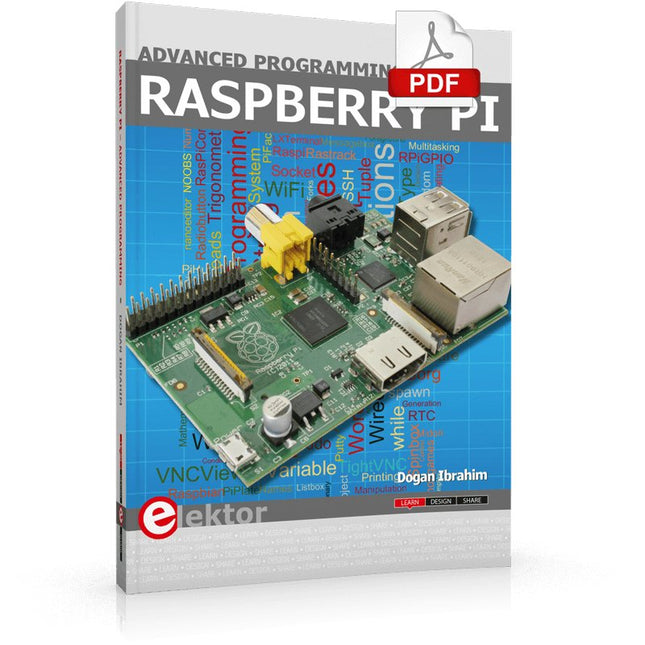
This book is about advanced programming of the Raspberry Pi computer using the Python programming language. The book explains in simple terms and with examples:
How to configure the Raspberry Pi computer;
How to install and use the Linux operating system and the desktop;
How to write advanced programs using the Python programming language;
How to use graphics in our programs;
How to develop hardware based projects using the Raspberry Pi.
The book starts with an introduction to the Raspberry Pi computer and covers the topics of purchasing all the necessary accessories and installing and operating the Linux operating system in command mode. The network interface of the RPi is explained in simple steps, demonstrating how the computer can be accessed remotely from a desktop or a laptop computer.
The remaining parts of the book cover the Python programming language in detail, including advanced topics such as operating system calls, multitasking, interprocess synchronization and interprocess communication techniques. The important topic of network programming using UDP and TCP protocols is described with working examples. The Tkinter graphical user interface module (GUI) is described in detail with example widgets and programs.
The last part of the book includes hardware projects based on using the advanced programming topics such as multitasking and interprocess communication techniques. All the projects given in the book have been fully tested and are working. Complete program listings of all projects are provided with detailed explanations.