
Search results for "elektor or esp32 or smart or kit"
-
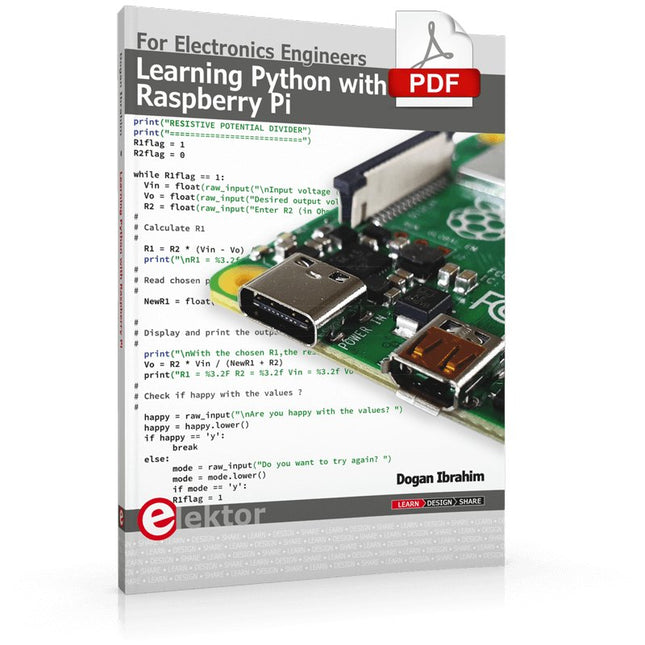
Elektor Digital Learning Python with Raspberry Pi (E-book)
This book is about teaching the Python programming language using the Raspberry Pi 4 computer. The book makes an introduction to Raspberry Pi 4 and then teaches Python with the topics: variables, strings, arrays, matrices, tuples, lists, dictionaries, user functions, flow of control, printing, keyboard input, graphics, GUI, object oriented programming and many more topics. The book is aimed for beginners, students, practising engineers, hobbyists, and for anyone else who may want to learn to program in Python. The book includes many example programs and case studies. All the example programs and case studies have been tested fully by the author and are all working. The example programs aim to teach the various programming concepts of Python. The case studies cover the use of Python in the analysis and design of electronic circuits. Some of the case study topics are: Resistor colour code identification Resistive potential divider circuits Resistive attenuator design Zener diode voltage regulator design RC and RLC transient circuits Circuit frequency response Saving data on external memory stick Mesh and node circuit analysis using matrices Resonance in RLC circuits Transistor Biasing analysis Transistor amplifier design Design of active filters Interfacing hardware with GPIO, I²C and SPI Using Wi-Fi with Python and TCP/IP and UDP programs Using Bluetooth from Python Full program listings of all the programs used in the book are available at the Elektor website of the book. Readers should be able just to copy and use these programs in their Raspberry Pi projects without any modifications.
€ 32,95
Members: € 29,66
-

Elektor Digital Raspberry Pi für Funkamateure (PDF)
Mit RPi-basierten Tools und Messgeräten Amateurfunkstationen bauen und programmieren Obwohl viele Funkamateure immer noch mit klassischer HF- und Mobilfunkausrüstung arbeiten, ist der Einsatz von Computern und digitalen Techniken inzwischen sehr beliebt. Heutzutage kann jeder für ca. 40 € einen Raspberry Pi-Computer kaufen und fast jede Amateurfunk-Software auf dem 'RPi' ausführen. Die RTL-SDR-Geräte sind bei Funkamateuren sehr beliebt, weil sie sehr preiswert sind und viele Funktionen bieten. Ein Basissystem kann aus einem USB-basierten RTL-SDR-Dongle mit einer geeigneten Antenne, einem RPi-Computer, einem USB-basierten externen Audio-Eingangs-/ Ausgangsadapter und einer auf dem RPi installierten Software bestehen. Mit einer solch einfachen Einrichtung ist es möglich, Signale von etwa 24 MHz bis über 1,7 GHz zu empfangen. Dieses Buch richtet sich an Funkamateure, die lernen wollen, wie man mit dem Raspberry Pi elektronische Projekte baut. Das Buch eignet sich für die gesamte Bandbreite von Anfängern bis hin zu alten Hasen im Amateurfunk. Die schrittweise Installation des Betriebssystems wird mit vielen Details zu den gängigsten Linux-Befehlen beschrieben. Einige Kenntnisse der Programmiersprache Python sind erforderlich, um die im Buch beschriebenen Projekte zu verstehen und zu bearbeiten. Zu den im Buch entwickelten Beispielprojekten gehören eine Stationsuhr, ein Signalgenerator, der Entwurf eines Transistorverstärkers, der Entwurf eines aktiven Filters, ein Morsezeichen-Übungsgerät, ein Frequenzzähler, ein HF-Meter und vieles mehr. Für jedes Projekt werden das Blockdiagramm, der Schaltplan und der vollständige Python-Quellcode angegeben, einschließlich der vollständigen Beschreibung der Projekte. Neben der umfassenden Behandlung von RTL-SDR für Amateurfunk fasst das Buch auch die Installations- und Gebrauchsanweisungen der folgenden Amateurfunkprogramme zusammen, die Sie auf ihrem Raspberry Pi ausführen können: TWCLOCK, Klog, Gpredict, FLDIGI, DIRE WOLF, xcwcp, QSSTV, LinPsk, Ham Clock, CHIRP, xastir und CQRLOG.
€ 34,80
Members: € 31,32
-

Elektor Digital Linux PC-based Measurement Electronics (E-book)
This book is intended as a highly-practical guide for Hobbyists, Engineers and Scientists wishing to build measurement and control systems to be controlled by a local or remote Personal Computer running the Linux operating system. Both hardware and software aspects of designing typical embedded systems are covered in detail with schematics, code listings and full descriptions. Numerous examples have been designed to show clearly how straightforward it can be to create the interfaces between digital and analog electronics, with programming techniques for creating control software for both local and remote systems. Hardware developers will appreciate the variety of circuits, including a novel, low cost modulated wireless link and will discover how using Matlab® overcomes the need for specialist programming skills. Software developers will appreciate how a better understanding of circuits plus the freedom offered by Linux to directly control at the register level enables them to optimize related programs. There is no need to buy special equipment or expensive software tools in order to create embedded projects covered in this book. You can build such quality systems quickly using popular low-cost electronic components and free distributed or low-cost software tools. Some knowledge of basic electronics plus the very basics of C programming only is required. Many projects in this book are developed using Matlab® being a very popular worldwide computational tool for research in engineering and science. The book provides a detailed description of how to combine the power of Matlab® with practical electronics. With an emphasis on learning by doing, readers are encouraged by examples to program with ease; the book provides clear guidelines as to the appropriate programming techniques “on the fly”. Complete and well-documented source code is provided for all projects. If you want to learn how to quickly build Linux-based applications able to collect, process and display data on a PC from various analog and digital sensors, how to control circuitry attached to a computer, then even how to pass data via a network or control your embedded system wirelessly and more – then this is the book for you! Features of this Book Use the power, flexibility and control offered only by a Linux operating system on a PC. Use a free, distributed downloadable GNU C compiler Use (optional) a low-cost Student Version of Matlab®. Use low-cost electronic sub-assemblies for projects. Improve your skills in electronics, programming, networking and wireless design. A full chapter is dedicated to controlling your sound card for audio input and output purposes. Program sound using OSS and ALSA. Learn how to combine electronic circuits, software, networks and wireless technologies in the complete embedded system.
€ 29,95
Members: € 26,96
-
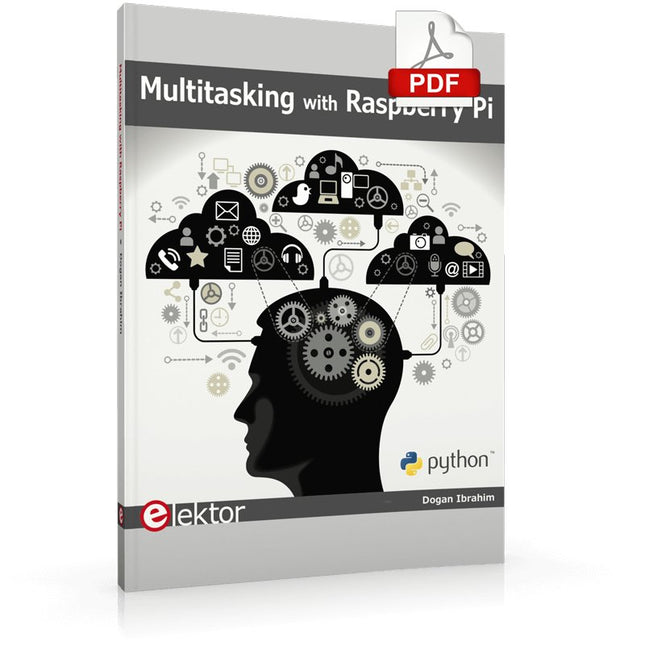
Elektor Digital Multitasking with Raspberry Pi (E-book)
Multitasking and multiprocessing have become a very important topic in microcontroller-based systems, namely in complex commercial, domestic, and industrial automation applications. As the complexity of projects grows, more functionalities are demanded from the projects. Such projects require the use of multiple inter-related tasks running on the same system and sharing the available resources, such as the CPU, memory, and input-output ports. As a result of this, the importance of multitasking operations in microcontroller-based applications has grown steadily over the last few years. Many complex automation projects now make use of some form of a multitasking kernel. This book is project-based and its main aim is to teach the basic features of multitasking using the Python 3 programming language on Raspberry Pi. Many fully tested projects are provided in the book using the multitasking modules of Python. Each project is described fully and in detail. Complete program listings are given for each project. Readers should be able to use the projects as they are, or modify them to suit their own needs. The following Python multitasking modules have been described and used in the projects: Fork Thread Threading Subprocess Multiprocessing The book includes simple multitasking projects such as independently controlling multiple LEDs, to more complex multitasking projects such as on/off temperature control, traffic lights control, 2-digit, and 4-digit 7-segment LED event counter, reaction timer, stepper motor control, keypad based projects, car park controller, and many more. The fundamental multitasking concepts such as process synchronization, process communication, and memory sharing techniques have been described in projects concerning event flags, queues, semaphores, values, and so on.
€ 32,95
Members: € 29,66
-

Édition spéciale : Installations solaires et photovoltaïques
Comme la demande pour la pose de panneaux solaires a fortement augmenté, surtout pour les installations plus vastes que les centrales de balcon, les carnets de commandes des entreprises dans le domaine du solaire sont pleins. Si vous demandez aujourd’hui un devis, vous risquez d’attendre un moment, si votre demande n’est pas tout simplement renvoyée à une date indéterminée. Une autre conséquence de cette explosion du solaire est que certaines entreprises pratiquent des prix très élevés pour réaliser des installations. Il y a pourtant une solution évidente et radicale contre les prix excessifs : Do it yourself comme le disent les Anglais. Le prix du matériel est actuellement abordable, c’est la période idéale pour ceux qui font le travail eux-mêmes. Ils ne pourraient pas réaliser davantage d’économies. À cela s’ajoutent la satisfaction de faire quelque chose d’utile, tant sur le plan économique qu’écologique, et le plaisir de construire soi-même. Dans ce numéro spécial, vous trouverez une large sélection de montages d’Elektor, du régulateur pour panneaux solaires à celui pour chauffe-eau solaire, en passant par le système d’orientation pour panneaux solaires. Ce numéro contient également des informations pratiques sur l’installation des panneaux solaires ainsi que la technologie qu’ils renferment. Enfin plusieurs articles abordent le sujet des centrales de balcon, par exemple comment les installer, comment les connecter à l’internet… Sommaire LES BASES Calculs et principes de mise en oeuvre de panneaux photovoltaïques Analyse sensorielle de la lumière Des LED pour la mesure de la lumière diurne Hélio-courant, un jeu d’enfant Charger en solaire avec/sans régulateur Sections de câbles et pertes dans les câbles pour les installations solaires Panneaux solaires Tout ce que vous avez toujours voulu savoir sur les panneaux solaires... Contrôleur de diode idéale Circuits à diodes à faible dissipation de puissance TRUCS ET ASTUCES Chargeur solaire à haut η Détecteur d’humidité solaire Régulateur shunt pour panneau solaire Système d’orientation simple Chargeur et régulateur à cellules solaires zBot : alimentation piles/solaire Témoin de tension pour panneau solaire Veilleuse solaire Chargeur solaire vert PROJETS Enregistreur de données énergétiquesMesurer et enregistrer la consommation d’énergie Petite alimentation solaireLumière du soleil en entrée, 3,3 V en sortie Unité de transfert de données (DTU) de fabrication maisonLecture des données de petits onduleurs avec une carte à microcontrôleur Chargeur solaire portableÀ accumulateur lithium-ion Régulation solaire thermiqueÀ la recherche du point de puissance maximale Chargeur 2 A avec régulateur MPPPresse le soleil jusqu’au dernier rayon Héliostat piloté par PCÀ la poursuite des étoiles Lampe solaireMême l’éclairage de jardin se met au sans fil Convertisseur de tension de panneau solairePour éclairage intérieur et IdO Chargeur en voyageÉnergie gratuite sur les cimes Chargeur solaire/moniteur Chargeur de batteries à panneaux solaires Convertisseurs de tension pour panneaux photovoltaïques Régulateur de charge solairePour panneaux solaires de ≤53 W Cure de soleil pour batterieChargeur de batterie solaire Bus CAN + Arduino pour la surveillance des cellules solairesDétecter et localiser les panneaux défectueux dans les grands réseaux photovoltaïques
€ 15,50
Members: € 13,95
-

Elektor Publishing Experimenting with Red Pitaya STEMlab Gen 2
Practical Projects and Programs With Experimenting with Red Pitaya STEMlab Gen 2, Red Pitaya goes beyond a versatile board. It becomes a powerful laboratory instrument for precision measurement, analysis, and control. From the fundamentals of electronic project development, monitoring, control, and design to testing, this book walks you step-by-step through everything you need to know to harness the full potential of Red Pitaya hardware and software. The book presents real-time, FPGA-based projects that are developed on a PC using the Vivado environment, then transferred to the Red Pitaya for execution and testing. You will learn about enhanced performance, expanded I/O capabilities, improved FPGA features, and advanced connectivity options that open up new frontiers for precision measurement, monitoring, and control in your embedded applications. Inside the book you will discover: A deep dive into Red Pitaya architecture and hardware design Electronic experiments using Red Pitaya for measurement and monitoring Hands-on projects using the Python programming language Practical guidance for FPGA programming using Red Pitaya Red Pitaya FPGA projects using the Verilog HDL under Vivado IDE Practical design of electronic projects including measurement and testing Step-by-step examples that bridge theory and real-world implementation Whether you are designing your own electronic circuits, developing signal analysis tools, or creating real-time control or monitoring systems, this book provides you the knowledge and confidence you need to fully learn and customize the Red Pitaya platform.
€ 39,95€ 32,95Best Price
-

Elektor Digital Getting Started with the Intel Edison (E-book)
The Internet of Things is rapidly gaining interest, and that has fueled the development of the Edison. A tiny computer, the size of a postage stamp, with a lot of power and built-in wireless communication capabilities. In this eBook we will help you get up-to-speed with the Edison, by installing the software both on the Edison as well as on your Windows PC. We will use the Edison Arduino break-out board because it is easy to work with. We will discuss Linux, Arduino C++ and Python, and show examples of how the Edison can interface with other hardware. We will use Wi-Fi and Bluetooth to set up wireless connections, and show you a trick to program sketches over Wi-Fi. Once you have completed this book your Edison will be up and running with the latest software version, and you will have sufficient knowledge of both hardware and software to start making your own applications. You will even be able to program the Edison over USB and wireless both in Arduino C++ and Python. This is not a projects eBook, but a toolbox that will allow you to explore the wonderful world of the Intel Edison!
€ 24,95
Members: € 22,46
-
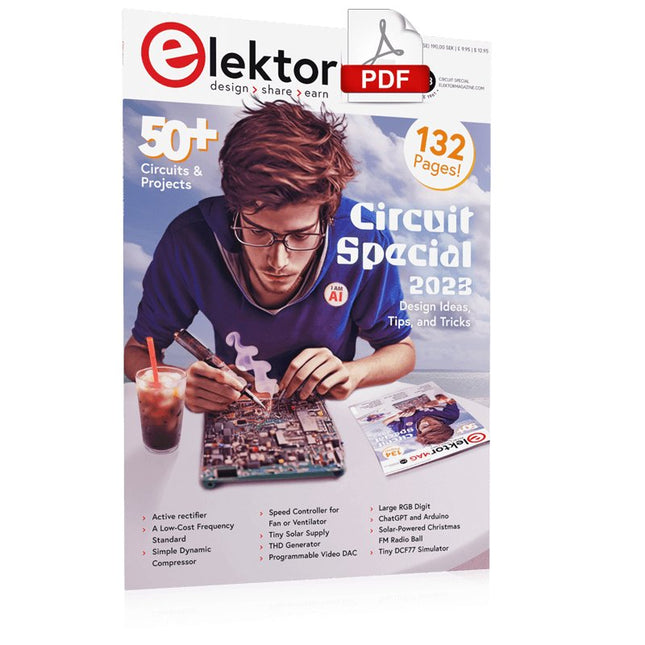
Elektor Digital Elektor Circuit Special 2023 PDF (EN)
Elektor GREEN and GOLD members can download their digital edition here. Not a member yet? Click here. Tiny Solar SupplySunlight In, 3.3 V Out Solid-State Stereo Audio SwitchFree of Clicks and Moving Parts Large RGB DigitWith Through-Hole WS2812 LEDs Microphone Preamplifier with 48-V Phantom Power DistributionGreat for Podcasting and Pro Audio Square Wave Generators with Duty Cycle and Frequency ControlsSimple Circuits with CMOS and TTL ICs Simple Dynamic CompressorWith Soft Control and Warm Sound Simple Electronic Lock Active RectifierA solution or 2…40 V at up to 3 A with Reverse Current Suppression On / Off Switching System for Active Boxes Unbalanced/Balanced ConverterWith RFI Filter and DC Protection 2023: An AI OdysseyWhere Did It Come From? Where Is It Going? Speed Controller for Fan or VentilatorWith Manual and Thermostat Modes The Latest from Arduino Project HubNew Projects from the Community Power Overload MonitorMonitor Power Lines for Excessive Current Blink in the Dark Without TransistorsAn Oscillator with Only Two-Terminal Parts Morse Code GeneratorUse It as Beacon or Learning Device! Programmable Video DACHandles Any Format up to RGB888 A T(eeny) Tiny PianoWithout Moving Parts Dual Dice without MCUDual Dice on a Single PCB – Plus Some Design Tricks Electronic Scarecrow Circuits to Amuse, Inspire, and Amaze LC-LP-HA ThermometerAccurate Measurements and a Binary Display THD GeneratorGenerating Distortion on Purpose Thyristor-Based Overtemperature IndicatorElectronic Components Used Unconventionally PTC Fuse Flip-Flop Funny BirdA Chirping Elektor Classic Neon Lamp with a Microcontroller Temperature-Stabilized IC Current SourceNeutralizing the Temperature Drift of Integrated Current Sources Second-Order Adjustable Treble BoostA Special Hearing Aid for the Elderly Edwin Comes HomeA Look Back After 53 Years One-Armed BanditA Simple, Fun, Nostalgic, and Educational Elektor Classic! Simple Digitally Controlled Variable Resistor Water Leak ProtectionSafeguard and Alarm for Water Leaks Eco-Timer with Auto-ShutdownNeeds 0.0 mW in Off Mode! ChatGPT and Arduino ZD MeterMeasuring Z Voltages of Z Diodes ≤ 100 V Servo Tester ESP32 Windows Controller with Free Software Analog and Mixed-Signal ICs by MicrochipLow-Consumption Power Management and Signal Processing Interface StandardsFilter and Surge Protection for the I²C Bus Li-Ion Battery MonitorResidual Charge Indicator Provides Visual Feedback PS/2 Mouse As Rotary Encoder (and More…) Simple Twilight Switchfor Retrofitting Lamps or Installations Water Pump ControllerPrepare Yourself Against Rising Water Levels Solar-Powered Christmas FM Radio BallAll You Want for Christmas Is This Vibration Sensor with RelayTap or Shake to Switch On Continuity TesterSensitive and Unintrusive Power On/Off with a Pushbutton Mini-Drill Power Control 2023A Revision of a Design from 1980 Digital Vibration SensorTurn Vibrations into Precisely Timed Pulses Reverse-Polarity Protection with Low Voltage Drop A Low-Cost Frequency Standard Tiny DCF77 SimulatorAn Accurate Fake-Time Standard The Lilygo T-PicoC3Combines RP2040 and ESP32-C3 with Full Color-TFT Display
€ 7,50
-

Elektor Digital SPS-Programmierung mit dem Raspberry Pi und dem OpenPLC-Projekt (PDF)
Einführung in die SPS-Programmierung mit dem Open-Source-Projekt auf dem Raspberry Pi und Modbus-Beispiele mit dem Arduino Uno und ESP8266 Die SPS-Programmierung ist heute in der Industrie und in der Hausautomation sehr weit verbreitet. In diesem Buch beschreibt der Autor, wie der Raspberry Pi 4 als SPS eingesetzt werden kann. Angefangen mit der Softwareinstallation auf dem Raspberry Pi und dem SPS-Editor auf dem PC geht es nach einer Beschreibung der Hardware an das Programmieren. Es folgen interessante Beispiele nach IEC 61131-3 in den verschiedenen Programmiersprachen. Ausführlich wird auch erklärt, wie der SPS-Editor benutzt wird und wie die Programme auf den Raspberry Pi geladen und ausgeführt werden. Angefangen mit der Programmierung mit KOP (Kontaktplan) über ST (Structured Control Language) bis zu AS (Special Function Chart) werden alle IEC-Sprachen mit Beispielen behandelt. Diese können auf der Website des Autors heruntergeladen werden. Auch die Vernetzung kommt nicht zu kurz. Der Arduino Uno und der ESP8266 werden als ModbusRTU- bzw. ModbusTCP-Module programmiert, um Zugriff auf externe Peripherie zu erhalten. Damit ist es möglich, Sensoren einzulesen und Verbraucher zu schalten. Interessant dürften auch E/A-Schaltungen sein, die dem 24V-Industriestandard entsprechen. Befehlsübersichten für ST und KOP runden das Buch ab. Nach dem Durcharbeiten des Buches ist der Leser in der Lage, eigene SPS-Steuerungen mit dem Raspberry Pi zu verwirklichen.
€ 32,80
Members: € 29,52
-

Elektor Digital CAN et CAN FD (E-book)
Tout sur les protocoles et leur mise en œuvre avec Arduino Initialement destiné aux véhicules routiers, le réseau CAN (« Controller Area Network ») et son successeur le réseau CAN FD (« Flexible Data ») ont vu leurs champs d’application s’élargir à de nouveaux domaines. L’industrie propose de nombreux modules microcontrôleurs dotés d’une interface CAN et/ou CAN FD. L’environnement de développement Arduino a démocratisé la programmation de ces modules et il existe des bibliothèques qui implémentent un pilote CAN et/ou un pilote CAN FD. La première partie dresse un rapide historique des réseaux CAN et CAN FD et expose la problématique des lignes de transmission en abordant succinctement leur théorie et présentant des résultats de simulation Spice. La deuxième partie est consacrée au réseau CAN, en détaillant successivement la fonction logique du réseau, les transcepteurs, les contrôleurs, la topologie la plus classique (le bus) et d’autres moins courantes, les répéteurs et les passerelles. Les aspects particuliers du protocole, tels que le bit stuffing, l’arbitrage, les trames d’erreur, la détection des erreurs sont exposés. La discussion de la fiabilité du protocole est illustrée par des exemples mettant en évidence ses faiblesses. La troisième partie présente le protocole CAN FD, ses deux variantes CAN FD ISO et CAN FD non ISO, leurs fiabilités, leurs faiblesses, mises en évidence par des exemples. Différents transcepteurs et contrôleurs CAN FD sont décrits. La quatrième partie est dédiée aux applications : comment utiliser les services d’un pilote, concevoir une messagerie, utiliser un analyseur logique. Deux exemples d’application terminent cette partie. Ce livre s’adresse aux amateurs et aux ingénieurs non spécialistes pour comprendre les possibilités qu’offre un réseau CAN et comment on le met en œuvre. Un enseignant trouvera des informations pour approfondir ses connaissances et pour concevoir des travaux pratiques. Une connaissance des microcontrôleurs, de leur programmation, de l’électronique numérique aidera à la lecture des schémas. La connaissance du langage C++ et du langage de simulation électronique Spice facilitera la compréhension des programmes qui sont décrits dans le livre. Tous les codes source sont disponibles sur le dépôt GitHub de l’auteur. Téléchargements GitHub
€ 34,95
Members: € 31,46
-

Elektor Digital Elektor Mars/Avril 2021 (PDF)
Elektor Mars/Avril 2021 (PDF)
€ 10,95
-
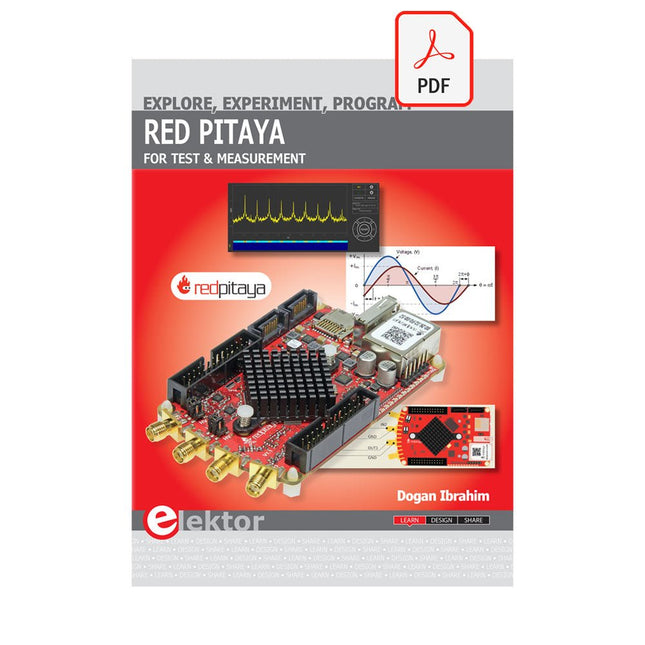
Elektor Digital Red Pitaya for Test and Measurement (E-book)
The Red Pitaya (STEMlab) is a credit card-sized, open-source test and measurement board that can be used to replace most measurement instruments used in electronics laboratories. With a single click, the board can transform into a web-based oscilloscope, spectrum analyser, signal generator, LCR meter, Bode plotter, and microcontroller. The Red Pitaya (STEMlab) can replace the many pieces of expensive measurement equipment found at professional research organisations and teaching laboratories. The device, that based on Linux, includes an FPGA, digital signal processing (DSP), dual core ARM Cortex processor, signal acquisition and generation circuitry, micro USB socket, microSD card slot, RJ45 socket for Ethernet connection, and USB socket – all powered from an external mains adaptor. This book is an introduction to electronics. It aims to teach the principles and applications of basic electronics by carrying out real experiments using the Red Pitaya (STEMlab). The book includes many chapters on basic electronics and teaches the theory and use of electronic components including resistors, capacitors, inductors, diodes, transistors, and operational amplifiers in electronic circuits. Many fun and interesting Red Pitaya (STEMlab) experiments are included in the book. The book also makes an introduction to visual programming environment. The book is written for college level and first year university students studying electrical or electronic engineering.
€ 29,95
Members: € 26,96


