
Search results for "default.htm"
-
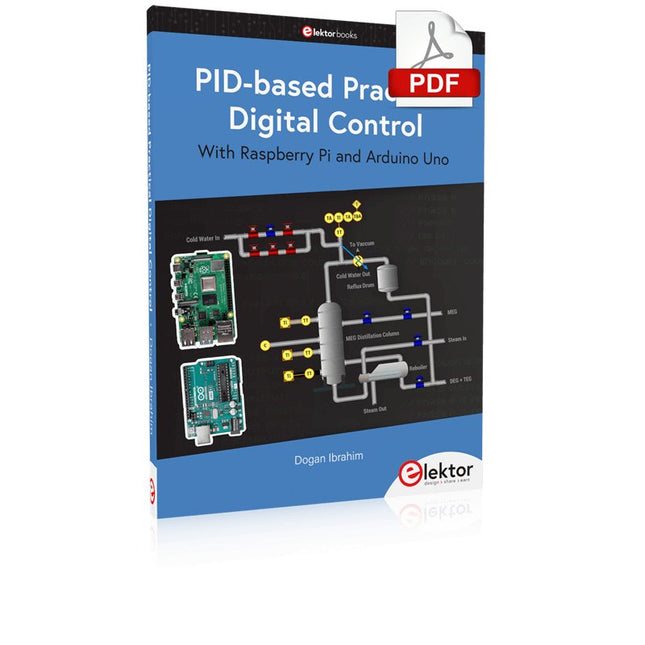
Elektor Digital PID-based Practical Digital Control with Raspberry Pi and Arduino Uno (E-book)
The Arduino Uno is an open-source microcontroller development system encompassing hardware, an Integrated Development Environment (IDE), and a vast number of libraries. It is supported by an enormous community of programmers, electronic engineers, enthusiasts, and academics. The libraries in particular really smooth Arduino programming and reduce programming time. What’s more, the libraries greatly facilitate testing your programs since most come fully tested and working. The Raspberry Pi 4 can be used in many applications such as audio and video media devices. It also works in industrial controllers, robotics, games, and in many domestic and commercial applications. The Raspberry Pi 4 also offers Wi-Fi and Bluetooth capability which makes it great for remote and Internet-based control and monitoring applications. This book is about using both the Raspberry Pi 4 and the Arduino Uno in PID-based automatic control applications. The book starts with basic theory of the control systems and feedback control. Working and tested projects are given for controlling real-life systems using PID controllers. The open-loop step time response, tuning the PID parameters, and the closed-loop time response of the developed systems are discussed together with the block diagrams, circuit diagrams, PID controller algorithms, and the full program listings for both the Raspberry Pi and the Arduino Uno. The projects given in the book aim to teach the theory and applications of PID controllers and can be modified easily as desired for other applications. The projects given for the Raspberry Pi 4 should work with all other models of Raspberry Pi family. The book covers the following topics: Open-loop and closed-loop control systems Analog and digital sensors Transfer functions and continuous-time systems First-order and second-order system time responses Discrete-time digital systems Continuous-time PID controllers Discrete-time PID controllers ON-OFF temperature control with Raspberry Pi and Arduino Uno PID-based temperature control with Raspberry Pi and Arduino Uno PID-based DC motor control with Raspberry Pi and Arduino Uno PID-based water level control with Raspberry Pi and Arduino Uno PID-based LED-LDR brightness control with Raspberry Pi and Arduino Uno
€ 32,95
Members: € 29,66
-

Elektor Digital Édition spéciale : Shields pour Arduino (PDF)
Concrétisez vos rêves, réalisez les projets les plus fous : un odomètre pour la roue de votre hamster, la surveillance complètement automatisée de votre fourmilière avec interface web, ou le Sandwich-O-Mat ? une machine qui grille les sandwichs de votre choix. Avec les cartes Arduino et le mouvement DIY (« fais-le toi-même ») ou maker, se mettre à programmer des microcontrôleurs est devenu un jeu d?enfant. Une deuxième révolution a eu lieu : des développeurs ingénieux ont mis sur le marché de petites cartes ? appelées « shields » ou modules ? qui simplifient considérablement l?utilisation d?autres dispositifs. Ces petits modules contiennent tous les composants électroniques nécessaires pour la connexion au microcontrôleur ; quelques fils avec des fiches suffisent pour le raccordement, ce qui évite d?avoir à câbler et fait gagner du temps. En outre, il est également possible de manipuler de minuscules composants dépourvus de pattes de connexion (ceux de type CMS). Projets Arduino et le monde extérieur Capteur BMP180, introduction aux bibliothèques et à l?I²C Initiation aux entrées/sorties avec un shield polyvalent Adaptateur I²C pour LCD et afficheurs à matrice de points Shield clavier & LCD Convertisseur de niveau W5100 : connexion à internet Shields d?extension des entrées/sorties Relais et relais statiques Shield multifonction : unité de commande universelle Connexion d?un lecteur de carte SD par SPI Touches et afficheurs à 7 segments Convertisseur analogique/numérique à 16 bits Convertisseur numérique/analogique MCP4725 Pilote de servomoteurs à 16 voies PWM Lecteur MP3 Enregistreur de données GPS avec stockage sur carte SD Capteur tactile Joystick SHT31 : température et humidité Capteur d?UV-A VEML6070 Temps de vol VL53L0X Mesure de distance à ultrasons Afficheur matriciel à LED à base de MAX7219 Horloge en temps réel DS3231 Circuit d?extension de port MCP23017 Communication radio à 433 MHz Gyroscope MPU-6050 Accéléromètre ADXL345 LED RVB WS2812 Cartes d?alimentation Capteurs de gaz MQ-xx Capteur de dioxyde de carbone (CO2) Capteur de courant ACS712 Capteur de courant INA219 Pilote de moteur L298 Kit RFID MFRC522 Moteur pas à pas 28BYJ-48 Carte avec pilote de moteur ultra-silencieux TMC2209 Potentiomètre numérique X9C10x Écran couleur TFT avec contrôleur/pilote ST7735 Écran à encre électronique Module Bluetooth Compteur Geiger Module GSM SIM800L Multiplexeur I²C Module CAN (Controller Area Network)
€ 10,95
Members: € 9,86
-

Elektor Digital Introductie tot de Elektro-akoestiek (E-book)
Dit boek is bedoeld voor diegenen die zich bezig houden met geluidsversterking en geluidsdistributie. Het gaat in op de akoestische eigenschappen van open, halfopen en omsloten ruimten. Belangrijk is hoe luidsprekers aangepast kunnen worden op allerlei omgevingen. Meestal moet men een keuze maken uit het aanbod van luidsprekers en microfoons. De vraag is dan welke luidspreker en microfoon de juiste keuze zijn. En hoe deze moeten worden opgesteld waarbij spraak- en muziekverstaanbaarheid en de maximaal haalbare versterking in de live-situatie de belangrijkste criteria zijn. Dit boek geeft antwoord op die vragen. Verder wordt de lezer meegenomen naar het ontwerpen van luidsprekers op basis van de T/S parameters. Met eenvoudige software is het mogelijk akoestische en mechanische elementen van een luidspreker met de eventuele behuizing te vertalen naar de elektrische analogieën, zodat de luidspreker op de PC gesimuleerd kan worden. Aan de hand van rekenvoorbeelden worden bovenstaande simulaties ondersteund. Tot slot zijn in de referentielijst een aantal internetlinks opgenomen waaruit zeer waardevolle gegevens gehaald kunnen worden. De auteur, Peter Swarte, is natuurkundig ingenieur en was werkzaam bij Philips. Momenteel is hij_eigenaar van consultancy bureau P.A.S. Electro Acoustics en is hij actief lid van zowel het NAG (Nederlands Akoestisch Genootschap) als de AES (Audio Engineering Society).
€ 29,95
Members: € 26,96
-

Elektor Digital Raspberry Pi Pico W en un tournemain (PDF)
Maîtrise de la puce RP2040 avec plus de 60 projets à réaliser et à programmer Les cartes Raspberry Pi Pico et Pico W sont animées par un microcontrôleur ARM Cortex M0+ RP2040 à double coeur, rapide, efficace et peu coûteux, qui fonctionne jusqu'à 133 MHz et dispose de 264 Ko de SRAM et de 2 Mo de mémoire Flash. Outre une vaste mémoire, le Pico et le Pico W disposent de nombreuses broches GPIO et d'interfaces telles que CA/N, SPI, I²C, UART, MLI, de fonctions de temporisation, d'une interface de débogage matériel et d'un capteur de température interne. La carte Raspberry Pi Pico W comporte en plus une puce CYW43439 Bluetooth et Wi-Fi d'Infineon. Au moment de la rédaction de ce livre, le micrologiciel Bluetooth pour le Pico W n'était pas encore disponible. Le Wi-Fi à 2,4 GHz est toutefois entièrement pris en charge avec les protocoles 802.11b/g/n. Ce livre est une introduction à l'utilisation du Raspberry Pi Pico W avec le langage de programmation MicroPython. Les quelque soixante projets testés et opérationnels sont présentés à l'aide de l'environnement de développement intégré (EDI) Thonny. Les sujets abordés sont nombreux : Installation de MicroPython sur le Raspberry Pi Pico depuis un PC Interruptions de l'horloge et interruptions externes Convertisseur analogique-numérique (CA/N) Capteurs de température interne et externe Capteurs externes (pression, humidité, pouls, à ultrasons) Enregistrement de données MLI, UART, I²C et SPI Bluetooth, Wi-Fi et applis sur smarphone Convertisseur numérique-analogique (CN/A) Tous les projets ont été testés et éprouvés. Ils peuvent être mis en oeuvre sur le Raspberry Pi Pico ainsi que sur le Raspberry Pi Pico W. Toutefois les projets avec une liaison Wi-Fi ne fonctionnent que sur le Pico W. Une petite expérience en programmation et en électronique est nécessaire pour suivre les projets. De brèves descriptions, des schémas fonctionnels, des schémas détaillés du câblage des montages et des listings MicroPython complets sont fournis pour tous les projets.
€ 34,95
Members: € 31,46
-

Elektor Digital Basiscursus Elektronica (E-book)
Er zijn talloze diepgravende elektronica-leerboeken op de markt. We noemen er hier slechts één: ‘The Art of Electronics’, dat onder de titel ‘Elektronica, kunst en kunde’ in vier delen bij Elektor is verschenen. Wie echter elektronicakennis voor “dagelijks gebruik” wil hebben, zit op zo’n wetenschappelijk verantwoorde verhandeling waarschijnlijk helemaal niet te wachten. Laat staan op een beschrijving van de meest exotische componenten of elke denkbare variant van een principiële schakeling. Indien dit ook voor u geldt, dan is dit boek voor u bestemd: voor de middelbare scholier en voor de hobbyist die zich meer wil verdiepen in de elektronica. En dus voor iedereen die een korte, begrijpelijke en bovenal betaalbare inleiding tot dit interessante vakgebied wenst. Deze ‘Basiscursus Elektronica’ maakt u vertrouwd met de analoge (laagfrequent-)techniek, letterlijk de basis van alle elektronica.
€ 24,95
Members: € 22,46
-
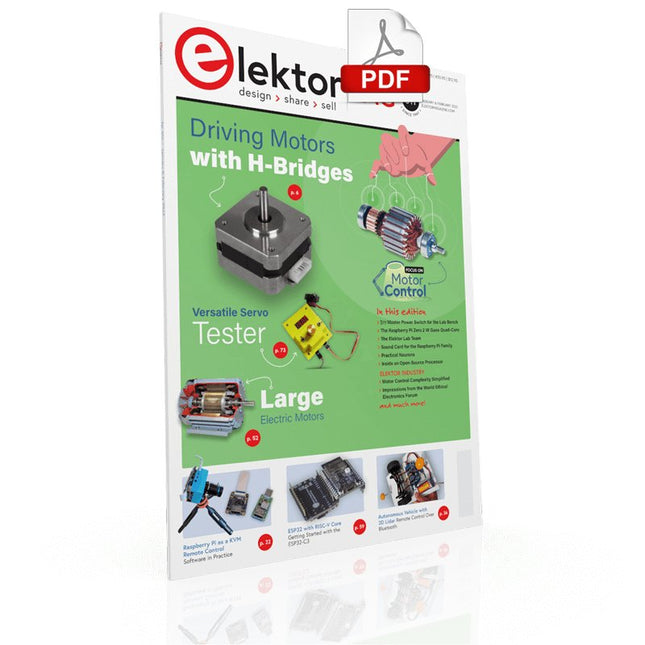
Elektor Digital Elektor January/February 2022 (PDF)
DRIVING MOTORS WITH H-BRIDGESAn Introduction to DC, Stepper, and Brushless Motors THE ELEKTOR LAB TEAMOur Approach, Preferred Tools, and More RASPBERRY PI AS A KVM REMOTE CONTROLPi-KVM Software Test IQAUDIO CODEC ZEROA Sound Card for the Raspberry Pi Family THE PIKVM PROJECT AND LESSONS LEARNEDInterview with Maxim Devaev (Developer, PiKVM) AUTONOMOUS VEHICLE WITH 2D LIDARESP32 Pico Interprets Data from the Lidar Module THE RASPBERRY PI ZERO 2 W GOES QUAD-CORE NOTES FROM THE 2021 WORLD ETHICAL ELECTRONICS FORUM MOTOR CONTROLHow the Complexity of Motor Control Is Simplified LARGE ELECTRIC MOTORSBasic Principles and Useful Information GETTING STARTED WITH THE ESP32-C3 RISC-V MCU PROTECT YOURSELF AND OTHERS!DIY Master Power Switch for the Lab Bench CREATE GUIS WITH PYTHON (PART 2)Spy name chooser PRODUCTRONICA FAST FORWARD 2021 WINNERSExciting Technologies and Creative Engineering Solutions VERSATILE SERVO TESTERCheck Behavior When There’s No Datasheet MODBUS OVER WLAN (PART 2)Software for the Modbus TCP WLAN Module UNDERSTANDING THE NEURONS IN NEURAL NETWORKS (PART 3)Practical Neurons INSIDE AN OPEN-SOURCE PROCESSORSample Chapter: Lattice and Xilinx FPGA Results STARTING OUT IN ELECTRONICSWe Are Not Yet Done with the Coil ERR-LECTRONICSCorrections, Updates and Readers’ Letters COLOR TO SOUNDHow to Read Out a Color Sensor via I2C BATTLAB-ONEMeasure and Optimize the Battery Life of IoT Devices SIMPLE EARTH-LEAKAGE TRACERTesting Isolation of Mains Supply POVERTY AND ELECTRONICSSustainable Development Goal 1 HEXADOKUThe Original Elektorized Sudoku
€ 7,50
-

Elektor Digital BBC micro:bit (E-book)
35 Touch Develop & MicroPython Projects The BBC micro:bit is a credit sized computer based on a highly popular and high performance ARM processor. The device is designed by a group of 29 partners for use in computer education in the UK and will be given free of charge to every secondary school student in the UK. The device is based on the Cortex-M0 processor and it measures 4 x 5 cm. It includes several important sensors and modules such as an accelerometer, magnetometer, 25 LEDs, 2 programmable push-button switches, Bluetooth connectivity, micro USB socket, 5 ring type connectors, and a 23-pin edge connector. The device can be powered from its micro USB port by connecting it to a PC, or two external AAA type batteries can be used. This book is about the use of the BBC micro:bit computer in practical projects. The BBC micro:bit computer can be programmed using several different programming languages, such as Microsoft Block Editor, Microsoft Touch Develop, MicroPython, and JavaScript. The book makes a brief introduction to the Touch Develop programming language and the MicroPython programming language. It then gives 35 example working and tested projects using these language. Readers who learn to program in Touch Develop and MicroPython should find it very easy to program using the Block Editor or any other languages. The following are given for each project: Title of the project Description of the project Aim of the project Touch Develop and MicroPython program listings Complete program listings are given for each project. In addition, working principles of the projects are described briefly in each section. Readers are encouraged to go through the projects in the order given in the book.
€ 24,95
Members: € 22,46
-

Elektor Digital 8-Bit-Mikrocontroller (PDF)
PIC und AVR verstehen In diesem Buch werden wir uns ausschließlich mit 8-Bit-Mikrocontrollern beschäftigen, und zwar mit Mikrocontrollern der 8-Bit-PIC- und der 8-Bit-AVR-Mikrocontroller-Linien. Bei der PIC-Familie handelt es sich dabei um PIC10, PIC12, PIC16 und PIC18; bei der AVR-Familie um ATtiny, ATmega und ATxmega. Die vorgestellten 8-Bit-Chips sind für sehr viele Anwendungen vollkommen ausreichend und preislich auch attraktiv. Durch die Lektüre des Buches erhalten Sie ein fundiertes Wissen über die genannten 8-Bit-Mikrocontroller, über ihre Architektur, ihre Pinbelegungen und über ihre Programmierung. Weil wir uns in diesem Buch mit den Grundlagen der Architektur der PICs und AVRs vertraut machen möchten, werden wir auch für alle PIC- und AVR-Anwendungen Assembler einsetzen, denn die Assembler-Sprache erlaubt es, die Technik im Detail kennenzulernen. Wenn man wirklich wissen möchte, was sich im Mikrocontroller abspielt, greift man zu Assembler. Damit hat man die beste Gelegenheit, sehr nah an den Kern zu kommen. Und wenn man schon einen Mikrocontroller-Typ kennengelernt und verstanden hat, ist es bei dem nächsten deutlich einfacher, auch wenn er von einem anderen Hersteller kommt. Bei anderen Programmiersprachen bleibt die Technik immer ziemlich tief versteckt. Die Assembler-Beispiele sind so einfach gestaltet, dass sie jeder mit den im Buch aufgezeigten Programmiertechniken erstellen kann. Weil es sich um einfache Beispiele handelt, werden wir sie alle auf einer universellen Lochrasterplatine realisieren. Manche sind auch auf einem Experimentier-Breadboard umsetzbar.
€ 32,80
Members: € 29,52
-

Elektor Digital Mikrocontroller-Technik (PDF)
Mikrocontroller haben sich in den letzten Jahren in praktisch allen Bereichen der modernen Technik etabliert. In zunehmendem Maße dringen sie auch in die Gebiete der Künstlichen Intelligenz und der Robotertechnik vor. Das vorliegende Buch gibt eine umfassende Einführung in die Welt der Controller-Technik mit all ihren Facetten, von der einfachen Steuerung über die Sensor-Technik bis hin zur Datenübertragung in das Internet. Als Basis dafür dient das von Elektor entwickelte AVR-Playground-Board. Das Board kann mit Controllern der ATmega-Familie bestückt werden und ist mit dem bekannten Arduino-System kompatibel, so dass auch die verschiedenen Arduino-Hardware-Erweiterungen verwendet werden können. Für die Programmierung kommt die Sprache „C“ zum Einsatz. Auch hier wird im Buch auf das Arduino-System zurückgegriffen. Die frei verfügbare Arduino-Entwicklungsumgebung erlaubt den leichten Einstieg, ohne dass später Einschränkungen in Kauf genommen werden müssen. Die Hardware-nahe Programmierung steht dabei besonders im Fokus. Nach der Erläuterung von grundlegenden Anwendungen wird auf die anspruchsvolleren Themen wie Interrupts, Timer und Counter, Pulsweitenmodulation und Analog-Digital-Wandlung eingegangen. Praktische Anwendungen können sowohl mit einem Arduino als auch mit dem AVR-Playground-Board durchgeführt werden. Da das AVR-Playground-Board bereits über eine Vielzahl von Peripherie-Einheiten verfügt, sind nur noch wenige externe Bauteile erforderlich. Das Board kann im Elektor-Shop hier bezogen werden.
€ 32,80
Members: € 29,52
-

Elektor Digital Arduino & Co – Messen, Schalten und Tüfteln (PDF)
Pfiffige Lösungen mit Arduino Pro Mini und ATmega328-Boards Mit einem einfachen Arduino Pro Mini Board und ein paar weiteren Bauteilen lassen sich heute für wenig Geld Projekte realisieren, die vor 20 oder 30 Jahren noch undenkbar waren oder ein kleines Vermögen gekostet hätten. Von einfachen LED-Effekten bis zur Ladestation – die den Akku auf Herz und Nieren prüft – ist in diesem Buch vieles dabei. Als Mikrocontroller dient bei allen beschriebenen Projekten der ATmega328, der mit seinen 20 Ein- und Ausgangsleitungen unzählige Möglichkeiten zum Messen, Schalten und Steuern bietet. Mit einem 7-Segment-Display und ein paar Widerständen lässt sich daraus z. B. ein Voltmeter bauen oder mittels NTC ein Thermometer. Die Arduino-Plattform bietet dabei die perfekte Entwicklungsumgebung zum Programmieren der Boards. Neben den ganz konkreten Projekten soll das Buch aber auch das nötige Wissen vermitteln, um eigene Ideen zu realisieren. Wie misst man was? Welches ist der geeignete Transistor, um verschiedene Verbraucher zu schalten? Wann ist man mit einem IC besser bedient, oder wie schaltet man Netzspannung? Auch batteriebetriebene Projekte mit LilyPad sind ausführlich thematisiert. Ebenso vielerlei Motoren, vom einfachen Gleichstrommotor bis zum Schrittmotor. Sensoren sind ein weiteres spannendes Thema. Nur zwei Beispiele: Mit einem winzigen Bauteil lässt sich tatsächlich messen, dass der Luftdruck am Fußboden höher ist als auf Tischhöhe. Mit einem simplen Infrarot-Empfänger kann man ausgedienten Fernbedienungen ein zweites Leben schenken und die Wohnung damit steuern.
€ 32,80
Members: € 29,52
-

Elektor Digital Getting Started With Java Using Eclipse (E-book)
Mastering the Language and the Development Platform Many people would like to learn Java but getting started is not easy since programming with Java requires at least two things: mastering the programming language and the development environment. With the help of many examples, this book shows how the language is structured. In addition, it employs the Eclipse development environment as an example of a powerful tool to teach developing Java programs. In Basics, the first part of the book, you acquire your Java and Eclipse basic knowledge. This part lays the programming foundations, gives you an overview of Java technology, and shows you what is special about object-oriented programming. In the second part called Java Language, everything revolves around the subtleties of the Java language and this is where the first small Java applications are created, aided by a fine blend of the knowledge part and practical exercises. Java Technology is both the name and the focus of the third part which also introduces you to the rules to observe when programming, what class libraries are and what advantages they have. In addition, you will learn how to test programs, what algorithms are, and how to program them. The fourth part, Java Projects, enables you to apply all the previous elements in an application with a graphical user interface. The project shows how to develop a larger application piece by piece with the Eclipse development environment. The Appendix concludes with a section on frequent errors that can occur when working with Eclipse, and a Glossary.
€ 34,95
Members: € 31,46
-
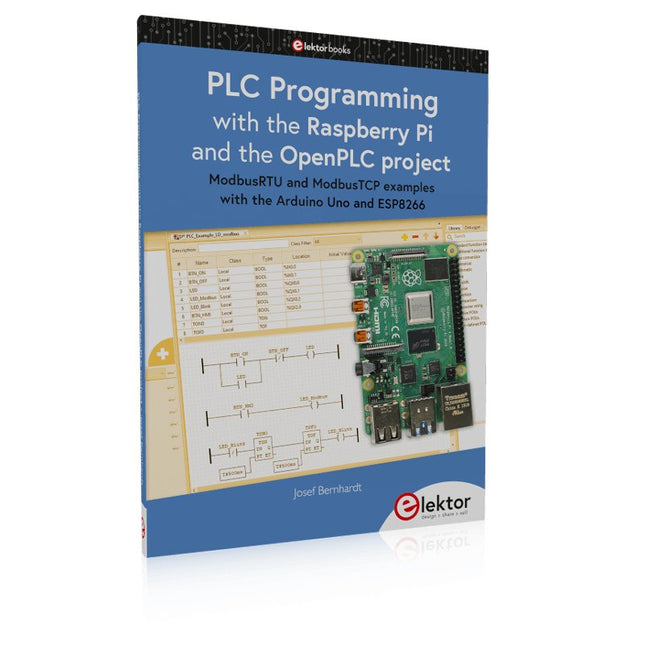
Elektor Publishing PLC Programming with the Raspberry Pi and the OpenPLC Project
ModbusRTU and ModbusTCP examples with the Arduino Uno and ESP8266 Introduction to PLC programming with OpenPLC, the first fully open source Programmable Logic Controller on the Raspberry Pi, and Modbus examples with Arduino Uno and ESP8266 PLC programming is very common in industry and home automation. This book describes how the Raspberry Pi 4 can be used as a Programmable Logic Controller. Before taking you into the programming, the author starts with the software installation on the Raspberry Pi and the PLC editor on the PC, followed by a description of the hardware. You'll then find interesting examples in the different programming languages complying with the IEC 61131-3 standard. This manual also explains in detail how to use the PLC editor and how to load and execute the programs on the Raspberry Pi. All IEC languages are explained with examples, starting with LD (Ladder Diagram) over ST (Structured Control Language) to SFC (Special Function Chart). All examples can be downloaded from the author's website. Networking gets thorough attention too. The Arduino Uno and the ESP8266 are programmed as ModbusRTU or ModbusTCP modules to get access to external peripherals, reading sensors and switching electrical loads. I/O circuits complying with the 24 V industry standard may also be of interest for the reader. The book ends with an overview of commands for ST and LD. After reading the book, the reader will be able to create his own controllers with the Raspberry Pi.
€ 39,95
Members: € 35,96


