Touch-GUI voor ESP32 en Raspberry & cografische gebruikersinterface met de LittlevGL-bibliotheek
“Niet zomaar een project”vraaggesprek met Gábor Kiss-Vámosi, ontwikkelaar van LittlevGL
Capaci-metermet tweecijferig LED-display in dekatron-stijl
Hoe... een mechanisch contact of schakelaar ontdendereneen schakelaar is open of gesloten – toch?
Developer's Zonetips & trucs, vakkunstigheden en andere nuttige informatie
Uitbreidbaar milieumonitorsysteempubliceert gegevens op IoT-platforms
Multitasking met de ESP32Multitasking met de ESP32 taakgeoriënteerd programmeren met FreeRTOS en de Arduino IDE
Interactiefcorrecties & updates || vragen & antwoorden
Autoverlichting tunenlegaal, illegaal – maakt wél uit!
Review Toolcraft digitaal soldeerstation
Arduino Pro IDEeen eerste indruk
Twee warmtebeeldcamera’s vergeleken
Uit het leven gegrepende inrichting van een lab en werkplaats
Monsanto MAN1 LED-displayvreemde onderdelen
Theetimereen experiment met energy harvesting
Eenfase 1 kW AC-motorsturingdrie bedrijfsmodi: perioderegeling, fase-afsnijding en fase-aansnijding
Snel 3,5'-touchscreen voor de Raspberry Pipresteert beter voor hetzelfde geld
Oost West Lab Besteen blik in het allerheiligste, waar onbevoegden geen toegang hebben...
Eerste stappen met RISC-Vhet LoFive-board onder de loep
LoRa-Tracker: een uitdaging voor het labproblemen en oplossingen bij de ontwikkeling van elektronica
Met de vos in het IoT (2)aanmelden in het Sigfox-netwerk
Alle begin......hoeft niet zo moeilijk te zijn
Analoge elektronica ontwerpencase-study #1 – deel 1: MEMS-microfoon... test-een-twee-drie
Wie het kleine niet eertuit de ideeënbus van Elektor
In het kort: teksten voor microcontrollersspaar geheugen met compressie
In de schijnwerpers: de autonome autooverzicht van de stand van de techniek
Leidende start-ups en innovatoren over “Innovation 4.0” in München
Lego Electronic anno 1968elektronisch speelgoed fascineert na 50 jaar nog steeds
Beyond ElectronicsThe MX3D Bridge Senses the City
Hexadoku
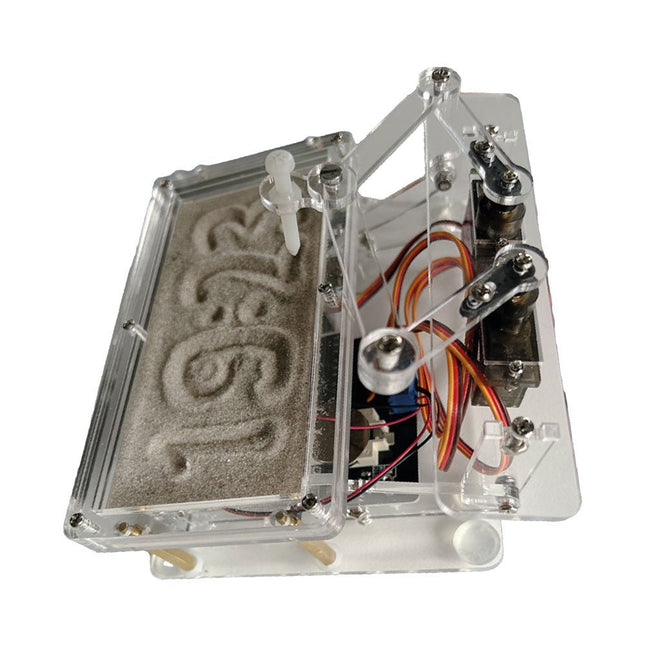
Raspberry Pi-based Eye Catcher
A standard sand clock just shows how time passes. In contrast, this Raspberry Pi Pico-controlled sand clock shows the exact time by “engraving” the four digits for hour and minute into the layer of sand. After an adjustable time the sand is flattened out by two vibration motors and everything begins all over again.
At the heart of the sand clock are two servo motors driving a writing pen through a pantograph mechanism. A third servo motor lifts the pen up and down. The sand container is equipped with two vibration motors to flatten the sand. The electronic part of the sand clock consists of a Raspberry Pi Pico and an RTC/driver board with a real-time clock, plus driver circuits for the servo motors.
A detailed construction manual is available for downloading.
Features
Dimensions: 135 x 110 x 80 mm
Build time: approx. 1.5 to 2 hours
Included
3x Precut acrylic sheets with all mechanical parts
3x Mini servo motors
2x Vibration motors
1x Raspberry Pi Pico
1x RTC/driver board with assembled parts
Nuts, bolts, spacers, and wires for the assembly
Fine-grained white sand
KI in der Praxis
Tauchen Sie ein in die faszinierende Welt der Robotik und Automatisierung!
Dieses Elektor Special zeigt, wie Sie mit Kreativität, etwas Know-how und günstiger Technik eigene Roboter bauen können. Vom ersten DIY-Projekt mit Arduino oder Raspberry Pi bis hin zu intelligenten Systemen mit KI – dieses Heft macht moderne Robotik verständlich und greifbar.
Entdecken Sie praxisnahe Anleitungen, inspirierende Projekte und spannende Einblicke in die Maker-Szene. Lernen Sie, wie aus Experimentierfreude, Gemeinschaft und Offenheit echte Innovation entsteht – und warum Robotik weit mehr ist als nur ein technisches Hobby.
Inhalt
Phantasie wird Realität
Arduino-controlled Drawing Robot
GalaxyRVR Mars Rover Kit for Arduino
YDLIDAR X4Pro Lidar
xHuskyLens AI Camera
DOF Robot Arm mit Raspberry Pi Pico
Fertigungsroboter mit Fischertechnik
Pneumatischer Industrieroboter
Warum bauen wir immer wieder Roboterhunde?
Elektor Mini-Wheelie
Roboterfahrzeuge und autonomes Fahren
Getting started with the world’s best open-source PCB tool
The latest iteration of KiCad, the world’s best free-to-use Printed Circuit Board tool, is packed with features usually found only in expensive commercial CAD tools. This modern, cross-platform application suite built around schematic and design editors, with auxiliary applications is a stable and mature PCB tool. KiCad 8 is a perfect fit for electronic engineers and makers.
Here are the most significant improvements and features in KiCad 8, both over and under the hood:
Modern user interface, completely redesigned from earlier versions
Improved and customizable electrical and design rule checkers
Theme editor allowing you to customize KiCad on your screen
Ability to import projects from Eagle, CADSTART, and more
Python scripting API
Improved integrated SPICE circuit simulator
Multi-sheet schematics
Filters define selectable elements
Enhanced interactive router helps you draw single tracks and differential pairs with precision
New or enhanced tools to draw tracks, measure distances, tune track lengths, etc.
Advanced interactive router
Built-in bill of materials generator
Realistic ray-tracing capable 3D viewer
Customizable teardrops
Plug-in manager for quick installation of themes, libraries and functionalities such as autorouters and BOM generators
This book will teach you to use KiCad through a practical approach. It will help you become productive quickly and start designing your own boards. Example projects illustrate the basic features of KiCad, even if you have no prior knowledge of PCB design.
The author describes the entire workflow from schematic entry to the intricacies of finalizing the files for PCB production and offers sound guidance on the process. Further full-fledged projects, of incremental difficulty, will be presented in a second book, together with a variety of advanced recipes.
Die heutige Regelungstechnik hat Verknüpfungspunkte mit fast jedem technischen Gebiet. Ihre Anwendungen reichen von der Elektrotechnik über die Antriebstechnik und den Maschinenbau bis hin zur Verfahrenstechnik. Will man nun die Regelungstechnik anhand der fachlichen Regeln dieser einzelnen Gebiete erklären, so müsste man von einem Regelungstechniker verlangen, jedes Fachgebiet, in dem er Regelungen vornehmen will, fundiert zu beherrschen. Dies ist aber bei dem heutigen Stand der Technik nicht möglich.
Bei der Regelung einer Antriebsaufgabe, einer Druck- oder einer Temperaturregelung tauchen Gemeinsamkeiten auf, die man mit einer einheitlichen Vorgehensweise beschreiben kann. Die Grundgesetze der Regelungstechnik gelten in gleicher Weise für alle Regelkreise, ganz unabhängig davon, wie verschieden sie im Einzelnen auch apparativ aufgebaut sein mögen.
Dieses Buch richtet sich an den Praktiker, der gründlicher in die Regelungstechnik eindringen möchte, auf ausschweifende theoretische Exkursionen in die Mathematik aber gerne verzichten kann.
Worauf es bei der Lösung von Regelungsaufgaben eigentlich ankommt, ist nicht die Kenntnis vieler Formeln und Rechenverfahren, sondern das Erfassen der Zusammenhänge im Regelkreis. Genau diese beschreibt das vorliegende Buch in anschaulicher Form.
Parallel zur Theorie wird die Praxis von regelungstechnischen Vorgängen mit den Simulations-Tools WinFACT und Multisim ausführlich erläutert. Hiermit lassen sich sehr einfach Versuche mit regelungstechnischen Modulen und umfangreichen Messinstrumenten simulieren, Fehler aufspüren und Lösungen für die Praxis finden. Nebenbei entsteht so ein fundiertes Grundlagenwissen.
MQTT ist ein leichtgewichtiges, ereignis- und nachrichtenorientiertes Protokoll zur effizienten und asynchronen Kommunikation zwischen Geräten auch über limitierte Netzwerke. Das bereits 1999 von IBM entwickelte Protokoll eignet sich heute in besonderer Weise für Internet-of-Things-Anwendungen. Im Gegensatz zu HTTP mit Request/Response-Verfahren ist bei MQTT eine Publish/Subscribe-Architektur umgesetzt. Es stehen mittlerweile zahlreiche MQTT-Broker und -Clients zur Verfügung. Aufgrund der Unterstützung durch die Eclipse Foundation, IBM und vieler anderer stehen zahlreiche Komponenten kostenlos im Internet zur Verfügung. Client-Bibliotheken gibt es für die unterschiedlichsten Plattformen und Programmiersprachen. Unterstützt werden u. a. die PC-Plattform mit Java und .Net sowie Arduino und Raspberry Pi.
Das MQTT-Praxisbuch führt Schritt für Schritt in die praktische Arbeit mit diesem ressourcensparenden Protokoll ein. Dabei widmet der Autor Walter Trojan dem Thema IoT-Sicherheit ein ausführliches Kapitel. Anhand von abgeschlossenen Projekten zum Nachbauen stellt der Autor in beeindruckender Weise die praktische Bedeutung des MQTT-Protokolls in modernen IoT-Anwendungen dar:
MQTT auf ESP8266
MQTT mit Arduino-IDE
MQTT-Benchmarks
MQTT auf dem Raspberry Pi
Flow-Programmierung mit Node-RED
Boss aller Automaten: openHAB
Projekt Gewächshaus mit automatisierter Beleuchtung, Bewässerung, Temperaturregelung sowie Luft- und Erdfeuchtigkeitsmessung
Le téléchargement intégral de ce numéro est disponible pour nos membres GOLD et GREEN sur le site Elektor Magazine !
Pas encore membre ? Cliquez ici.
un nœud de capteurs autonometransmission de données basée sur LoRa et alimentation en énergie par cellules solaires
la carte eXpansion V1.0 d'Elektorpour ESP32S3 et autres cartes XIAO
une caméra dans un train miniatureinstallation d’un module ESP32 CAM
antenne magnétique à large bande pour les grandes ondestous les émetteurs sans aucun accord
TensorFlow Lite pour microcontrôleurspar un débutant, pour les débutants
un concentrateur pour les appareils RS-422 et RS-485câbler votre bus comme une star
sonde RFWith LED Bar Graph
démarrer en électronique...…plus de montages à ampli-op
Open Variovariomètre multifonction open source pour vol en parapente
sur le vifÀ propos de prendre les choses pour acquises
relevé des compteurs d'eau basé sur l'IA (Partie 2)intégrez votre ancien compteur dans l'IdO !
agriculture intelligentedétection des nuisibles basée sur l’apprentissage machine avec connectivité IdO
Anybus CompactCom est le choix idéal pour la communication industrielle embarquée – voici pourquoi
norme de communication IQRFfiabilité des réseaux maillés sans fil à faible débit avec perte
comment construire un robot agricole intelligentquelles sont les considérations essentielles que les concepteurs de robots agricoles doivent prendre en compte et à quels défis techniques sont-ils confrontés ?
filtre coupe-bande audio à fréquence réglablesolution universelle de suppression de fréquences dans le domaine audio
le système LeoINAGPSsurveillez votre véhicule électrique
nœud LoRa alimenté par énergie solaireune solution IdO modulaire, compacte et polyvalente
AWS pour Arduino et cie. (2)transmission de données avec AWS IoT ExpressLink
projet 2.0corrections, mises à jour et courrier des lecteurs
2024 : l'odyssée de l'IAexamen des Accélérateurs IA : comparaison
extension de couverture Wi-Fi sur ESP32comment modifier simplement une antenne
Diese Ausgabe steht allen GOLD- und GREEN-Mitgliedern auf der ElektorMagazine-Website zum Download bereit!
Sie sind noch kein Mitglied? Hier klicken!
Cloc 2.0Der Wecker, den Sie sich schon immer gewünscht haben
Raspberry Pi Pico: PIO in der PraxisExperimente mit der Programmable I/O des RP2040
ChipTweaker des armen MannesBillige Wege, sie zum Sprechen zu bringen
Echter Zufallszahlen-Generator mit USBZwei PICs zum Preis von einem AVR
Pimp my mike...Pegelanhebung selbst gebaut
FFT mit MaixduinoFrequenzspektren erfassen
Aus dem Leben gegriffenEntwurfslogik (oder Un-Logik)
Schrittmotor-Treiber UCN5804Bemerkenswerte Bauteile
Schaltungssimulation mit Micro-CapErste Schritte in eine komplizierte Welt
Der PAUL Award 2022Junge Techniktalente und ihre kreativen Lösungen
Mein erstes Software-definiertes RadioGebaut in weniger als 15 Minuten
Mikrocontroller-Dokumentation verstehenTeil 1: Aufbau einer Dokumentation
KI und eingebettete Systeme - Was kommt als Nächstes?Werkzeuge, Plattformen und das Ende der Textarbeiter
Digitalisierung der vertikalen Landwirtschaft
Infografik: Embedded und KI, heute und morgen
Einführung in TinyML
Casestudy KwickPOS
High-Performance in jeder KlasseComputer-on-Module-Standards
Aller Anfang...muss nicht schwer sein: Werden wir aktiv!
I²C-Kommunikation mit Node.js und einem Raspberry PiSehen Sie Ihre Sensordaten in einem Browser
Videoausgabe mit MikrocontrollernTeil 2: VGA- und DVI-Ausgabe
Das Echtzeit-Betriebssystem MetronomEin RTOS für AVR-Prozessoren
DVI auf dem RP2040Ein Interview mit Luke Wren, Chip-Entwickler bei Raspberry Pi
Display HAT MiniZeigt die Wettervorhersage auf dem Raspberry Pi
WEEF 2022 Awards: Feiern Sie das Gute!
Hexadoku
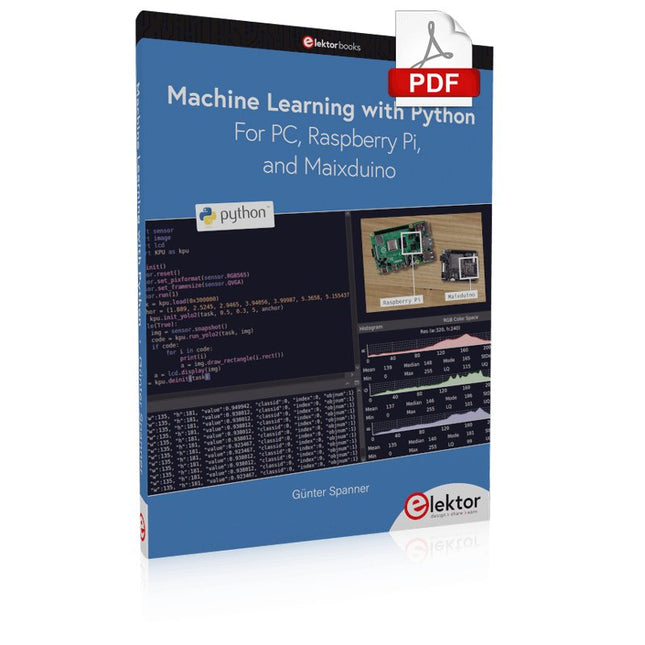
Most people are increasingly confronted with the applications of Artificial Intelligence (AI). Music or video ratings, navigation systems, shopping advice, etc. are based on methods that can be attributed to this field.
The term Artificial Intelligence was coined in 1956 at an international conference known as the Dartmouth Summer Research Project. One basic approach was to model the functioning of the human brain and to construct advanced computer systems based on this. Soon it should be clear how the human mind works. Transferring it to a machine was considered only a small step. This notion proved to be a bit too optimistic. Nevertheless, the progress of modern AI, or rather its subspecialty called Machine Learning (ML), can no longer be denied.
In this book, several different systems will be used to get to know the methods of machine learning in more detail. In addition to the PC, both the Raspberry Pi and the Maixduino will demonstrate their capabilities in the individual projects. In addition to applications such as object and facial recognition, practical systems such as bottle detectors, person counters, or a “talking eye” will also be created.
The latter is capable of acoustically describing objects or faces that are detected automatically. For example, if a vehicle is in the field of view of the connected camera, the information 'I see a car!' is output via electronically generated speech. Such devices are highly interesting examples of how, for example, blind or severely visually impaired people can also benefit from AI systems.
Die Kurzwellentechnik übt einen ganz besonderen Reiz aus. Man kann mit geringstem Aufwand große Entfernungen überbrücken. Durch Reflexion an leitenden Schichten der Ionosphäre und am Boden werden Kurzwellensignale auch an Orten jenseits des Horizonts hörbar. So lässt sich jeder Ort auf der Erde erreichen.
Zwar strebt die Technik nach immer höheren Frequenzen, und Radio hört man meist auf UKW, über DAB+, über Satellit oder das Internet. Aber alle diese moderneren Übertragungswege benötigen eine umfangreiche Infrastruktur und sind extrem verletzlich. Im Falle eines globalen Stromausfalls geht nichts mehr außer auf der Kurzwelle. Deshalb wird im Amateurfunk nicht nur ein Hobby gepflegt, sondern auch ein Notfunksystem aufrechterhalten.
Das Elektor SDR-Shield ist ein vielseitiger Kurzwellenempfänger bis 30 MHz. Zusammen mit einem Arduino-Board und der passenden Software lassen sich nicht nur Rundfunkstationen empfangen, sondern auch Morsesignale, SSB-Stationen und digitale Signale.
Der Erfolgsautor und begeisterter Amateurfunker Burkhard Kainka beschreibt im vorliegenden Buch die moderne Praxis des Software Defined Radios mithilfe des Elektor SDR-Shields.
Dabei vermittelt er nicht nur den theoretischen Background, sondern erklärt auch zahlreiche Software-Werkzeuge aus dem Open-Source-Bereich, die heute die Kurzwellentechnik zu einem absolut spannenden und hochmodernen Hobby machen.
Elektor GREEN and GOLD members can download their digital edition here.
Not a member yet? Click here.
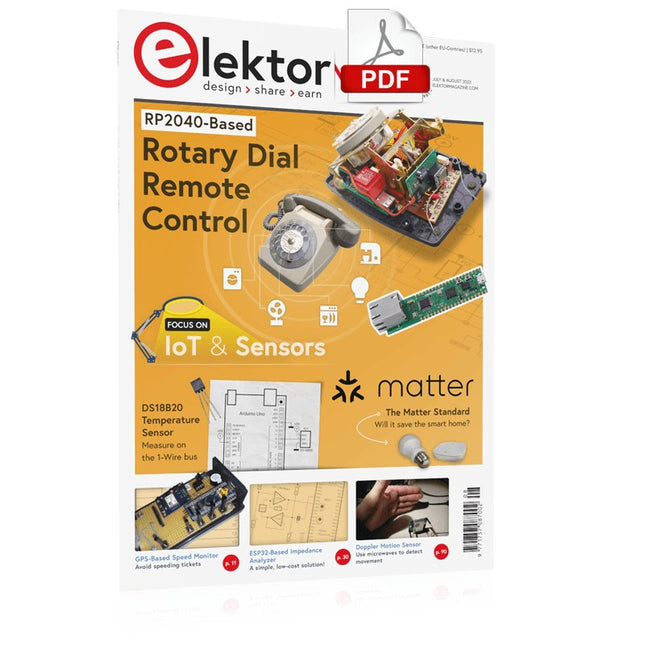
Rotary Dial Phone as Remote ControlTo Switch On the Lights, Dial 1; For the Coffee Maker, Dial 2
GPS-Based Speed MonitorNo More Speeding Tickets
RGB Stroboscope with ArduinoA Colorful Adaptation of a Useful Instrument
Wireless Emergency Push ButtonEnhanced Safety with LoRa
Starting Out in ElectronicsFollow the Emitter
Arbitrary, Independent Hysteresis Levels for Comparatorswith Simulations, Spreadsheets and Algebra
ESP32-Based Impedance AnalyzerSimple, Low-Part-Count, and Inexpensive!
HomeLab ToursEncouraging DIY
The MCCAB Arduino Nano Training BoardAll-in-One Hardware for the “Microcontrollers Hands-On Course”
From Life’s ExperienceModern Luddism
Sensor 101: The DS18B20 Temperature SensorConnection to the 1-Wire Bus
Is Matter the Thread to Save the Smart Home?New Standards to Simplify the Smart Home
A Matter of CollaborationDeveloping with the Thing Plus Matter Board and Simplicity Studio
Infographics: IoT and Sensors
Matter, ExpressLink, Rainmaker — What Is This All About?Q&A with Amey Inamdar, Technical Marketing Director at Espressif
Selecting Microcontroller Dev Kits for IoT and IIoT ApplicationsAn Introductory Guide
Capacitors Do Not Always Behave Capacitively!
An NTP Clock with CircuitPythonWhy Should You Use This Programming Language?
Build a Cool IoT DisplayWith the Phambili Newt
The HB100 Doppler Motion SensorTheory and Practice
A Bare-Metal Programming Guide (Part 1)For STM32 and Other Controllers
Siglent SDM3045X Multimeter
Microprocessors for Embedded SystemsPeculiar Parts, the Series
Microcontroller Documentation Explained (Part 3)Block Diagrams and More
Low-Power LoRa Weather StationBuild a long-range weather station by yourself
Transverter for the 70 cm Band
Climate Calling EngineersMove Fast and Fix Things
Hexadoku
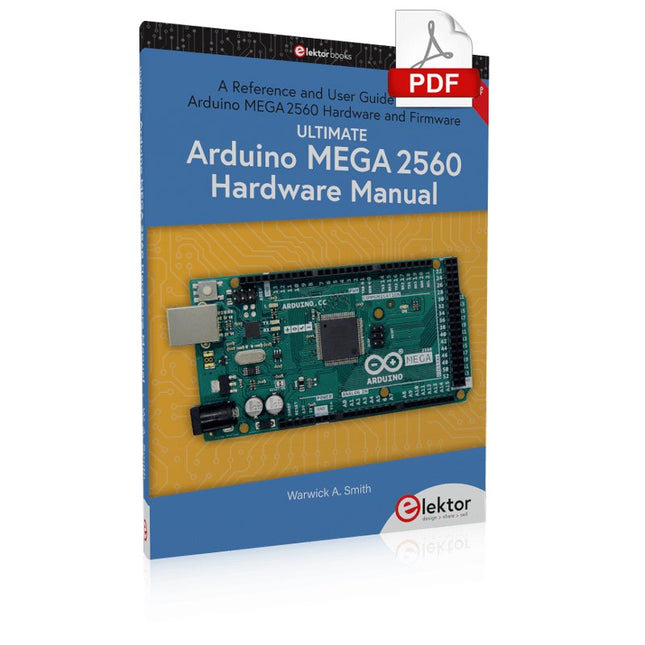
A Reference and User Guide for the Arduino Mega 2560 Hardware and Firmware
A manual providing up-to-date hardware information for the Arduino Mega 2560.
The Arduino Mega 2560 is an upgrade to the popular Arduino Uno board, providing more pins, serial ports and memory. Arduino is the easy to use open-source electronics platform used by hobbyists, makers, hackers, experimenters, educators and professionals.
Get all the information that you need on the hardware and firmware found on Arduino Mega 2560 boards in this handy reference and user guide. Ideal for the workbench or desktop. This manual covers the Arduino Mega 2560 hardware and firmware, and is a companion volume to the Ultimate Arduino Uno Hardware Manual, which covers the Arduino Uno hardware and firmware.
Contains all of the Arduino Mega 2560 hardware information in one place
Covers Arduino / Genuino Mega 2560 revision 3 and earlier boards
Easily find hardware technical specifications with explanations
Pin reference chapter with interfacing examples
Diagrams and illustrations for easy reference to pin functions and hardware connections
Learn to back up and restore firmware on the board, or load new firmware
Basic fault finding and repair procedures for Arduino Mega 2560 boards
Power supply circuits simplified and explained
Mechanical dimensions split into five easy to reference diagrams
Contains circuit diagrams, parts list and board layout to easily locate components
A chapter on shield compatibility explains how shields work across different Arduino boards