
Search results for "pretzel or board or iot or wifi or board"
-
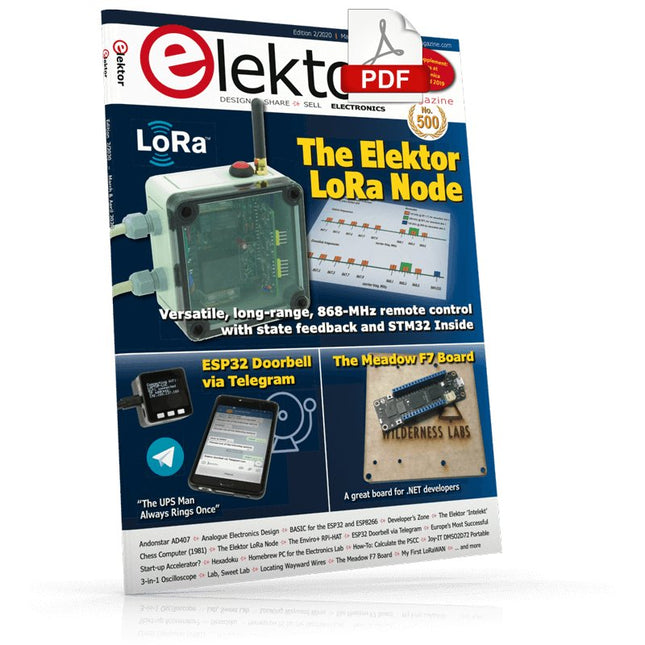
Elektor Digital Elektor March/April 2020 (PDF) EN
The Elektor LoRa NodeVersatile, long-range, 868-MHz remote control with state feedback and STM32 Inside InteractiveCorrections & Updates || Questions & Answers Analogue Electronics DesignCase Study #1 — Section 2: Preamplifier optimized for MEMS microphone My IoT Button: A Button for the WebPart 1: IoT architecture BASIC for the ESP32 and ESP8266Programming with Annex WiFi RDS ESP32 Doorbell via Telegram“The UPS Man Always Rings Once” Small Circuits RevivalCapita Selecta from the Elektor Project Suggestions Box My First LoRaWANWith Blue Pill, LoRa Breakout Board and The Things Network Elektor Connexions 2003EL “A Strong Supporter of Open Internet”Interview with Wienke Giezeman, Initiator of The Things Network The Meadow F7 BoardA great board for .NET developers Practical ESP32 Multitasking (2)Task priorities Sigfox and the IoT (3)First steps on the network Raspberry Pi Bash Command Cheat Sheet Europe's Most Successful Start-up Accelerator?HighTechXL, Eindhoven, The Netherlands Review: The Enviro+ RPi-HATMeasure air quality with a Raspberry Pi and the Enviro+ HAT Steeped in Electronicsordering components from Ukraine and Russia Review: Andonstar AD407Better than its predecessor? Lab, Sweet LabA glimpse of The Holy Place — no unauthorized entry. Optical Probe for OscilloscopesMeasure brightness fluctuations of lighting systems The 'TABULA' Project - An UpdateTangibles with user feedback How-To Calculate the Prospective Short-Circuit Current or PSCCand choose the proper circuit breaker TMS1000 Series Microcontrollers Peculiar Parts, the series Starting Out in Electronics (2) Easier than imagined! Developer's ZoneTips & Tricks, Best Practices and Other Useful Information Locating Wayward Wires Track and trace concealed and defective cables with ease and certainty Review: Joy-IT DMSO2D72 Portable 3-in-1 Oscilloscope Homebrew PC for the Electronics LabTips on Component Choice and Construction The Elektor ‘Intelekt’ Chess Computer (1981)Tiny Chess 86 ported to the Intel 8088 Beyond ElectronicsPCB Art - Pushing the Limits of Industrial Manufacturing
€ 7,50
-

Elektor Digital Elektor Espressif Guest Edition 2023 (PDF) NL
Elektor GREEN en GOLD leden kunnen deze uitgave hier downloaden. Nog geen lid? Klik hier om een lidmaatschap af te sluiten. IoT-innovatie in galop Een E-Ink WiFi kleuren-fotolijst ESP-Launchpad tutorialvan nul tot flashen in een paar minuten ESP32 en ChatGPTop weg naar een zelf-programmerend systeem… Walkie-talkie met ESP-NOWniet echt WiFi, niet echt Bluetooth, maar... Van idee tot schakeling met de ESP32-S3zo bouw je een prototype met Espressif-chips AIoT chip-innovatieeen vraaggesprek met Teo Swee-Ann, CEO van Espressif Simuleer ESP32 met Wokwide digitale tweeling van je project Test van de ESP32-S3-BOX-3een uitgebreid AIoT-ontwikkelplatform voor je elektronica-werkplekoverwegingen en tips van Espressif-technici Het ESP RainMaker-verhaalhoe we “jouw” IoT-cloud bouwden Bouw van de Elektor Cloc 2.0een Elektor-product uitgepakt door Espressif De ESP32-P4 ontketendde volgende microcontroller-era Rust + embeddedeen krachtig ontwikkelduo Wie zijn de onvervaarde embedded Rust-ontwikkelaars?zo cultiveert Espressif embedded Rust voor de ESP32 de SoC-serie van Espressif Een PLC met oplossingen van Espressifmet de mogelijkheden en functionaliteit van het ISOBUS-protocol Het ESP32-S3 VGA-boardvolg Bitluni tijdens het ontwerpproces Acoustic fingerprinting met de ESP32songherkenning met het open-source project Olaf Ronde kerstboom 2023een high-tech manier om de feestdagen te vieren Een eenvoudiger en handiger leveneen amateurproject op basis van de ESP8266-module van Espressif IoT-apps bouwen zonder software-expertisemet het Blynk IoT-platform en Espressif-hardware Bouw een slimme gebruikersinterface op ESP32 Snelle en gemakkelijke IoT-ontwikkeling met M5Stack Prototype van een ESP32-gebaseerde energiemeter Een distributeur met meerwaarde voor IoT en meer Achter de schermen: vraaggesprek met Arduino over de Nano ESP32Alessandro Ranellucci en Martino Facchin over de samenwerking met Espressif achter de schermen van Espressif Stroomlijnen van MCU-ontwikkeling met ESP-IDF Privilege Separation Een open-source spraakherkenningsserver......en de ESP BOX Het denkende ooggezichtsherkenning en meer met de ESP32-S3-EYE Knoopcel-schakelaar met ESP32-C2prestatiegericht ontwerpen Matter stuwt het slimme huis voorwaartsontsluit het potentieel van Smart Home IoT Tech the Future: Waarheen met Smarthome IoT?
€ 9,95
-
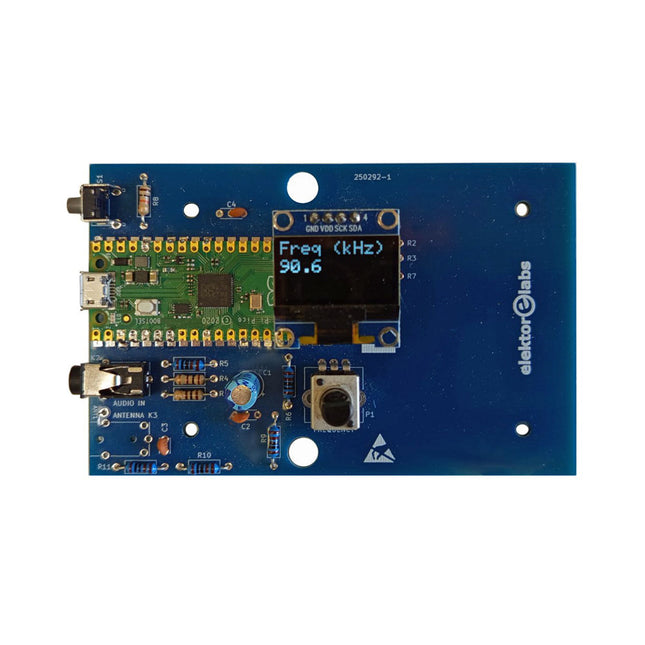
Elektor Labs Elektor AM Transmitter Kit
Build Your Own Vintage Radio Broadcaster The Elektor AM Transmitter Kit allows streaming audio to vintage AM radio receivers. Based on a Raspberry Pi Pico microcontroller module, the AM Transmitter can transmit on 32 frequencies in the AM band, from 500 kHz up to 1.6 MHz in 32 steps of approx. 35 kHz. The frequency is selected with a potentiometer and shown on a 0.96" OLED display. A pushbutton allows toggles the transmitting mode between On and Off. The range of the transmitter depends on the antenna. The onboard antenna provides a range of a few centimeters, requiring the AM Transmitter to be placed close to or inside the radio. An external loop antenna (not included) can be connected to increase the range. The Elektor AM Transmitter Kit comes as a kit of parts that you must solder to the board yourself. Features The board is compatible with a Hammond 1593N enclosure (not included).A 5 VDC power supply with micro-USB connector (e.g., an old phone charger) is needed to power the kit (not included). Current consumption is 100 mA. The Arduino software (requiring Earle Philhower’s RP2040 Boards Package) for the Elektor AM Transmitter Kit plus more information is available at the Elektor Labs page of this project. Component List Resistors R1, R4 = 100 Ω R2, R3, R8 = 10 kΩ R5, R6, R9, R10, R11 = 1 kΩ R7 = optional (not included) P1 = potentiometer 100 kΩ, linear Capacitors C1 = 22 µF 16V C2, C4 = 10 nF C3 = 150 pF Miscellaneous K1 = 4×1 pin socket K2, K3 = 3.5 mm socket Raspberry Pi Pico pushbutton, angle mount 0.96" monochrome I²C OLED display PCB 150292-1
€ 29,95
Best Price
-
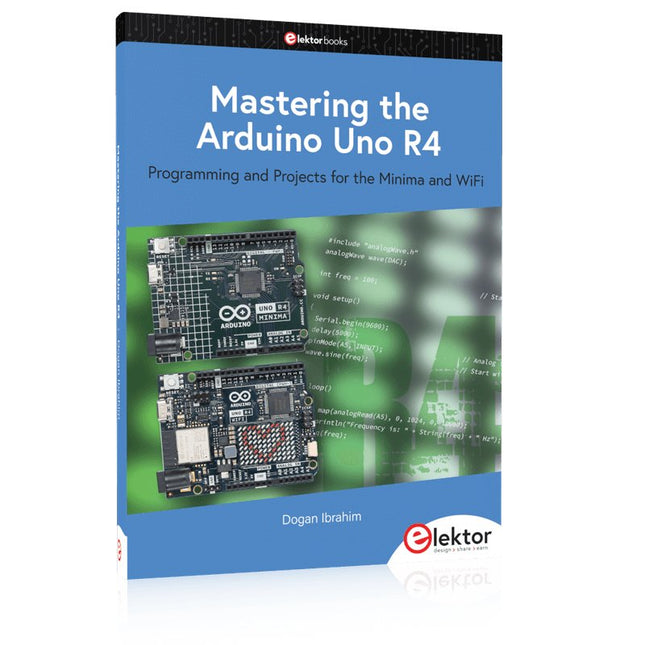
Elektor Publishing Mastering the Arduino Uno R4
Programming and Projects for the Minima and WiFi Based on the low-cost 8-bit ATmega328P processor, the Arduino Uno R3 board is likely to score as the most popular Arduino family member, and this workhorse has been with us for many years. Eleven years later, the long-overdue successor, the Arduino Uno R4, was released. It is built around a 48 MHz, 32-bit Arm Cortex-M4 microcontroller and provides significantly expanded SRAM and Flash memory. Additionally, a higher-precision ADC and a new DAC are added to the design. The Uno R4 board also supports the CAN Bus with an interface. Two versions of the board are available: Uno R4 Minima, and Uno R4 WiFi. This book is about using these new boards to develop many different and interesting projects with just a handful of parts and external modules. All projects described in the book have been fully tested on the Uno R4 Minima or the Uno R4 WiFi board, as appropriate. The project topics include the reading, control, and driving of many components and modules in the kit as well as on the relevant Uno R4 board, including LEDs 7-segment displays (using timer interrupts) LCDs Sensors RFID Reader 4x4 Keypad Real-time clock (RTC) Joystick 8×8 LED matrix Motors DAC (Digital-to-analog converter) LED matrix WiFi connectivity Serial UART CAN bus Infrared controller and receiver Simulators … all in creative and educational ways with the project operation and associated software explained in great detail.
€ 44,95
Members: € 40,46
-
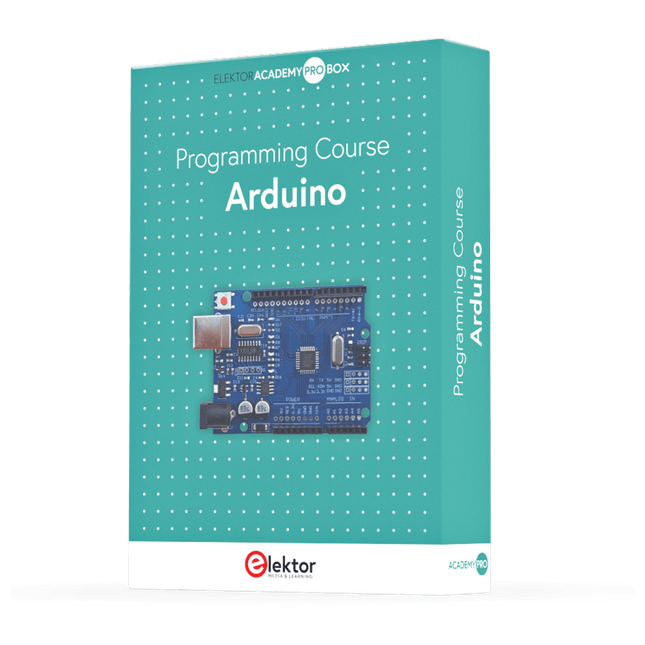
Elektor Academy Pro Arduino (Programming Course)
This complete Arduino Uno-based microcontroller programming course features a textbook, a component kit, hands-on projects, and a comprehensive online course with simulations. It is ideal for step-by-step learning of embedded systems programming with Arduino using a practical, hands-on approach. A Practical Introduction to Embedded Systems with the Arduino Uno This course is designed for people who are new to embedded systems and looking for a structured, example-driven way to get started. A kit of parts comprising LEDs and resistors, switches, sensors and actuators, displays, a breadboard and wires, and more is included. These are used in the course to illustrate example applications. No prior experience with Arduino or embedded development is required. Each section features hands-on examples and mini projects designed to reinforce key concepts and inspire deeper exploration. By the end of the course, you’ll be able not only to reproduce the examples but also to build on them with your own ideas and applications. What Will You Learn? Microcontroller programming with Arduino using the Uno R3 board Working with Digital I/O, read buttons and encoders, control LEDs and relays Read analog inputs, voltages, and analog sensors Generating analog output signals and PWM Use serial communication like UART, I²C and SPI to control displays and read digital sensors and SD cards Managing time Working with interrupts Real-time sensor input and control via buttons, LEDs, and displays Control actuators like relays and servo motors Who Is It For? Students and self-learners exploring embedded systems Makers and IoT enthusiasts looking to improve their hardware skills Educators and trainers seeking ready-to-teach material What's Inside the Box? Access to the full course on the Elektor Academy Pro Learning Platform Uno R3 microcontroller board + USB cable Book: Programming Microcontrollers in C/C++ Using Arduino Downloadable project files for every module Component Box: 2× LED, red, 5 mm LED, green, 5 mm 3× Resistor, 470 Ω, 0.25 W LDR Potentiometer, 10 kΩ, linear Pushbutton Rotary encoder module Relay module DHT22 Humidity & Temperature Sensor TM1637-compatible 4-digit 7-segment display MPU-6050 IMU with headers SSD1306-compatible I²C OLED display Micro SD card adapter with header Buzzer SG90 Micro Servo ILI9341-compatible SPI 240×320 TFT display 20× Jumper wires Breadboard All Programming Courses (and differences in content) Course Arduino Raspberry Pi Pico with Arduino C/C++ ESP32 with Arduino C/C++ Raspberry Pi Pico with MicroPython ESP32 with MicroPython Online Course Access to Arduino Course Access to Pico with Arduino C/C++ Course Access to ESP32 with Arduino C/C++ Course Access to Pico with MicroPython Course Access to ESP32 with MicroPython Course Board Uno R3 Raspberry Pi Pico ESP32 Raspberry Pi Pico ESP32 Book Programming Microcontrollers in C/C++ Using Arduino Programming Microcontrollers in C/C++ Using Arduino Programming Microcontrollers in C/C++ Using Arduino Programming Microcontrollers in MicroPython Programming Microcontrollers in MicroPython Kit 40-piece Component Box 40-piece Component Box 40-piece Component Box 40-piece Component Box 40-piece Component Box
€ 69,95
Members: € 62,96
-
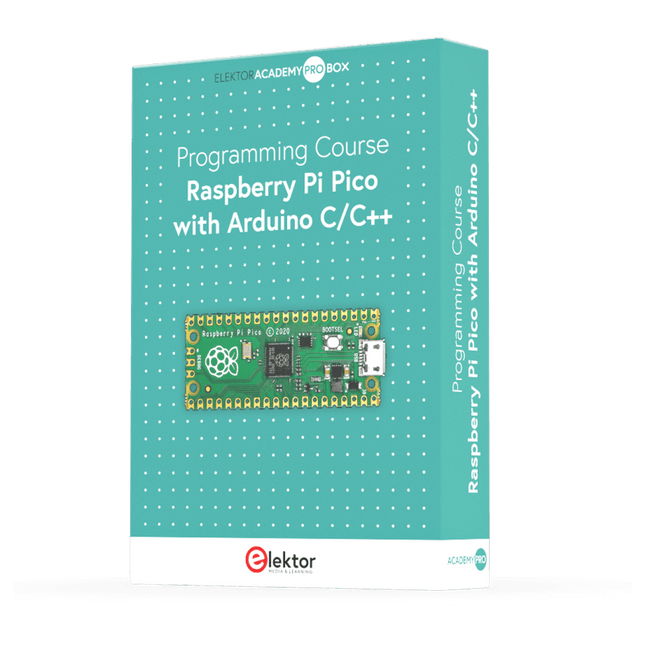
Elektor Academy Pro Raspberry Pi Pico with Arduino C/C++ (Programming Course)
This complete Raspberry Pi Pico microcontroller programming course features a textbook, a component kit, hands-on projects, and a comprehensive online course with simulations. It is ideal for step-by-step learning of embedded systems programming with Arduino using a practical, hands-on approach. A Practical Introduction to Embedded Systems with the Raspberry Pi Pico This course is designed for people who are new to embedded systems and looking for a structured, example-driven way to get started. A kit of parts comprising LEDs and resistors, switches, sensors and actuators, displays, a breadboard and wires, and more is included. These are used in the course to illustrate example applications. No prior experience with Arduino or embedded development is required. Each section features hands-on examples and mini projects designed to reinforce key concepts and inspire deeper exploration. By the end of the course, you’ll be able not only to reproduce the examples but also to build on them with your own ideas and applications. What Will You Learn? Microcontroller programming in C/C++ with the Raspberry Pi Pico using the Arduino IDE Working with Digital I/O, read buttons and encoders, control LEDs and relays Read analog inputs, voltages, and analog sensors Generating analog output signals and PWM Use serial communication like UART, I²C and SPI to control displays and read digital sensors and SD cards Managing time Working with interrupts Real-time sensor input and control via buttons, LEDs, and displays Control actuators like relays and servo motors Who Is It For? Students and self-learners exploring embedded systems Makers and IoT enthusiasts looking to improve their hardware skills Educators and trainers seeking ready-to-teach material What's Inside the Box? Access to the full course on the Elektor Academy Pro Learning Platform Raspberry Pi Pico microcontroller board + USB cable Book: Programming Microcontrollers in C/C++ Using Arduino Downloadable project files for every module Component Box: 2× LED, red, 5 mm LED, green, 5 mm 3× Resistor, 470 Ω, 0.25 W LDR Potentiometer, 10 kΩ, linear Pushbutton Rotary encoder module Relay module DHT22 Humidity & Temperature Sensor TM1637-compatible 4-digit 7-segment display MPU-6050 IMU with headers SSD1306-compatible I²C OLED display Micro SD card adapter with header Buzzer SG90 Micro Servo ILI9341-compatible SPI 240×320 TFT display 20× Jumper wires Breadboard All Programming Courses (and differences in content) Course Arduino Raspberry Pi Pico with Arduino C/C++ ESP32 with Arduino C/C++ Raspberry Pi Pico with MicroPython ESP32 with MicroPython Online Course Access to Arduino Course Access to Pico with Arduino C/C++ Course Access to ESP32 with Arduino C/C++ Course Access to Pico with MicroPython Course Access to ESP32 with MicroPython Course Board Uno R3 Raspberry Pi Pico ESP32 Raspberry Pi Pico ESP32 Book Programming Microcontrollers in C/C++ Using Arduino Programming Microcontrollers in C/C++ Using Arduino Programming Microcontrollers in C/C++ Using Arduino Programming Microcontrollers in MicroPython Programming Microcontrollers in MicroPython Kit 40-piece Component Box 40-piece Component Box 40-piece Component Box 40-piece Component Box 40-piece Component Box
€ 69,95
Members: € 62,96
-
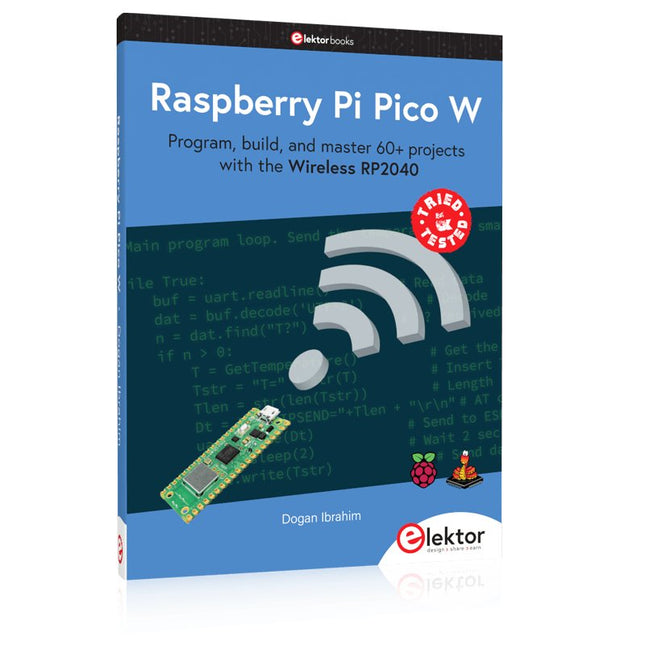
Elektor Publishing Raspberry Pi Pico W (Book)
Program, build, and master 60+ projects with the Wireless RP2040 The Raspberry Pi Pico and Pico W are based on the fast, efficient, and low-cost dual-core ARM Cortex M0+ RP2040 microcontroller chip running at up to 133 MHz and sporting 264 KB of SRAM and 2 MB of Flash memory. Besides spacious memory, the Pico and Pico W offer many GPIO pins, and popular peripheral interface modules like ADC, SPI, I²C, UART, PWM, timing modules, a hardware debug interface, and an internal temperature sensor. The Raspberry Pi Pico W additionally includes an on-board Infineon CYW43439 Bluetooth and Wi-Fi chipset. At the time of writing this book, the Bluetooth firmware was not yet available. Wi-Fi is however fully supported at 2.4 GHz using the 802.11b/g/n protocols. This book is an introduction to using the Raspberry Pi Pico W in conjunction with the MicroPython programming language. The Thonny development environment (IDE) is used in all of the 60+ working and tested projects covering the following topics: Installing the MicroPython on Raspberry Pi Pico using a Raspberry Pi or a PC Timer interrupts and external interrupts Analogue-to-digital converter (ADC) projects Using the internal temperature sensor and external sensor chips Using the internal temperature sensor and external temperature sensor chips Datalogging projects PWM, UART, I²C, and SPI projects Using Bluetooth, WiFi, and apps to communicate with smartphones Digital-to-analogue converter (DAC) projects All projects are tried & tested. They can be implemented on both the Raspberry Pi Pico and Raspberry Pi Pico W, although the Wi-Fi-based subjects will run on the Pico W only. Basic programming and electronics experience are required to follow the projects. Brief descriptions, block diagrams, detailed circuit diagrams, and full MicroPython program listings are given for all projects.
€ 44,95
Best Price
-
Elektor Digital Raspberry Pi Pico W (E-book)
Program, build, and master 60+ projects with the Wireless RP2040 The Raspberry Pi Pico and Pico W are based on the fast, efficient, and low-cost dual-core ARM Cortex M0+ RP2040 microcontroller chip running at up to 133 MHz and sporting 264 KB of SRAM and 2 MB of Flash memory. Besides spacious memory, the Pico and Pico W offer many GPIO pins, and popular peripheral interface modules like ADC, SPI, I²C, UART, PWM, timing modules, a hardware debug interface, and an internal temperature sensor. The Raspberry Pi Pico W additionally includes an on-board Infineon CYW43439 Bluetooth and Wi-Fi chipset. At the time of writing this book, the Bluetooth firmware was not yet available. Wi-Fi is however fully supported at 2.4 GHz using the 802.11b/g/n protocols. This book is an introduction to using the Raspberry Pi Pico W in conjunction with the MicroPython programming language. The Thonny development environment (IDE) is used in all of the 60+ working and tested projects covering the following topics: Installing the MicroPython on Raspberry Pi Pico using a Raspberry Pi or a PC Timer interrupts and external interrupts Analogue-to-digital converter (ADC) projects Using the internal temperature sensor and external sensor chips Using the internal temperature sensor and external temperature sensor chips Datalogging projects PWM, UART, I²C, and SPI projects Using Bluetooth, WiFi, and apps to communicate with smartphones Digital-to-analogue converter (DAC) projects All projects are tried & tested. They can be implemented on both the Raspberry Pi Pico and Raspberry Pi Pico W, although the Wi-Fi-based subjects will run on the Pico W only. Basic programming and electronics experience are required to follow the projects. Brief descriptions, block diagrams, detailed circuit diagrams, and full MicroPython program listings are given for all projects.
€ 34,95
Members: € 31,46
-

Elektor Digital Meten en regelen via Android (E-book)
Hebt u altijd al uw elektronicaproject willen aansturen vanuiteen kleurrijke app op een Android smartphone of tablet? Dat is mogelijk met het in dit boek beschreven Android I/O-board. Met de bijbehorende software-library kunt u in Android Studio eenvoudig zelf een app programmeren die dit mogelijk maakt. Het Android I/O-board (los verkrijgbaar, wordt niet met boek meegeleverd!) bezit 22 pennen die u vanuit een app kunt aansturen als digitale I/O, ADC, PWM, touch-sensing en counter. Het Android I/O-board kan met de Android smartphone communiceren via Bluetooth, WiFi of USB. Het board is ook als datalogger te gebruiken. Kortom, dit is een veelzijdig board dat in ieder project past. Dit boek beschrijft stap voor stap hoe u uw project tot een succes kunt maken. Het boek behandelt gestructureerd de volgende onderwerpen: Een snelle handleiding hoe u uw Android I/O-board up and running krijgt. Een uitleg van alle mogelijkheden van het Android I/Oboard, met uitgebreide voorbeelden bij de verschillende opties. Een stap-voor-stap handleiding hoe u een app kunt programmeren in Android Studio. Een beschrijving van de firmware op het Android I/O-board en hoe u dit zelf met MPLAB-X kunt aanpassen. Voorbeeld-projecten om inspiratie op te doen hoe u uw eigen project kunt aansturen met het Android I/O-board.
€ 34,95
Members: € 31,46
-

Elektor Digital Elektor 09-10/2022 (PDF)
Diese Ausgabe steht allen GOLD- und GREEN-Mitgliedern auf der ElektorMagazine-Website zum Download bereit! Sie sind noch kein Mitglied? Hier klicken! electronica Fast Forward Start- & Scale-Up AwardsDie Vorbereitungen laufen auf Hochtouren! Bluetooth Low Energy mit dem ESP32-C3 und ESP32Es muss nicht immer WLAN sein! Bluetooth-LE-SnifferMit dem makerdiary nRF52840 MDK USB-Dongle Magischer RGB-LED-WürfelHardware-Design rund um einen RP2040 Automatischer Ein/Ausschalter für Lötpastenkompressor Elektor - live und in FarbeLivestreams, Webinare und Kurse für Ingenieure und Maker Fahrrad elektrifizierenE-Bike-Nachrüstkit in der Praxis Aller Anfang ...Muss nicht schwer sein: Multiplikation von Spannungen Aus dem Leben gegriffenNebenbeschäftigungen Teensy 4.0 - warum ist das Board so schnell?Oder: Geschwindigkeit ist keine Hexerei! Simulation von Audio-Leistungsverstärkern mit TINADer „Try-Before-You-Build“-Ansatz LoRaWAN-Knoten im IoTEin Beispiel-Kapitel: Die LoRaWAN-Module Dragino LHT65, LDS01 und LDS02 Projekt 2.0Korrekturen, Updates und Leserbriefe 5G für mich alleinVollständige Kontrolle über 5G-Implementierungen in privaten Mobilfunknetzen Infographics 7-8/2022 Wie lernt mein Gerät funken?Applikationen mit WiFi-Schnittstellen ausrüsten Rheinturmuhr – Wecker de luxe Audio-Spektrum-Analysator mit DekatronsEine neue Art, alte Röhren zu verwenden Senden von Daten an TelegramEin ESP32 und ein paar Bauteile erledigen den Job32 and a Few Parts Fliege-Bandsperre für Audio-MessungenBesseres Messen durch Notch-Filterung CO2-Messgerät auseinandergenommenIst das Gerät hackbar für Ihre Projekte? Spielereien mit PUTsAnaloge Entwürfe mit dem Programmierbaren Unijunction-Transistor Ein runder Touchscreen für den Raspberry PiHyperPixel 2.1 Round von Pimoroni Fernwirken und die Erkennung von Verbindungsverlustenmit Hilfe von nRF24L01+ Modulen Digitaler UKW-EmpfängerMit Arduino Nano und TEA5767 OLED-Display - aus SPI mach I²C Zutritt für Unbefugte verboten!Ein Hobby geht nicht in Rente! Ein Jahrzehnt der Ethik in der ElektronikTessel Renzenbrink sinniert über die digitale Gesellschaft HexadokuSudoku für Elektroniker
€ 11,90
-

Elektor Digital Elektor Mars/Avril 2022 (PDF)
Construisez votre contrôleur RISC-VDébuter sur le noyau logiciel RISC-V NEORV32 pour FPGA à faible coût Tracer des graphiques avec ArduinoC?est facile avec le traceur sériel d'Arduino Carte CLUE d'AdafruitUne solution intelligente pour les projets IoT Carte tampon pour le Raspberry Pi 400Protection des entrées/sorties Cartes Raspberry Pi RP2040 à gogo Approche DIY de la sécurité et de l'espionnage électroniqueChauffez ou refroidissez la SRAM Identification des composantsTrucs et astuces, bonnes pratiques et autres informations utiles Interrupteur sans contact DIY Démarrer en électronique? (12)Adaptation d?impédance et transformateurs Quoi de neuf dans le développement de l'embarqué ?Rust et mises à jour des déploiements IoT Infographie Les bénéfices de la 5G pour l?industrie et l?automobile Relais à bobine mobile Visite à domicileChacun son tour Voyage dans les réseaux neuronaux (4e partie)Les neurones embarqués Lévitation magnétique : encore plus simpleTroisième version : la plus compacte Programmation d'automates avec le Raspberry Pi et le projet OpenPLCVisualisation des programmes PLC avec AdvancedHMI Sur le vifEmballé, c?est pesé Sous votre radarDes microcontrôleurs que vous devriez connaître Surveillance et débogage sans filUne solution pour Arduino, ESP32 et Cie Station de mesure de température et d'humidité, au format de pocheUtilisation de modules prêts à l'emploi Réparation des batteries au lithiumÉconomisez de l'argent et augmentez la puissance ! Création d?interfaces graphiques en PythonGénérateur de mèmes Trois questions fondamentalesPourquoi, avec quoi, avec qui ? Hexadoku
€ 10,95
-
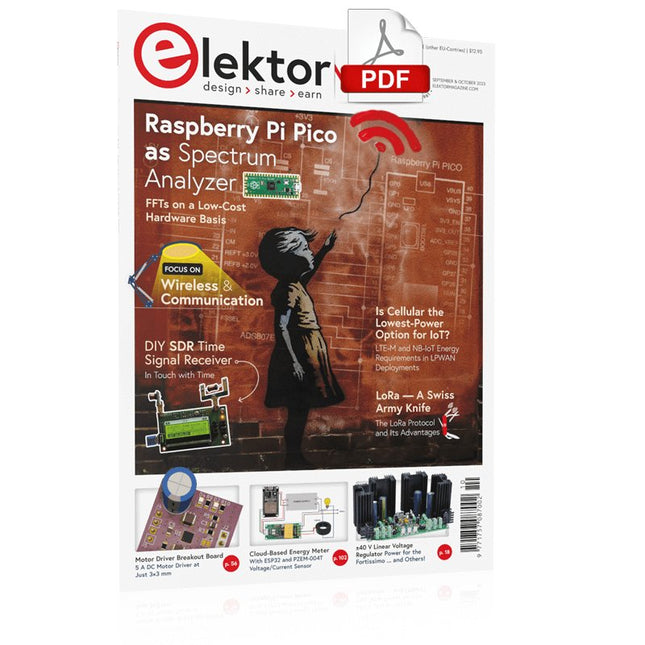
Elektor Digital Elektor September/October 2023 (PDF)
Elektor GREEN and GOLD members can download their digital edition here. Not a member yet? Click here. Raspberry Pi Pico as Spectrum AnalyzerFFTs on a Low-Cost Hardware Basis ±40-V Linear Voltage RegulatorAn Alternative Power Supply for the Fortissimo-100 Power Amplifier… and Others! MCU Wireless Communication Made FlexibleEEPROM Opens Networking Prospects for Wireless MCUs €5,000 up for grabs!Join the STM32 Wireless Innovation Design Contest 2023: An AI OdysseyGetting Started with ChatGPT’s Code Interpreter LoRa, a Swiss Army Knife (1)The LoRa Protocol and Its Advantages Adjustable Current Sink with Integrated Clock GeneratorTest Power Supplies, Voltage Converters and Batteries Two New Arduino UNO R4 Boards: Minima and WiFi Logarithmic PotentiometersThey’re Exponential! Motor Driver Breakout BoardA BoB for a 5 A DC Motor Driver with a 3×3 mm Size From Life’s ExperienceHazardous Electronics Is Cellular the Lowest-Power Option for IoT?LTE-M and NB-IoT Energy Requirements in LPWAN Deployments Wireless Communication in IoT Systems – Using Arduino MKR ModulesThe Right Board for Wi-Fi, LoRa, and Many More Standards AC Losses in Magnetic ComponentsAvoid Hot Inductors! Measurement for Optimal Cloud Deployment Matter Adoption: What does it take to deploy Matter devices? YARD Stick OneA Sub-1 GHz Wireless Test Tool Latching RelaysPeculiar Parts, the Series PIC O’Clock – In Touch with TimeDesigning an SDR Time Signal Receiver Due Diligence DirectiveBusiness as Usual Will Not Do Starting Out in Electronics……Voltage Amplification Infrasound Recorder with the Arduino Pro MiniA Sample Project from Elektor’s “Arduino & Co.” Book Cloud-Based Energy MeterWith ESP32 Module and PZEM-004T Voltage/Current Sensor A Bare-Metal Programming Guide (Part 2)Accurate Timing, the UART, and Debugging Hexadoku
€ 7,50


