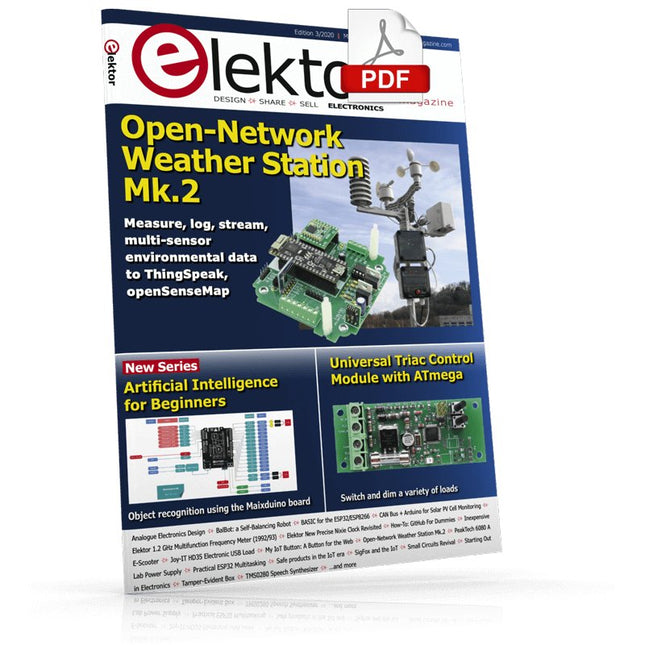
Elektor GREEN en GOLD leden kunnen deze uitgave hier downloaden.
Nog geen lid? Klik hier om een lidmaatschap af te sluiten.
De open-source processorarchitectuur RISC-V16 boards en MCU's die je moet kennen
Een FPGA-gebaseerde audiospeler met equalizer (1)Digitaal audio mixen met een Arduino MKR Vidor 4000
Laserkop voor pico-gebaseerde zandklokTekenen met licht
Doe mee aan de STM32 Edge AI Contest
Een multi-sensor plantenmonitor-systeemdraadloze meting van watertoevoer en lichtomstandigheden
Maixduino AI-gestuurde automatische portiergezichtsdetectie met een camera
Embedded Electronics 2024AI gaat de industrie opnieuw vormgeven
Lading-gebaseerde in-Memory computing bij EnCharge AI
AI-Inferentie met 10 Keer Lager Energieverbruik en 20 Keer Lagere Kosten
Click board ondersteunt het ontwikkelen en trainen van ML-modellen voor trillingsanalyse
De Elektor Mini-WheelieEen kit voor een zelfbalancerende robot
MCU, ik zie jeMCUViewer: open-source multiplatform debugging-tool
USB 2.0-isolatorelektrisch geïsoleerde USB-aansluiting
Voorkomen is betervoorspellend onderhoud in de praktijk
SPoE – Elektromagnetische compatibiliteitSingle pair met Power-over-Ethernet door de ogen van EMC
Retro techEen nieuwe wereld met kleurentelevisie
ECG-monitorimplementatie met Hexabitz-modules en een STM32CubeMonitor
De strijd om AI aan de edge
Met HaLow Wi-Fi is een record afstand bereikt van 16 km op 900 MHz
Eerste CHERI RISC-V Embedded Chip en Early Access programma
Derde generatie bosbranddetectie maakt gebruik van satellietverbindingen
Uit het leven gegrepenkeuzestress
Alle begin......filtert verder en regelt tonen
Quasi-analoog uurwerkwedergeboorte van een Elektor-klassieker
Een modulaire sensortesterSensor-evaluatieboard met ESP32-S3
2025: Een AI-OdysseeDe opkomst van foundation modellen en hun rol in het democratiseren van AI
Raspberry Pi standalone MIDI-synthesizer (1)voorbereiding van een platform voor enkele edge-AI-experimenten
Err-lectronicsCorrecties, updates en brieven van lezers
Universele AI RISC-V processor doet ze allemaal - CPU, GPU, DSP, FPGA
Interview met de CEO: Ventiva's dunne en coole technologie
Dual-core programmeren met een Raspberry Pi Picoduik in de wereld van parallel programmeren
Open-Network Weather Station Mk.2Part 1: Introduction and hardware elements
Artificial Intelligence for Beginners (1)Object recognition using the Maixduino board
Universal Triac Control Module with ATmegaSwitch and dim a variety of loads
GitHub For DummiesHow to download something from GitHub
My IoT Button: A Button for the WebPart 2: Prototyping with board and cloud
TMS0280 Speech SynthesizerPeculiar Parts, the series
InteractiveCorrections & Updates || Questions & Answers
BASIC for the ESP32/ESP8266 (2)An hourglass with the ESP8266 and Annex WiFi RDS
Developer's ZoneTips & Tricks, Best Practices and Other Useful Information
BalBot: a Self-Balancing RobotModern acceleration sensors ease the construction process
Starting Out in Electronics (3)Easier than imagined!
Small Circuits RevivalCapita Selecta from the Elektor Project Suggestions Box
Tamper-Evident BoxSend data securely through postal services
Elektor New Precise Nixie Clock RevisitedAn engineering bulletin for enthusiastic users new and old
Practical ESP32 Multitasking (3)Software timers
SigFox and the IoT (4)Setting up a dashboard
Start-Up Update: The Elektor Investment Program
Review: Joy-IT HD35 Electronic USB LoadTest & verify USB power performance
CAN Bus + Arduino for Solar PV Cell MonitoringDetect and locate serviceable panels in large arrays
Analogue Electronics Design (3)Case Study #1 — Section 3: Preamplifier response optimization and trade-offs
Inexpensive E-ScooterHow does Lidl's "road approved" 300 euro E-scooter perform?
Steeped in ElectronicsLead-free soldering and EU regulatory zeal
Lab, Sweet LabA glimpse of The Holy Place — no unauthorized entry.
Review: The PeakTech 6080 A Lab Power SupplyA neat lab PSU for not much money
A Big ChallengeSafe products in the IoT era
Elektor 1.2 GHz Multifunction Frequency Meter (1992/93)Crossing the magic 1 GHz border
Hexadoku
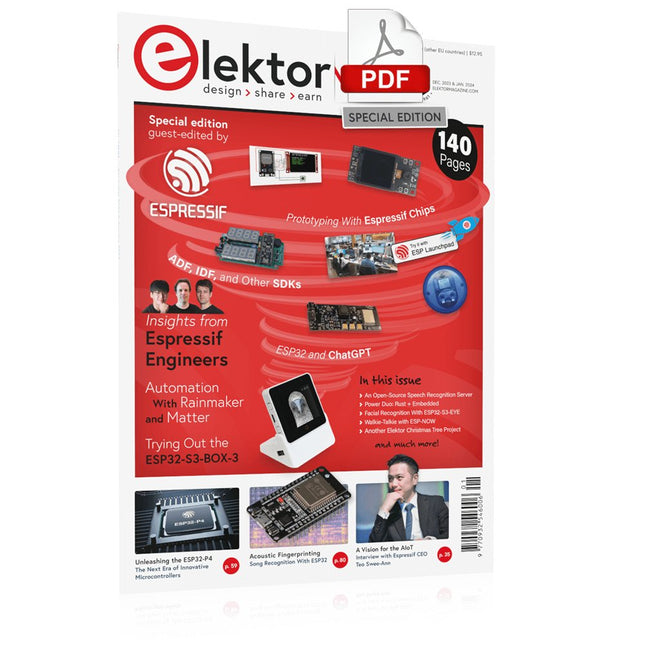
Elektor GREEN and GOLD members can download their digital edition here.
Not a member yet? Click here.
Accelerating IoT Innovation
A Color E-Ink Wi-Fi Picture Frame
ESP-Launchpad TutorialFrom Zero to Flashing in Minutes
ESP32 and ChatGPTOn the Way to a Self-Programming System…
Walkie-Talkie with ESP-NOWNot Quite Wi-Fi, Not Quite Bluetooth!
From Idea to Circuit with the ESP32-S3A Guide to Prototyping with Espressif Chips
AIoT Chip InnovationAn Interview With Espressif CEO Teo Swee-Ann
Simulate ESP32 with WokwiYour Project’s Virtual Twin
Trying Out the ESP32-S3-BOX-3A Comprehensive AIoT Development Platform
Electronics Workspace EssentialsInsights and Tips From Espressif Engineers
The ESP RainMaker StoryHow We Built “Your” IoT Cloud
Assembling the Elektor Cloc 2.0 KitAn Elektor Product Unboxed by Espressif
Unleashing the ESP32-P4The Next Era of Microcontrollers
Rust + EmbeddedA Development Power Duo
Who Are the Rust-Dacious Embedded Developers?How Espressif is Cultivating Embedded Rust for the ESP32
Espressif’s Series of SoCs
Building a PLC with Espressif SolutionsWith the Capabilities and Functionality of the ISOBUS Protocol
The ESP32-S3 VGA BoardBitluni’s Exciting Journey Into Product Design
Acoustic Fingerprinting on ESP32Song Recognition With Open-Source Project Olaf
Circular Christmas Tree 2023A High-Tech Way to Celebrate the Holiday Season
A Simpler and More Convenient LifeAn Amateur Project Based on the Espressif ESP8266 Module
How to Build IoT Apps without Software ExpertiseWith Blynk IoT Platform and Espressif Hardware
Building a Smart User Interface on ESP32
Quick & Easy IoT Development with M5Stack
Prototyping an ESP32-Based Energy Meter
A Value-Added Distributor for IoT and More
In-Depth Insights: Interview With Arduino on the Nano ESP32Alessandro Ranellucci and Martino Facchin Discuss Espressif Collaboration
Your AIoT Solution ProviderInsights From Espressif
Streamlining MCU Development With ESP-IDF Privilege Separation
An Open-Source Speech Recognition Server……and the ESP BOX
The Thinking EyeFacial Recognition and More Using the ESP32-S3-EYE
ESP32-C2-Based Coin Cell SwitchDesign and Performance Evaluation
The Smart Home Leaps Forward with MatterUnlocking Smart Home IoT Potential
Tech the Future: Where Is Smart Home IoT Headed?
The SQ series of handsfree PCBite probes from Sensepeek are insulated, come with included color-coded cable holders and have a lower point of gravity making them even more stable compared with the original SP series of probes. All the loved features of handsfree measurement, exchangeable fine pitch spring tipped test needle and the minimalistic design is maintained to make traditional sized and handheld probes obsolete.
Features
All handsfree probes from Sensepeek makes instant measurements or long triggering sessions a breeze.
No more soldering wires to connect your probe or complicated tools to setup, just positioning the probe needle on any test point or component in the signal path and release.
Saves time and frustration during development, verification and repairs.
The minimalist design and the spring-loaded test needle makes it possible to simultaneously measure on fine pitch components and nearby signals.
Both length and weight of the SQ probes are perfectly balanced to be used with PCBite PCB holders and base plate which is a must for handsfree function.
The probe holder comes with a powerful magnet in the base, as for all PCBite probes and holders which makes the probe easy to place and reposition.
The SQ series of probes can be used handheld without the probe holder as they have an insulated grip but their full potential is used when measuring handsfree.
Included
4x PCBite PCB holders
2x SQ10 probes and pin tipped test needles (red/black)
2x Banana to dupont test wires (red/black)
1x Large Base plate (A4)
1x Insulation cover for the base plate (A4)
1x Set of yellow insulation washers for the PCB holders
1x Set of cable holders (red/black)
2x Extra test needles
1x Micro fiber cloth
Downloads
User Guide (PCBite Kit)
User Guide (SQ10)
Inhalt
Theorie & Anwendung
Es werde Licht – Physikalische Grundlagen zu Licht und Beleuchtung
Illuminati – Beleuchtungstechnik: Grundlagen und Anwendungen
Steuerzentrale – LED-Leistungseinheit und -Steuerung auf einem Chip
LED-Beamer-Technologie – Funktionsweise und Anwendungen
Hitzeschild – Kaltleiter als Strombegrenzer für LEDs
Strahler 09 – Ansteuerelektronik und Wärmemanagement für Leuchtmittel auf LED-Basis
LEDs für eine neue Ära in der Lichttechnik – Die Leuchtdiode und ihre Möglichkeiten aus Sicht eines Herstellers
Ökobilanz von LED-Lampen – Ergebnisse einer Gesamtlebenszyklusanalyse für LED-Lampen
Lichtpumpe – Spannungswandler mit Konstantstromausgang für 0,5-W- und 1-W-Power-LEDs
LED the sun shine – LED-Licht fürs Automobil
Licht im Tunnel – Die XLamp LED-Serie von Cree
Selbstbauprojekte
Ambilight mit Bluetooth – Ein modulares RGB-Power-LED-System mit PC-Schnittstelle
Universelle LED-Lampe – Mit programmierbarem Farbwechsel
LED-Tester – Lichtstärke prüfen und vergleichen
Künstlerischer LED-Dimmer – Farbmischung stufenlos einstellen
Computerisierter LED-Weihnachtsbaum
LED-Würfel – Mogeln unmöglich!
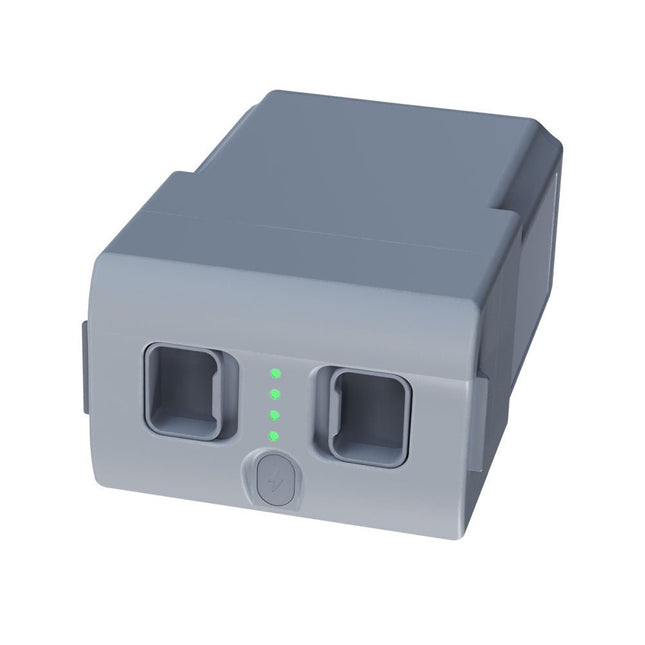
With a capacity of 15,000 mAh, the Unitree Go2 battery provides a robust power source that enables your robot to complete tasks with ease. Whether for complex exploration, research projects, or fun excursions, this powerful battery delivers the energy your robot needs.
The runtime of the Unitree Go2 battery varies depending on the application and usage. Based on the functions and activities employed, the battery can offer between 2 to 4 hours of operation. This flexibility allows you to customize the robot as needed, enabling longer exploration missions or more extensive projects.
The Unitree Go2 battery is a reliable companion for your robotics adventures. With its impressive capacity and adaptable runtime, it ensures your robot performs powerfully and with endurance, without frequent recharging.
Whether you need the Unitree Go2 battery as a replacement or an upgrade for your robot, this powerful energy storage solution provides the perfect balance of performance and reliability.
Specifications
Rated voltage: DC 28.8 V
Limited charging voltage: DC 33.6 V
Charging current: 9 A
Rated capacity: 15,000 mAh, 432 Wh
Standard: IS 16046 (Part 2) / IEC 62133-2
Self-developed battery management system (BMS)
Dimensions: 120 x 80 x 182 mm
Functions:
Power indicator
Self-discharge protection of battery storage
Equilibrium charge protection
Overcharge protection
Discharge protection
Short circuit protection
Battery charge detection protection
This book is intended as a highly-practical guide for Hobbyists, Engineers and Scientists wishing to build measurement and control systems to be controlled by a local or remote Personal Computer running the Linux operating system. Both hardware and software aspects of designing typical embedded systems are covered in detail with schematics, code listings and full descriptions. Numerous examples have been designed to show clearly how straightforward it can be to create the interfaces between digital and analog electronics, with programming techniques for creating control software for both local and remote systems. Hardware developers will appreciate the variety of circuits, including a novel, low cost modulated wireless link and will discover how using Matlab® overcomes the need for specialist programming skills.
Software developers will appreciate how a better understanding of circuits plus the freedom offered by Linux to directly control at the register level enables them to optimize related programs. There is no need to buy special equipment or expensive software tools in order to create embedded projects covered in this book. You can build such quality systems quickly using popular low-cost electronic components and free distributed or low-cost software tools. Some knowledge of basic electronics plus the very basics of C programming only is required.
Many projects in this book are developed using Matlab® being a very popular worldwide computational tool for research in engineering and science. The book provides a detailed description of how to combine the power of Matlab® with practical electronics.
With an emphasis on learning by doing, readers are encouraged by examples to program with ease; the book provides clear guidelines as to the appropriate programming techniques “on the fly”. Complete and well-documented source code is provided for all projects.
If you want to learn how to quickly build Linux-based applications able to collect, process and display data on a PC from various analog and digital sensors, how to control circuitry attached to a computer, then even how to pass data via a network or control your embedded system wirelessly and more – then this is the book for you!
Features of this Book
Use the power, flexibility and control offered only by a Linux operating system on a PC.
Use a free, distributed downloadable GNU C compiler Use (optional) a low-cost Student Version of Matlab®.
Use low-cost electronic sub-assemblies for projects.
Improve your skills in electronics, programming, networking and wireless design.
A full chapter is dedicated to controlling your sound card for audio input and output purposes.
Program sound using OSS and ALSA.
Learn how to combine electronic circuits, software, networks and wireless technologies in the complete embedded system.
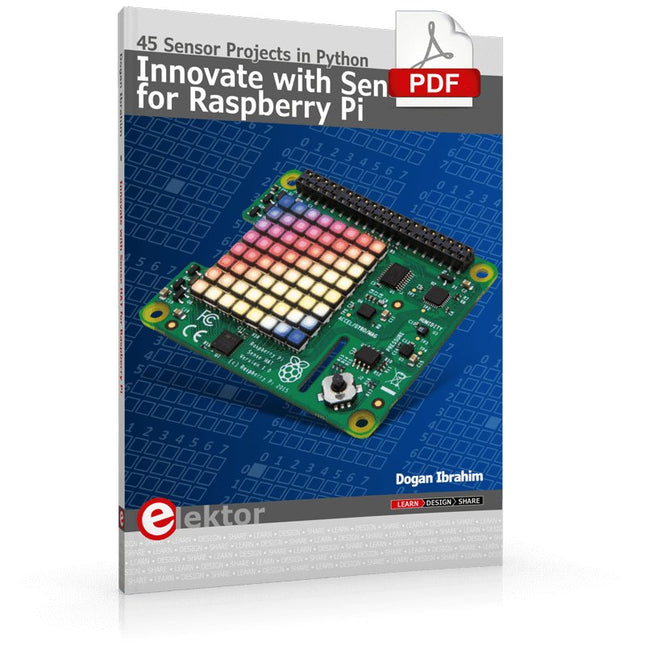
Ready to explore the world around you? By attaching the Sense HAT to your Raspberry Pi, you can quickly and easily develop a variety of creative applications, useful experiments, and exciting games.
The Sense HAT contains several helpful environmental sensors: temperature, humidity, pressure, accelerometer, magnetometer, and gyroscope. Additionally, an 8x8 LED matrix is provided with RGB LEDs, which can be used to display multi-color scrolling or fixed information, such as the sensor data. Use the small onboard joystick for games or applications that require user input. In Innovate with Sense HAT for Raspberry Pi, Dr. Dogan Ibrahim explains how to use the Sense HAT in Raspberry Pi Zero W-based projects. Using simple terms, he details how to incorporate the Sense HAT board in interesting visual and sensor-based projects. You can complete all the projects with other Raspberry Pi models without any modifications.
Exploring with Sense HAT for Raspberry Pi includes projects featuring external hardware components in addition to the Sense HAT board. You will learn to connect the Sense HAT board to the Raspberry Pi using jumper wires so that some of the GPIO ports are free to be interfaced to external components, such as to buzzers, relays, LEDs, LCDs, motors, and other sensors.
The book includes full program listings and detailed project descriptions. Complete circuit diagrams of the projects using external components are given where necessary. All the projects were developed using the latest version of the Python 3 programming language. You can easily download projects from the book’s web page. Let’s start exploring with Sense HAT.
The OWON SPS6051 Fanless Programmable DC Power Supply (150 W) delivers ultra-quiet, high-precision performance with 10 mV/1 mA accuracy and advanced heat dissipation for long-term reliability. Featuring comprehensive protection, a USB interface with SCPI support for remote control, and a 2.8-inch TFT LCD screen, it is the perfect choice for laboratories, electronics testing, and research.
Features
Fanless design: Ultra-quiet operation, reducing vibration noise and minimizing the potential failure risks associated with traditional cooling fans.
Excellent heat dissipation design: Ensures a controlled temperature rise, allowing long-term operation under full load conditions and extending internal component longevity.
Lightweight and ultra-thin design.
Output accuracy up to 10 mV/1 mA.
Supports List waveform editing and output, with four memory shortcut parameters for quick and convenient access.
Integrated protection features include overvoltage, overcurrent, overtemperature, and input undervoltage protection for enhanced safety.
Built-in discharge circuit prevents residual high voltage risks when the power is turned off.
USB communication interface with SCPI protocol support, enabling PC programming and remote control for simplified user management.
2.8-inch TFT LCD screen
Specifications
Model
SPS6051
SPS3081
Rated Output (0°C-40°C)
Voltage
0-61 V
0-31 V
Current
0-5.1 A
0-8.1 A
Power
150 W
120 W
Load Regulation
Voltage
≤30 mV
Current
≤20 mA
Power Regulation
Voltage
≤30 mV
Current
≤20 mA
Setting Resolution
Voltage
10 mV
Current
1 mA
Readback Resolution
Voltage
10 mV
Current
1 mA
Seting Accuracy (25°C ±5°C)
Voltage
≤0.05% ±20 mV
≤0.1% ±20 mV
Current
≤0.05% ±20 mA
≤0.2% ±20 mA
Readback Accuracy (25°C ±5°C)
Current
≤0.05% ±20 mV
≤0.1% ±20 mV
Voltage
≤0.05% ±20 mV
≤0.2% ±20 mA
Ripple/Noise
Voltage
≤30 mVp-p
≤30 mVp-p
Voltage
≤4 mVrms
≤5 mVrms
Current
≤10 mAp-p
≤30 mAp-p
Output temperature coefficient (0°C-40°C)
Voltage
100 ppm/°C
Current
200 ppm/°C
Readback temperature coefficient
Voltage
100 ppm/°C
Current
200 ppm/°C
Response Time (50-100% rated load)
≤1.0 ms
Storage
4 groups of data
Working Temperature
0-40°C
Display
2.8-inch color LCD display
Interface
USB
Dimensions (W x H x D)
82 x 142 x 226 mm
Weight
1.8 kg
Included
1x OWON SPS6051 Power Supply
2x Test leads
1x Power cord
1x Manual
Downloads
Datasheet
User Manual
Programming Manual
PC Software
USB-S/PDIF-INTERFACEdigitale audio-uitgang voor computer, laptop, tablet of smartphone
MULTITASKING MET DE ESP32 (4)binaire semaforen
TIMER VOOR HOOFDTELEFOONVERSTERKER
DRAADLOZE TEMPERATUURSENSOR VOOR NIXIE BARGRAPH THERMOMETERmultifunctionele oplossing met ontwerptruc
MULTITASKING MET DE RASPBERRY PIvoorbeeld: controller voor verkeerslichten
OPEN-NETWERK WEERSTATION MK2deel 2: software
DOMOTICA HELEMAAL NIET MOEILIJKmet ESPHome, Home Assistant & MySensors
DE GEHEUGEN-BEELDBUISvreemde onderdelen
AI VOOR BEGINNERS (3)een eigen neuraal netwerk
PIC’S PROGRAMMEREN: VAN DE GROND AFeen sinus in assembler
IKEA-HACKeen goedkope IKEA-lamp ‘tunen’ met NeoPixel-LED’s en WLAN
LAAT JE HOBBYPROJECT NIET IN EEN HOEKJE VERSTOFFENaanbodzijde-tijdmanagement en spiraalontwikkeling
ALLE BEGIN......hoeft niet zo moeilijk te zijn
OOST WEST LAB BESTeen blik in het allerheiligste, waar interessante projecten worden geboren
DE 8-BIT MICROCONTROLLER – EN DAARNAvraaggesprek met Tam Hanna
WIE HET KLEINE NIET EERTuit de ideeënbus van Elektor
REVIEW: OWON OW18E BLUETOOTH-MULTIMETER
INTERACTIEFcorrecties & updates || vragen & antwoorden
UIT HET LEVEN GEGREPENloodvrij solderen en Europese regelneverij
VEELBELOVEND PROJECT: NIEUWE LCR-METER 50 HZ...2 MHZprecisie en gebruiksgemak
ERROR ANALYSIStips en trucs: FMEA, grote stromen en meer
DEVELOPER’S ZONEtips & trucs, vakkunstigheden en andere nuttige informatie
REVIEW: SIGLENT SDL1020X-E ELEKTRONISCHE BELASTING
HOOGSPANNINGSVOEDING MET KARAKTERISTIEKENSCHRIJVERspanningen tot 400 V instellen en karakteristieken van buizen en transistoren meten
HEXADOKU SEPTEMBER/OKTOBER 2020
ANALOGE ELEKTRONICA ONTWERPENcase-study #2 – deel 1: theorie van analoge filters
SCHEMA’S TEKENEN
STmicroelectronics’ wireless IoT & wearable sensor development kit
‘SensorTile.box’ is a portable multi-sensor circuit board housed in a plastic box and developed by STMicroelectronics. It is equipped with a high-performance 32-bit ARM Cortex-M4 processor with DSP and FPU, and various sensor modules, such as accelerometer, gyroscope, temperature sensor, humidity sensor, atmospheric pressure sensor, microphone, and so on. SensorTile.box is ready to use with wireless IoT and Bluetooth connectivity that can easily be used with an iOS or Android compatible smartphone, regardless of the level of expertise of the users. SensorTile.box is shipped with a long-life battery and all the user has to do is connect the battery to the circuit to start using the box.
The SensorTile.box can be operated in three modes: Basic mode, Expert mode, and Pro mode. Basic mode is the easiest way of using the box since it is pre-loaded with demo apps and all the user has to do is choose the required apps and display or plot the measured data on a smartphone using an app called STE BLE Sensor. In Expert mode users can develop simple apps using a graphical wizard provided with the STE BLE Sensor. Pro mode is the most complex mode allowing users to develop programs and upload them to the SensorTile.box.
This book is an introduction to the SensorTile.box and includes the following:
Brief specifications of the SensorTile.box; description of how to install the STE BLE Sensor app on an iOS or Android compatible smartphone required to communicate with the box.
Operation of the SensorTile.box in Basic mode is described in detail by going through all of the pre-loaded demo apps, explaining how to run these apps through a smartphone.
An introduction to the Expert mode with many example apps developed and explained in detail enabling users to develop their own apps in this mode. Again, the STE BLE Sensor app is used on the smartphone to communicate with the SensorTile.box and to run the developed apps.
The book then describes in detail how to upload the sensor data to the cloud. This is an important topic since it allows the sensor measurements to be accessed from anywhere with an Internet connection, at any time.
Finally, Pro mode is described in detail where more experienced people can use the SensorTile.box to develop, debug, and test their own apps using the STM32 open development environment (STM32 ODE). The Chapter explains how to upload the developed firmware to the SensorTile.box using several methods. Additionally, the installation and use of the Unicleo-GUI package is described with reference to the SensorTile.box. This PC software package enables all of the SensorTile.box sensor measurements to be displayed or plotted in real time on the PC.
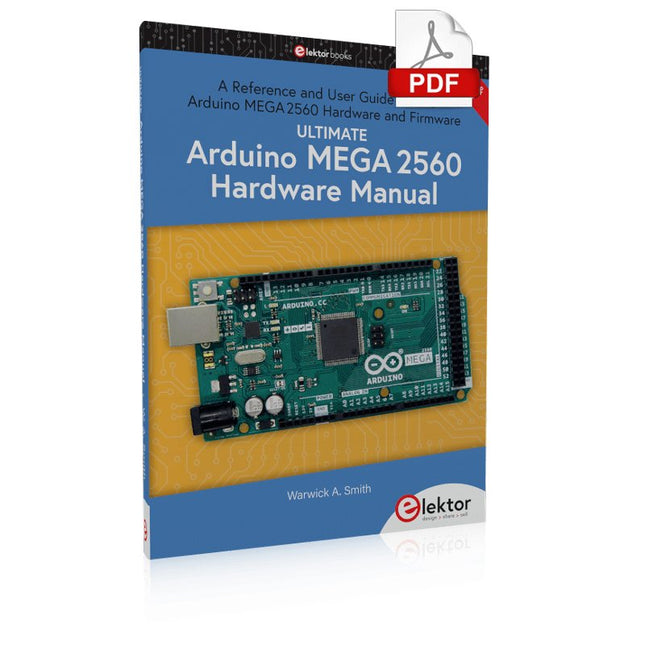
A Reference and User Guide for the Arduino Mega 2560 Hardware and Firmware
A manual providing up-to-date hardware information for the Arduino Mega 2560.
The Arduino Mega 2560 is an upgrade to the popular Arduino Uno board, providing more pins, serial ports and memory. Arduino is the easy to use open-source electronics platform used by hobbyists, makers, hackers, experimenters, educators and professionals.
Get all the information that you need on the hardware and firmware found on Arduino Mega 2560 boards in this handy reference and user guide. Ideal for the workbench or desktop. This manual covers the Arduino Mega 2560 hardware and firmware, and is a companion volume to the Ultimate Arduino Uno Hardware Manual, which covers the Arduino Uno hardware and firmware.
Contains all of the Arduino Mega 2560 hardware information in one place
Covers Arduino / Genuino Mega 2560 revision 3 and earlier boards
Easily find hardware technical specifications with explanations
Pin reference chapter with interfacing examples
Diagrams and illustrations for easy reference to pin functions and hardware connections
Learn to back up and restore firmware on the board, or load new firmware
Basic fault finding and repair procedures for Arduino Mega 2560 boards
Power supply circuits simplified and explained
Mechanical dimensions split into five easy to reference diagrams
Contains circuit diagrams, parts list and board layout to easily locate components
A chapter on shield compatibility explains how shields work across different Arduino boards