AI in Practice
Dive into the fascinating world of robotics and automation!
This Elektor Special shows you how to build your own robots with creativity, a little know-how, and affordable technology. From your first DIY project with Arduino or Raspberry Pi to intelligent systems with AI – this issue makes modern robotics understandable and accessible.
Discover practical instructions, inspiring projects, and exciting insights into the maker scene. Learn how experimentation, community, and openness give rise to true innovation – and why robotics is so much more than just a technical hobby.
Contents
Imagination turns into reality
Arduino-controlled Drawing Robot
GalaxyRVR Mars Rover Kit for Arduino
YDLIDAR X4Pro Lidar
xHuskyLens AI Camera
DOF Robot Arm with Raspberry Pi Pico
Manufacturing Robots with Fischertechnik
Pneumatic Industrial Robot
Why Do We Keep Building Robot Dogs?
Elektor Mini-Wheelie
Robot Vehicles and Autonomous Driving
De Formula Flowcode Robot is een combinatie van analoge en digitale elektronica. De robot zit boordevol sensoren en actuatoren, en is grafisch programmeerbaar met Flowcode-software. Hierdoor vormt het een leuk en motiverend platform om kennis te maken met moderne elektronica en technologie.
Via de robot en deze handleiding kun je op uitdagende manier kennis maken met basiselektronica. Onderwerpen die aan bod komen zijn analoog en digitaal, logische poorten, diode, LCD, microcontrollers, frequentie, sensoren, actuatoren, infrarood, meet- en regeltechniek, servomotoren, gelijkrichting, programmeren en nog veel meer.
Ein Blick in die einschlägigen Internetforen zeigt, dass das Programmieren immer noch in der Gruppe der beliebten Hobbys rangiert. Wo dem Hobbyprogrammierer früher eine Reihe bekannter und populärer Programmiersprachen zur Verfügung standen, ist es heute relativ übersichtlich geworden: Außer C++, Java und Visual Basic gibt es wenig bekannte und beliebte Programmiersprachen. Was fehlt, ist eine Programmiersprache, die für Laien fast so einfach zu handhaben ist wie die alten BASIC-Versionen, deren Leistung und Features dennoch an die Möglichkeiten und die Power moderner Windows-Rechner angepasst sind. Diese Programmiersprache existiert und heißt Processing.
Das vorliegende Buch führt den Leser in diese visuelle Programmiersprache ein. Das Buch richtet sich an Leser, die bereits allgemeine Erfahrungen im Umgang mit Programmiersprachen besitzen und wissen, worum es sich bei Strings, Arrays oder Schleifen handelt. Der Autor zeigt anhand vieler kurzer Programmbeispiele, wie einfach es ist, mit Processing auch leistungsfähige Software zu programmieren und sich dabei auf eine nur geringe Anzahl von Befehlen, Anweisungen und Funktionen zu beschränken.
Die in diesem Buch vorgestellten Programme sind zum Teil Hardware-orientiert, wobei auch die Erfassung von Daten und die Steuerung von Hardware mittels des bekannten Mikrocontrollers Arduino einer Rolle spielt. Kurz und gut: Ein Buch für alle, die eine schnell und einfach zu programmierende Software mit elektronischer Hardware kombinieren und das Ganze über maßgeschneiderte Benutzeroberflächen steuern möchten.
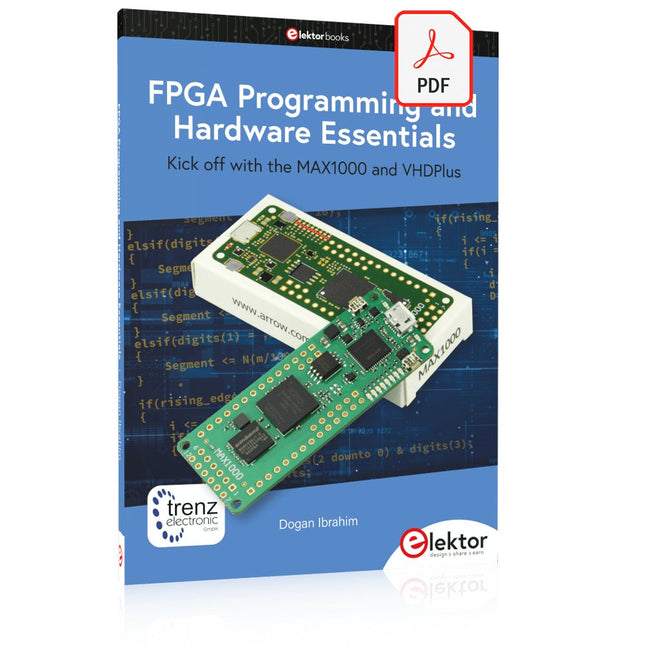
Kick off with the MAX1000 and VHDPlus
Ready to Master FPGA Programming? In this guide, we’re diving into the world of Field Programmable Gate Arrays (FPGAs) – a configurable integrated circuit that can be programmed after manufacturing. Imagine bringing your ideas to life, from simple projects to complete microcontroller systems!
Meet the MAX1000: a compact and budget-friendly FPGA development board packed with features like memory, user LEDs, push-buttons, and flexible I/O ports. It’s the ideal starting point for anyone wanting to learn about FPGAs and Hardware Description Languages (HDLs).
In this book, you’ll get hands-on with the VHDPlus programming language – a simpler version of VHDL. We’ll work on practical projects using the MAX1000, helping you gain the skills and confidence to unleash your creativity.
Get ready for an exciting journey! You’ll explore a variety of projects that highlight the true power of FPGAs. Let’s turn your ideas into reality and embark on your FPGA adventure – your journey starts now!
Exciting Projects You’ll Find in This Book
Arduino-Driven BCD to 7-Segment Display Decoder
Use an Arduino Uno R4 to supply BCD data to the decoder, counting from 0 to 9 with a one-second delay
Multiplexed 4-Digit Event Counter
Create an event counter that displays the total count on a 4-digit display, incrementing with each button press
PWM Waveform with Fixed Duty Cycle
Generate a PWM waveform at 1 kHz with a fixed duty cycle of 50%
Ultrasonic Distance Measurement
Measure distances using an ultrasonic sensor, displaying the results on a 4-digit 7-segment LED
Electronic Lock
Build a simple electronic lock using combinational logic gates with push buttons and an LED output
Temperature Sensor
Monitor ambient temperature with a TMP36 sensor and display the readings on a 7-segment LED
Downloads
Software
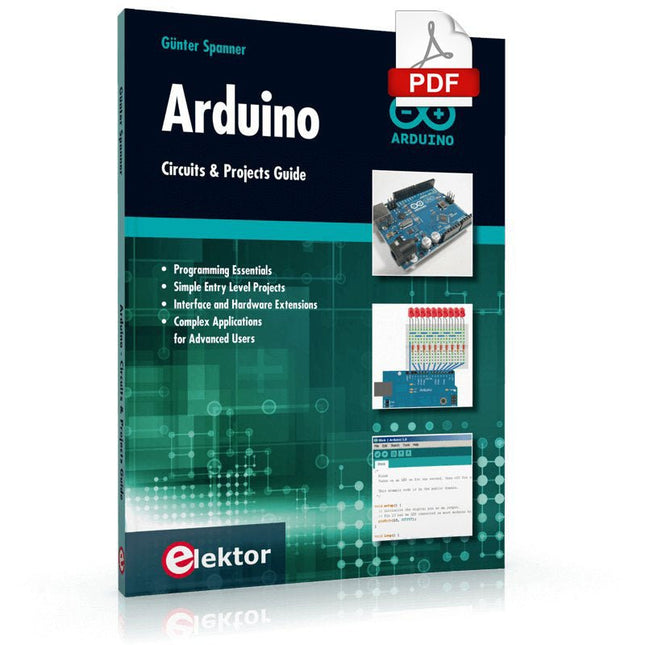
Two reasons can be identified for the immense success of the Arduino platform. First, the cheap, ready to go processor board greatly simplifies the introduction to hardware. The second success factor is the free and open-source programming suite that does not require an installation procedure.
Simple entry-level examples ensure rapid successes. Complex selection procedures for parameters like the microprocessor version or interface settings are not required. The first sample programs can be uploaded to the Arduino board, and tested, in a matter of minutes.
The Arduino user is supported by an array of software libraries. However, the daily increasing volume of libraries poses initial problems to the newcomer, and the way ahead may be uncertain after a few entry-level examples. In many cases, detailed descriptions are missing, and poorly described projects tend to confuse rather than elucidate. Clear guidance and a single motto are missing, usually owing to the projects having been created by several different persons—all with different aims in mind.
This book represents a different approach. All projects are presented in a systematical manner, guiding into various theme areas. In the coverage of must-know theory great attention is given to practical directions users can absorb, including essential programming techniques like A/D conversion, timers and interrupts—all contained in the hands-on projects. In this way readers of the book create running lights, a wakeup light, fully functional voltmeters, precision digital thermometers, clocks of many varieties, reaction speed meters, or mouse controlled robotic arms. While actively working on these projects the reader gets to truly comprehend and master the basics of the underlying controller technology.
This book covers a series of exciting and fun projects for the Arduino, such as a silent alarm, people sensor, light sensor, motor control, internet and wireless control (using a radio link). Contrary to many free projects on the internet all projects in this book have been extensively tested and are guaranteed to work!
You can use it as a projects book and build more than 45 projects for your own use. The clear explanations, schematics, and pictures of each project make this a fun activity. The pictures are taken of a working project, so you know for sure that they are correct.
You can combine the projects in this book to make your own projects. To facilitate this, clear explanations are provided on how the project works and why it has been designed the way it has That way you will learn a lot about the project and the parts used, knowledge that you can use in your own projects.
Apart from that, the book can be used as a reference guide. Using the index, you can easily locate projects that serve as examples for the C++ commands and Arduino functionality. Even after you’ve built all the projects in this book, it will still be a valuable reference guide to keep next to your PC.
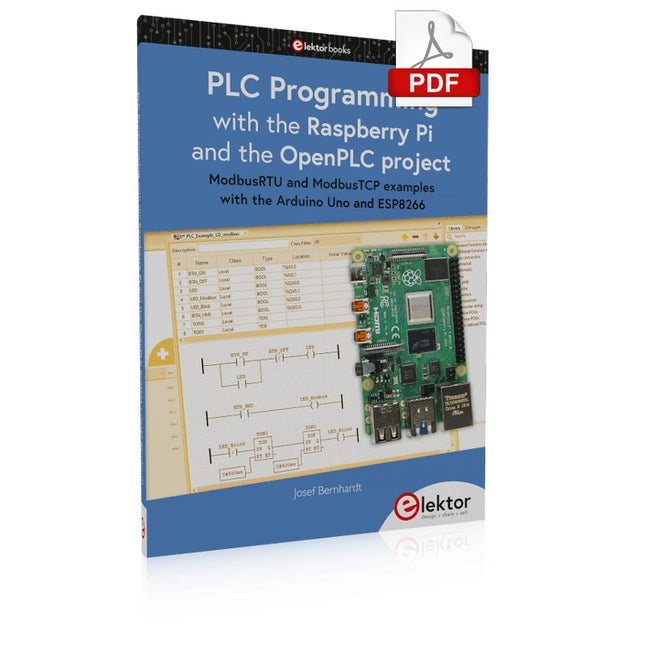
ModbusRTU and ModbusTCP examples with the Arduino Uno and ESP8266
Introduction to PLC programming with OpenPLC, the first fully open source Programmable Logic Controller on the Raspberry Pi, and Modbus examples with Arduino Uno and ESP8266
PLC programming is very common in industry and home automation. This book describes how the Raspberry Pi 4 can be used as a Programmable Logic Controller. Before taking you into the programming, the author starts with the software installation on the Raspberry Pi and the PLC editor on the PC, followed by a description of the hardware.
You'll then find interesting examples in the different programming languages complying with the IEC 61131-3 standard. This manual also explains in detail how to use the PLC editor and how to load and execute the programs on the Raspberry Pi. All IEC languages are explained with examples, starting with LD (Ladder Diagram) over ST (Structured Control Language) to SFC (Special Function Chart). All examples can be downloaded from the author's website.
Networking gets thorough attention too. The Arduino Uno and the ESP8266 are programmed as ModbusRTU or ModbusTCP modules to get access to external peripherals, reading sensors and switching electrical loads. I/O circuits complying with the 24 V industry standard may also be of interest for the reader.
The book ends with an overview of commands for ST and LD. After reading the book, the reader will be able to create his own controllers with the Raspberry Pi.
Le téléchargement intégral de ce numéro est disponible pour nos membres GOLD et GREEN sur le site Elektor Magazine !
Pas encore membre ? Cliquez ici.
le téléphone à cadran rotatif comme télécommandepour allumer la lumière, composez le 1 ; pour la cafetière, composez le 2
contrôleur de vitesse par GPSplus de contraventions pour excès de vitesse
stroboscope RVB avec Arduinoun instrument utile, instructif et distrayant
bouton poussoir d'urgence sans filsécurité renforcée avec LoRa
démarrer en électronique...l'émetteur-suiveur
comparateur à hysteresis à niveaux indépendantssimulations, feuilles de calcul et algèbre
analyseur d?impédance basé sur un ESP32simple, comportant peu de composants et de faible coût?!
visite à domicileencourageons les réalisations personnelles
La carte d'apprentissage MCCAB pour Arduino Nanoplateforme pour le cours ?Microcontrollers Hands-On Course?
sur le vifLuddisme moderne
B.a.ba?capteur : le capteur de température DS18B20connexion au bus 1-Wire
quels standards pour unifier la domotique??Matter et Thread se distinguent
Matter, ou la concorde des objetsTestez Matter avec la carte Thing Plus Matter et Simplicity Studio
Infographie : IdO et capteurs
Matter, ExpressLink, Rainmaker ? de quoi s'agit-il ?questions et réponses avec Amey Inamdar, directeur du marketing technique chez Espressif
guide d?introduction à la sélection de kits de développement de microcontrôleurs pour applications IoT et IIoT
un condensateur n?est pas toujours capacitif?!
horloge NTP en CircuitPythonpourquoi utiliser ce langage de programmation ?
construisez un écran IdO sympaavec le Phambili Newt
détecteur de mouvement Doppler HB100Théorie et pratique
Guide de programmation bare-metalpour STM32 et autres microcontrôleurs
revue multimètre Siglent SDM3045X
microprocesseurs pour systèmes embarquésdrôle de composants, la série
la documentation des microcontrôleurs sans peine (3)schémas de principe, et autres documents
station météo LoRa à faible puissanceréalisez vous-même une station météo à longue portée
Transverter pour la bande 70 cm
Climate Calling EngineersMove Fast and Fix Things
Hexadoku
Understanding and Using Them Effectively
What happens in electronics is invisible to the naked eye. The instrument that allows to accurately visualize electrical signals, the one through which the effects of electronics become apparent to us, is the oscilloscope.
Alas, when one first ventures into electronics, it is often without an oscilloscope. And one is left fumbling, both physically and mentally. Observing an electrical signal on a screen for the first time is a revelation. Nobody wishes to forgo that marvel again. There is no turning back.
In electronics, if one wishes to progress with both enjoyment and understanding, an oscilloscope is essential. This marks the beginning of a period of questioning: how to choose one? And no sooner is that question answered than a whole string of others arises, which can be summed up in just one: how does one use the oscilloscope in such a way that what it displays truly reflects the reality of the signals?
Rémy Mallard is a passionate communicator with a gift for making complex technical subjects understandable and engaging. In this book, he provides clear answers to essential questions about using an oscilloscope and offers a wealth of guidance to help readers explore and understand the electrical signals behind electronic systems. With his accessible style and practical insights, this book is a valuable tool for anyone eager to deepen their understanding of electronics.
This bundle contains the popular Elektor Sand Clock for Raspberry Pi Pico and the new Elektor Laser Head Upgrade, offering even more options for displaying the time. Not only can you "engrave" the current time in sand, you can now alternatively write it on a glow-in-the-dark foil or create green drawings.
Contents of the bundle
Elektor Sand Clock for Raspberry Pi Pico (normal price: €50)
Elektor Laser Head Upgrade for Sand Clock (normal price: €35)
Elektor Sand Clock for Raspberry Pi (Raspberry Pi-based Eye Catcher)
A standard sand clock just shows how time passes. In contrast, this Raspberry Pi Pico-controlled sand clock shows the exact time by "engraving" the four digits for hour and minute into the layer of sand. After an adjustable time the sand is flattened out by two vibration motors and everything begins all over again.
At the heart of the sand clock are two servo motors driving a writing pen through a pantograph mechanism. A third servo motor lifts the pen up and down. The sand container is equipped with two vibration motors to flatten the sand. The electronic part of the sand clock consists of a Raspberry Pi Pico and an RTC/driver board with a real-time clock, plus driver circuits for the servo motors.
A detailed construction manual is available for downloading.
Features
Dimensions: 135 x 110 x 80 mm
Build time: approx. 1.5 to 2 hours
Included
3x Precut acrylic sheets with all mechanical parts
3x Mini servo motors
2x Vibration motors
1x Raspberry Pi Pico
1x RTC/driver board with assembled parts
Nuts, bolts, spacers, and wires for the assembly
Fine-grained white sand
Elektor Laser Head Upgrade for Sand Clock
The new Elektor Laser Head transforms the Sand Clock into a clock that writes the time on glow-in-the-dark film instead of sand. In addition to displaying the time, it can also be used to create ephemeral drawings. The 5 mW laser pointer, with a wavelength of 405 nm, produces bright green drawings on the glow-in-the-dark film. For best results, use the kit in a dimly lit room. Warning: Never look directly into the laser beam!
The kit includes all the necessary components, but soldering three wires is required.
Note: This kit is also compatible with the original Arduino-based Sand Clock from 2017. For more details, see Elektor Magazine 1-2/2017 and Elektor Magazine 1-2/2018.