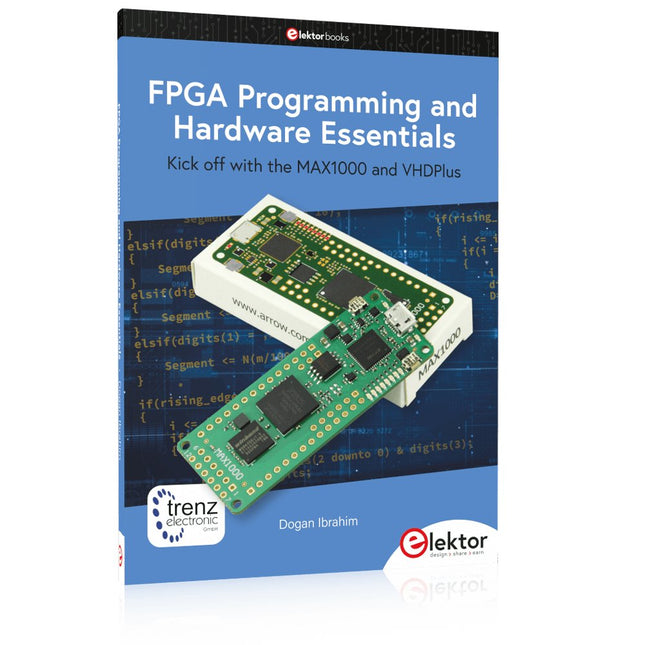
Kick off with the MAX1000 and VHDPlus
Ready to Master FPGA Programming? In this guide, we’re diving into the world of Field Programmable Gate Arrays (FPGAs) – a configurable integrated circuit that can be programmed after manufacturing. Imagine bringing your ideas to life, from simple projects to complete microcontroller systems!
Meet the MAX1000: a compact and budget-friendly FPGA development board packed with features like memory, user LEDs, push-buttons, and flexible I/O ports. It’s the ideal starting point for anyone wanting to learn about FPGAs and Hardware Description Languages (HDLs).
In this book, you’ll get hands-on with the VHDPlus programming language – a simpler version of VHDL. We’ll work on practical projects using the MAX1000, helping you gain the skills and confidence to unleash your creativity.
Get ready for an exciting journey! You’ll explore a variety of projects that highlight the true power of FPGAs. Let’s turn your ideas into reality and embark on your FPGA adventure – your journey starts now!
Exciting Projects You’ll Find in This Book
Arduino-Driven BCD to 7-Segment Display Decoder
Use an Arduino Uno R4 to supply BCD data to the decoder, counting from 0 to 9 with a one-second delay
Multiplexed 4-Digit Event Counter
Create an event counter that displays the total count on a 4-digit display, incrementing with each button press
PWM Waveform with Fixed Duty Cycle
Generate a PWM waveform at 1 kHz with a fixed duty cycle of 50%
Ultrasonic Distance Measurement
Measure distances using an ultrasonic sensor, displaying the results on a 4-digit 7-segment LED
Electronic Lock
Build a simple electronic lock using combinational logic gates with push buttons and an LED output
Temperature Sensor
Monitor ambient temperature with a TMP36 sensor and display the readings on a 7-segment LED
Downloads
Software
Praxisnahe Projekte, Profi-Tricks und eigene Anwendungen
Dieses Buch führt Sie Schritt für Schritt in die faszinierende Welt der State Machines ein und zeigt, wie Sie Hardware direkt und effizient ansteuern können – jenseits klassischer CPU-gesteuerter Ansätze.
In diesem Buch lernen Sie:
LEDs und NeoPixel kreativ steuern: Blinken, Dimmen, Farbwechsel und komplexe Animationen
Taster und Encoder zuverlässig auslesen und in Echtzeit in Ihre Projekte integrieren
Analoge Eingänge (ADC) nutzen und Signale digital steuern
Servos präzise ansteuern und Bewegungsabläufe automatisieren
SPI mit PIO umsetzen, um Displays, Sensoren und Module anzusteuern
Menüsysteme und Submenüs auf SPI-Displays realisieren, inklusive Navigation über mehrere Taster
PWM, Signalgenerierung und Frequenzsteuerung für akustische oder visuelle Effekte
Debugging-Strategien und Tipps, um Ihre PIO-Programme effizient zu entwickeln
Alle Beispiele sind praxisnah, sofort umsetzbar und zuverlässig. Mit klaren Anleitungen, Hintergrundwissen und fertigen Codebeispielen lernen Sie, die PIO-Fähigkeiten des Pico maximal zu nutzen – egal ob für Maker-Projekte, Prototypen oder professionelle Anwendungen.
Erleben Sie, wie Sie komplexe Hardwaresteuerung elegant mit dem Pico realisieren können – schneller, flexibler und leistungsfähiger als je zuvor.
Es ist heute nicht mehr ganz einfach, ein Buch über Röhren zu verfassen, da in den letzten Jahrzehnten viel Wissen über dieses interessante Gebiet verloren gegangen ist. Genau das aber ist einer der Gründe, warum dieses Buch geschrieben wurde. Der Autor hat sich zur Aufgabe gemacht, die für den Einsatz von Röhren im Audiobereich bedeutsamen theoretischen und praktischen Kenntnisse zu bündeln und darzustellen. Der Verfasser stützt sich dabei auf seine eigene und umfassende Erfahrung, die er in den vielen Jahren vor der breiten Einführung von Halbleitern durch intensive Auseinandersetzung mit der Röhrentechnologie gewonnen hat.
Selbstverständlich werden in den Schaltungsteilen, die nicht unmittelbar im Signalweg sitzen, die Vorzüge zeitgemäßer, aktiver elektronischer Bauteile wie Transistoren oder ICs gezielt ausgenutzt. Hinzu kommt die bevorzugte Verwendung hochqualitativer, moderner Ringkerntransformatoren.
In den ersten Kapiteln dieses Bandes wird auf Produktionsverfahren und die Arbeitsweise von Röhren eingegangen, anschließend werden deren Grundschaltungen ausführlich besprochen. Das gewonnene Wissen erfährt in den folgenden Abschnitten eine theoretische Vertiefung bei der genaueren Betrachtung von Endstufen, Klangregelungen usw. Zudem wurden zwei gesonderte Kapitel aufgenommen, die sich mit Klirrverhalten und Verzerrungen, Rauschen, Mikrofonie und anderen Störgeräuschen befassen.
In vier weiteren Kapiteln werden vollständige Verstärker-Entwürfe und die Dimensionierungsberechnungen aller Baugruppen im Einzelnen unter Hinweis auf die zugehörigen theoretischen Überlegungen der vorherigen Kapitel vorgestellt. Dabei wird deutlich, dass Röhrenverstärker physikalischen und mathematischen Gesetzen gehorchen, weit verbreitete Legenden und Mystifizierungen dagegen nichts zur Erhellung der funktionellen Zusammenhänge beitragen.
Im Übrigen findet der Leser viele nützliche Hinweise bei der konkreten Umsetzung der jeweiligen Schaltung in ein funktionierendes Gerät und Hilfestellungen für die messtechnische Überprüfung der Resultate.
Elektor GREEN and GOLD members can download their digital edition here.
Not a member yet? Click here.
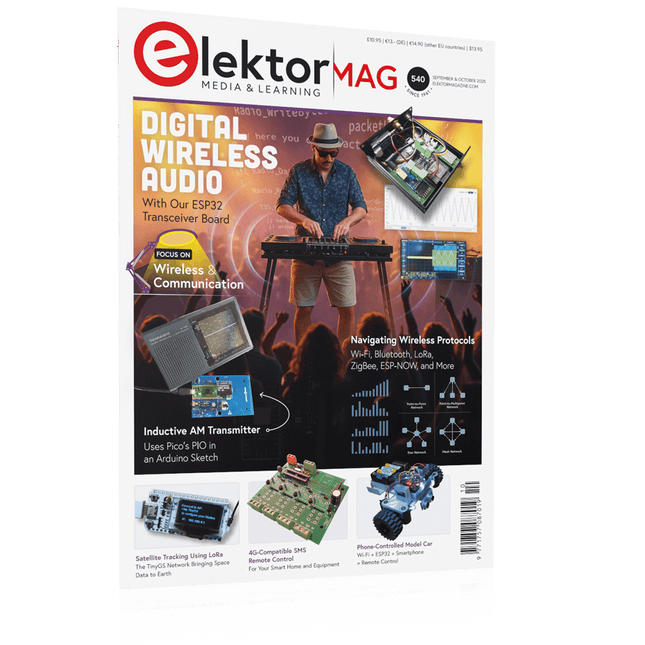
ESP32 Audio Transceiver Board (Part 2)Wireless Audio Transmission
Inductive AM TransmitterUses Pico’s PIO in an Arduino Sketch
Navigating Wireless ProtocolsA Technical Guide
Satellite Tracking Using LoRaThe TinyGS Network Bringing Space Data to Earth
4G-Compatible SMS Remote ControlRemotely Control Your Equipment
High-Speed ProbeHigh-Impedance Inputs for Signals up to 200 MHz
From Life’s ExperienceKafka
KrakenSDR
Performance Tests with the RP2350Is an Upgrade from Raspberry Pi Pico 1 to Pico 2 Worthwhile?
Contact-Free E-Field Measurements (2)A Laser Vibrometer for Assessing the Membrane's Vibrations
Crystals and OscillatorsImproving Crystal Accuracy Through Capacitor Selection
Starting Out in ElectronicsSpecial Audio ICs
Getting Started with Coding a DIY Project
SPECTRAN® V6 MobileModular, Configurable Real-Time Spectrum Analyzer for Reliable Measurements Across All Frequency Ranges
The Future of AI Is Forged in SiliconAn Interview with Anastasiia Nosova
Autonomous Sensor Node v2.0 (System Architecture)Solar-Powered Sensing Platform with Integrated GPS, LoRaWAN, and More
Precise PositioningBluetooth Channel Sounding Tested
Powering the Future of Wireless CommunicationBTRY’s Ultra-Thin Solid-State Batteries
Test-Driven Development in Firmware Writing
Phone-Controlled Model CarWi-Fi + ESP32 + Smartphone = Remote Control
2025: An AI OdysseyAI Reasoning Models: The Chain-of-Thought Revolution
Solar Charge Controller with MPP Tracking (3)Software and Commissioning
Raspberry Pi Zero Web Streaming CameraUsing the ZeroTier VPN
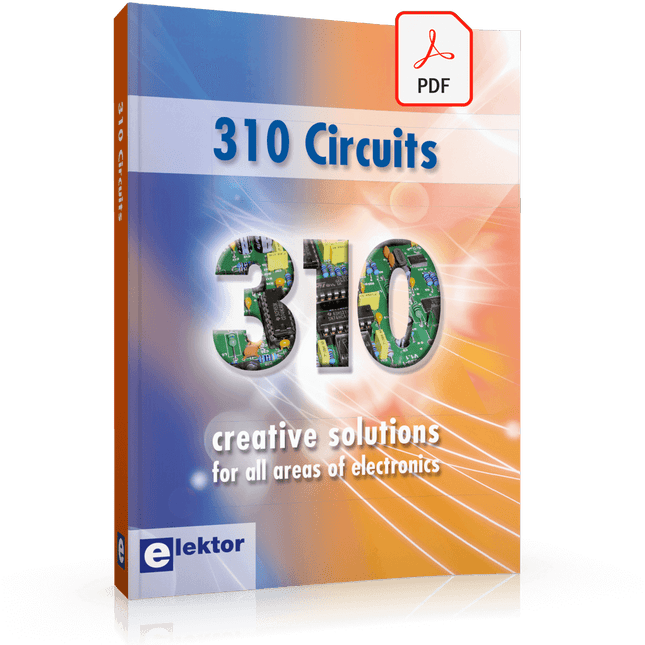
310 Circuits – is the 11th volume in Elektor’s renowned ‘Three Hundred’ series. 310 circuits, tips and design ideas in one book form a treasure trove for every area of electronics: audio and video, hobby and modelling, RF techniques, home and garden, test and measurement, microcontrollers, computer hardware and software, power supplies and chargers – plus of course everything else that does not seem to belong in any of these categories.
310 Circuits – contains many complete solutions as well as useful starting points for your own projects. Both categories and anything in between represent a veritable fountain of inspiration for cultivating your own ideas and learning about electronics.
310 Circuits – is a compilation of articles from ‘Summer Circuits’ editions for the years 2006, 2007 and 2008. ‘Summer Circuits’ covers the publication months July and August of Elektor magazine.
310 Circuits – is a must-have book for every creative electronics enthusiast, be it professional, enthusiast or student.
310 Circuits – for the first time has a section exclusively on robots and robotics.
Elektor GREEN and GOLD members can download their digital edition here.
Not a member yet? Click here.
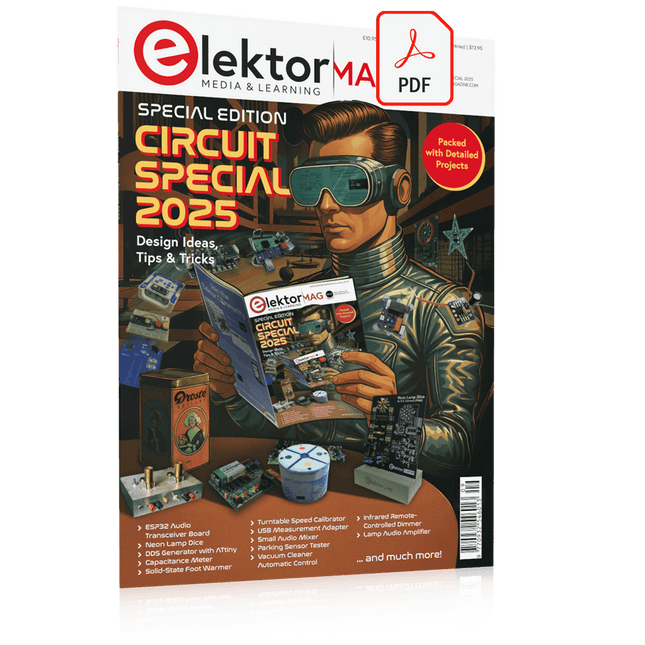
USB Measurement AdapterTesting Current and Signal Quality of USB Ports
4...20 mA Current Output for Arduino UnoA Reliable, EMI-Insensitive Current Loop Interface
Vacuum Cleaner Automatic ControlKeep Your Tools’ Work Area Clean
DDS Generator with ATtiny
Opamp-Tester V2New PCB – Now Also Suitable for SMDs
550-mW “Lamp” Audio AmplifierGet the Warm Sound of Vacuum Tubes With Ease
Fuse GuardMonitoring a Fuse with a Flashing LED
HQ RIAA PreamplifierGet the Most Out of Your Vinyl Records!
Turntable Speed CalibratorAn Arduino-Based 100–120 Hz Strobe Light Generator
Elektor Classics: video buffer/repeater
Infrared Remote-Controlled DimmerControl Your Halogen or LED Floor Lamp Effortlessly and With Style
How to Use switch…case on Strings in C++/Arduino IDE
Magnet FinderWith a Simple Hall-Effect Sensor
Raspberry Pi Smart Power ButtonA Solution for Raspberry Pi Up to Model 4
Essential Maker TipsProfessional Insights for Everyday Making
Practical Projects with the 555 TimerDC Motor Control and Fast Reaction Challenges
Basic AC-Load-On MonitorSave Energy with a Simple Device
Power Banks in ParallelA Three-Day Continuous Power Solution
VFO Up to 15 MHzAn Implementation With Raspberry Pi Pico
Violin Tuner with ATtiny202
Elektor Classics: video amplifier for B/W television sets
Capacitance Meter20 pF to 600 nF
Quasi-Analog Clockwork Mk IITwo LED Rings for Hours and Minutes
You Can Do Anything You Want(with the Arduino Ecosystem at Your Side)
Neon Lamp Dice
Elektor Classics: RTTY calibrator indicator
Inspiring Hardware Designs for Your ESPs
Elektor Classics: variable 3 A power supply
RGB LEDs with Integrated Control CircuitLight with Precision: ICLEDs Set Standards
Experiment: Towards a Mixed-Signal Theremin?Blending Modern Time-of-Flight Sensors With the Timeless XR2206 Analog Generator
ESP32 Audio Transceiver Board (Part 1)SD Card WAV File Player Demo
Infographics: Circuits and Circuit Design 2025
Small Audio MixerA Simple and Versatile Scalable Design
Smart Staircase Light TimerSave More Money on the Energy Bill!
Smarten Up Your ShuttersControlling Velux Hardware With an ESP32 and MQTT
Solid-State Foot WarmerEnergy-Efficient Comfort
Is the M5Stamp Fly Quadcopter the Next Tello?
Boosting Wi-Fi Range of the ESP32-C3 SuperMiniA Simple and Effective Antenna Mod
ZD-8968 Hot-Air Soldering StationA Budget-Friendly Workhorse or Just Hot Air?
Parking Sensor TesterFinding Defects in the PDC System of a Car
DIY LiPo Supercharger BundleGreatScott and Elektor's LiPo Charger, Booster, and Protector
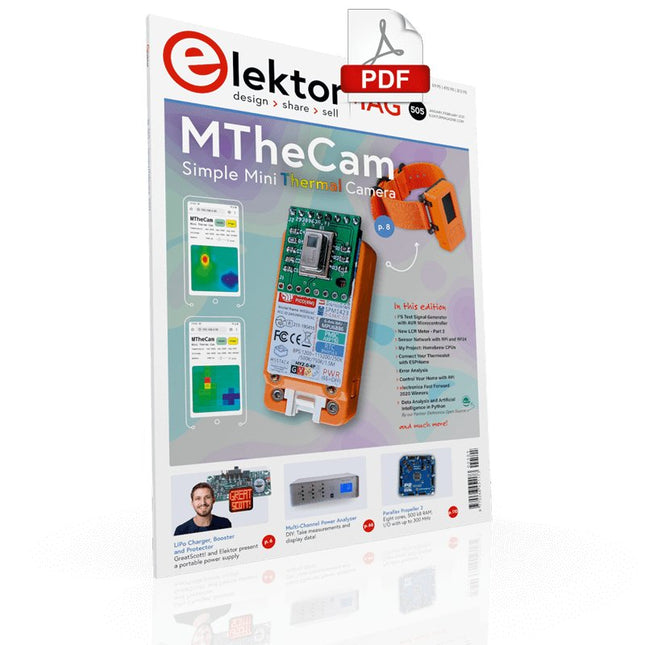
MTheCamA Simple Mini Thermal Camera
Weller WE 1010Soldering Station
electronica Fast Forward 2020 Winners
I2S Test Signal Generator with AVR Microcontroller32-Bit 1-kHz Digital Sine, fs 192 kHz, Level Adjustable from 0 to -110 dB
Control Your Home with Raspberry PiRPi snoops on 433.92 MHz
Simulate Circuits Online
From Life's ExperienceThe Fine Line Between Order and Chaos
Starting Out in ElectronicsEasier Than imagined!
Homebrew CPUsThe Discrete Microcontroller
Connect Your Thermostat with ESPHomeAn Attempt at Doing Home Automation the Right Way
Developer’s ZoneTips & Tricks, Best Practices and Other Useful Information
Small Circuits RevivalFrom the Elektor suggestions box
Raspberry Pi Full StackRPi and RF24 at the heart of a sensor network
Practical ESP32 Multitasking (6)Event Groups
Multi-Channel Power Analyzer: Up to 3 Channels, with Graphic and Alphanumeric Display
Analogue Filter Design (Part 3)Passive Filters
JOY-iT VAX-1030Wireless Measurement Module
New LCR Meter 50 Hz - 2 MHz Part 2Operation, Calibration, and Firmware Programming
Error AnalysisTips on Voltage Regular Circuits, PCB Design, and More
The Open Hardware ObservatoryCommunity-Based Open Source Hardware Assessment
Java on the Raspberry PiAn Interview with Frank Delporte
Data Analysis and Artificial Intelligence in PythonInterpreting Real Data with NumPy, pandas and scikit-learn
Project 2.0Corrections, Updates and Readers’ letters
Getting to Know the Parallax Propeller 2 (Part 1)An Introduction
Hexadoku
Le téléchargement intégral de ce numéro est disponible pour nos membres GOLD et GREEN sur le site Elektor Magazine !
Pas encore membre ? Cliquez ici.
Relio v1.0 – détection de présence et contrôle à distanceUn contrôleur intelligent pour appareils électriques compatible Matter
concevoir de meilleurs circuits imprimésUn guide pratique pour les professionnels et les makers
KiCad 9Nouvelles fonctionnalités et mises à jour
picoampèremètre de précision (1)Traceur de courbes jusqu’à la gamme des pA !
étoile de Noël 2025Fabriquer votre étoile
testeur de continuité 100 mV
l’innovation électronique en EuropeLes entreprises à suivre de près
productronica 2025 : quoi de neuf dans le développement et la production électroniques
l’automatisation face aux défis de la relocalisation, des tarifs et de la pénurie de main-d’œuvre
Au-delà de la résilienceLa circularité dans l’électronique
composants passifsBobines à faibles pertes pour convertisseurs CC/CC à haut rendement
comment les machines de bureau démocratisent la production de circuits imprimés
démarrer en électronique......Alimentation
sur le vifButton Fever
soudage : quoi de neuf en 2025 ?Conseils pratiques en direct depuis l’établi
SimulIDEUn outil tout-en-un pour le prototypage de circuits
2025 : une odyssée de l’IADe l’autocomplétion à un véritable collègue
Wordy Christmas TreeUn sapin électronique polyglotte pour les fêtes
projet 2.0Corrections, mises à jour et courrier des lecteurs
Analog Pipeline DistortionUn effet audio original pour guitares et autres instruments
carte émetteur-récepteur audio ESP32 (3)Transmission stéréo et double radio
Diese Ausgabe steht allen GOLD- und GREEN-Mitgliedern auf der ElektorMagazine-Website zum Download bereit!
Sie sind noch kein Mitglied? Hier klicken!
Beschleunigung der IoT-Innovation
Ein WLAN-Bilderrahmen mit farbigem E-Ink-Display
Tutorial ESP-LaunchpadVon Null auf Flash in wenigen Minuten
ESP32 und ChatGPTAuf dem Weg zu einem selbst-programmierenden System
Walkie-Talkie mit ESP-NOWNicht ganz WLAN, nicht ganz Bluetooth, aber...
Von der Idee zur Schaltung mit dem ESP32-S3Ein Leitfaden für die Prototypentwicklung mit Espressif-Chips
AIoT-Chip-InnovationEin Interview mit Espressif-CEO Teo Swee-Ann
ESP32 mit Wokwi simulierenDer virtuelle Zwilling Ihres Projekts
Ausprobiert: die ESP32-S3-BOX-3Eine umfassende AIoT-Entwicklungsplattform
Mein Elektronik-ArbeitsplatzEinblicke und Tipps von Espressif-Ingenieuren
Die ESP-RainMaker-StoryWie wir „Ihre“ IoT-Cloud entwickelten
Zusammenbau des Elektor-Kits Cloc 2.0Ein Elektor-Produkt, ausprobiert von Espressif
Ausgepackt: der ESP32-P4Die nächste Ära der Mikrocontroller
Rust + EmbeddedEin Power-Duo für die Entwicklung
Wer sind die Rust-begeisterten Embedded-Entwickler?Wie Espressif Embedded Rust für den ESP32 kultiviert
Zeitleiste der SoC-Reihe von Espressif
Aufbau einer SPS mit Espressif-LösungenMit den Fähigkeiten und Funktionen des ISOBUS-Protokolls
Das ESP32-S3-VGA-BoardBitlunis aufregende Reise in die Produktentwicklung
Akustischer Fingerabdruck mit ESP32Songerkennung mit dem Open-Source-Projekt Olaf
Zirkularer Weihnachtsbaum 2023Weihnachtszeit, eine High-Tech-Annäherung
Für ein einfacheres und komfortableres LebenEin Amateurprojekt basierend auf dem ESP8266-Modul von Espressif
Wie man IoT-Apps ohne Software-Expertise erstelltMit der Blynk IoT-Plattform und Espressif-Hardware
Erstellung einer intelligenten Benutzeroberfläche auf ESP32
Schnelle und einfache IoT-Entwicklung mit M5Stack
Prototyping eines Energiezählers mit ESP32
Ein Distributor für IoT und mehr – mit Mehrwert
Tiefe Einblicke: Ein Interview mit Arduino über den Nano ESP32Alessandro Ranellucci und Martino Facchin diskutieren über die Zusammenarbeit mit Expressif
IoT-Chip-InnovationenEinblicke von und in Espressif
Rationelle MCU-Programmierung dank ESP Privilege Separation
Ein Open-Source-Spracherkennungsserver...und die ESP-BOX
Das mitdenkende AugeGesichtserkennung und mehr mit ESP32-S3-EYE
Knopfzellen-Sender mit ESP32-C2Entwurf und Leistungsbewertung
Matter – ein Meilenstein für das Smart HomeSo schalten Sie das IoT-Potenzial von Smart Home frei
Tech the Future: Wohin steuert Smart Home IoT?
STmicroelectronics’ wireless IoT & wearable sensor development kit
‘SensorTile.box’ is a portable multi-sensor circuit board housed in a plastic box and developed by STMicroelectronics. It is equipped with a high-performance 32-bit ARM Cortex-M4 processor with DSP and FPU, and various sensor modules, such as accelerometer, gyroscope, temperature sensor, humidity sensor, atmospheric pressure sensor, microphone, and so on. SensorTile.box is ready to use with wireless IoT and Bluetooth connectivity that can easily be used with an iOS or Android compatible smartphone, regardless of the level of expertise of the users. SensorTile.box is shipped with a long-life battery and all the user has to do is connect the battery to the circuit to start using the box.
The SensorTile.box can be operated in three modes: Basic mode, Expert mode, and Pro mode. Basic mode is the easiest way of using the box since it is pre-loaded with demo apps and all the user has to do is choose the required apps and display or plot the measured data on a smartphone using an app called STE BLE Sensor. In Expert mode users can develop simple apps using a graphical wizard provided with the STE BLE Sensor. Pro mode is the most complex mode allowing users to develop programs and upload them to the SensorTile.box.
This book is an introduction to the SensorTile.box and includes the following:
Brief specifications of the SensorTile.box; description of how to install the STE BLE Sensor app on an iOS or Android compatible smartphone required to communicate with the box.
Operation of the SensorTile.box in Basic mode is described in detail by going through all of the pre-loaded demo apps, explaining how to run these apps through a smartphone.
An introduction to the Expert mode with many example apps developed and explained in detail enabling users to develop their own apps in this mode. Again, the STE BLE Sensor app is used on the smartphone to communicate with the SensorTile.box and to run the developed apps.
The book then describes in detail how to upload the sensor data to the cloud. This is an important topic since it allows the sensor measurements to be accessed from anywhere with an Internet connection, at any time.
Finally, Pro mode is described in detail where more experienced people can use the SensorTile.box to develop, debug, and test their own apps using the STM32 open development environment (STM32 ODE). The Chapter explains how to upload the developed firmware to the SensorTile.box using several methods. Additionally, the installation and use of the Unicleo-GUI package is described with reference to the SensorTile.box. This PC software package enables all of the SensorTile.box sensor measurements to be displayed or plotted in real time on the PC.
Elektor GREEN and GOLD members can download their digital edition here.
Not a member yet? Click here.
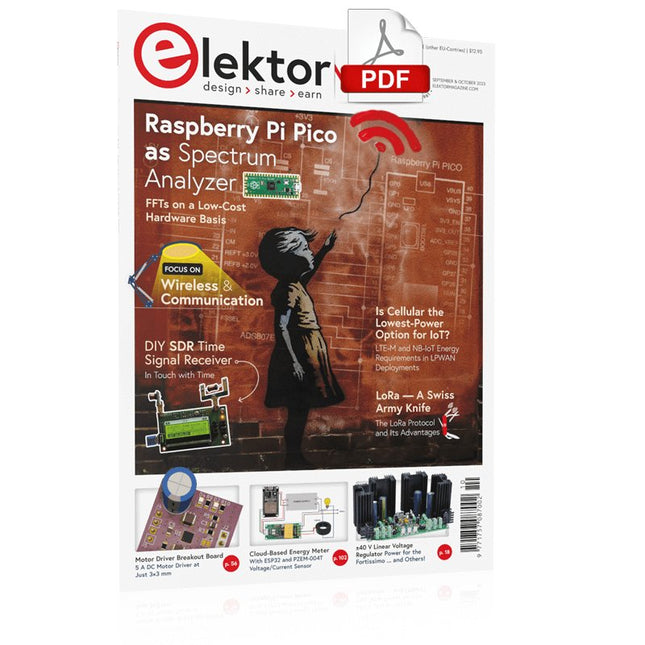
Raspberry Pi Pico as Spectrum AnalyzerFFTs on a Low-Cost Hardware Basis
±40-V Linear Voltage RegulatorAn Alternative Power Supply for the Fortissimo-100 Power Amplifier… and Others!
MCU Wireless Communication Made FlexibleEEPROM Opens Networking Prospects for Wireless MCUs
€5,000 up for grabs!Join the STM32 Wireless Innovation Design Contest
2023: An AI OdysseyGetting Started with ChatGPT’s Code Interpreter
LoRa, a Swiss Army Knife (1)The LoRa Protocol and Its Advantages
Adjustable Current Sink with Integrated Clock GeneratorTest Power Supplies, Voltage Converters and Batteries
Two New Arduino UNO R4 Boards: Minima and WiFi
Logarithmic PotentiometersThey’re Exponential!
Motor Driver Breakout BoardA BoB for a 5 A DC Motor Driver with a 3×3 mm Size
From Life’s ExperienceHazardous Electronics
Is Cellular the Lowest-Power Option for IoT?LTE-M and NB-IoT Energy Requirements in LPWAN Deployments
Wireless Communication in IoT Systems – Using Arduino MKR ModulesThe Right Board for Wi-Fi, LoRa, and Many More Standards
AC Losses in Magnetic ComponentsAvoid Hot Inductors!
Measurement for Optimal Cloud Deployment
Matter Adoption: What does it take to deploy Matter devices?
YARD Stick OneA Sub-1 GHz Wireless Test Tool
Latching RelaysPeculiar Parts, the Series
PIC O’Clock – In Touch with TimeDesigning an SDR Time Signal Receiver
Due Diligence DirectiveBusiness as Usual Will Not Do
Starting Out in Electronics……Voltage Amplification
Infrasound Recorder with the Arduino Pro MiniA Sample Project from Elektor’s “Arduino & Co.” Book
Cloud-Based Energy MeterWith ESP32 Module and PZEM-004T Voltage/Current Sensor
A Bare-Metal Programming Guide (Part 2)Accurate Timing, the UART, and Debugging
Hexadoku
Open-Source-Code mit Arduino IDE und PlatformIO
Autonomes Fahren: GPS, Accelerometer, Gyroskop
PS3-Controller
Mikrocontroller wie der Arduino und Einplatinenrechner wie der Raspberry Pi haben sich zu beliebten Komponenten entwickelt. Dritter im Bunde ist der ESP32 der Firma Espressif. Mikrocontroller dieser Baureihe zeichnen sich durch eine Vielzahl implementierter Funktionen aus, die bei einem Arduino konventioneller Prägung mit einem Atmel-AVR-Mikrocontroller erst mit weiterer Hardware möglich sind. Prominentes Beispiel sind hier die WiFi- und Bluetooth-Funktionalitäten. Gegenüber einem Raspberry Pi zeichnen sie sich durch einen deutlich geringeren Preis aus.
Allgemeine Informationen für die Realisierung eines Roboterauto-Projekts mit dem ESP32 sind leicht zu finden. Dabei handelt es sich aber oft nur um Ausführungen zu einem Teilaspekt, ohne inhaltliche oder funktionale Abstimmung. So ist nicht nur die Beschaffung der benötigten Informationen mühselig und zeitaufwändig, sie kann auch außerordentlich fehlerträchtig sein.
Ansatzpunkt dieses Buches ist, diese Lücke zu schließen. Es geht auf verschiedene Möglichkeiten eines Chassis ein, vermittelt nötige Kenntnisse und führt schrittweise von einer einfachen Motorsteuerung zu einem komplexen sensor- und sprachgesteuerten Roboterauto. Hacks rund um GPS und eine PlayStation 3 runden die Sache ab.
Inhalt
Bei der Reihenfolge der Kapitel wurde versucht – beginnend bei der Darstellung von grundlegenden Informationen – über die Lösung einfacher Aufgaben zu etwas anspruchsvolleren Techniken zu führen.
Der Mikrocontroller ESP32
Die Software erstellen
Die Stromversorgung
Rund um die Hardware
Das Chassis
Der Gleichstrommotor
Kabellose Steuerung über WiFi
Mit Sensoren Hindernisse erkennen
Eine eigene Roboterauto-App
Servo und Lichtsensor
GPS
Accelerometer / Gyroskop
PS3-Controller
Roboterauto-App
Hinweis zur Software
Die Dateien haben das Suffix (.cpp). Grund ist die Entwicklung mit PlatformIO. Mit Copy & Paste sollten sie auch in der Arduino-IDE verwendet werden können.