
Search results for "led OR toolbox"
-
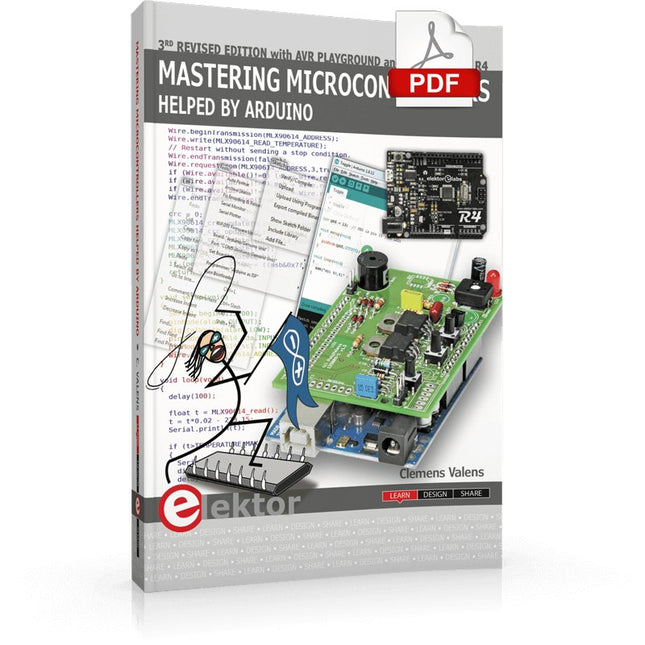
Elektor Digital Mastering Microcontrollers Helped by Arduino (3rd Edition) | E-book
Third, extended and revised edition with AVR Playground and Elektor Uno R4 Arduino boards have become hugely successful. They are simple to use and inexpensive. This book will not only familiarize you with the world of Arduino but it will also teach you how to program microcontrollers in general. In this book theory is put into practice on an Arduino board using the Arduino programming environment. Some hardware is developed too: a multi-purpose shield to build some of the experiments from the first 10 chapters on; the AVR Playground, a real Arduino-based microcontroller development board for comfortable application development, and the Elektor Uno R4, an Arduino Uno R3 on steroids. The author, an Elektor Expert, provides the reader with the basic theoretical knowledge necessary to program any microcontroller: inputs and outputs (analog and digital), interrupts, communication busses (RS-232, SPI, I²C, 1-wire, SMBus, etc.), timers, and much more. The programs and sketches presented in the book show how to use various common electronic components: matrix keyboards, displays (LED, alphanumeric and graphic color LCD), motors, sensors (temperature, pressure, humidity, sound, light, and infrared), rotary encoders, piezo buzzers, pushbuttons, relays, etc. This book will be your first book about microcontrollers with a happy ending! This book is for you if you are a beginner in microcontrollers, an Arduino user (hobbyist, tinkerer, artist, etc.) wishing to deepen your knowledge,an Electronics Graduate under Undergraduate student or a teacher looking for ideas. Thanks to Arduino the implementation of the presented concepts is simple and fun. Some of the proposed projects are very original: Money Game Misophone (a musical fork) Car GPS Scrambler Weather Station DCF77 Decoder Illegal Time Transmitter Infrared Remote Manipulator Annoying Sound Generator Italian Horn Alarm Overheating Detector PID Controller Data Logger SVG File Oscilloscope 6-Channel Voltmeter All projects and code examples in this book have been tried and tested on an Arduino Uno board. They should also work with the Arduino Mega and every other compatible board that exposes the Arduino shield extension connectors. Please note For this book, the author has designed a versatile printed circuit board that can be stacked on an Arduino board. The assembly can be used not only to try out many of the projects presented in this book but also allows for new exercises that in turn provide the opportunity to discover new techniques. Also available is a kit of parts including the PCB and all components. With this kit you can build most of the circuits described in the book and more. Datasheets Active Components Used (.PDF file): ATmega328 (Arduino Uno) ATmega2560 (Arduino Mega 2560) BC547 (bipolar transistor, chapters 7, 8, 9) BD139 (bipolar power transistor, chapter 10) BS170 (N-MOS transistor, chapter 8) DCF77 (receiver module, chapter 9) DS18B20 (temperature sensor, chapter 10) DS18S20 (temperature sensor, chapter 10) HP03S (pressure sensor, chapter 8) IRF630 (N-MOS power transistor, chapter 7) IRF9630 (P-MOS power transistor, chapter 7) LMC6464 (quad op-amp, chapter 7) MLX90614 (infrared sensor, chapter 10) SHT11 (humidity sensor, chapter 8) TS922 (dual op-amp, chapter 9) TSOP34836 (infrared receiver, chapter 9) TSOP1736 (infrared receiver, chapter 9) MPX4115 (analogue pressure sensor, chapter 11) MCCOG21605B6W-SPTLYI (I²C LCD, chapter 12) SST25VF016B (SPI EEPROM, chapter 13) About the author Clemens Valens, born in the Netherlands, lives in France since 1997. Manager at Elektor Labs and Webmaster of ElektorLabs, in love with electronics, he develops microcontroller systems for fun, and sometimes for his employer too. Polyglot—he is fluent in C, C++, PASCAL, BASIC and several assembler dialects—Clemens spends most of his time on his computer while his wife, their two children and two cats try to attract his attention (only the cats succeed). Visit the author’s website: www.polyvalens.com.Authentic testimony of Hervé M., one of the first readers of the book:'I almost cried with joy when this book made me understand things in only three sentences that seemed previously completely impenetrable.'
€ 34,95
Members: € 31,46
-

Elektor Publishing Schnelleinstieg in die Elektronik
Schrittweise Einführung in das praktische Schaltungsdesign Der Einstieg in die Elektronik ist nicht so schwierig, wie man vielleicht denkt. Mit diesem Buch werden die wichtigsten Konzepte der Elektrotechnik und Elektronik auf spielerische Weise erkundet, indem verschiedene Experimente durchgeführt und Schaltungen simuliert werden. Es vermittelt Elektronik praxisnah, ohne in komplexen Fachjargon oder lange Berechnungen einzutauchen. Dadurch werden schon bald eigene Projekte ermöglicht. Es sind keine Vorkenntnisse in Elektronik erforderlich; lediglich einige grundlegende Algebra-Kenntnisse werden in wenigen einfachen Berechnungen verwendet. Viele getestete und funktionierende Projekte und Simulationen werden vorgestellt, um mit dem Aufbau elektronischer Schaltungen vertraut zu werden. Für problemloses Experimentieren – ohne die Gefahr, etwas zu beschädigen – werden zudem frühzeitig auch softwarebasierte Schaltungssimulationen vorgestellt. Lernziele: Konzepte von Spannung, Strom und Leistung Wechselstrom (AC) und Gleichstrom (DC) Grundlegende Lampenschaltungen mit Schaltern Passive Bauteile: Widerstände, Kondensatoren und Induktivitäten RC- und RCL-Schaltungen und Elektromagnetismus Lautsprecher, Relais, Summer und Transformatoren Aktive Bauteile: Dioden und LEDs, Bipolartransistoren und MOSFETs Transistorbasierte Schaltungen Optokoppler-Schaltungen Astabile und monostabile Multivibratoren Verwendung des 555-Timer-ICs Operationsverstärkertechnik Digitale Logik Beispiele: Verstärker, Oszillatoren, Filter und Sensoren Test- und Messwerkzeuge Mikrocontroller: Arduino Uno, ESP32, Raspberry Pi Pico und Raspberry Pi Datenblätter lesen und Auswahl von Komponenten EMV & EMI sowie Normen & Vorschriften
€ 44,80
Best Price
-

Elektor Digital Elektor September/Oktober 2020 (PDF)
USB-S/PDIF-INTERFACEdigitale audio-uitgang voor computer, laptop, tablet of smartphone MULTITASKING MET DE ESP32 (4)binaire semaforen TIMER VOOR HOOFDTELEFOONVERSTERKER DRAADLOZE TEMPERATUURSENSOR VOOR NIXIE BARGRAPH THERMOMETERmultifunctionele oplossing met ontwerptruc MULTITASKING MET DE RASPBERRY PIvoorbeeld: controller voor verkeerslichten OPEN-NETWERK WEERSTATION MK2deel 2: software DOMOTICA HELEMAAL NIET MOEILIJKmet ESPHome, Home Assistant & MySensors DE GEHEUGEN-BEELDBUISvreemde onderdelen AI VOOR BEGINNERS (3)een eigen neuraal netwerk PIC’S PROGRAMMEREN: VAN DE GROND AFeen sinus in assembler IKEA-HACKeen goedkope IKEA-lamp ‘tunen’ met NeoPixel-LED’s en WLAN LAAT JE HOBBYPROJECT NIET IN EEN HOEKJE VERSTOFFENaanbodzijde-tijdmanagement en spiraalontwikkeling ALLE BEGIN......hoeft niet zo moeilijk te zijn OOST WEST LAB BESTeen blik in het allerheiligste, waar interessante projecten worden geboren DE 8-BIT MICROCONTROLLER – EN DAARNAvraaggesprek met Tam Hanna WIE HET KLEINE NIET EERTuit de ideeënbus van Elektor REVIEW: OWON OW18E BLUETOOTH-MULTIMETER INTERACTIEFcorrecties & updates || vragen & antwoorden UIT HET LEVEN GEGREPENloodvrij solderen en Europese regelneverij VEELBELOVEND PROJECT: NIEUWE LCR-METER 50 HZ...2 MHZprecisie en gebruiksgemak ERROR ANALYSIStips en trucs: FMEA, grote stromen en meer DEVELOPER’S ZONEtips & trucs, vakkunstigheden en andere nuttige informatie REVIEW: SIGLENT SDL1020X-E ELEKTRONISCHE BELASTING HOOGSPANNINGSVOEDING MET KARAKTERISTIEKENSCHRIJVERspanningen tot 400 V instellen en karakteristieken van buizen en transistoren meten HEXADOKU SEPTEMBER/OKTOBER 2020 ANALOGE ELEKTRONICA ONTWERPENcase-study #2 – deel 1: theorie van analoge filters SCHEMA’S TEKENEN
€ 9,95
-

Elektor Digital Elektor September/Oktober 2021 (PDF)
KENNISMAKING MET NEURONEN IN NEURALE NETWERKEN (DEEL 1)Kunstmatige Neuronen EMC PRE-COMPLIANCE TEST VOOR UW DC-GEVOED PROJECT (DEEL 1)Dubbele DC-LISN ELEKTRONISCHE BELASTING VOOR DC EN ACTot 400 V en 10 A (piek) ALLE BEGIN......neemt het op tegen de spoel! BEELDVERWERKING MET DE NVIDIA JETSON NANO (DEEL 1)De Hardware en Software EEN GEDETAILLEERD ONDERZOEK NAAR NETTRANSFORMATORENIn- en uitschakelgedrag YES WE CAN MET PICAN 3Een CAN Bus HAT voor de Raspberry Pi 4 ZONNEPANELEN OP JE BALKONZelfbouw balkoncentrale = snel terugverdiend! BEELDVERWERKING EN VIDEO-STREAMING MET EEN RASPBERRY PI 4De Raspberry Pi High-Quality Camera in de praktijk DISPLAYS GEBRUIKEN IN RASPBERRY PI-PROJECTENEen hoofdstuk als voorbeeld: Organische LED-displays (OLED) KENNISMAKING MET DE PARALLAX PROPELLER 2 (DEEL 4):Tekens Versturen ELEKTOR @ 60Een terugblik op voorgaande septembers OOST WEST LAB BESTop het Friese platteland, waar de buizen bloeien... HYBRIDENVreemde onderdelen, de serie EEN KOMPASROOS MET DE GY-271Of waarom we in een acht bewegen om een sensor te kalibreren HOE GROOT IS UW VOETAFDRUK?Bereken de ecologische voetafdruk van uw elektronica CONNECTED THERMOSTAAT MET ESP32Houd uw wijn op de juiste temperatuur! MAGNETISCHE LEVITATIE OP DE DIGITALE MANIERESP32 Pico vervangt de Analoge Comparator ULTIMATE ARDUINO UNO HARDWARE MANUALEen hoofdstuk als voorbeeld: Main Microcontroller Bootloader MICROPYTHON VOOR DE ESP32 C.S. (DEEL 2)Eenvoudig Matrix Displays besturen MADMACHINE SWIFTIO BOARDModerne taal ontmoet moderne Hardware UIT HET LEVEN GEGREPENKnipperlichtrelatie HEXADOKUThe Original Elektorized Sudoku
€ 9,95
-

Elektor Digital ESP32 & ESP8266 Kompilation (DE) | E-book
Der ESP8266 von Espressif ist ein Wi-Fi-Mikrochip mit vollem TCP/IP-Stack und Mikrocontroller-Fähigkeit. Es hat mit seinem niedrigen Preis Wellen in der Herstellergemeinschaft geschlagen. Aber viele Entwickler waren unzufrieden mit dem hohen Stromverbrauch von ESP8266. Der ESP32, ausgestattet mit einem ULP (Ultra Low Power) Coprozessor, bietet eine Lösung. Dieses E-Book enthält eine Reihe von Projekten mit ESP32 & ESP8266 sowie ein Interview mit dem CEO von Espressif Teo Swee Ann. Artikel ESP32 für den Einsatz in Geräten der Industrie 4.0 Scrollende Nachrichtenanzeige, 512 LEDs per WLAN mit ESP-12F ansteuern Das vernetzte Treibhaus, IoT-Modellprojekt mit MQTT und Node-RED VFD-Röhren-Uhr mit ESP32, Internet-Zeit auf Vintage-Displays ESP32 stromsparend, die Programmierung des ULP-Coprozessors DCF77-Emulator mit ESP8266, DCF durch Internet-Zeit ersetzen Was steckt hinter dem berühmtem ESP8266? WLAN-Thermostat, flexible und programmierbare Temperatursteuerung Timer für den WLAN-Thermostat, sieben Kanäle mit atomarer Genauigkeit Schweizer Taschenmesser für Mikrocontroller, PlatformIO als universelles Programmier-Tool ESP32 für Power-User, native Programmierung Weather-Display, aktuelle Wetterdaten auf einem LC-Display darstellen GoNotify, ein flexibles IoT-Sensorinterface. Einfach in die Cloud. Der große Bruder des ESP8266, erste Schritte mit dem ESP32 und der Arduino-IDE MicroPython, Python für kleine Systeme RGBDigit Clock, farbenfrohe 7-Segment-Displays zeigen Zeit und Klima USB-Programmieradapter für die ESP-Module von Espressif Heizkesselmonitor mit ESP8266, Haustechnik für die Energiewende WLAN für Mikrocontroller, steuern mit dem ESP8266 Die Rückkehr des WLAN-Controller-Boards, Smartphone steuert IoT-Objekte WLAN kompakt und autonom, oder: Wie man den ESP8266 auch ohne MCU einsetzen kann
€ 9,95
Members: € 8,96
-
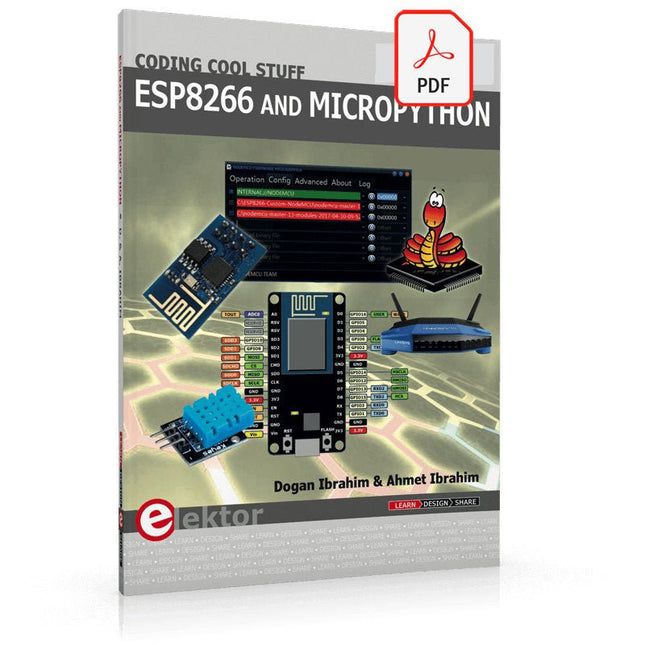
Elektor Digital ESP8266 and MicroPython (E-book)
Recently, the development of a tiny chip called the ESP8266 has made it possible to interface any type of microcontroller to a Wi-Fi AP. The ESP8266 is a low-cost tiny Wi-Fi chip having fully built-in TCP/IP stack and a 32-bit microcontroller unit. This chip, produced by Shanghai based Chinese manufacturer Espressif System, is IEEE 802.11 b/g/n Wi-Fi compatible with on-chip program and data memory, and general purpose input-output ports. Several manufacturers have incorporated the ESP8266 chip in their hardware products (e.g. ESP-xx, NodeMCU etc) and offer these products as a means of connecting a microcontroller system such as the Android, PIC microcontroller or others to a Wi-Fi. The ESP8266 is a low-power chip and costs only a few Dollars. ESP8266 and MicroPython – Coding Cool Stuff is an introduction to the ESP8266 chip and describes the features of this chip and shows how various firmware and programming languages such as the MicroPython can be uploaded to the chip. The main aim of the book is to teach the readers how to use the MicroPython programming language on ESP8266 based hardware, especially on the NodeMCU. Several interesting and useful projects are given in the e-book (pdf) to show how to use the MicroPython in NodeMCU type ESP8266 hardware: Project “What shall I wear today?”: You will be developing a weather information system using a NodeMCU development board together with a Text-to-Speech processor module. Project “The Temperature and Humidity on the Cloud”: You will be developing a system that will get the ambient temperature and humidity using a sensor and then store this data on the cloud so that it can be accessed from anywhere. Project “Remote Web Based Control”: You will be developing a system that will remotely control two LEDs connected to a NodeMCU development board using an HTTP Web Server application.
€ 29,95
Members: € 26,96
-

Elektor Digital Elektor 05-06/2026 (PDF) DE
Diese Ausgabe steht allen GOLD- und GREEN-Mitgliedern auf der ElektorMagazine-Website zum Download bereit! Sie sind noch kein Mitglied? Hier klicken! PbMonitor v2.0 – UpdateBatterieüberwachung mit verbessertem Analogdesign Audio-LatenzmessungEigenständiges Werkzeug zur Bewertung von Fehlern und Latenzen bei der Audioübertragung Rechtecksignal vs. Bode-DiagrammÜberprüfung der Leistungsfähigkeit eines Audiogeräts embedded world 2026 Clever coden mit KIKI in der Softwareentwicklung für Elektroniker Audioanalyser QA403Bezahlbare Präzision für Audio-Profis und -Hobbyisten EasyGimbalAutonomes Kamera-Tracking mit KI, Schrittmotor und Servo Sigfox-Breakout-Board (Teil 2)Nachrichten senden SchaltungsschutzÜberspannungen mit TVS-Dioden beherrschen Neue Ansätze für BatterieprüfungenEine neue Ära der Diagnostik AudiotronicsEin erster Vorverstärker CANopenTermEin Open-Source-Werkzeug für CAN – für Maker und Ingenieure Stabilisierung von Operationsverstärkernbei kapazitiver Last Projekt 2.0Korrekturen, Aktualisierungen und Leserbriefe SignalkonditionierungTipps und Tricks zur Anpassung von Spannungsbereichen TDR-Aufsatz für OszilloskopeLängenmessung, Kurzschluss, Fehlanpassung: Kabel mit Reflexionen messen! Aus dem Leben gegriffenLED It Be Lautsprecher-Oszillator und ResonanztesterEin experimentelles Projekt für Ihre Lautsprecher Elektor-Community-Tipps zu Test und Messung ESP32-Audio-Transceiver-Board (Teil 5)Audioverarbeitung und Fernsteuerung 2026: Eine KI-OdysseeKI hat ein Kontextproblem Batteriespeicher für BalkonkraftwerkeKleine Akkus mit großer Wirkung
€ 11,90
-

Elektor Digital Elektor Mei/Juni 2026 (PDF) NL
Elektor GREEN en GOLD leden kunnen deze uitgave hier downloaden. Nog geen lid? Klik hier om een lidmaatschap af te sluiten. PbMonitor v2.0 updateBatterijbewaking met verbeterd analoog ontwerp Audio latency-metingEen tool om fouten en latency in audiotransmissie te checken Blokgolf versus Bode-diagramDe prestaties van een audioapparaat controleren embedded world 2026 Slim programmeren met AIAI in softwareontwikkeling voor elektronica-ontwikkelaars QA403-audioanalysatorBetaalbare precisie voor audioprofessionals en hobbyisten EasyGimbalAutonome cameratracking met AI, stappenmotoren en servomotoren Sigfox breakoutboard (2)Berichten verzenden CircuitbeschermingOverpanningspieken beheersen met TVS-diodes Nieuwe methoden voor het testen van batterijenEen nieuw tijdperk van diagnostiek AudiotronicaEen eerste voorversterker CANopenTermEen open-source tool die CAN toegankelijk maakt voor makers en technici Stabilisatie van operationele versterkersFeedbackinstabiliteit voorkomen Err-lectronicsCorrecties, updates en lezersbrieven SignaalconditioneringTips en tricks om spanningsbereiken aan te passen TDR-opzetstuk voor oscilloscopenLengte, kortsluiting, mismatch: kabels meten met behulp van reflecties! Uit het leven gegrepenLED it be Luidsprekeroscillator en resonantietesterEen volledig experimenteel project voor uw luidsprekers Visies van de Elektor-community op testen en meten ESP32 Audio tranceiver board (Deel 5)Audioverwerking en afstandsbediening 2026: Een AI-OdysseeAI heeft een contextprobleem Batterijopslag voor balkon-zonnepanelenKleine batterijen, grote impact
€ 9,95
-

Elektor Digital Elektor Mai/Juin 2026 (PDF) FR
Le téléchargement intégral de ce numéro est disponible pour nos membres GOLD et GREEN sur le site Elektor Magazine ! Pas encore membre ? Cliquez ici. mise à jour du PbMonitor v2.0Surveillance de batterie avec un circuit analogique améliorée mesure de la latence audioUn outil autonome pour évaluer les erreurs et la latence de la transmission audio onde carrée vs. diagramme de BodeVérification des performances d’un appareil audio embedded world 2026 coder intelligemment avec l’IAL’IA dans le développement logiciel pour les électroniciens analyseur audio QA403Une précision accessible pour les professionnels et les amateurs d’audio EasyGimbalAutonomous Camera Tracking with AI, Stepper and Servo Motors carte breakout Sigfox (2)Envoi de messages protection de circuitsContrôle des surtensions avec des diodes TVS tests de batteriesDes approches innovantes à l’aube d’une nouvelle ère diagnostique audiotroniqueUn premier préampli CANopenTermExplorer les réseaux CAN avec un outil open source stabilisation des amplificateurs opérationnelsstabilisation-des-amplificateurs-operationnels projet 2.0Corrections, mises à jour et courrier des lecteurs conditionnement du signalAstuces pour adapter des plages de tension adaptateur TDR pour oscilloscopeLongueur, court-circuit, désadaptation : tester les câbles par réflectométrie ! sur le vifLED It Be oscillateur de haut-parleur et testeur de résonanceUn projet expérimental dédié aux haut-parleurs perspectives de la communauté Elektor sur le test et la mesure carte émetteur-récepteur audio ESP32 (5)Traitement audio et contrôle à distance 2026 : une odyssée de l’IAL’IA a un problème de contexte solutions de stockage par batterie pour installation solaire sur balconPetites batteries, grand impact
€ 10,95
-
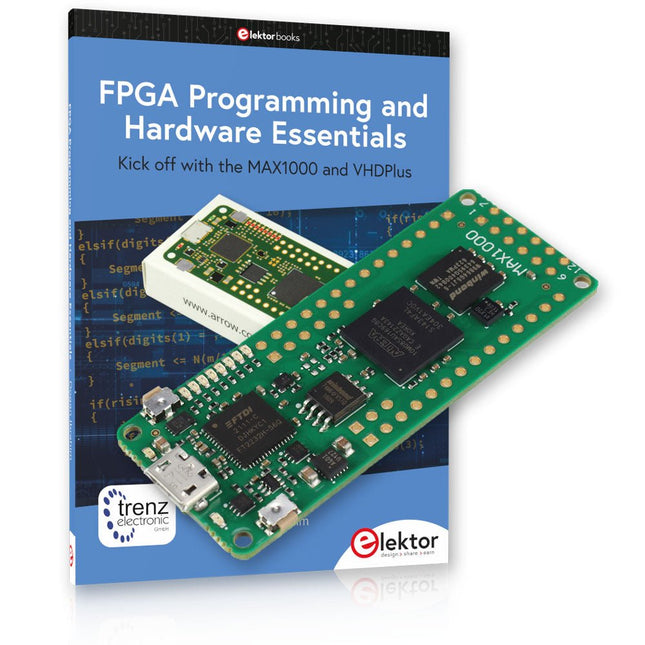
Elektor Bundles MAX1000 FPGA Programming Bundle
Kick off to FPGA Programming with the MAX1000 Board and VHDPlus Ready to master FPGA programming? With this bundle, you'll dive into the world of Field-Programmable Gate Arrays (FPGAs) – a configurable integrated circuit that can be programmed after manufacturing. Bring your ideas to life, from simple projects to complete microcontroller systems! The MAX1000 is a compact and powerful FPGA development board packed with features like memory, user LEDs, push-buttons, and flexible I/O ports. It’s the ideal starting point for anyone wanting to learn about FPGAs and Hardware Description Languages (HDLs). With the enclosed book "FPGA Programming and Hardware Essentials" you'll get hands-on with the VHDPlus programming language – a simpler version of VHDL. You'll work on practical projects using the MAX1000, helping you gain the skills and confidence to unleash your creativity. Projects in the Book Arduino-driven BCD to 7-Segment Display Decoder Use an Arduino Uno R4 to supply BCD data to the decoder, counting from 0 to 9 with a one-second delay Multiplexed 4-Digit Event Counter Create an event counter that displays the total count on a 4-digit display, incrementing with each button press PWM Waveform with Fixed Duty Cycle Generate a PWM waveform at 1 kHz with a fixed duty cycle of 50% Ultrasonic Distance Measurement Measure distances using an ultrasonic sensor, displaying the results on a 4-digit 7-segment LED Electronic Lock Build a simple electronic lock using combinational logic gates with push buttons and an LED output Temperature Sensor Monitor ambient temperature with a TMP36 sensor and display the readings on a 7-segment LED MAX1000 FPGA Development Board The MAX1000 is a customizable IoT/Maker Board ready for evaluation, development and/or use in a product. It is built around the Intel MAX10 FPGA, which is the industry’s first single chip, non-volatile programmable logic device (PLDs) to integrate the optimal set of system components. Users can now leverage the power of tremendous re-configurability paired with a high-performance, low-power FPGA system. Providing internally stored dual images with self-configuration, comprehensive design protection features, integrated ADCs and hardware to implement the Nios II 32-bit microcontroller IP, MAX10 devices are ideal solution for system management, protocol bridging, communication control planes, industrial, automotive and consumer applications. The MAX1000 is equipped with an Arrow USB Programmer2, SDRAM, flash memory, accelerometer sensor and PMOD/Arduino MKR connectors making it a fully featured plug and play solution without any additional costs. Specifications MAX 10 8 kLE - Flash Dual inside - ADC 8x 12 Bit - Temperature Range 0~85°C - Supply USB/pins SDRAM 8 MB 3-axis MEMS LIS3DH USB Programmer on board MEMS Oscillator 12 MHz Switch/LED 2x / 8x Contents of the Bundle Book: FPGA Programming and Hardware Essentials (normal price: €40) MAX1000 FPGA Development Board (normal price: €45) Downloads Software
-

SunFounder SunFounder Kepler Kit (Ultimate Starter Kit for Raspberry Pi Pico W)
Your gateway to IoT and microcontroller programming With 450+ components and 117 online projects, this comprehensive kit ignites your creativity. The tutorials by Paul McWhorter make learning enjoyable for beginners and advanced users. This kit supports MicroPython, C/C++, and Piper Make, offering diverse programming options. Explore sensors, actuators, LEDs, and LCDs for endless project possibilities. From home automation to robotics, this kit empowers your tech journey. Features IoT Starter Kit for Beginners: This kit offers a rich IoT learning experience for beginners. With 450+ components, 117 projects, and expert-led video lessons, this kit makes learning microcontroller programming and IoT engaging and accessible. Expert-Guided Video Lessons: The kit includes 27 video tutorials by the renowned educator, Paul McWhorter. His engaging style simplifies complex concepts, ensuring an effective learning experience in microcontroller programming. Wide Range of Hardware: The kit includes a diverse array of components like sensors, actuators, LEDs, LCDs, and more, enabling you to experiment and create a variety of projects with the Raspberry Pi Pico W. Supports Multiple Languages: The kit offers versatility with support for three programming languages - MicroPython, C/C++, and Piper Make, providing a diverse programming learning experience. Dedicated Support: Benefit from our ongoing assistance, including a community forum and timely technical help for a seamless learning experience. Included Raspberry Pi Pico W Breadboard Jumper Wires Resistor Transistor Capacitor Diode Li-po Charger Module 74HC595 TA6586 – Motor Driver Chip LED RGB LED LED Bar Graph 7-segment Display 4-Digit 7-Segment Display LED Dot Matrix I²C LCD1602 WS2812 RGB 8 LEDs Strip Buzzer DC Motor Servo DC Water Pump Relay Button Micro Switch Slide Switch Potentiometer Infrared Receiver Joystick Module 4x4 Keypad MPR121 Module MFRC522 Module Photoresistor Thermistor Tilt Switch Reed Switch PIR Motion Sensor Module Water Level Sensor Module Ultrasonic Module DHT11 Humiture Sensor MPU6050 Module Documentation Online Tutorials in 3 languages (EN, DE and JP)
-

Elektor Bundles Mikrocontroller-Praxiskurs für Arduino-Einsteiger (Bundle)
Mit dem Elektor Arduino Nano Trainingsboard (MCCAB) eigene Projekte realisieren Der Mikrocontroller ist das wohl faszinierendste Teilgebiet der Elektronik, denn aufgrund der Vielzahl von Funktionen, die er auf seinem Chip vereinigt, ist er für den Entwickler ein universelles Multi-Tool zur Realisierung seiner Projekte. Praktisch jedes Gerät des täglichen Gebrauchs wird heute von einem Mikrocontroller gesteuert. Für einen elektronischen Laien blieb es aufgrund der Komplexität bisher allerdings ein Wunschtraum, eigene Ideen mit einem Mikrocontroller zu realisieren. Das Arduino-Konzept hat den Einsatz von Mikrocontrollern weitgehend vereinfacht, sodass jetzt auch Laien eigene Elektronik-Ideen mit einem Mikrocontroller verwirklichen können. Buch & Hardware im Bundle: 'Learning by Doing' Dieses im Bundle mitgelieferte Buch (im großen A4-Format) zeigt, wie man auch ohne große Erfahrung in Elektronik und Programmiersprachen eigene Projekte mit einem Mikrocontroller realisieren kann. Es ist ein Mikrocontroller-Praxiskurs für Einsteiger, denn nach einem Überblick über die Interna des Mikrocontrollers und einer Einführung in die Programmiersprache C liegt der Schwerpunkt des Kurses auf den praktischen Übungen. Der Leser eignet sich die erforderlichen Kenntnisse durch 'Learning by Doing' an: in dem umfangreichen Praxisteil mit 12 Projekten und 46 Übungen wird das im vorderen Teil des Buches Gelernte mit vielen Beispielen unterlegt. Die Übungen sind dabei so aufgebaut, dass der Bearbeiter eine Aufgabenstellung erhält, die er mit seinem im Theorieteil des Buches aufgebauten Wissen löst. Für jede Übung gibt es anschließend eine ausführlich erklärte und kommentierte Musterlösung, die dem Bearbeiter bei Problemen weiterhilft und die er mit seiner eigenen Lösung vergleichen kann. Arduino IDE In der Arduino IDE, einer Software-Entwicklungsumgebung, die kostenlos auf den eigenen PC heruntergeladen werden kann und die das gesamte Softwarepaket enthält, das für ein eigenes Mikrocontroller-Projekt benötigt wird, schreibt der Bearbeiter mit dem Editor der IDE seine Programme („Apps“) in der Programmiersprache C. Der in die Arduino IDE integrierte Compiler übersetzt sie in die Bits und Bytes, die der Mikrocontroller versteht und die dann über ein USB-Kabel in den Speicher des Mikrocontrollers auf dem Elektor Arduino Nano Trainingsboard (MCCAB) geladen werden. Externe Sensoren, Motoren oder Baugruppen abfragen oder steuern Das Elektor Arduino Nano Trainingsboard (MCCAB) enthält neben einem Mikrocontrollermodul Arduino Nano alle für die Übungen benötigten Bauteile wie Leuchtdioden, Schalter, Taster, akustische Signalgeber usw. Auch externe Sensoren, Motoren oder Baugruppen können mit diesem Mikrocontroller-Übungssystem abgefragt oder gesteuert werden. Technische Daten (Arduino Nano Trainingsboard MCCAB) Stromversorgung Über die USB-Verbindung des zur Erstellung der Programme sowieso angeschlossenen PCs oder ein externes Netzteil (nicht im Lieferumfang enthalten) Betriebsspannung +5 Vcc Eingangsspannung Alle Eingänge 0 V bis +5 V VX1 und VX2 +8 V bis +12 V (nur bei Verwendung eines externen Netzteils) Mikrocontrollermodul Arduino Nano Hardwareperipherie LCD 2x16 Zeichen Potenziometer P1 & P2 JP3: Auswahl der Betriebsspannung von P1 & P2 Verteiler SV4: Verteiler für die BetriebsspannungenSV5, SV6: Verteiler für die Ein-/Ausgänge des Mikrocontrollers Schalter und Taster RESET-Taster auf dem Arduino Nano-Modul6x Tastschalter K1 … K66x Schiebeschalter S1 … S6JP2: Verbindung der Schalter mit den Eingängen des Mikrocontrollers Summer Piezo-Summer Buzzer1 mit Steckbrücke auf JP6 Leuchtanzeigen LED L auf dem Arduino Nano-Modul, verbunden mit GPIO D1311x LED: Zustandsanzeige für die Ein-/AusgängeJP6: Verbindung der LEDs LD10 … LD20 mit den GPIOs D2 … D12 Serielle SchnittstellenSPI & I²C JP4: Auswahl des Signals an Pin X der SPI-Steckerleiste SV12SV9 bis SV12: SPI-Interface (3,3 V/5 V) bzw. I²C-Interface Schaltausgang für externe Geräte SV1, SV7: Schaltausgang (maximal +24 V/160 mA, extern zugeführt)SV2: 2x13 Pins zum Anschluss externer Module 3x3 LED-Matrix (9 rote LEDs) SV3: Spalten der 3x3 LED-Matrix (Ausgänge D6 … D8)JP1: Verbindung der Reihen mit den GPIOs D3 … D5 Software Library MCCABLib Steuerung der Hardware-Komponenten (Schalter, Taster, Leuchtdioden, 3x3 LED-Matrix, Summer) auf dem MCCAB Trainingsboard Betriebstemperatur bis +40 °C Abmessungen 100 x 100 x 20 mm Technische Daten (Arduino Nano) Mikrocontroller ATmega328P Architektur AVR Betriebsspannung 5 V Flashspeicher 32 KB, davon 2 KB vom Bootloader belegt SRAM 2 KB Taktfrequenz 16 MHz Analoge IN-Pins 8 EEPROM 1 KB DC-Strom pro I/O-Pin 40 mA an einem I/O-Pin, insgesamt maximal 200 mA an allen Pins gemeinsam Eingangsspannung 7-12 V Digitale I/O-Pins 22 (6 davon sind PWM-fähig) PWM-Ausgänge 6 Stromverbrauch 19 mA Abmessungen 18 x 45 mm Gewicht 7 g Lieferumfang Elektor Arduino Nano MCCAB Trainingsboard Arduino Nano Buch: Mikrocontroller-Praxiskurs für Arduino-Einsteiger


