Mit Arduino – Schaltungsprojekte für Profis wird der Leser umfassend in die Hardware und Software der Arduino-Plattform eingeführt. Einfache, leicht verständliche Projekte am Anfang des Buches führen Schritt für Schritt in die Open-Source-Plattform ein. Die Projekte werden dann zunehmend komplexer, um dem Leser möglichst viele konkrete Lösungsmöglichkeiten aufzuzeigen, die mit dem Arduino-Mikrocontroller auch für angehende Profis zur Verfügung stehen.
Dabei wird neben den erforderlichen theoretischen Grundlagen stets größter Wert auf eine praxisorientierte Ausrichtung gelegt. So werden wichtige Techniken wie AD-Wandlung, Timer oder Interrupts stets in Praxisprojekte eingebettet. Es entstehen Lauflichteffekte, ein Aufwachlicht, voll funktionsfähige Voltmeter, präzise Digitalthermometer, Uhren in allen Variationen, Reaktionszeitmesser oder mausgesteuerte Roboterarme. Und ganz nebenbei hat der Leser die Grundlagen der zugehörigen Controller-Technik verstanden und im wahrsten Sinne des Wortes begriffen.
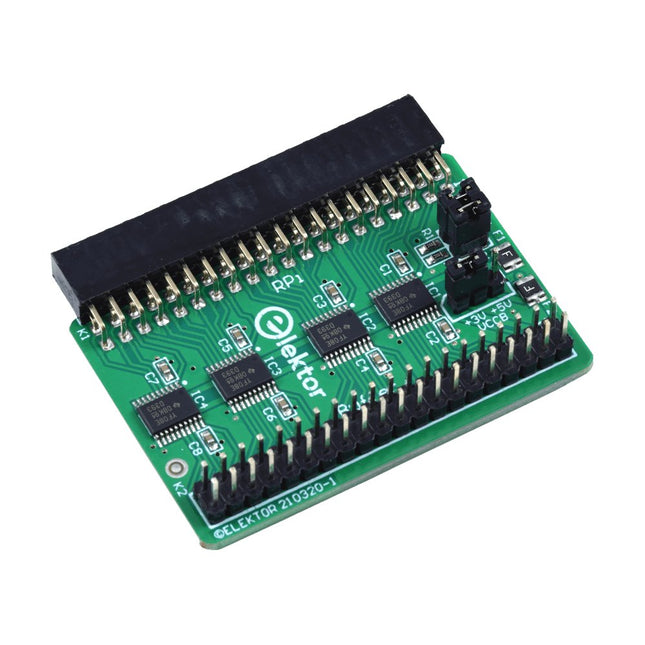
When you experiment with the Raspberry Pi on a regular basis and you connect a variety of external hardware to the GPIO port via the header you may well have caused some damage in the past. The Elektor Raspberry Pi Buffer Board is there to prevent this! The board is compatible with Raspberry Pi Zero, Zero 2 (W), 3, 4, 5, 400 and 500.
All 26 GPIOs are buffered with bi-directional voltage translators to protect the Raspberry Pi when experimenting with new circuits. The PCB is intended to be inserted in the back of Raspberry Pi 400/500. The connector to connect to the Raspberry Pi is a right angled 40-way receptacle (2x20). The PCB is only a fraction wider. A 40-way flat cable with appropriate 2x20 headers can be connected to the buffer output header to experiment for instance with a circuit on a breadboard or PCB.
The circuit uses 4x TXS0108E ICs by Texas Instruments. The PCB can also be put upright on a Raspberry Pi.
Downloads
Schematics
Layout
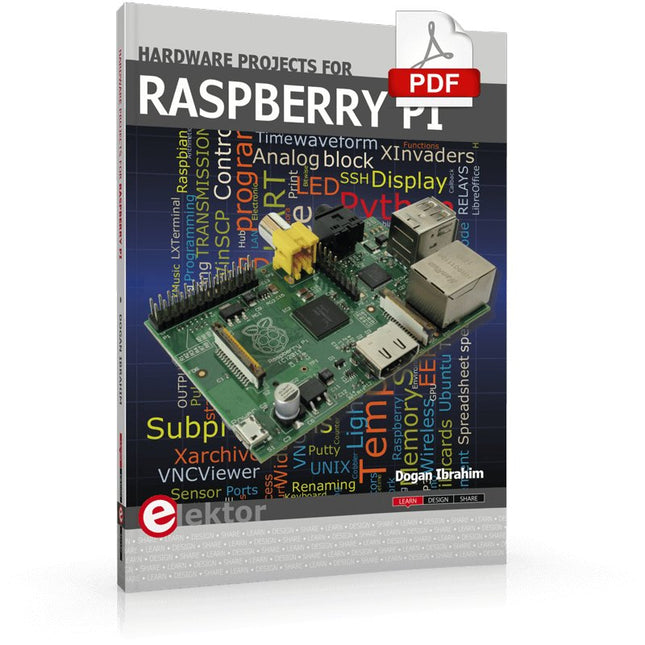
The Raspberry Pi is a $35 credit-card sized computer with many applications, such as in desktop computing, audio and video playback, and as a controller in many industrial, commercial and domestic applications.
This book is about the Raspberry Pi computer and its use in control applications. The book explains in simple terms, with examples, how to configure the RPi, how to install and use the Linux operating system, how to write programs using the Python programming language and how to develop hardware based projects.
The book starts with an introduction to the Raspberry Pi computer and covers the topics of purchasing all the necessary equipment and installing/using the Linux operating system in command mode. Use of the user-friendly graphical desktop operating environment is explained using example applications. The RPi network interface is explained in simple steps and demonstrates how the computer can be accessed remotely from a desktop or a laptop computer.
The remaining parts of the book cover the Python programming language, hardware development tools, hardware interface details, and RPi based hardware projects. All the 23 projects given in the book have been tested and are working.
The following headings are given for each project:
Project title
Project description
Project block diagram
Project circuit diagram
Project program description using the Program Description Language (PDL)
Complete program listing
Description of the program
The book is ideal for self-study, and is intended for electronic/electrical engineering students, practising engineers, research students, and hobbyists.
Der PC wird schon lange nicht mehr nur als einfacher Computer verwendet, sondern hat sich zu einem Universalwerkzeug entwickelt. Dieses Buch richtet sich an diejenigen, die vorhandene oder selbstgebaute Hardware über den Computer steuern wollen.
Der Einsatz von Visual Basic für die schnelle Entwicklung von Elektronikapplikationen öffnet Ihnen eine Welt, die über die Anschlüsse des PCs hinausreicht.
Sobald Sie sich mit Visual Basic, seiner Entwicklungsumgebung und den angebotenen Toolsets vertraut gemacht haben, werden Dinge wie die serielle Kommunikation, Druckerports, Bitbanging, Protokoll-Emulation, die ISA-, USB- und Ethernet-Schnittstellen und die Fernsteuerung von Mess- und Testaufbauten über den GPIB-Bus in allen Einzelheiten behandelt. Zu jedem Punkt gibt es einen übersichtlichen und lauffähigen Programmcode und wo nötig existieren Schaltpläne, mit denen Sie Ihr Projekt in kurzer Zeit einsatzfähig machen können.
Darüber hinausgehend erläutert dieses Buch den Umgang mit Debug-Tools bei der Suche nach Hardware-Adressen, den Aufbau einer Verbindung über TCP/IP- und UDP-Sockets und Sie lernen sogar eigene Internetserver zu programmieren. Oder wollen Sie Ihre Hardware über USB oder Ethernet anbinden und mit Visual Basic steuern? Auch die Kommunikation zwischen Programmen, DDE und das neue Grafik-Interface von Windows XP werden behandelt.
Alle Programmbeispiele lassen sich mit Visual Basic 5.0, 6.0, .NET oder 2005 kompilieren. Auch die Unterschiede zwischen Visual Basic Classic und Visual Basic NET/2005 sind ausführlich erläutert.
This bundle contains the popular Elektor Sand Clock for Raspberry Pi Pico and the new Elektor Laser Head Upgrade, offering even more options for displaying the time. Not only can you "engrave" the current time in sand, you can now alternatively write it on a glow-in-the-dark foil or create green drawings.
Contents of the bundle
Elektor Sand Clock for Raspberry Pi Pico (normal price: €50)
Elektor Laser Head Upgrade for Sand Clock (normal price: €35)
Elektor Sand Clock for Raspberry Pi (Raspberry Pi-based Eye Catcher)
A standard sand clock just shows how time passes. In contrast, this Raspberry Pi Pico-controlled sand clock shows the exact time by "engraving" the four digits for hour and minute into the layer of sand. After an adjustable time the sand is flattened out by two vibration motors and everything begins all over again.
At the heart of the sand clock are two servo motors driving a writing pen through a pantograph mechanism. A third servo motor lifts the pen up and down. The sand container is equipped with two vibration motors to flatten the sand. The electronic part of the sand clock consists of a Raspberry Pi Pico and an RTC/driver board with a real-time clock, plus driver circuits for the servo motors.
A detailed construction manual is available for downloading.
Features
Dimensions: 135 x 110 x 80 mm
Build time: approx. 1.5 to 2 hours
Included
3x Precut acrylic sheets with all mechanical parts
3x Mini servo motors
2x Vibration motors
1x Raspberry Pi Pico
1x RTC/driver board with assembled parts
Nuts, bolts, spacers, and wires for the assembly
Fine-grained white sand
Elektor Laser Head Upgrade for Sand Clock
The new Elektor Laser Head transforms the Sand Clock into a clock that writes the time on glow-in-the-dark film instead of sand. In addition to displaying the time, it can also be used to create ephemeral drawings. The 5 mW laser pointer, with a wavelength of 405 nm, produces bright green drawings on the glow-in-the-dark film. For best results, use the kit in a dimly lit room. Warning: Never look directly into the laser beam!
The kit includes all the necessary components, but soldering three wires is required.
Note: This kit is also compatible with the original Arduino-based Sand Clock from 2017. For more details, see Elektor Magazine 1-2/2017 and Elektor Magazine 1-2/2018.
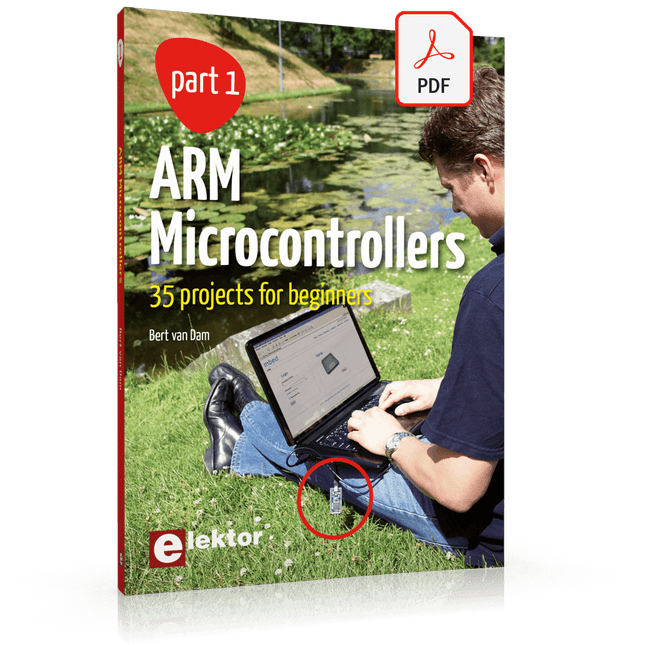
35 Projects for Beginners
This book is for hobbyists, students and engineers who want to learn C and how to use an mbed ARM microcontroller in an easy and fun way, without the need for cumbersome software installations.
ARM mbed microcontroller NXP LPC1768
The projects in this book are meant for beginners in C and ARM microcontrollers. That doesn't mean the projects are simple, but it does mean that they are easy to understand. We use for example USB communications, a subject that is made so easy by the mbed that it is suitable for a beginners book.
Cloud technology
The mbed NXP LPC1768 uses cloud technology, a revolutionary concept in software development. This means you do not need to install software on your PC in order to program the mbed!
The only thing you need is a browser such as Microsoft Internet Explorer, and a USB port on your PC. You can get access to your project from any PC anywhere in the world and continue working on it. When you are done a few simple mouse clicks transfer the program to your mbed hardware. Of course you can optionally download the projects and store them on your own PC.
Features of this Book
Learn how to program an mbed ARM microcontroller using cloud technology. No complicated software installation on your PC needed.
Learn programming in C by doing fun and interesting projects. No previous experience or knowledge required.
Examples of projects in this book: flashing light, timer, light activated switch, digital thermometer, people detector, USB communication, talking microcontroller, debugging, sound switch, and much more - 35 projects in total.
Examples of C subjects in this book: variables, commands, functions, program execution, pointers (introduction).
Mit RPi-basierten Tools und Messgeräten Amateurfunkstationen bauen und programmieren
Obwohl viele Funkamateure immer noch mit klassischer HF- und Mobilfunkausrüstung arbeiten, ist der Einsatz von Computern und digitalen Techniken inzwischen sehr beliebt. Heutzutage kann jeder für ca. 40 € einen Raspberry Pi-Computer kaufen und fast jede Amateurfunk-Software auf dem 'RPi' ausführen.
Die RTL-SDR-Geräte sind bei Funkamateuren sehr beliebt, weil sie sehr preiswert sind und viele Funktionen bieten. Ein Basissystem kann aus einem USB-basierten RTL-SDR-Dongle mit einer geeigneten Antenne, einem RPi-Computer, einem USB-basierten externen Audio-Eingangs-/ Ausgangsadapter und einer auf dem RPi installierten Software bestehen. Mit einer solch einfachen Einrichtung ist es möglich, Signale von etwa 24 MHz bis über 1,7 GHz zu empfangen.
Dieses Buch richtet sich an Funkamateure, die lernen wollen, wie man mit dem Raspberry Pi elektronische Projekte baut. Das Buch eignet sich für die gesamte Bandbreite von Anfängern bis hin zu alten Hasen im Amateurfunk. Die schrittweise Installation des Betriebssystems wird mit vielen Details zu den gängigsten Linux-Befehlen beschrieben. Einige Kenntnisse der Programmiersprache Python sind erforderlich, um die im Buch beschriebenen Projekte zu verstehen und zu bearbeiten. Zu den im Buch entwickelten Beispielprojekten gehören eine Stationsuhr, ein Signalgenerator, der Entwurf eines Transistorverstärkers, der Entwurf eines aktiven Filters, ein Morsezeichen-Übungsgerät, ein Frequenzzähler, ein HF-Meter und vieles mehr. Für jedes Projekt werden das Blockdiagramm, der Schaltplan und der vollständige Python-Quellcode angegeben, einschließlich der vollständigen Beschreibung der Projekte.
Neben der umfassenden Behandlung von RTL-SDR für Amateurfunk fasst das Buch auch die Installations- und Gebrauchsanweisungen der folgenden Amateurfunkprogramme zusammen, die Sie auf ihrem Raspberry Pi ausführen können: TWCLOCK, Klog, Gpredict, FLDIGI, DIRE WOLF, xcwcp, QSSTV, LinPsk, Ham Clock, CHIRP, xastir und CQRLOG.
Diese Ausgabe steht allen GOLD- und GREEN-Mitgliedern auf der ElektorMagazine-Website zum Download bereit!
Sie sind noch kein Mitglied? Hier klicken!
Stromquelle zum Testen von (Z-)DiodenPrüfen von Z-Dioden von 1 bis 54 V bei 1 bis 50 mA
ESD-Armband-TesterEin Tool zur Funktionsprüfung von Erdungsarmbändern
Transientenmesser für LabornetzteileEin reproduzierbarer Lastsprung-Generator für Labornetzteile
3D-Viewer für HTML-SeitenEinfach und fast ohne Code
LED-Blinkleuchte für Tore und mehr mit akustischem Alarm
Benötigen Sie Leiterplatten? Der Elektor-Leiterplattenservice ist für Sie da.
Zahnbürsten-TimerMit einem kleinen PIC
Ein berührungsloses magnetisches Kombinationsschlossmit dem AS5600-Drehpositionssensor
Rauscharmer, batteriebetriebener Vorverstärkerfür dynamische Mikrofone
Das Arduino Nano TestLabMessen, Steuern, Regeln
Rhythmische BassleuchteBetonen Sie den Rhythmus Ihrer Musik
Low-cut-FilterKein Risiko von Audio-Rückkopplungen in Ihrem System
Präziser 1-Hz-Rechteckwellengenerator für SteckbrettEine zuverlässige CMOS-basierte Taktquelle
555 auf den Kopf gestelltTastverhältnisse bis hinunter auf Null
Vom „Halfgeleidergids“ zu Circuit Specials65 Jahre Elektronik-Innovation
Galvanische TrennungCAN-Schnittstelle mit Digitalisolator und Powermodul
SpongillatorEin schwammbasierter Oszillator
Echter Zufallszahlengeneratormit integriertem Chi-Quadrat-Test
Euklidischer Sequencer ohne MikrocontrollerTrigger-Pattern und CV-Sequenzen mit einfacher CMOS-Logik
Programmieren mit TLScriptEine Skriptsprache zum Messen, Testen und Steuern
Schaltungsdesign: Tipps von Experten
RückkopplungWas ist das und warum ist sie wichtig?
Ein Board, endlose Ideen: Arduino UNO QVon Retro-Gaming zur Echtzeit-Umweltüberwachung
So bringen Sie eine Donut-Antenne in Ordnung
Standby-KillerEin echter Ein-/Ausschalter für den Fernseher
Akkus im TestAkkus vermessen mit dem Arduino Nano
Stromversorgung für Audio-EndstufenEin gutes Netzteil ohne Netzbrummen
Lochrasterplatinen für HFSchnelle Aufbauten mit DIY-Prototyping-Boards
T3-ÜberspannungsschutzEin Typ-3-Schutzmodul für empfindliche Geräte
IoT-Raumthermostat-Platinemit dem Xiao-MCU-Modul auf Basis des ESP32-C3/S3
Von starr zu smartFlexible und gedruckte Elektronik – zwischen Vision und industrieller Realität
Learning Embedded Systems with STM32 Nucleo Boards
Programming compact electronic systems is now easier to get started with than ever before. Affordable development boards, powerful software tools, and readily available documentation make it possible to turn an idea into a working prototype in very little time. MicroPython plays an important role in this development by offering a readable, interactive way to control microcontrollers while still providing direct access to their hardware features.
This book explores embedded programming with MicroPython using an STM32-based Nucleo board. It shows how a microcontroller continuously interacts with its environment by reading inputs, processing information, and controlling outputs. Step by step, you will learn to flash LEDs, measure analog signals, work with sensors, control actuators, and exchange data with other devices. The built-in REPL makes it easy to test instructions immediately, inspect results, and learn through experimentation.
Although microcontroller boards differ in size, speed, memory, and peripherals, the fundamental concepts remain largely the same. Digital input and output, analog conversion, timers, PWM, interrupts, and serial communication are the essential building blocks of embedded applications.
By concentrating on these transferable principles, the book provides a foundation that remains useful when moving to other boards, processors, or development environments.
It is intended both for newcomers and for programmers who want to expand into embedded systems. MicroPython offers a practical route into this field, combining quick results with a clear understanding of how software and hardware work together.
1-Wire ist die Bezeichnung für eine serielle Schnittstelle, die mit nur einer Datenader auskommt. Es ist ein Master-Multi-Slave-Kommunikationsprotokoll. Verfügbar sind integrierte Bausteine zur Temperaturmessung, Akkuüberwachung, Echtzeituhr und beispielsweise Hotelschließanlagen. Eine Besonderheit von 1-Wire-Geräten ist die Spannungsversorgung aus der Gegenstation, hierbei erfolgt die Versorgung der Slaves über die Datenleitung.
Der Leser erhält mit „Das 1-Wire-Praxisbuch“ eine umfassende Einführung in die 1-Wire-Technologie. Das Buch zeigt anhand praktischer Projekte zum Nachbauen, wie man verschiedene verfügbare 1-Wire-Chips in eigene Mikrocontroller-gesteuerte Anwendungen integrieren kann, und zwar mit Assembler-Software-Implementierungen für PIC-Mikrocontroller und mit Sketches für den Arduino.
Die 1-Wire-Technik kommt in dem Buch praxisnah bei einem elektronischen Schloss zum Einsatz, das von einem PIC-Mikrocontroller gesteuert wird. Ein weiteres Praxisprojekt erläutert Schritt für Schritt, wie beispielsweise eine ständige Temperaturmessung mit 1-Wire-Bausteinen möglich ist.