
Search results for "raspberry or pi or buffer or board"
-

Elektor Digital Elektor 07-08/2024 (PDF)
Diese Ausgabe steht allen GOLD- und GREEN-Mitgliedern auf der ElektorMagazine-Website zum Download bereit! Sie sind noch kein Mitglied? Hier klicken! Kleine WärmebildkameraRealisiert mit einem Arduino UNO Projekt-Update #3: Energiemessgerät mit ESP32Integration und Test mit Home Assistant 2024: Eine Odyssee in die KIVerbessern der Objekterkennung: Nutzung verfeinerter Techniken Raspberry Pi Goes KINeues Kit enthält M.2-HAT mit KI-Beschleuniger Sensoren für WetterstationenWelchen Sensor sollte man wählen? KI-gestützter WasserzählerTeil 1: Bringen Sie Ihren alten Zähler ins IoT! Ein GSM-AlarmNutzung der GSM-Technologie für die Fernüberwachung von Garagen Low-Power-Thread-Geräte optimiert und getestetNiedriger Energiebedarf ... Niedrige Leistung? Aus dem Leben gegriffenDer Gender-Gap Nebelkammer selbstgebautUnsichtbare Strahlung sichtbar machen SparkFun Thing Plus MatterEin vielseitiges Matter-basiertes IoT-Entwicklungsboard IoT-RetrofittingRS232-Geräte fit für Industrie 4.0 machen IoT mit 8-Bit-Mikrocontrollern Technologie als Motor der NachhaltigkeitNeuerungen führen zu Energieeffizienz in vielen Applikationen AWS für Arduino und Co.Teil 1: AWS-IoT-ExpressLink in der Praxis Luftstromdetektor (nur) mit ArduinoKeine externen Sensoren erforderlich! WasserleckdetektorVerbunden mit der Arduino-Cloud QuarzeBemerkenswerte Bauteile Universeller Garten-LoggerEin Schritt auf dem Weg zur KI-gestützten Gartenarbeit Analoger 1-kHz-GeneratorSinuswellen mit geringen Verzerrungen Miletus: Web-Apps offline nutzenSystem- und Gerätezugriff inklusive Von 4G zu 5GIst es wirklich so einfach? Aller Anfang...muss nicht schwer sein: Der Ausgleich
€ 11,90
-

Elektor Digital MIT App Inventor Projects (E-book)
50+ Android Apps with Raspberry Pi, ESP32 and Arduino This book is about developing apps for Android compatible mobile devices using the MIT App Inventor online development environment. MIT App Inventor projects can be in either standalone mode or use an external processor. In standalone mode, the developed application runs only on the mobile device (e.g. Android). In external processor-based applications, the mobile device communicates with an external microcontroller-based processor, such as Raspberry Pi, Arduino, ESP8266, ESP32, etc. In this book, many tested and fully working projects are given both in standalone mode and using an external processor. Full design steps, block programs, circuit diagrams, QR codes and full program listings are given for all projects. The projects developed in this book include: Using the text-to-speech component Intonating a received SMS message Sending SMS messages Making telephone calls using a contacts list Using the GPS and Pin-pointing our location on a map Speech recognition and speech translation to another language Controlling multiple relays by speech commands Projects for the Raspberry Pi, ESP32 and Arduino using Bluetooth and Wi-Fi MIT APP Inventor and Node-RED projects for the Raspberry Pi The book is unique in that it is currently the only book that teaches how to develop projects using Wi-Fi and Node-RED with MIT App Inventor. The book is aimed at students, hobbyists, and anyone interested in developing apps for mobile devices. All projects presented in this book have been developed using the MIT App Inventor visual programming language. There is no need to write any text-based programs. All projects are compatible with Android-based mobile devices. Full program listings for all projects as well as detailed program descriptions are given in the book. Users should be able to use the projects as they are presented, modifying them to suit their own needs.
€ 32,95
Members: € 29,66
-

Elektor Publishing Intelligente Sensoren in Embedded-Systemen
Vom Messwert zur stabilen Entscheidung Wie wird aus einem einfachen Mikrocontroller ein intelligentes System, das Sensorwerte erfasst, verarbeitet und sinnvoll darauf reagiert? Dieses Buch zeigt es Ihnen Schritt für Schritt – verständlich, praxisnah und ohne unnötige Vorkenntnisse. Sie beginnen mit den Grundlagen der digitalen und analogen Ein- und Ausgänge. Anschließend lernen Sie, wie Sensorwerte gelesen, geglättet und zuverlässig bewertet werden. Anschauliche Beispiele erklären, warum einzelne Messwerte oft täuschen können und wie Mittelwertbildung, Hysterese und einfache Entscheidungsregeln für stabile Ergebnisse sorgen. Nach und nach erweitern Sie Ihre Projekte um Displays, I²C-Kommunikation und mehrere vernetzte Mikrocontroller. So entstehen verteilte Systeme, in denen Raspberry Pi Pico und ATtiny-Controller Daten austauschen und gemeinsam Aufgaben übernehmen. Im fortgeschrittenen Teil erhalten Sie einen leicht verständlichen Einstieg in Merkmalsbildung, Datenvorverarbeitung, hybride Entscheidungsmodelle und TinyML-nahe Anwendungen. Dabei verbinden Sie klassische Regelungstechnik mit modernen datenbasierten Methoden. Alle Projekte werden von ausführlich kommentierten Programmen in C und MicroPython begleitet. Das Buch richtet sich an Einsteiger, Maker, Studierende und alle, die Embedded-Systeme von Grund auf verstehen möchten. Am Ende können Sie eigene Systeme entwickeln, die nicht nur messen, sondern Informationen auswerten, zuverlässige Entscheidungen treffen und gezielt reagieren.
€ 39,80
Best Price
-

Elektor Digital Elektor 01-02/2022 (PDF)
MOTORSTEUERUNG MIT H-BRÜCKENFür DC-, Schritt- und bürstenlose Motoren DAS TEAM IM ELEKTOR-LABORUnser Ansatz, unsere bevorzugten Werkzeuge und mehr RASPBERRY PI ALS KVM-FERNSTEUERUNGDie Software Pi-KVM im Elektor-Labor-Test REVIEW: IQAUDIO CODEC ZEROEine Soundkarte für die Raspberry Pi Familie DAS PIKVM-PROJEKT UND SEINE LEHRENEin Interview mit Maxim Devaev* (Entwickler von PiKVM) AUTONOMES FAHRZEUG MIT 2D-LIDARESP32 Pico interpretiert die Daten des Lidar-Moduls RASPBERRY PI ZERO 2 WEin erfreuliches und notwendiges Update IMPRESSIONEN VOM WORLD ETHICAL ELECTRONICS FORUM 2021 MOTORSTEUERUNGWie die Motorsteuerung weniger kompliziert wird GRÖSSERE ELEKTROMOTOREPrinzipien und Wissenswertes ESP32-C3: 32-BIT-RISC-EINKERNEREin erstes Hands-on im Elektor-Labor SCHÜTZEN SIE SICH SELBST UND ANDERE!Hauptnetzschalter für den Labortisch selbst gebaut PROGRAMMIEREN IN PYTHONNickname-Generator mit grafischer Benutzeroberfläche PRODUCTRONICA FAST FORWARD AWARD 2021: DIE PREISTRÄGER VIELSEITIGER SERVO-TESTERServos ohne Datenblatt analysieren MODBUS ÜBER WLANTeil 2: Software für das Modbus-TCP-WLAN-Modul NEURONEN IN NEURONALEN NETZEN VERSTEHENTeil 3: Praktische Neuronen IM INNEREN EINES OPEN-SOURCE-PROZESSORSEin Beispiel-Kapitel: Lattice- und Xilinx-FPGAs im Vergleich ALLER ANFANG ...muss nicht schwer sein: Die Spule lässt uns nicht los! PROJEKT 2.0Korrekturen, Updates und Leserbriefe COLOR TO SOUNDWie man einen Farbsensor über I2C ausliest BATTLAB ONEBetriebsdauer von batteriebetriebenen Geräten messen und optimieren! EINFACHER ERDSCHLUSSPRÜFERIsolationstester für Netzspannungsinstallationen ARMUT UND ELEKTRONIK1. Ziel für nachhaltige Entwicklung HEXADOKUThe Original Elektorized Sudoku
€ 11,90
-
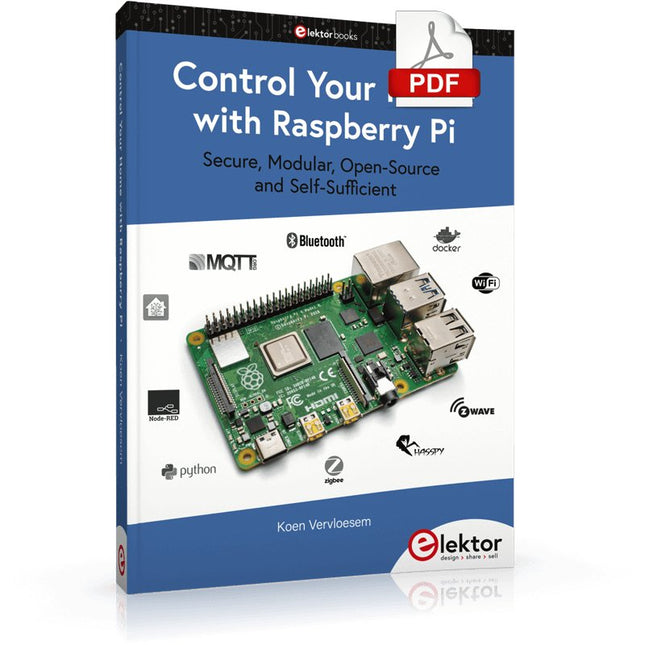
Elektor Digital Control Your Home with Raspberry Pi (E-book)
Secure, Modular, Open-Source and Self-Sufficient Ever since the Raspberry Pi was introduced, it has been used by enthusiasts to automate their homes. The Raspberry Pi is a powerful computer in a small package, with lots of interfacing options to control various devices. This book shows you how you can automate your home with a Raspberry Pi. You’ll learn how to use various wireless protocols for home automation, such as Bluetooth, 433.92 MHz radio waves, Z-Wave, and Zigbee. Soon you’ll automate your home with Python, Node-RED, and Home Assistant, and you’ll even be able to speak to your home automation system. All this is done securely, with a modular system, completely open-source, without relying on third-party services. You’re in control of your home, and no one else. At the end of this book, you can install and configure your Raspberry Pi as a highly flexible home automation gateway for protocols of your choice, and link various services with MQTT to make it your own system. This DIY (do it yourself) approach is a bit more laborious than just installing an off-the-shelf home automation system, but in the process, you can learn a lot, and in the end, you know exactly what’s running your house and how to tweak it. This is why you were interested in the Raspberry Pi in the first place, right? Turn your Raspberry Pi into a reliable gateway for various home automation protocols. Make your home automation setup reproducible with Docker Compose. Secure all your network communication with TLS. Create a video surveillance system for your home. Automate your home with Python, Node-RED, Home Assistant and AppDaemon. Securely access your home automation dashboard from remote locations. Use fully offline voice commands in your own language. Download the software and view the errata for the book on GitHub.
€ 34,95
Members: € 31,46
-
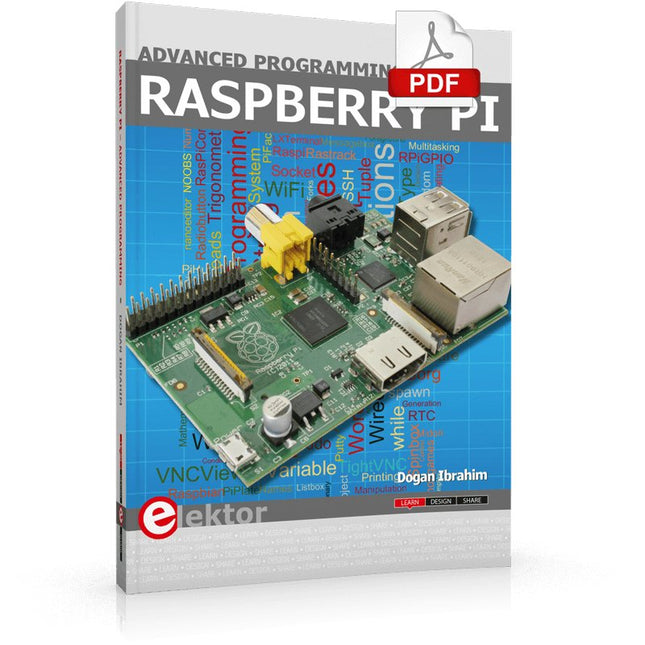
Elektor Digital Raspberry Pi Advanced Programming (E-book)
This book is about advanced programming of the Raspberry Pi computer using the Python programming language. The book explains in simple terms and with examples: How to configure the Raspberry Pi computer; How to install and use the Linux operating system and the desktop; How to write advanced programs using the Python programming language; How to use graphics in our programs; How to develop hardware based projects using the Raspberry Pi. The book starts with an introduction to the Raspberry Pi computer and covers the topics of purchasing all the necessary accessories and installing and operating the Linux operating system in command mode. The network interface of the RPi is explained in simple steps, demonstrating how the computer can be accessed remotely from a desktop or a laptop computer. The remaining parts of the book cover the Python programming language in detail, including advanced topics such as operating system calls, multitasking, interprocess synchronization and interprocess communication techniques. The important topic of network programming using UDP and TCP protocols is described with working examples. The Tkinter graphical user interface module (GUI) is described in detail with example widgets and programs. The last part of the book includes hardware projects based on using the advanced programming topics such as multitasking and interprocess communication techniques. All the projects given in the book have been fully tested and are working. Complete program listings of all projects are provided with detailed explanations.
€ 34,95
Members: € 31,46
-

Elektor Digital Elektor Januari/Februari 2022 PDF (NL)
MOTOREN AANSTUREN MET H-BRUGGENeen inleiding tot gelijkstroom-, stappen- en borstelloze motoren HET ELEKTOR LAB-TEAMonze aanpak, onze tools – en meer... RASPBERRY PI ALS KVM-AFSTANDSBEDIENINGsoftwaretest Pi-KVM IQAUDIO CODEC ZEROgeluidskaart voor de Raspberry Pi-familie WAT WE KUNNEN LEREN VAN HET PIKVM-PROJECTeen vraaggesprek met Maxim Devaev AUTONOOM RIJDEN MET 2D-LIDARESP32 Pico interpreteert gegevens van de lidar-module DE RASPBERRY PI ZERO 2 W GAAT QUAD-CORE NOTITIES BIJ VAN HET WORLD ETHICAL ELECTRONICS FORUM 2021 MOTORBESTURINGhoe de complexiteit van motorbesturing wordt gereduceerd GROTE ELEKTROMOTORENbasisprincipes en nuttige informatie AAN DE SLAG MET DE ESP32-C3 RISC-V MCU BESCHERM UZELF EN ANDEREN!DHZ-hoofdschakelaar voor uw werkbank GUI'S MAKEN MET PYTHON (DEEL 2)Spionnennaamkiezer PRODUCTRONICA FAST FORWARD 2021: DE WINNAARSspannende technologieën en creatieve engineeringoplossingen VEELZIJDIGE SERVOTESTERcontroleer het gedrag, ook zonder datasheet MODBUS VIA WLANdeel 2: software voor de Modbus TCP WLAN-module KENNISMAKING MET NEURONEN IN NEURALE NETWERKENdeel 3: neuronen in de praktijk IN EEN OPEN SOURCE-PROCESSORvoorbeeldhoofdstuk: vergelijking van Lattice- en Xilinx-FPGA’s ALLE BEGIN......is nog niet klaar met de spoel PROJECT 2.0correcties, updates en brieven van lezers KLEUR NAAR GELUIDeen kleursensor via I2C uitlezen BATTLAB-ONEmeet en optimaliseer de gebruiksduur van IoT-accu’s EENVOUDIGE AARDLEKTESTERisolatietest voor lichtnetinstallaties ARMOEDE EN ELEKTRONICAhet streven naar duurzame ontwikkeling HEXADOKUpuzzelen voor elektronici
€ 9,95
-

Elektor Digital 45 Elektronik-Projekte für den Raspberry Pi (E-book)
45 Elektronik-Projekte für den Raspberry Pi (E-book)
€ 32,80
Members: € 29,52
-
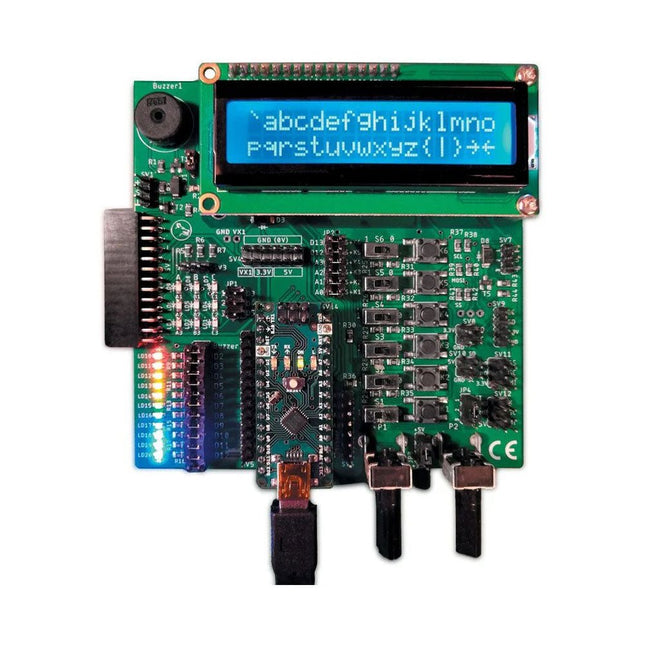
Elektor Labs Elektor Arduino Nano MCCAB Training Board
The Elektor Arduino Nano MCCAB Training Board contains all the components (incl. Arduino Nano) required for the exercises in the "Microcontrollers Hands-on Course for Arduino Starters", such as light-emitting diodes, switches, pushbuttons, acoustic signal transmitters, etc. External sensors, motors or assemblies can also be queried or controlled with this microcontroller training system. Specifications (Arduino Nano MCCAB Training Board) Power Supply Via the USB connection of the connected PC or an external power supply unit (not included) Operating Voltage +5 Vcc Input Voltage All inputs 0 V to +5 V VX1 and VX2 +8 V to +12 V (only when using an external power supply) Hardware periphery LCD 2x16 characters Potentiometer P1 & P2 JP3: selection of operating voltage of P1 & P2 Distributor SV4: Distributor for the operating voltagesSV5, SV6: Distributor for the inputs/outputs of the microcontroller Switches and buttons RESET button on the Arduino Nano module 6x pushbutton switches K1 ... K6 6x slide switches S1 ... S6 JP2: Connection of the switches with the inputs of the microcontroller Buzzer Piezo buzzer Buzzer1 with jumper on JP6 Indicator lights 11 x LED: Status indicator for the inputs/outputs LED L on the Arduino Nano module, connected to GPIO D13 JP6: Connection of LEDs LD10 ... LD20 with GPIOs D2 ... D12 Serial interfacesSPI & I²C JP4: Selection of the signal at pin X of the SPI connector SV12 SV9 to SV12: SPI interface (3.3 V/5 V) or I²C interface Switching output for external devices SV1, SV7: Switching output (maximum +24 V/160 mA, externally supplied) SV2: 2x13 pins for connection of external modules 3x3 LED matrix(9 red LEDs) SV3: Columns of the 3x3 LED matrix (outputs D6 ... D8) JP1: Connection of the rows with the GPIOs D3 ... D5 Software Library MCCABLib Control of hardware components (switches, buttons, LEDs, 3x3 LED matrix, buzzer) on the MCCAB Training Board Operating Temperature Up to +40 °C Dimensions 100 x 100 x 20 mm Specifications (Arduino Nano) Microcontroller ATmega328P Architecture AVR Operating Voltage 5 V Flash Memory 32 KB, of which 2 KB used by bootloader SRAM 2 KB Clock Speed 16 MHz Analog IN Pins 8 EEPROM 1 KB DC Current per I/O Pins 40 mA on one I/O pin, total maximum 200 mA on all pins together Input Voltage 7-12 V Digital I/O Pins 22 (6 of which are PWM) PWM Output 6 Power Consumption 19 mA Dimensions 18 x 45 mm Weight 7 g Included 1x Elektor Arduino Nano Training Board MCCAB 1x Arduino Nano
€ 69,95
Best Price
-

Elektor Publishing The BeagleY-AI Handbook
A Practical Guide to AI, Python, and Hardware Projects Welcome to your BeagleY-AI journey! This compact, powerful, and affordable single-board computer is perfect for developers and hobbyists. With its dedicated 4 TOPS AI co-processor and a 1.4 GHz Quad-core Cortex-A53 CPU, the BeagleY-AI is equipped to handle both AI applications and real-time I/O tasks. Powered by the Texas Instruments AM67A processor, it offers DSPs, a 3D graphics unit, and video accelerators. Inside this handbook, you‘ll find over 50 hands-on projects that cover a wide range of topics—from basic circuits with LEDs and sensors to an AI-driven project. Each project is written in Python 3 and includes detailed explanations and full program listings to guide you. Whether you‘re a beginner or more advanced, you can follow these projects as they are or modify them to fit your own creative ideas. Here’s a glimpse of some exciting projects included in this handbook: Morse Code Exerciser with LED or BuzzerType a message and watch it come to life as an LED or buzzer translates your text into Morse code. Ultrasonic Distance MeasurementUse an ultrasonic sensor to measure distances and display the result in real time. Environmental Data Display & VisualizationCollect temperature, pressure, and humidity readings from the BME280 sensor, and display or plot them on a graphical interface. SPI – Voltmeter with ADCLearn how to measure voltage using an external ADC and display the results on your BeagleY-AI. GPS Coordinates DisplayTrack your location with a GPS module and view geographic coordinates on your screen. BeagleY-AI and Raspberry Pi 4 CommunicationDiscover how to make your BeagleY-AI and Raspberry Pi communicate over a serial link and exchange data. AI-Driven Object Detection with TensorFlow LiteSet up and run an object detection model using TensorFlow Lite on the BeagleY-AI platform, with complete hardware and software details provided.
€ 44,95
Members: € 40,46
-

Elektor Digital Elektor Septembre/Octobre 2021 (PDF)
VOYAGE DANS LES RÉSEAUX NEURONAUX (1ÈRE PARTIE)Les neurones artificiels TEST DE PRÉCONFORMITÉ CEM POUR UN PROJET ALIMENTÉ EN COURANT CONTINUPartie 1 : RSIL double continu CHARGE ÉLECTRONIQUE EN CC ET CAJusqu?à 400 V et 10 A (crête) DÉMARRER EN ÉLECTRONIQUE (9)N'ayez pas peur du choc... un peu de « self control » suffit ! TRAITEMENT D'IMAGES AVEC LE MODULE JETSON NANO DE NVIDIA (1ÈRE PARTIE)Matériel et logiciel ZOOM SUR LES TRANSFORMATEURS SECTEURComportement transitoire à l?allumage et l?extinction « YES WE CAN » AVEC PICAN 3Module de bus CAN pour le Raspberry Pi 4 CENTRALE SOLAIRE SUR BALCONUn investissement vite amorti PRISE DE VUE ET DIFFUSION VIDÉO EN CONTINU AVEC UN RASPBERRY PI 4La caméra Raspberry Pi HQ en action UTILISATION D?ÉCRANS DANS LES PROJETS RASPBERRY PIExtrait : écrans à diodes électroluminescentes organiques (OLED) PROPELLER 2 DE PARALLAX (4)Envoi de chaînes de caractères 60 ANS D?ELEKTORRegard sur septembre DANS L?ANTRE DE?Menno van der Veen et de ses tubes amplificateurs CIRCUITS HYBRIDES ROSE DES VENTS AVEC LE CAPTEUR GY-271Ou pourquoi il faut faire des huit pour calibrer un capteur MESUREZ VOTRE EMPREINTEÉlectronique et émissions de gaz à effet de serre THERMOSTAT CONNECTÉ À ESP32Conservez votre vin à la bonne température ! LÉVITATION MAGNÉTIQUE, VERSION NUMÉRIQUEComparateur analogique remplacé par un ESP32 Pico ULTIMATE ARDUINO UNO HARDWARE MANUAL - FR TRANSLATIONExtrait : chargeur d?amorçage du microcontrôleur principal MICROPYTHON POUR L'ESP32 ET SES COPAINSPartie 2 : piloter facilement les écrans matriciels CARTE MADMACHINE SWIFTIOUn langage récent pour du matériel tout nouveau SUR LE VIFPassions incertaines HEXADOKUCasse-tête pour elektorniciens
€ 10,95
-

Elektor Digital Practical Microcontroller Cryptography (E-book)
From Simple Ciphers to Secure Systems Understanding how to apply cryptography on modern microcontrollers is essential for building secure, reliable, and trustworthy systems. This book explains cryptography in the context of embedded hardware, from classical ciphers that illustrate core principles to modern techniques such as AES for practical high-security applications. By combining mathematical theory with real-world microcontroller implementations, readers learn not only how cryptography works, but also how to implement it effectively on systems with limited processing power and memory. The book is intended for students starting out in cryptography, hobbyists securing personal projects, and engineers looking for a structured guide to embedded security. The book covers these key topics in applied cryptography: Classical ciphers on Arduino Uno and Raspberry Pi Pico, with full programs: Spartan Scytale, Hebrew Atbash, Caesar, ROT13, Alberti Disk, Vigenère, Affine, Polybius, Playfair, Beaufort, Ottoman Codebook, and One-Time Pad. Hacking classical ciphers using microcontrollers, with examples. Pseudo-random (PRNG) and true random number generation (TRNG) on microcontrollers. Symmetric-key cryptography with full programs: DES and AES-128/256. Memory and speed constraints of cryptography on microcontrollers. Asymmetric cryptography: public/private keys, digital signatures, key distribution and derivation (KDF), RSA, and SHA-256 implementations. A complete secure communication program using RSA and AES-256. A glossary of commonly used cryptography terms.
€ 29,95
Members: € 26,96


