
Search results for "cytron OR maker OR drive OR h OR bridge OR motor OR driver"
-

Elektor Digital Elektor November/December 2022 (PDF)
Elektor GREEN and GOLD members can download their digital edition here. Not a member yet? Click here. High-End from the Elektor Lab Fortissimo-100 High-End AmplifierFully symmetrical audio output stage and 100/190 W Checking the Frequency of Tuned Circuits and CrystalsTips & Tricks, Best Practices and Other Useful Information PCB Tips and Tricks Soldering – So What?A Closer Look at Current Soldering Technology Low-Latency Bluetooth Garage Door ControlTake Control with Short BLE Messages from a Smartphone Ideal Diode ControllerDiode Circuits with Low Power Dissipation LED Garlands with ESP32 and FreeRTOSFlashing and Variable Brightness Starting Out in Electronics……Cheerfully Continues Zenering FM/DAB+ ReceiverThe Best of Both Worlds From Life’s ExperienceElectronica Obscura Tracing the Cause of Software Bugs WirelesslyCircular Buffer and Webserver on the ESP32 Did Covid Cause a Boost in Engineering Innovation?Innovative Components and Solutions from 2022 Ersa i-CON TRACE – The IoT Soldering Station for Makers Infographics What Are We Going to Do with All This Compute? How to Drive Ynvisible’s E-Paper Display All-Time Innovation with InnoFaithQ&A with Walter Arkesteijn Industrial AutomationEasy and scalable IoT-Retrofitting Next Generation Oscilloscopes for Accelerated InsightRohde & Schwarz introduces the R&S MXO 4 series Low Profile Linear Connectors Solve Multi-Signal Data Management Smart – Innovative – Cost-EfficientGateMate FPGAs Developed and Manufactured in Germany Tools to Support Low-Cost Sensor Development PolyfusesPeculiar Parts, the Series Isolated Analog Output for Arduino Uno HomeLab Tours... Discovers the Theremin electronica fast forward 2022 - powered by ElektorLineup and Timetable Radio Direction FindingTracking Down Lost Wireless Weather Sensors Estimate an IC's Internal NoiseA Simple Method Ethics in ActionPowered by WEEF No Ethics, No Sustainable BusinessAn Interview with Professor Stefan Heinemann The 2023 WEEF Index Filter SoftwareDesign Tools for Analog Filters TV-B-Gone!... Or At Least B-OFF RP2040-Based Air Quality Measurement elekterminal Kickstart to Python 3Sample Chapter: Digital Image Processing and Wand Library SOLARPUNKA Brighter Future Ahead Hexadoku
€ 7,50
-

Elektor Digital Elektor November/December 2022 PDF (NL)
Elektor GREEN en GOLD leden kunnen deze uitgave hier downloaden.Nog geen lid? Klik hier om een lidmaatschap af te sluiten. High-end uit het Elektor-lab Fortissimo-100 high-end versterkervolledig symmetrische audio-eindtrap levert 100/190 W Controleer de frequentie van afgestemde kringen en kristallen Printen ontwerpentips en trucs Solderen – nou en?moderne soldeertechnologie nader bekeken Bluetooth-garagedeurbediening met geringe latentiemet korte BLE-berichten vanaf een smartphone Ideale diode-controllerdiodeschakelingen met geringe vermogensdissipatie LED-slingers met ESP32 en FreeRTOSknipperen dat het een lieve lust is Alle begin......zenert er vrolijk op los FM/DAB+ ontvangerhet beste van twee werelden Uit het leven gegrepenelektronica obscura De oorzaak van software-bugs draadloos opsporencirculaire buffer en webserver op de ESP32 Heeft Covid de innovatie gestimuleerd?innovatieve componenten en oplossingen uit 2022 Ersa i-CON TRACEhet IoT-soldeerstation voor makers Elektor Infographics Wat moeten we met al die computers? Aansturing van het e-paper display van Ynvisible InnoFaith: innovatie en nog eens innovatievraaggesprek met Walter Arkesteijn Industriële automatiseringeenvoudige en schaalbare IoT-retrofitting Reed-relaisvreemde onderdelen Low-profile lineaire connectorenvereenvoudigen multisignaal-databeheer Slim – Innovatief – KosteneffectiefGateMate FPGA’s worden ontwikkeld en geproduceerd in Duitsland Tools voor de ontwikkeling van goedkope sensoren Polyfusesvreemde onderdelen Geïsoleerde analoge uitgang voor Arduino Uno Oost West Lab Best...ontdekt de Theremin electronica fast forward 2022 – powered by Elektorde deelnemers en het programma Radiorichtingzoekerspoor verloren weersensoren op Schat de interne ruis van een ICeen eenvoudige methode Ethiek in actiepowered by WEEF Zonder ethiek geen duurzaam ondernemenvraaggesprek met professor Stefan Heinemann De WEEF Index 2023 Filtersoftwareontwerp-tools voor analoge filters TV-B-Gone!...of tenminste TV tabee Meting van de luchtkwaliteitop basis van de RP2040 elekterminal Snelstart met Python 3voorbeeldhoofdstuk: digitale beeldbewerking en de Wand-bibliotheek SOLARPUNKeen mooiere toekomst in het verschiet Hexadoku
€ 9,95
-

OWON OWON VDS1022I 2-ch USB Oscilloscope (25 MHz)
OWON VDS1022I 2-channel USB oscilloscope (25 MHz) is a oscilloscope for use with a computer. It is powered by USB and has a small size, making it easy to take it with you. The oscilloscope is very economical. It has a shielded USB connection, reducing interference and protecting the computer against over-voltage. The multi port on the scope can be used for external triggering, trigger out or Pass / Fail output. Features 25 MHz bandwidth, and max 1 GS/s real-time sample rate 10M record length Friendly UI: FFT, or X-Y, and waveform 2 views displayed on the same screen Multi-trigger option: edge, video, slope, pulse, and alternate USB isolation – less signal inference, more PC protection USB bus powering, and LAN remote control (optional) Ultra-thin body design, easy portability Specifications Bandwidth 25 MHz Channel 2+1 (multi) Sample Rate 100 MSa/s Horizontal Scale (s/div) 5 ns/div~100s/div, step by 1~2~5 Record Length 5K Max Input Voltage 400 V (PK - PK) (DC+AC, PK - PK) 40 V (PK - PK) (DC+AC, PK - PK) Vertical Resolution (A/D) 8 bits (2 channels simultaneously) Model VDS1022I Vertical Sensitivity 5 mV/div~5 V/div Trigger Type Edge, Pulse, Video, Slope, and Alternate Trigger Mode Auto, Normal, and Single Acquisition Mode Sample, Peak Detect, and Average Waveform Math +, -, ×, ÷, invert, FFT Communication Interface USB 2.0 (isolation) Multi-function Interface Signal Type Level Standard TTL Power Supply 5.0 V/1 A Power Consumption ≤2.5 W Dimensions (W × H × D) 170 x 120 x 18 mm Weight 0.26 kg Included 1x OWON VDS1022I oscilloscope 1x CD-ROM 1x Quick start guide 2x Oscilloscope probe 1x Probe tool 1x Power adapter 1x USB cable 1x Silicone case protectors 1x Power cable Downloads Datasheet User manual SCPI protocol USB driver
€ 119,00
-

Techwatch Books ASML's Architects
The story of the engineers who shaped the world's most powerful chip machines How do you transform a hopeless research and business activity into a billion-dollar machine and a world-leading company? The Dutch enterprise ASML pulled it off, and the book ASML’s Architects by renowned technology writer René Raaijmakers reveals exactly how. ASML's Architects travels back to the origins, struggles, success factors and sheer luck of a company that was barely alive at the beginning of the 80s, yet managed to become the uncontested world leader in chip lithography. Today, ASML determines the pace at which all information technology advances. The book covers the technology and the business, but the real story is in the people behind them. Throughout its pages, the interviewed engineers, scientists and managers speak frankly about their struggles, their fights and the grueling teamwork behind the scenes. Downloads Preface and Introduction The Violin Maker (Chapter 5) The Reunion (Chapter 23) A Movie for IBM (Chapter 64)
€ 59,00
Members: € 53,10
-

Elektor Digital Autonomous Robotics from the Ground Up (E-book)
The Black Shadow Project: From Sensors to Embedded AI Most robotics books stop at individual components or jump to frameworks that hide the hardware. This book explores how a complete autonomous robot is designed, integrated and debugged from first principles, following an engineer’s practical problems, failed approaches and workable solutions. Three dedicated dual-core microcontrollers divide perception, motor control and navigation, reducing timing conflicts. Sixteen time-of-flight sensors across eight independent I²C buses provide 360° environmental coverage at 20 Hz. Their measurements feed a trained neural network that performs real-time obstacle avoidance directly on the microcontroller using TensorFlow Lite for Microcontrollers, without cloud services or a GPU. A built-in Wi-Fi access point and browser interface give your smartphone access to live telemetry, sensor visualisation and manual driving without installing an app. An onboard virtual machine executes bytecode scripts one instruction per scheduler tick, allowing multi-step manoeuvres without blocking real-time control loops. This establishes a foundation for increasingly independent behaviour. The closing chapter examines what separates shared control from the book’s goal of Level 3 autonomy: self-localisation, mission planning, reliable heading, predictive power management and recognising when to stop. It outlines possible solutions, then challenges you to design Black Shadow 2.0. Throughout, the emphasis remains on integration, troubleshooting and practical engineering decisions.
€ 32,95
Members: € 29,66
-

Elektor Publishing Autonomous Robotics from the Ground Up
The Black Shadow Project: From Sensors to Embedded AI Most robotics books stop at individual components or jump to frameworks that hide the hardware. This book explores how a complete autonomous robot is designed, integrated and debugged from first principles, following an engineer’s practical problems, failed approaches and workable solutions. Three dedicated dual-core microcontrollers divide perception, motor control and navigation, reducing timing conflicts. Sixteen time-of-flight sensors across eight independent I²C buses provide 360° environmental coverage at 20 Hz. Their measurements feed a trained neural network that performs real-time obstacle avoidance directly on the microcontroller using TensorFlow Lite for Microcontrollers, without cloud services or a GPU. A built-in Wi-Fi access point and browser interface give your smartphone access to live telemetry, sensor visualisation and manual driving without installing an app. An onboard virtual machine executes bytecode scripts one instruction per scheduler tick, allowing multi-step manoeuvres without blocking real-time control loops. This establishes a foundation for increasingly independent behaviour. The closing chapter examines what separates shared control from the book’s goal of Level 3 autonomy: self-localisation, mission planning, reliable heading, predictive power management and recognising when to stop. It outlines possible solutions, then challenges you to design Black Shadow 2.0. Throughout, the emphasis remains on integration, troubleshooting and practical engineering decisions.
€ 39,95
Members: € 35,96
-

SunFounder SunFounder Kepler Kit (Ultimate Starter Kit for Raspberry Pi Pico W)
Your gateway to IoT and microcontroller programming With 450+ components and 117 online projects, this comprehensive kit ignites your creativity. The tutorials by Paul McWhorter make learning enjoyable for beginners and advanced users. This kit supports MicroPython, C/C++, and Piper Make, offering diverse programming options. Explore sensors, actuators, LEDs, and LCDs for endless project possibilities. From home automation to robotics, this kit empowers your tech journey. Features IoT Starter Kit for Beginners: This kit offers a rich IoT learning experience for beginners. With 450+ components, 117 projects, and expert-led video lessons, this kit makes learning microcontroller programming and IoT engaging and accessible. Expert-Guided Video Lessons: The kit includes 27 video tutorials by the renowned educator, Paul McWhorter. His engaging style simplifies complex concepts, ensuring an effective learning experience in microcontroller programming. Wide Range of Hardware: The kit includes a diverse array of components like sensors, actuators, LEDs, LCDs, and more, enabling you to experiment and create a variety of projects with the Raspberry Pi Pico W. Supports Multiple Languages: The kit offers versatility with support for three programming languages - MicroPython, C/C++, and Piper Make, providing a diverse programming learning experience. Dedicated Support: Benefit from our ongoing assistance, including a community forum and timely technical help for a seamless learning experience. Included Raspberry Pi Pico W Breadboard Jumper Wires Resistor Transistor Capacitor Diode Li-po Charger Module 74HC595 TA6586 – Motor Driver Chip LED RGB LED LED Bar Graph 7-segment Display 4-Digit 7-Segment Display LED Dot Matrix I²C LCD1602 WS2812 RGB 8 LEDs Strip Buzzer DC Motor Servo DC Water Pump Relay Button Micro Switch Slide Switch Potentiometer Infrared Receiver Joystick Module 4x4 Keypad MPR121 Module MFRC522 Module Photoresistor Thermistor Tilt Switch Reed Switch PIR Motion Sensor Module Water Level Sensor Module Ultrasonic Module DHT11 Humiture Sensor MPU6050 Module Documentation Online Tutorials in 3 languages (EN, DE and JP)
-

QuantAsylum QuantAsylum QA403 24-bit Audio Analyzer
The QA403 is QuantAsylum's fourth-generation audio analyzer. The QA403 extends the functionality of the QA402 with improved noise and distortion performance, in addition to a flatter response at band edges. The compact size of the QA403 means you can take it just about anywhere. Features 24-bit ADC/DAC Up to 192 kS/s Fully isolated from PC Differential Input/Output USB powered Built-in Attenuator Fast Bootup and Driverless The QA403 is a driverless USB device, meaning it’s ready as soon as you plug it in. The software is free and it is quick and easy to move the hardware from one machine to the next. So, if you need to head to the factory to troubleshoot a problem or take the QA403 home for a work-from-home day, you can do it without hassle. No-Cal Design The QA403 comes with a factory calibration in its flash memory, ensuring consistent unit-to-unit performance. On your manufacturing line you can install another QA403 and be confident what you read on one unit will be very similar to the next unit. It is not expected that re-calibration will be required at regular intervals. Measurements Making basic measurements is quick and easy. In a few clicks you will understand the frequency response, THD(+N), gain, SNR and more of your device-under test. Dynamic Range The QA403 offers 8 gain ranges on the input (0 to +42 dBV in 6 steps), and 4 gain ranges on the output (-12 to +18 dBV in 10 dB steps). This ensures consistent performance over very wide ranges of input and output levels. The maximum AC input to the QA403 is +32 dBV = 40 Vrms. The maximum DC is ±40 V, and the maximum ACPEAK + DC = ±56 V. Easy Programmability The QA403 supports a REST interface, making it easy to automate measurements in just about any language you might anticipate. From Python to C++ to Visual Basic—if you know how to load a web page in your favorite language, you can control the QA403 remotely. Measurements are fast and responsive, usually with dozens of commands being processed per second. Isolated and USB Powered The QA403 is isolated from the PC, meaning you are measuring your DUT and not chasing some phantom ground loop. The QA403 is USB powered, like nearly all our instruments. If you are setting up remotely, throw a powered hub in your bag and your entire test setup can be running with a minimum of cables. Goodbye Soundcard, Hello QA403 Tired of trying to make a soundcard work? The calibration nightmare? The lack of gain stages? The limited drive? Are you tired of dealing with the fixed input ranges? The worry that you might destroy it with too much DC or AC? Tired of the ground loops? That’s why QuantAsylum built the QA403. Specifications Case Material Powder-coating Aluminum (2 mm thick front panel, 1.6 mm thick top/bottom) Dimensions 177 x 44 x 97 mm (W x H x D) Weight 435 g Downloads Datasheet Manual GitHub
-
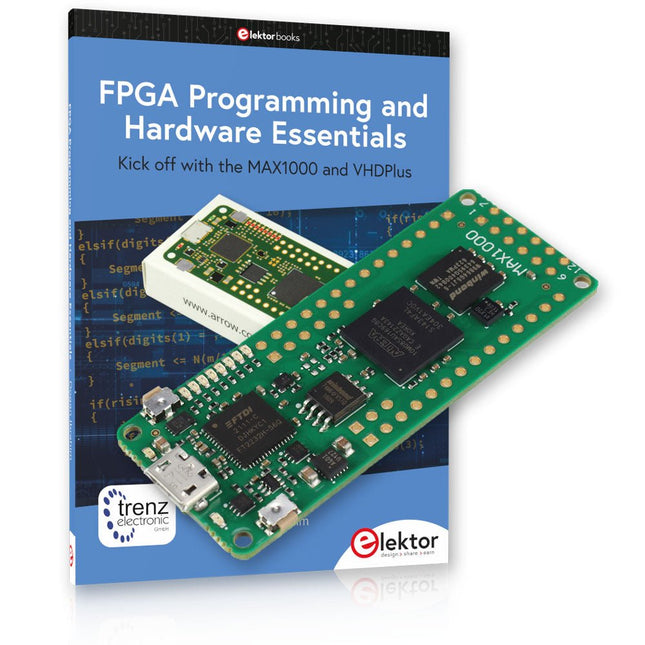
Elektor Bundles MAX1000 FPGA Programming Bundle
Kick off to FPGA Programming with the MAX1000 Board and VHDPlus Ready to master FPGA programming? With this bundle, you'll dive into the world of Field-Programmable Gate Arrays (FPGAs) – a configurable integrated circuit that can be programmed after manufacturing. Bring your ideas to life, from simple projects to complete microcontroller systems! The MAX1000 is a compact and powerful FPGA development board packed with features like memory, user LEDs, push-buttons, and flexible I/O ports. It’s the ideal starting point for anyone wanting to learn about FPGAs and Hardware Description Languages (HDLs). With the enclosed book "FPGA Programming and Hardware Essentials" you'll get hands-on with the VHDPlus programming language – a simpler version of VHDL. You'll work on practical projects using the MAX1000, helping you gain the skills and confidence to unleash your creativity. Projects in the Book Arduino-driven BCD to 7-Segment Display Decoder Use an Arduino Uno R4 to supply BCD data to the decoder, counting from 0 to 9 with a one-second delay Multiplexed 4-Digit Event Counter Create an event counter that displays the total count on a 4-digit display, incrementing with each button press PWM Waveform with Fixed Duty Cycle Generate a PWM waveform at 1 kHz with a fixed duty cycle of 50% Ultrasonic Distance Measurement Measure distances using an ultrasonic sensor, displaying the results on a 4-digit 7-segment LED Electronic Lock Build a simple electronic lock using combinational logic gates with push buttons and an LED output Temperature Sensor Monitor ambient temperature with a TMP36 sensor and display the readings on a 7-segment LED MAX1000 FPGA Development Board The MAX1000 is a customizable IoT/Maker Board ready for evaluation, development and/or use in a product. It is built around the Intel MAX10 FPGA, which is the industry’s first single chip, non-volatile programmable logic device (PLDs) to integrate the optimal set of system components. Users can now leverage the power of tremendous re-configurability paired with a high-performance, low-power FPGA system. Providing internally stored dual images with self-configuration, comprehensive design protection features, integrated ADCs and hardware to implement the Nios II 32-bit microcontroller IP, MAX10 devices are ideal solution for system management, protocol bridging, communication control planes, industrial, automotive and consumer applications. The MAX1000 is equipped with an Arrow USB Programmer2, SDRAM, flash memory, accelerometer sensor and PMOD/Arduino MKR connectors making it a fully featured plug and play solution without any additional costs. Specifications MAX 10 8 kLE - Flash Dual inside - ADC 8x 12 Bit - Temperature Range 0~85°C - Supply USB/pins SDRAM 8 MB 3-axis MEMS LIS3DH USB Programmer on board MEMS Oscillator 12 MHz Switch/LED 2x / 8x Contents of the Bundle Book: FPGA Programming and Hardware Essentials (normal price: €40) MAX1000 FPGA Development Board (normal price: €45) Downloads Software
-
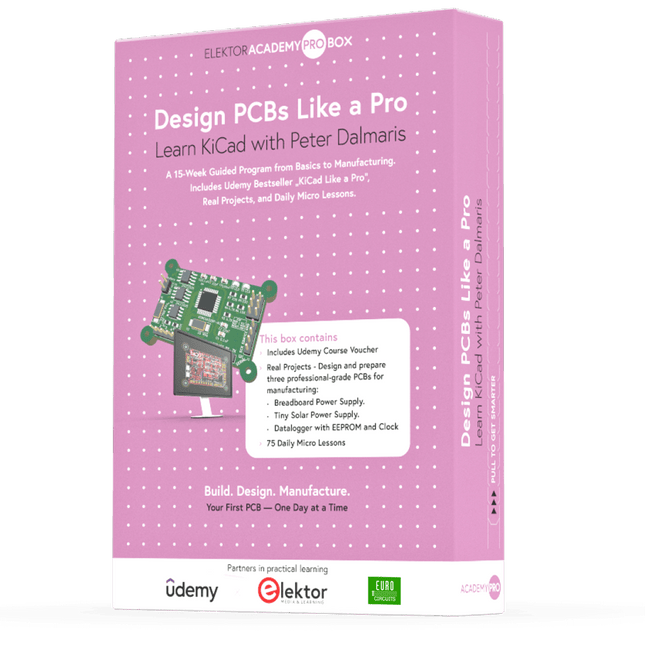
Elektor Academy Pro Design PCBs Like a Pro
Learn KiCad with Peter Dalmaris The Academy Pro Box "Design PCBs like a Pro" offers a complete, structured training programme in PCB design, combining online learning with practical application. Based on Peter Dalmaris’ KiCad course, the 15-week programme integrates video lessons, printed materials (2 books), and hands-on projects to ensure participants not only understand the theory but also develop the skills to apply it in practice. Unlike standard courses, the Academy Pro Box provides a guided learning path with weekly milestones and physical components to design, test, and produce working PCBs. This approach supports a deeper learning experience and better knowledge retention. The box is ideal for engineers, students, and professionals who want to develop practical PCB design expertise using open-source tools. With the added option to have their final project manufactured, participants complete the programme with real results – ready for use, testing, or further development. Learn by doing Build skills. Design real boards. Generate Gerbers. Place your first order. This isn’t just a course – it’s a complete project journey from idea to product. You’ll walk away with: Working knowledge of KiCad’s tools Confidence designing your own PCBs A fully manufacturable circuit board – made by you What's inside the Box (Course)? Both volumes of "KiCad Like a Pro" (valued at €105) Vol 1: Fundamentals and Projects Vol 2: Advanced Projects and Recipes Coupon code to join the bestselling KiCad 9 online course by Peter Dalmaris on Udemy, featuring 20+ hours of video training. You'll complete three full design projects: Breadboard Power Supply Tiny Solar Power Supply Datalogger with EEPROM and Clock Voucher from Eurocircuits for the production of PCBs (worth €85 excl. VAT) Learning Material (of this Box/Course) 15-Week Learning Program ▶ Click here to open Week 1: Setup, Fundamentals, and First Steps in PCB Design Week 2: Starting Your First PCB Project – Schematic Capture Week 3: PCB Layout – From Netlist to Board Design Week 4: Design Principles, Libraries, and Workflow Week 5: Your First Real-World PCB Project Week 6: Custom Libraries – Symbols, Footprints, and Workflow Week 7: Advanced Tools – Net Classes, Rules, Zones, Routing Week 8: Manufacturing Files, BOMs, and PCB Ordering Week 9: Advanced Finishing Techniques – Graphics, Refinement, and Production Quality Week 10: Tiny Solar Power Supply – From Schematic to Layout Week 11: Tiny Solar Power Supply – PCB Layout and Production Prep Week 12: ESP32 Clone Project – Schematic Design and Layout Prep Week 13: ESP32 Clone – PCB Layout and Manufacturing Prep Week 14: Final Improvements and Advanced Features Week 15: Productivity Tools, Simulation, and Automation KiCad Course with 18 Lessons on Udemy (by Peter Dalmaris) ▶ Click here to open Introduction Getting started with PCB design Getting started with KiCad Project: A hands-on tour of KiCad (Schematic Design) Project: A hands-on tour of KiCad (Layout) Design principles and PCB terms Design workflow and considerations Fundamental KiCad how-to: Symbols and Eeschema Fundamental KiCad how-to: Footprints and Pcbnew Project: Design a simple breadboard power supply PCB Project: Tiny Solar Power Supply Project: MCU datalogger with build-in 512K EEPROM and clock Recipes KiCad 9 new features and improvements Legacy (from previous versions of KiCad) KiCad 7 update (Legacy) (Legacy) Gettings started with KiCad Bonus lecture About the Author Dr. Peter Dalmaris, PhD is an educator, an electrical engineer and Maker. Creator of online video courses on DIY electronics and author of several technical books. As a Chief Tech Explorer since 2013 at Tech Explorations, the company he founded in Sydney, Australia, Peter's mission is to explore technology and help educate the world. What is Elektor Academy Pro? Elektor Academy Pro delivers specialized learning solutions designed for professionals, engineering teams, and technical experts in the electronics and embedded systems industry. It enables individuals and organizations to expand their practical knowledge, enhance their skills, and stay ahead of the curve through high-quality resources and hands-on training tools. From real-world projects and expert-led courses to in-depth technical insights, Elektor empowers engineers to tackle today’s electronics and embedded systems challenges. Our educational offerings include Academy Books, Pro Boxes, Webinars, Conferences, and industry-focused B2B magazines – all created with professional development in mind. Whether you're an engineer, R&D specialist, or technical decision-maker, Elektor Academy Pro bridges the gap between theory and practice, helping you master emerging technologies and drive innovation within your organization.
-
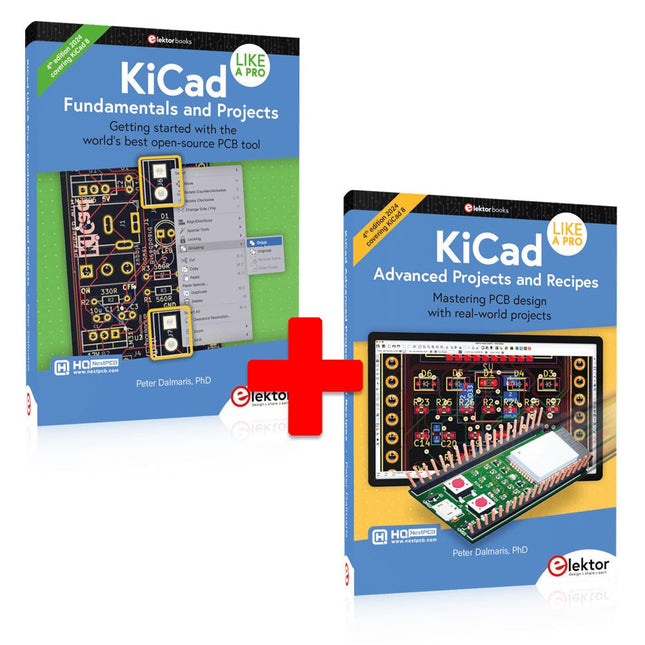
Elektor Bundles KiCad Like A Pro (Bundle)
This bundle includes both volumes of "KiCad Like a Pro" (4th edition 2024). In Fundamentals and Projects (normal price: €49.95), you'll learn how to use KiCad through a practical approach, helping you quickly become productive and start designing your own boards. Advanced Projects and Recipes (normal price: €44.95) allows you to practice your new KiCad skills by challenging yourself with a series of real-world projects. The latest iteration of KiCad, the world’s best free-to-use Printed Circuit Board tool, is packed with features usually found only in expensive commercial CAD tools. This modern, cross-platform application suite built around schematic and design editors, with auxiliary applications is a stable and mature PCB tool. KiCad 8 is a perfect fit for electronic engineers and makers. Here are the most significant improvements and features in KiCad 8, both over and under the hood: Modern user interface, completely redesigned from earlier versions Improved and customizable electrical and design rule checkers Theme editor allowing you to customize KiCad on your screen Ability to import projects from Eagle, CADSTART, and more Python scripting API Improved integrated SPICE circuit simulator Multi-sheet schematics Filters define selectable elements Enhanced interactive router helps you draw single tracks and differential pairs with precision New or enhanced tools to draw tracks, measure distances, tune track lengths, etc. Advanced interactive router Built-in bill of materials generator Realistic ray-tracing capable 3D viewer Customizable teardrops Plug-in manager for quick installation of themes, libraries and functionalities such as autorouters and BOM generators The first book KiCad Like A Pro – Fundamentals and Projects will teach you to use KiCad through a practical approach. It will help you become productive quickly and start designing your own boards. Example projects illustrate the basic features of KiCad, even if you have no prior knowledge of PCB design. The author describes the entire workflow from schematic entry to the intricacies of finalizing the files for PCB production and offers sound guidance on the process. The second book KiCad Like A Pro – Advanced Projects and Recipes will help you to practice your new KiCad skills by challenging you in a series of real-world projects. The projects are supported by a comprehensive set of recipes with detailed instructions on how to achieve a variety of simple and complex tasks. Design the PCBs for a solar power supply, an LED matrix array, an Arduino-powered datalogger, and a custom ESP32 board. Understand the finer details of the interactive router, how to manage KiCad project teams with Git, how to use an autorouter on 2 and 4-layer PCBs, and much more.
-
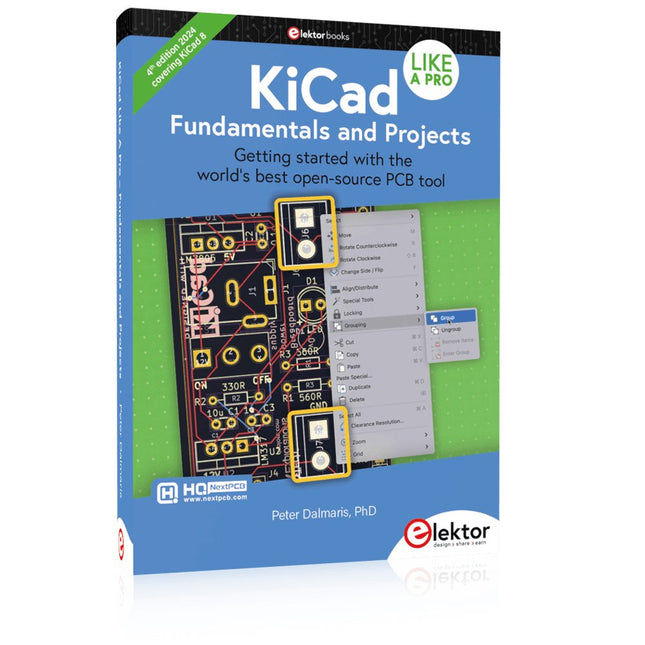
Elektor Publishing KiCad Like A Pro – Fundamentals and Projects
Getting started with the world’s best open-source PCB tool The latest iteration of KiCad, the world’s best free-to-use Printed Circuit Board tool, is packed with features usually found only in expensive commercial CAD tools. This modern, cross-platform application suite built around schematic and design editors, with auxiliary applications is a stable and mature PCB tool. KiCad 8 is a perfect fit for electronic engineers and makers. Here are the most significant improvements and features in KiCad 8, both over and under the hood: Modern user interface, completely redesigned from earlier versions Improved and customizable electrical and design rule checkers Theme editor allowing you to customize KiCad on your screen Ability to import projects from Eagle, CADSTART, and more Python scripting API Improved integrated SPICE circuit simulator Multi-sheet schematics Filters define selectable elements Enhanced interactive router helps you draw single tracks and differential pairs with precision New or enhanced tools to draw tracks, measure distances, tune track lengths, etc. Advanced interactive router Built-in bill of materials generator Realistic ray-tracing capable 3D viewer Customizable teardrops Plug-in manager for quick installation of themes, libraries and functionalities such as autorouters and BOM generators This book will teach you to use KiCad through a practical approach. It will help you become productive quickly and start designing your own boards. Example projects illustrate the basic features of KiCad, even if you have no prior knowledge of PCB design. The author describes the entire workflow from schematic entry to the intricacies of finalizing the files for PCB production and offers sound guidance on the process. Further full-fledged projects, of incremental difficulty, will be presented in a second book, together with a variety of advanced recipes.


