Open-Source-Code mit Arduino IDE und PlatformIO
Autonomes Fahren: GPS, Accelerometer, Gyroskop
PS3-Controller
Mikrocontroller wie der Arduino und Einplatinenrechner wie der Raspberry Pi haben sich zu beliebten Komponenten entwickelt. Dritter im Bunde ist der ESP32 der Firma Espressif. Mikrocontroller dieser Baureihe zeichnen sich durch eine Vielzahl implementierter Funktionen aus, die bei einem Arduino konventioneller Prägung mit einem Atmel-AVR-Mikrocontroller erst mit weiterer Hardware möglich sind. Prominentes Beispiel sind hier die WiFi- und Bluetooth-Funktionalitäten. Gegenüber einem Raspberry Pi zeichnen sie sich durch einen deutlich geringeren Preis aus.
Allgemeine Informationen für die Realisierung eines Roboterauto-Projekts mit dem ESP32 sind leicht zu finden. Dabei handelt es sich aber oft nur um Ausführungen zu einem Teilaspekt, ohne inhaltliche oder funktionale Abstimmung. So ist nicht nur die Beschaffung der benötigten Informationen mühselig und zeitaufwändig, sie kann auch außerordentlich fehlerträchtig sein.
Ansatzpunkt dieses Buches ist, diese Lücke zu schließen. Es geht auf verschiedene Möglichkeiten eines Chassis ein, vermittelt nötige Kenntnisse und führt schrittweise von einer einfachen Motorsteuerung zu einem komplexen sensor- und sprachgesteuerten Roboterauto. Hacks rund um GPS und eine PlayStation 3 runden die Sache ab.
Inhalt
Bei der Reihenfolge der Kapitel wurde versucht – beginnend bei der Darstellung von grundlegenden Informationen – über die Lösung einfacher Aufgaben zu etwas anspruchsvolleren Techniken zu führen.
Der Mikrocontroller ESP32
Die Software erstellen
Die Stromversorgung
Rund um die Hardware
Das Chassis
Der Gleichstrommotor
Kabellose Steuerung über WiFi
Mit Sensoren Hindernisse erkennen
Eine eigene Roboterauto-App
Servo und Lichtsensor
GPS
Accelerometer / Gyroskop
PS3-Controller
Roboterauto-App
Hinweis zur Software
Die Dateien haben das Suffix (.cpp). Grund ist die Entwicklung mit PlatformIO. Mit Copy & Paste sollten sie auch in der Arduino-IDE verwendet werden können.
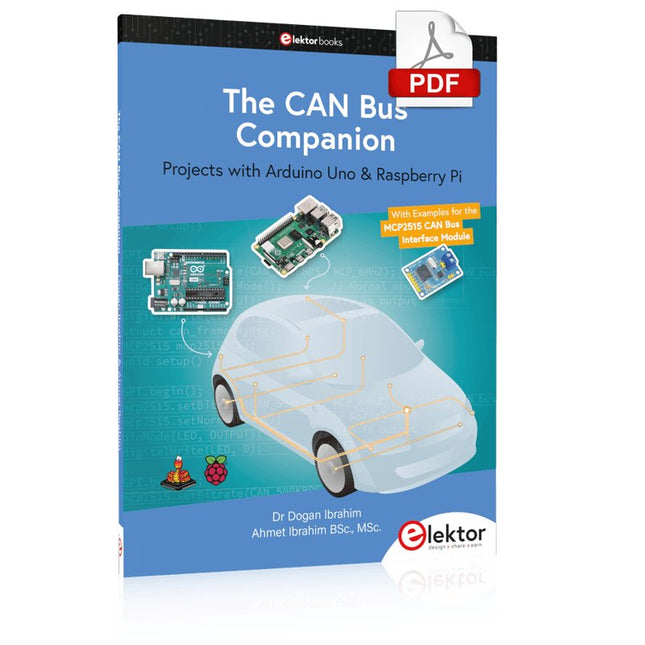
Projects with Arduino Uno & Raspberry Pi with Examples for the MCP2515 CAN Bus Interface Module
This book details the use of the Arduino Uno and the Raspberry Pi 4 in practical CAN bus based projects. Using either the Arduino Uno or the Raspberry Pi with off-the-shelf CAN bus interface modules considerably ease developing, debugging, and testing CAN bus based projects.
This book is written for students, practicing engineers, enthusiasts, and for everyone else wanting to learn more about the CAN bus and its applications. The book assumes that the reader has some knowledge of basic electronics. Knowledge of the C and Python programming languages and programming the Arduino Uno using its IDE and Raspberry Pi will be useful, especially if the reader intends to develop microcontroller-based projects using the CAN bus.
The book should be a useful source of reference material for anyone interested in finding answers to questions such as:
What bus systems are available for the automotive industry?
What are the principles of the CAN bus?
How can I create a physical CAN bus?
What types of frames (or data packets) are available in a CAN bus system?
How can errors be detected in a CAN bus system and how dependable is a CAN bus system?
What types of CAN bus controllers exist?
How do I use the MCP2515 CAN bus controller?
How do I create 2-node Arduino Uno-based CAN bus projects?
How do I create 3-node Arduino Uno-based CAN bus projects?
How do I set the acceptance masks and acceptance filters?
How do I analyze data on the CAN bus?
How do I create 2-node Raspberry Pi-based CAN bus projects?
How do I create 3-node Raspberry Pi-based CAN bus projects?
Wilt u in enkele minuten een programma maken op uw PC, dat communiceert met een microcontroller? Dit boek, samen met de Piccolino en gratis software, maakt dat mogelijk!
Als hardware wordt gebruik gemaakt van de Piccolino. Dit is een prototype platform met een moderne PIC16F887 microcontroller, dat gebruikt kan worden om razendsnel microcontroller opstellingen te maken. Alle basisvoorzieningen zijn aanwezig op de Piccolino, en door middel van de headers kunnen extra onderdelen eenvoudig aangesloten worden.
De Piccolino wordt geprogrammeerd met de krachtige maar eenvoudig te leren gratis programmeertaal JAL. Deze taal wordt zowel door hobbyisten als professionals gebruikt. Bovendien is een serie projectboeken in deze taal verkrijgbaar, en een lesboek waarmee u JAL kunt leren. Aan de PC kant wordt gebruik gemaakt van de eveneens eenvoudig te leren gratis programmeertaal Small Basic van Microsoft. Deze taal is speciaal ontwikkeld om snel Windows programma's te kunnen ontwikkelen, ook voor mensen die weinig of geen PC programmeer ervaring hebben. U leert verschillende technieken om een PC met een microcontroller te laten communiceren zoals losse communicatie, het versterken en verzwakken van signalen, verwerken van valse metingen, master-slave communicatie en synchronisatie met geforceerde reset.
Behalve theorie staan in het boek ook 15 leuke en praktische projecten. Door de duidelijke uitleg en instructies kunt u deze projecten zelf uitbreiden en helemaal aan uw eigen wensen aanpassen. Een paar voorbeelden uit het boek:
Meet signalen en toon ze op de PC
Maak een eigen muis of keyboard besturing.
Meet en analyseer componenten (Spoel / Condensator / Transistor / OPAMP) met automatische grafieken op uw PC.
Bestuur een servomotor vanaf de PC.
Verzamel metingen in de Piccolino en zet ze later over naar uw PC.
De combinatie van theorie en praktijkvoorbeelden in dit boek zorgt er voor dat u voor elk interface-probleem een oplossing bij de hand hebt, of weet hoe u er een moet maken.
Elektor GREEN en GOLD leden kunnen deze uitgave hier downloaden.
Nog geen lid? Klik hier om een lidmaatschap af te sluiten.
MultiRF ontwikkelboardEen platform voor het evalueren van draadloze protocollen op korte en lange afstand
Elektor wordt 65Baanbrekend op het gebied van elektronica sinds 1961
Persoonsdetectie via wifi op een ESP32Wanneer uw router een bewegingssensor wordt
Draadloze weegschalenVier kleine weegschalen maken een grote weegschaal
Walter, de compacte IoT-moduleESP32-S3 SoC, LTE-M/NB-IoT 5G-modem en GNSS-ontvanger
3- en 4-draads RTD-sensorconditioneringMet volledige afstelling en kabelcompensatie
3-in-1 2-kanaals oscilloscoop/generator/multimeterEen review van de Fnirsi 2D15P
electronica Fast Forward 2026 nodigt start-ups en partners uit de industrie uit
EcologgingEen modulair IoT-milieustation voor onderzoek in het veld
Draadloze connectiviteit in medische toepassingenAltijd op de hoogte met Bluetooth LE
AudiotronicaBromonderdrukking
De efficiëntie in de landbouw verhogen met AI-modellen en sensorenDe landbouwproductiviteit verhogen
OPC UA, een overzichtPlatform-onafhankelijke gegevensuitwisseling
Redoxmeter
Instrumentation amplifier voor fysica- en techniekexperimenten
Actieve differentiële audiofiltersVoor professionele cross-overs en meer
Communityperspectieven van Elektor op IoT & sensoren
Telegramgestuurde interface module voor een boilerEen oplossing op basis van een ESP32 en Arduino software
2026: An AI OdysseyWat is er gebeurd met fuzzy logic?
Err-lectronics
Alarmsignaalinjector en bruut geweldHulpmiddelen om kabelbreuken op te sporen
Elektor GREEN and GOLD members can download their digital edition here.
Not a member yet? Click here.
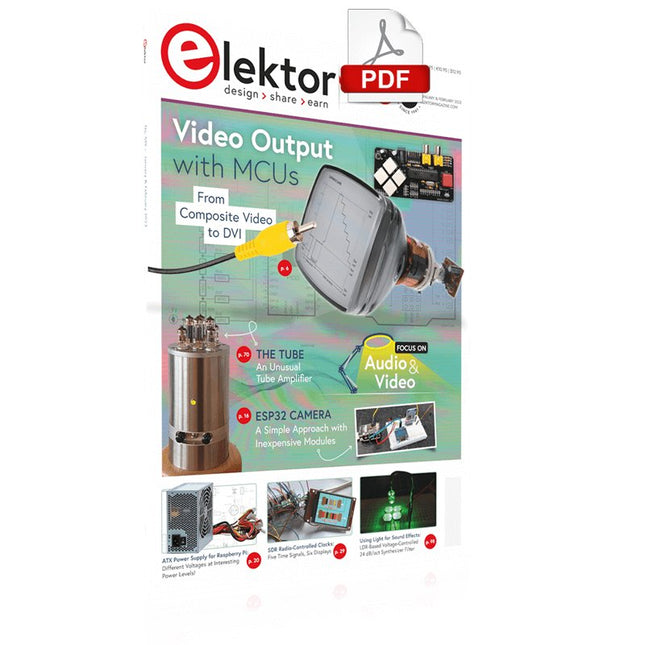
For Eyes and Ears
Video Output with Microcontrollers (1)Composite Video
electronica 2022News from the world’s leading electronics trade show
ESP32 CameraSo Simple, It Doesn’t Even Have to Use Wi-Fi
ATX Power Supply for Raspberry Pi
32 Ω Headphone AmplifierSimple But High-Quality 3-Chip Solution
SDR Radio-Controlled clocksFive Time Signals, Six Displays
Starting Out in ElectronicsSpecial Diodes
From Life's ExperienceMusings on the Quality of Things
Reverse-Engineering a Bluetooth Low Energy LED BadgeHow to Control a BLE Device with a Python Script
MakePython ESP32 Development KitEverything in a Box
THD Measurement with an Oscilloscope and FFTEasily Calculate the Distortion Factor
All-Seeing MachinesThe Technology Behind Today’s Industrial Vision Systems
Infographics
The Evolution of Voice and Audio Control for Electronic Devices
WEEF 2022 in Review
FFWD electronica 2022 in ReviewInnovators Did Not Fail to Impress
The TubeAn Unusual Tube Amplifier
Biomaterial in Electronics: Ready or Not
Opera Cake Antenna Switch for HackRF OneConnect Up To Eight Antennas To Your SDR
Engineering with Arduino and MoreAn Interview with Author Ashwin Pajankar
LiDAR Precision GaugeMeasure up to 12 Meters
Audio Signals and the ESP32The ESP-ADF Environment in Practice
Elektor Fortissimo-100 Power Amplifier Kit
Using Light for Sound EffectsLDR-Based Voltage-Controlled 24 dB/oct Synthesizer Filter
Elektor High-Power AF AmplifierThe Loudest of Them All!
HomeLab ToursA Volumetric Display Made in Canada
Err-lectronicsCorrections, Updates and Readers’ Letters
Hexadoku
Met behulp van de lessen in dit boek leert u hoe u zelf een microcontroller kunt programmeren. We maken daarbij gebruik van JAL, een gratis maar uiterst krachtige programmeertaal voor PIC microcontrollers, die in de hobbywereld erg populair is.
We starten aan het absolute begin, en bouwen vandaar de kennis op. U heeft dus geen voorkennis nodig: iedereen kan met dit boek aan de slag. Wanneer u alle lessen volgt (dat wil zeggen: de oefeningen ook daadwerkelijk maakt) dan kunt u wanneer u het boek uit heeft zelf PIC microcontroller programma’s schrijven, en programma’s van anderen lezen.
JAL opdrachten
U leert de functie van JAL opdrachten zoals include, pin, delay, forever loop, while loop, case, exit loop, repeat until, if then, en het gebruik van functies, procedures en timer- en poortinterrupts.
JAL programma’s
U laat een LED knipperen, maakt een tijdschakelaar, meet de stand van een potmeter, maakt geluiden, voorkomt contactdender en regelt de helderheid van een LED. En uiteraard leert u debuggen: hoe u in uw programma’s fouten kunt vinden en oplossen.
Hardware
U leert verschillende onderdelen zoals PIC microcontroller, potmeter en kristal herkennen, en hoe u een PIC microcontroller aan moet sluiten en met uw PC moet verbinden. U maakt hierbij gebruik van een steekbord zodat u de opstelling gemakkelijk kunt aanpassen om verder te experimenteren.
The software simulation of gauges, control-knobs, meters and indicators which behave just like real hardware components on a PC’s screen is known as virtual instrumentation.
In this book, the Delphi program is used to create these mimics and PIC based external sensors are connected via a USB/RS232 converter communication link to a PC.
Detailed case studies in this Book include a virtual compass displayed on the PC’s screen, a virtual digital storage oscilloscope, virtual -50 to +125 degree C thermometer, and FFT sound analyser, a joystick mouse and many examples detailing virtual instrumentation Delphi components. Arizona’s embedded microcontrollers – the PIC's are used in the projects and include PIC16F84A, PIC16C71, DSPIC30F6012A, PIC16F877, PIC12F629 and the PIC16F887. Much use is made of Microchip’s 44 pin development board (a virtual instrument ‘engine)’, equipped with a PIC16F887 with an onboard potentiometer in conjunction with the PIC’s ADC to simulate the generation of a variable voltage from a sensor/transducer, a UART to enable PC RS232 communications and a bank of 8 LED's to monitor received data is also equipped with an ISP connector to which the ‘PICKIT 2’ programmer may easily be connected.
Full source code examples are provided both for several different PIC’s, both in assembler and C, together with the Pascal code for the Delphi programs which use different 3rd party Delphi virtual components.
Analoge schakelingen, sensors en microcontrollers
Elektronica is spannend. Het is een hobby die zowel leuk als leerzaam is. Het stelt je in staat om thuis of op het werk nieuwe en nuttige vaardigheden te leren. Een ervaren elektronicus ontwerpt zijn eigen schakelingen, en brengt zijn projecten tot leven. Maar voordat je zover bent, moet je eerst de basis onder de knie krijgen. Daarom brengt dit boek een groot aantal inleidende artikelen samen die in het elektronicatijdschrift Elektor zijn gepubliceerd. Het is je metgezel bij het leerproces in de wereld van de elektronica.
Het begint allemaal met analoge elektronica. Je zult de eenvoudigste componenten en circuits ontdekken om te begrijpen hoe ze werken, hoe ze op elkaar inwerken en de mogelijke problemen. De beste manier om vooruitgang te boeken is door echte experimenten uit te voeren, want theorie is niet genoeg. Dit boek begeleid je in een groot aantal praktische projecten voor beginners. Door ze te maken, doe je veel ervaring en kennis op.
Het tweede deel van het boek neemt je mee in de wereld van de digitale elektronica. De auteur bespreekt het gebruik van microcontrollers. Taken die voorheen werden uitgevoerd door discrete componenten of conventionele geïntegreerde schakelingen worden nu uitgevoerd door microcontrollers. De programmeertaal BASCOM, maar ook platforms als Arduino, BBC micro:bit en andere, maken dit leerproces veel gemakkelijker. Dit boek beschrijft in detail vele toepassingen van microcontrollers, die betaalbaar zijn voor de beginner. Hier gaan programmeren en solderen hand in hand!
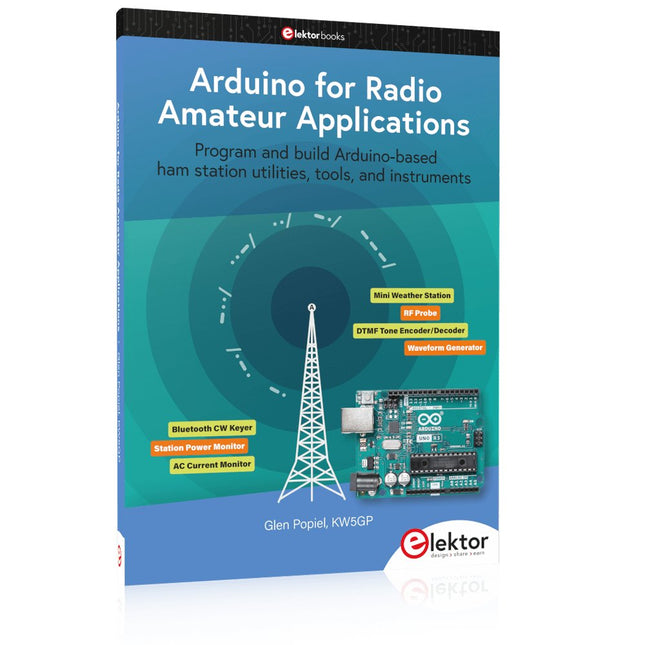
Program and build Arduino-based ham station utilities, tools, and instruments
In addition to a detailed introduction to the exciting world of the Arduino microcontroller and its many variants, this book introduces you to the shields, modules, and components you can connect to the Arduino. Many of these components are discussed in detail and used in the projects included in this book to help you understand how these components can be incorporated into your own Arduino projects. Emphasis has been placed on designing and creating a wide range of amateur radio-related projects that can easily be built in just a few days.
This book is written for ham radio operators and Arduino enthusiasts of all skill levels, and includes discussions about the tools, construction methods, and troubleshooting techniques used in creating amateur radio-related Arduino projects. The book teaches you how to create feature-rich Arduino-based projects, with the goal of helping you to advance beyond this book, and design and build your own ham radio Arduino projects.
In addition, this book describes in detail the design, construction, programming, and operation of the following projects:
CW Beacon and Foxhunt Keyer
Mini Weather Station
RF Probe with LED Bar Graph
DTMF Tone Encoder
DTMF Tone Decoder
Waveform Generator
Auto Power On/Off
Bluetooth CW Keyer
Station Power Monitor
AC Current Monitor
This book assumes a basic knowledge of electronics and circuit construction. Basic knowledge of how to program the Arduino using its IDE will also be beneficial.