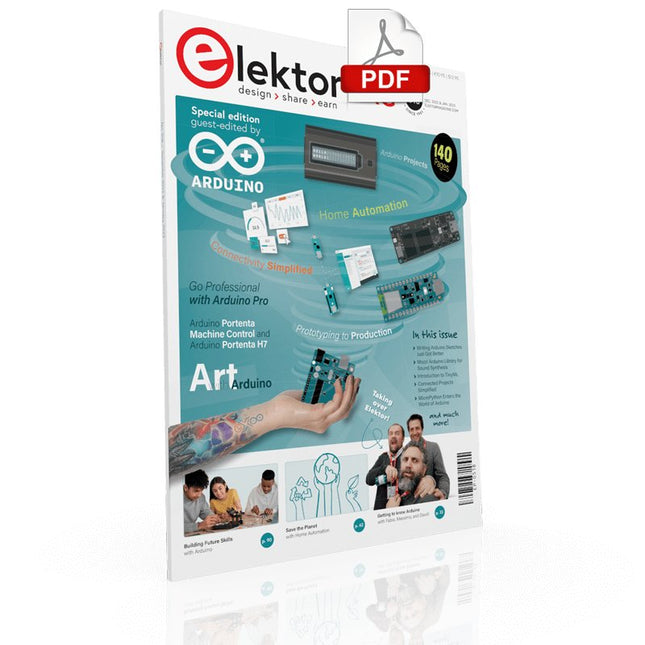
Elektor GREEN and GOLD members can download their digital edition here.
Not a member yet? Click here.
Arduino Portenta Machine Control and Arduino Portenta H7A CAN-to-MQTT Gateway Demo Project
Unboxing the Elektor LCR Meter with David Cuartielles
MicroPython Enters the World of Arduino
Connected Projects, SimplifiedDive Into the Arduino Cloud
Introduction to TinyMLBig Is Not Always Better
Arduino K-Way
Writing Arduino Sketches Just Got Better
Get to Know Arduino
Getting Started with the Portenta X8Manage Software Securely with Containers
Build, Deploy, and Maintain Scalable, Secure ApplicationsWith Arduino Portenta X8 Featuring NXP’s i.MX 8M Mini Applications Processor and EdgeLock SE050 Secure Element
How I Automated My HomeArduino CEO Fabio Violante Shares Solutions
Altair 8800 SimulatorHardware Simulation of a Vintage Computer
MS-DOS on the Portenta H7Run Old-School Software on Contemporary Hardware
Grow It YourselfA Digitally Controlled, Single-Box Solution for Indoor Farming
Save the Planet With Home Automation?MQTT on the Arduino Nano RP2040 Connect
Go Professional with Arduino Pro
Smart Ovens Take a Leap Into the Future
Tagvance Builds Safer Construction Sites with Arduino
Santagostino Breathes Easywith Remote Monitoring that Leverages AI for Predictive Maintenance
Security Flies High with RIoT Secure’s MKR-Based Solution
Open-Source Brings a New Generation of Water Management to the World
SensoDetect Deforestation with Sound Analysis
The Mozzi Arduino Library for Sound SynthesisInsights from Tim Barrass
The New Portenta X8 (with Linux!) and Max Carrier Redefine What’s Possible
How Using Arduino Helps Students Build Future Skills
Must-Haves for Your Electronics Workspace
The Importance of Robotics in Education
Dependable IoT Based Upon LoRa
Unboxing the Portenta Machine Control
8-Bit Gaming with Arduboy
Reducing Water Usage at Horseback Riding TracksAn IoT to Constantly Monitor Soil Humidity and Temperature Levels
The Panettone ProjectA sourdough starter management and maintenance system
Supporting Arduino Resellers
Space Invaders with Arduino
Art with ArduinoInspiring Insights from Artists and Designers
Arduino Product Catalogue
The Future of Arduino
Elektor GREEN en GOLD leden kunnen deze uitgave hier downloaden.Nog geen lid? Klik hier om een lidmaatschap af te sluiten.
Arduino Portenta Machine Control en Arduino Portenta H7CAN/MQTT-gateway: een demoproject
Uitgepakt: Elektor’s LCR Meter Kitmet David Cuartielles, mede-oprichter van Arduino!
MicroPython betreedt de wereld van Arduino
Connected, maar niet complexneem een duik in de Arduino Cloud
Kennismaking met TinyMLgroot is niet altijd beter
Arduino K-Way:bewust luchtig
Arduino-sketches schrijven is nog beter geworden
Maak kennis met Arduino
Aan de slag met de Portenta X8software veilig beheren met containers
Bouw, uitrol en onderhoud van schaalbare, veilige applicatiesop basis van Arduino Portenta X8 – met de i.MX 8M Mini Applications Processor en EdgeLock SE050 Secure Element van NXP
Hoe ik mijn huis automatiseerdeFabio Violante (CEO Arduino) over zijn oplossingen
Altair 8800-simulatorhardwaresimulatie van een vintage computer
MS-DOS op de Portenta H7antieke software op moderne hardware
Landbouw in zakformaatdigitaal gestuurde kweekbox voor binnenshuis
Met Home Automation de wereld redden?MQTT op de Arduino Nano RP2040 Connect
Arduino Pro voor professionals
Slimme ovens – de ovens van de toekomst
Tagvance maakt bouwlocaties veiliger met Arduino
Santagostino krijgt genoeg luchtmet bewaking op afstand en gebruik van AI bij voorspellend onderhoud
Beveiliging neemt een hoge vlucht met RIoT Secure’s MKR-gebaseerde oplossing
Open-Source brengt de wereld een nieuwe generatie watermanagement
Sensoontbossing detecteren met geluidsanalyse
De Mozzi Arduino-library voor geluidssynthesegedachten van Tim Barrass
De nieuwe Portenta X8 (met Linux!) en Max Carrier herdefiniëren het haalbare
Hoe de Arduino studenten aan vaardigheden voor de toekomst helpt
Must-haves voor je elektronica-werkplek
Het belang van robotica in het onderwijs
Betrouwbaar IoT op basis van LoRa
Aan de slag met de Portenta Machine Control
8bit-gaming met Arduboy
Spaar water op de paardenrenbaanmeet continu de bodemvochtigheid en temperatuurniveau via IoT
Het panettone-projectzuurdesemstarter onder controle
Met steun van deze Arduino-resellers
Space Invaders met Arduino
Kunst met Arduinoinspirerende inzichten van kunstenaars en ontwerpers
Aan de slag met nieuwe Arduino-hardware!
De toekomst van Arduino
Diese Ausgabe steht allen GOLD- und GREEN-Mitgliedern auf der ElektorMagazine-Website zum Download bereit!
Sie sind noch kein Mitglied? Hier klicken!
Arduino Portenta Machine Control und Arduino Potenta H7Ein CAN-zu-MQTT Gateway Demo Projekt
Ausgepackt: Der Elektor-LCR-Meter-Bausatz von Elektor
MicroPython hält Einzug in die Arduino-Welt
Vernetzte Projekte, einfach eingerichtetIhr Weg in die Arduino-Cloud
Einführung in TinyMLGroß ist nicht immer besser
Arduino K-Way
Komfortableres Schreiben von Arduino-Sketches
Lernen Sie Arduino kennen!
Erste Schritte mit Portenta X8Sichere Softwareverwaltung mit Containern
Skalierbare, sichere Anwendungen erstellen, in Betrieb nehmen und pflegenArduino Portenta X8 mit dem i.MX 8M Mini-Anwendungsprozessor von NXP und dem EdgeLock Secure Element SE050
Wie ich mein Haus automatisiert habeArduino-CEO Fabio Violante entwickelt und teilt Lösungen
Altair-8800-EmulatorHardware-Simulation eines alten Computers
MS-DOS auf dem Portenta-H7-BoardAlte Software auf moderner Hardware ausführen
Grow It YourselfEine digital gesteuerte Anzuchtbox für Indoor-Farming
Kann Hausautomatisierung den Planeten retten?MQTT auf dem Arduino Nano RP2040 Connect
Professionelle Anwendungen mit Arduino Pro
Intelligente Backöfen der nächsten Generation
Tagvance sorgt mit Arduino für sicherere Baustellen
Santagostino atmet auf!mit einer Fernüberwachung, die KI für vorausschauende Wartung nutzt
Höchste Sicherheit mit der MKR-basierten Lösung von RIoT Secure
Eine neue Generation des Wassermanagements mit Open-Source
SensoAbholzung mit Schallanalyse aufspüren
Die Arduino-Bibliothek Mozzi für KlangsyntheseEinblicke von Tim Barrass
Das neue Portenta-X8-Board (mit Linux!) und Max Carrier machen es möglich!
Wie Arduino Schülern hilft, zukünftige Fähigkeiten zu entwickeln
Must-Haves für Ihren Elektronik-Arbeitsplatz
Die Bedeutung der Robotik in der Ausbildung
Ein zuverlässiges IoT auf Basis von LoRa
Ausgepackt: die Portenta-Maschinensteuerung
8-Bit-Gaming mit Arduboy
Reduzierung des Wasserverbrauchs auf der PferderennbahnEin IoT zur ständigen Überwachung von Bodenfeuchtigkeit und Temperaturen
Das Panettone-ProjektEin Robotsystem zur Verwaltung von Sauerteigstartern
Unterstützung durch Arduino-Reseller
Space Invaders mit Arduino
Kunst mit ArduinoInspirierende Einblicke von Künstlern und Designern
Arduino-Produktkatalog
Die Zukunft von ArduinoDavid und Fabio orakeln
The Elektor Arduino Nano MCCAB Training Board contains all the components (incl. Arduino Nano) required for the exercises in the "Microcontrollers Hands-on Course for Arduino Starters", such as light-emitting diodes, switches, pushbuttons, acoustic signal transmitters, etc. External sensors, motors or assemblies can also be queried or controlled with this microcontroller training system.
Specifications (Arduino Nano MCCAB Training Board)
Power Supply
Via the USB connection of the connected PC or an external power supply unit (not included)
Operating Voltage
+5 Vcc
Input Voltage
All inputs
0 V to +5 V
VX1 and VX2
+8 V to +12 V (only when using an external power supply)
Hardware periphery
LCD
2x16 characters
Potentiometer P1 & P2
JP3: selection of operating voltage of P1 & P2
Distributor
SV4: Distributor for the operating voltagesSV5, SV6: Distributor for the inputs/outputs of the microcontroller
Switches and buttons
RESET button on the Arduino Nano module 6x pushbutton switches K1 ... K6 6x slide switches S1 ... S6 JP2: Connection of the switches with the inputs of the microcontroller
Buzzer
Piezo buzzer Buzzer1 with jumper on JP6
Indicator lights
11 x LED: Status indicator for the inputs/outputs LED L on the Arduino Nano module, connected to GPIO D13 JP6: Connection of LEDs LD10 ... LD20 with GPIOs D2 ... D12
Serial interfacesSPI & I²C
JP4: Selection of the signal at pin X of the SPI connector SV12 SV9 to SV12: SPI interface (3.3 V/5 V) or I²C interface
Switching output for external devices
SV1, SV7: Switching output (maximum +24 V/160 mA, externally supplied) SV2: 2x13 pins for connection of external modules
3x3 LED matrix(9 red LEDs)
SV3: Columns of the 3x3 LED matrix (outputs D6 ... D8) JP1: Connection of the rows with the GPIOs D3 ... D5
Software
Library MCCABLib
Control of hardware components (switches, buttons, LEDs, 3x3 LED matrix, buzzer) on the MCCAB Training Board
Operating Temperature
Up to +40 °C
Dimensions
100 x 100 x 20 mm
Specifications (Arduino Nano)
Microcontroller
ATmega328P
Architecture
AVR
Operating Voltage
5 V
Flash Memory
32 KB, of which 2 KB used by bootloader
SRAM
2 KB
Clock Speed
16 MHz
Analog IN Pins
8
EEPROM
1 KB
DC Current per I/O Pins
40 mA on one I/O pin, total maximum 200 mA on all pins together
Input Voltage
7-12 V
Digital I/O Pins
22 (6 of which are PWM)
PWM Output
6
Power Consumption
19 mA
Dimensions
18 x 45 mm
Weight
7 g
Included
1x Elektor Arduino Nano Training Board MCCAB
1x Arduino Nano
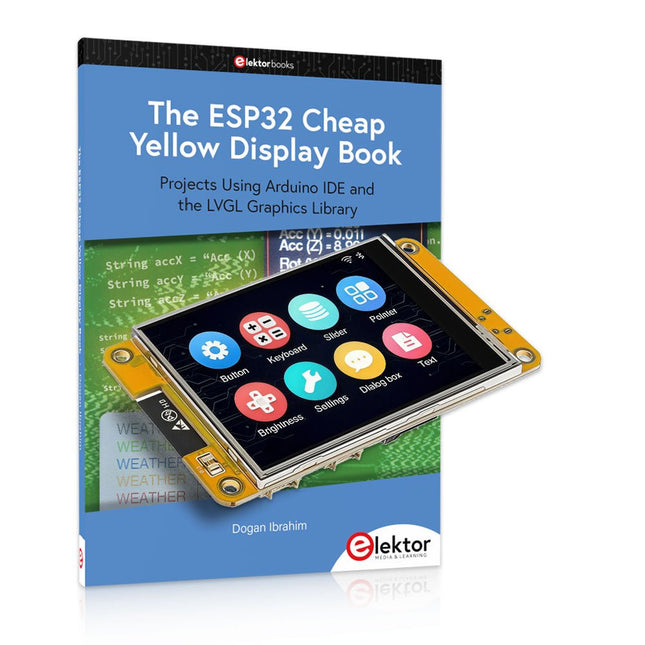
Over 40 Fully Tested ESP32 Projects Using Arduino IDE and the LVGL Graphics Library
This bundle includes the ESP32 Cheap Yellow Display (CYD) – a compact development board combining a standard ESP32 microcontroller with a 320x240 pixel TFT color display. The board also features multiple connectors for GPIO, serial communication (TX/RX), power, and ground. The built-in display is a major advantage, allowing users to create complex, graphics-based projects without the need for external LCDs or displays.
The accompanying book introduces the CYD board's hardware and on-board connectors in detail. It provides a range of beginner to intermediate-level projects developed using the popular Arduino IDE 2.0. Both basic graphics functions and the powerful LVGL graphics library are covered, with practical projects illustrating each approach.
All included projects have been fully tested and are ready to use. The book provides block diagrams, circuit schematics, complete code listings, and step-by-step explanations. With the LVGL library, readers can create modern, full-color graphical interfaces using widgets such as buttons, labels, sliders, calendars, keyboards, charts, tables, menus, animations, and more.
ESP32 Cheap Yellow Display Board
This development board (also known as "Cheap Yellow Display") is powered by the ESP-WROOM-32, a dual-core MCU with integrated Wi-Fi and Bluetooth capabilities. It operates at a main frequency of up to 240 MHz, with 520 KB SRAM, 448 KBROM, and a 4 MB Flash memory. The board features a 2.8-inch display with a resolution of 240x320 and resistive touch.
Furthermore, the board includes a backlight control circuit, touch control circuit, speaker drive circuit, photosensitive circuit, and RGB-LED control circuit. It also provides a TF card slot, serial interface, DHT11 temperature and humidity sensor interface, and additional IO ports.
The module supports development in Arduino IDE, ESP-IDE, MicroPython, and Mixly.
Applications
Image transmission for Smart Home device
Wireless monitoring
Smart agriculture
QR wireless recognition
Wireless positioning system signal
And other IoT applications
Specifications
Microcontroller
ESP-WROOM-32 (Dual-core MCU with integrated Wi-Fi and Bluetooth)
Frequency
Up to 240 MHz (computing power is up to 600 DMIPS)
SRAM
520 KB
ROM
448 KB
Flash
4 MB
Operating voltage
5 V
Power consumption
approx. 115 mA
Display
2.8-inch color TFT screen (240 x 320)
Touch
Resistive Touch
Driver chip
ILI9341
Dimensions
50 x 86 mm
Weight
50 g
Downloads
GitHub
This bundle contains:
The ESP32 Cheap Yellow Display Book (normal price: €35)
ESP32 Cheap Yellow Display Board (normal price: €25)
1x ESP32 Dev Board with 2.8" Display and acrylic Shell
1x Touch pen
1x Connector cable
1x USB cable
Le téléchargement intégral de ce numéro est disponible pour nos membres GOLD et GREEN sur le site Elektor Magazine !
Pas encore membre ? Cliquez ici.
Arduino Portenta Machine Control et Arduino Portenta H7démonstration avec une passerelle CAN vers MQTT
le kit LCR-mètre 2 MHz d?Elektorrejoignez David Cuartielles, cofondateur d?Arduino, en direct !
MicroPython entre dans le monde de l?Arduino
Les projets connectés simplifiésPlongez dans l'Arduino Cloud
Introduction à TinyMLPlus gros n?est pas toujours mieux
Arduino K-Way
l?écriture des croquis Arduino en net progrès
Arduino en questions
débuter avec le Portenta X8gestion sécurisée des logiciels avec les conteneurs
créez, déployez et maintenez des applications évolutives et sécuriséesavec Arduino Portenta X8 équipé du mini processeur d?applications i.MX 8M de NXP et de l?élément de sécurité EdgeLock SE050
comment j?ai automatisé ma maisonFabio Violante, PDG d?Arduino, partage ses solutions
simulateur Altair 8800simulation matérielle d?un ordinateur ancien
MS-DOS sur le Portenta H7exécuter des logiciels old-school sur du matériel moderne
cultivez-le vous-mêmeune jardinière numérique d?intérieur tout-en-un
Sauver la planète avec la domotique??MQTT sur l?Arduino Nano RP2040 Connect
devenez professionnel avec Arduino Pro
les fours intelligents font un bond dans le futur
Tagvance conçoit des chantiers de construction plus sûrs avec Arduino
Santagostino respire facilementavec une surveillance à distance qui tire parti de l?IA pour une maintenance prédictive
la sécurité atteint des sommets avec la solution basée sur les cartes MKR de RIoT Secure
l?open-source apporte au monde du progrès dans la gestion de l?eau
SensoDétecter la déforestation grâce à l?analyse sonore
Bibliothèque Mozzi Arduino pour la synthèse sonoreLe point de vue de Tim Barrass
les nouveaux Portenta X8 (avec Linux !) et Max Carrier redéfinissent le champ des possibles
comment l?utilisation d?Arduino aide les étudiants à acquérir des compétences futures
Bien s?équiper pour mieux travailler
l?importance de la robotique dans l?enseignement
LoRa fiabilise l?IdO
la carte Portenta Machine control en détail
rétro-gaming avec Arduboy
réduire l?utilisation de l?eau sur les pistes d?équitationun IdO pour surveiller en permanence les niveaux d?humidité et de température du sol
le projet Panettonesystème de gestion et de maintien d?un ferment au levain
Supporting Arduino Resellers
Space Invaders avec Arduino
création artistique dans l?environnement Arduinodes idées inspirantes d?artistes et de designers
Arduino Product Catalogue
L?avenir de l?Arduino
Mit dem Elektor Arduino Nano Trainingsboard (MCCAB) eigene Projekte realisieren
Der Mikrocontroller ist das wohl faszinierendste Teilgebiet der Elektronik, denn aufgrund der Vielzahl von Funktionen, die er auf seinem Chip vereinigt, ist er für den Entwickler ein universelles Multi-Tool zur Realisierung seiner Projekte. Praktisch jedes Gerät des täglichen Gebrauchs wird heute von einem Mikrocontroller gesteuert. Für einen elektronischen Laien blieb es aufgrund der Komplexität bisher allerdings ein Wunschtraum, eigene Ideen mit einem Mikrocontroller zu realisieren. Das Arduino-Konzept hat den Einsatz von Mikrocontrollern weitgehend vereinfacht, sodass jetzt auch Laien eigene Elektronik-Ideen mit einem Mikrocontroller verwirklichen können.
Buch & Hardware im Bundle: 'Learning by Doing'
Dieses im Bundle mitgelieferte Buch (im großen A4-Format) zeigt, wie man auch ohne große Erfahrung in Elektronik und Programmiersprachen eigene Projekte mit einem Mikrocontroller realisieren kann. Es ist ein Mikrocontroller-Praxiskurs für Einsteiger, denn nach einem Überblick über die Interna des Mikrocontrollers und einer Einführung in die Programmiersprache C liegt der Schwerpunkt des Kurses auf den praktischen Übungen. Der Leser eignet sich die erforderlichen Kenntnisse durch 'Learning by Doing' an: in dem umfangreichen Praxisteil mit 12 Projekten und 46 Übungen wird das im vorderen Teil des Buches Gelernte mit vielen Beispielen unterlegt. Die Übungen sind dabei so aufgebaut, dass der Bearbeiter eine Aufgabenstellung erhält, die er mit seinem im Theorieteil des Buches aufgebauten Wissen löst. Für jede Übung gibt es anschließend eine ausführlich erklärte und kommentierte Musterlösung, die dem Bearbeiter bei Problemen weiterhilft und die er mit seiner eigenen Lösung vergleichen kann.
Arduino IDE
In der Arduino IDE, einer Software-Entwicklungsumgebung, die kostenlos auf den eigenen PC heruntergeladen werden kann und die das gesamte Softwarepaket enthält, das für ein eigenes Mikrocontroller-Projekt benötigt wird, schreibt der Bearbeiter mit dem Editor der IDE seine Programme („Apps“) in der Programmiersprache C. Der in die Arduino IDE integrierte Compiler übersetzt sie in die Bits und Bytes, die der Mikrocontroller versteht und die dann über ein USB-Kabel in den Speicher des Mikrocontrollers auf dem Elektor Arduino Nano Trainingsboard (MCCAB) geladen werden.
Externe Sensoren, Motoren oder Baugruppen abfragen oder steuern
Das Elektor Arduino Nano Trainingsboard (MCCAB) enthält neben einem Mikrocontrollermodul Arduino Nano alle für die Übungen benötigten Bauteile wie Leuchtdioden, Schalter, Taster, akustische Signalgeber usw. Auch externe Sensoren, Motoren oder Baugruppen können mit diesem Mikrocontroller-Übungssystem abgefragt oder gesteuert werden.
Technische Daten (Arduino Nano Trainingsboard MCCAB)
Stromversorgung
Über die USB-Verbindung des zur Erstellung der Programme sowieso angeschlossenen PCs oder ein externes Netzteil (nicht im Lieferumfang enthalten)
Betriebsspannung
+5 Vcc
Eingangsspannung
Alle Eingänge
0 V bis +5 V
VX1 und VX2
+8 V bis +12 V (nur bei Verwendung eines externen Netzteils)
Mikrocontrollermodul
Arduino Nano
Hardwareperipherie
LCD
2x16 Zeichen
Potenziometer P1 & P2
JP3: Auswahl der Betriebsspannung von P1 & P2
Verteiler
SV4: Verteiler für die BetriebsspannungenSV5, SV6: Verteiler für die Ein-/Ausgänge des Mikrocontrollers
Schalter und Taster
RESET-Taster auf dem Arduino Nano-Modul6x Tastschalter K1 … K66x Schiebeschalter S1 … S6JP2: Verbindung der Schalter mit den Eingängen des Mikrocontrollers
Summer
Piezo-Summer Buzzer1 mit Steckbrücke auf JP6
Leuchtanzeigen
LED L auf dem Arduino Nano-Modul, verbunden mit GPIO D1311x LED: Zustandsanzeige für die Ein-/AusgängeJP6: Verbindung der LEDs LD10 … LD20 mit den GPIOs D2 … D12
Serielle SchnittstellenSPI & I²C
JP4: Auswahl des Signals an Pin X der SPI-Steckerleiste SV12SV9 bis SV12: SPI-Interface (3,3 V/5 V) bzw. I²C-Interface
Schaltausgang für externe Geräte
SV1, SV7: Schaltausgang (maximal +24 V/160 mA, extern zugeführt)SV2: 2x13 Pins zum Anschluss externer Module
3x3 LED-Matrix (9 rote LEDs)
SV3: Spalten der 3x3 LED-Matrix (Ausgänge D6 … D8)JP1: Verbindung der Reihen mit den GPIOs D3 … D5
Software
Library MCCABLib
Steuerung der Hardware-Komponenten (Schalter, Taster, Leuchtdioden, 3x3 LED-Matrix, Summer) auf dem MCCAB Trainingsboard
Betriebstemperatur
bis +40 °C
Abmessungen
100 x 100 x 20 mm
Technische Daten (Arduino Nano)
Mikrocontroller
ATmega328P
Architektur
AVR
Betriebsspannung
5 V
Flashspeicher
32 KB, davon 2 KB vom Bootloader belegt
SRAM
2 KB
Taktfrequenz
16 MHz
Analoge IN-Pins
8
EEPROM
1 KB
DC-Strom pro I/O-Pin
40 mA an einem I/O-Pin, insgesamt maximal 200 mA an allen Pins gemeinsam
Eingangsspannung
7-12 V
Digitale I/O-Pins
22 (6 davon sind PWM-fähig)
PWM-Ausgänge
6
Stromverbrauch
19 mA
Abmessungen
18 x 45 mm
Gewicht
7 g
Lieferumfang
Elektor Arduino Nano MCCAB Trainingsboard
Arduino Nano
Buch: Mikrocontroller-Praxiskurs für Arduino-Einsteiger
Over 180 Projects with Raspberry Pi, Pico W, Arduino, and ESP32
This bundle contains the Universal Maker Sensor Kit, which consists of many sensors, actuators, displays, and motors. It’s perfect for environmental monitoring, smart home projects, robotics, and game controllers.
The new Elektor book describes the design of many projects using the kit together with the popular Raspberry Pi, Raspberry Pi Pico W, Arduino Uno, and the ESP32 family of development boards. You can choose any of these development boards for your projects and either use the provided programs as they are, or modify these programs to suit your applications.
This bundle contains:
Book: Universal Maker Sensor Kit (normal price: €45)
Universal Maker Sensor Kit for Raspberry Pi, Pico W, Arduino, ESP32 (normal price: €70)
Book: Universal Maker Sensor Kit
Learn to use more than 35 Sensors and Actuators with C++, Python, and MicroPython
This book contains over 180 projects for all four major development boards (Arduino, Raspberry Pi, Pico W, and ESP32). Depending on the development board, projects are available in the C, Python, or MicroPython programming languages.
The project titles, brief descriptions, wiring diagrams, and full program listings together with their detailed descriptions are given in the guide.
Universal Maker Sensor Kit (for Raspberry Pi, Pico W, Arduino, ESP32)
Discover endless creativity with the Universal Maker Sensor Kit, designed for use with Raspberry Pi, Pico W, Arduino, and ESP32. This versatile kit offers compatibility across popular development platforms, including Arduino Uno R4 Minima/WiFi, Uno R3, Mega 2560, Raspberry Pi 5, 4, 3B+, 3B, Zero, Pico W, and ESP32.
Featuring over 35 sensors, actuators, and displays, it's perfect for projects ranging from environmental monitoring and smart home automation to robotics and interactive gaming. Step-by-step tutorials in C/C++, Python, and MicroPython guide beginners and experienced makers alike through 169 exciting projects.
Features
Wide Compatibility: Fully supports Arduino (Uno R3, Uno R4 Minima/WiFi, Mega 2560), Raspberry Pi (5, 4, 3B+, 3B, Zero, Pico W), and ESP32, enabling extensive flexibility across numerous development platforms. Includes instructions for building 169 projects.
Comprehensive Components: Features more than 35 sensors, actuators, and display modules suitable for diverse projects such as environmental monitoring, smart home automation, robotics, and interactive game controllers.
Detailed Tutorials: Provides clear, step-by-step tutorials covering Arduino, Raspberry Pi, Pico W, ESP32, and each included component. Tutorials are available in C/C++, Python, and MicroPython, catering effectively to both beginners and experienced makers.
Suitable for All Skill Levels: Offers structured projects designed to guide users seamlessly from beginner to advanced proficiency in electronics and programming, enhancing creativity and technical expertise.
Kit includes
Breadboard
Button Module
Capacitive Soil Moisture Module
Flame Sensor Module
Gas/Smoke Sensor Module (MQ2)
Gyroscope & Accelerometer Module (MPU6050)
Hall Sensor Module
Infrared Speed Sensor Module
IR Obstacle Avoidance Sensor Module
Joystick Module
PCF8591 ADC DAC Converter Module
Photoresistor Module
PIR Motion Module (HC-SR501)
Potentiometer Module
Pulse Oximeter and Heart Rate Sensor Module (MAX30102)
Raindrop Detection Module
Real Time Clock Module (DS1302)
Rotary Encoder Module
Temperature Sensor Module (DS18B20)
Temperature and Humidity Sensor Module (DHT11)
Temperature, Humidity & Pressure Sensor (BMP280)
Time of Flight Micro-LIDAR Distance Sensor (VL53L0X)
Touch Sensor Module
Ultrasonic Sensor Module (HC-SR04)
Vibration Sensor Module (SW-420)
Water Level Sensor Module
I²C LCD 1602
OLED Display Module (SSD1306)
RGB LED Module
Traffic Light Module
5 V Relay Module
Centrifugal Pump
L9110 Motor Driver Module
Passive Buzzer Module
Servo Motor (SG90)
TT Motor
ESP8266 Module
JDY-31 Bluetooth Module
Power Supply Module
Documentation
Online Tutorial
This complete ESP32 microcontroller programming course features a textbook, a component kit, hands-on projects, and a comprehensive online course with simulations. It is ideal for step-by-step learning of embedded systems programming with Arduino using a practical, hands-on approach.
A Practical Introduction to Embedded Systems with the ESP32
This course is designed for people who are new to embedded systems and looking for a structured, example-driven way to get started.
A kit of parts comprising LEDs and resistors, switches, sensors and actuators, displays, a breadboard and wires, and more is included. These are used in the course to illustrate example applications.
No prior experience with Arduino or embedded development is required. Each section features hands-on examples and mini projects designed to reinforce key concepts and inspire deeper exploration. By the end of the course, you’ll be able not only to reproduce the examples but also to build on them with your own ideas and applications.
What Will You Learn?
Microcontroller programming with the ESP32 using the Arduino IDE
Working with Digital I/O, read buttons and encoders, control LEDs and relays
Read analog inputs, voltages, and analog sensors
Generating analog output signals and PWM
Use serial communication like UART, I²C and SPI to control displays and read digital sensors and SD cards
Managing time
Working with interrupts
Real-time sensor input and control via buttons, LEDs, and displays
Control actuators like relays and servo motors
Who Is It For?
Students and self-learners exploring embedded systems
Makers and IoT enthusiasts looking to improve their hardware skills
Educators and trainers seeking ready-to-teach material
What's Inside the Box?
Access to the full course on the Elektor Academy Pro Learning Platform
ESP32 microcontroller board + USB cable
Book: Programming Microcontrollers in C/C++ Using Arduino
Downloadable project files for every module
Component Box:
2× LED, red, 5 mm
LED, green, 5 mm
3× Resistor, 470 Ω, 0.25 W
LDR
Potentiometer, 10 kΩ, linear
Pushbutton
Rotary encoder module
Relay module
DHT22 Humidity & Temperature Sensor
TM1637-compatible 4-digit 7-segment display
MPU-6050 IMU with headers
SSD1306-compatible I²C OLED display
Micro SD card adapter with header
Buzzer
SG90 Micro Servo
ILI9341-compatible SPI 240×320 TFT display
20× Jumper wires
Breadboard
All Programming Courses (and differences in content)
Course
Arduino
Raspberry Pi Pico with Arduino C/C++
ESP32 with Arduino C/C++
Raspberry Pi Pico with MicroPython
ESP32 with MicroPython
Online Course
Access to Arduino Course
Access to Pico with Arduino C/C++ Course
Access to ESP32 with Arduino C/C++ Course
Access to Pico with MicroPython Course
Access to ESP32 with MicroPython Course
Board
Uno R3
Raspberry Pi Pico
ESP32
Raspberry Pi Pico
ESP32
Book
Programming Microcontrollers in C/C++ Using Arduino
Programming Microcontrollers in C/C++ Using Arduino
Programming Microcontrollers in C/C++ Using Arduino
Programming Microcontrollers in MicroPython
Programming Microcontrollers in MicroPython
Kit
40-piece Component Box
40-piece Component Box
40-piece Component Box
40-piece Component Box
40-piece Component Box
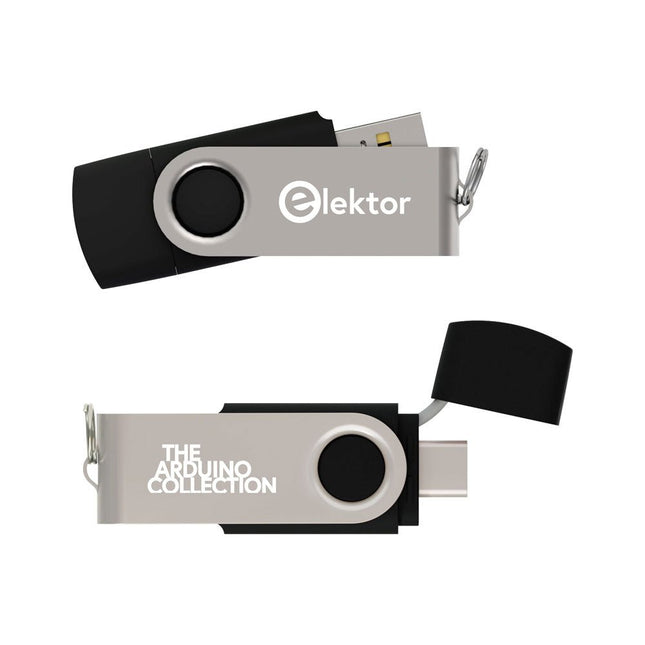
This USB Stick contains more than 300 Arduino-related articles published in Elektor Magazine. The content includes both background articles and projects on the following topics:
Software & hardware development: Tutorials on Arduino software development using Arduino IDE, Atmel Studio, Shields, and essential programming concepts.
Learning: The Microcontroller Bootcamp offers a structured approach to programming embedded systems.
Data acquisition & measurement: Projects such as a 16-bit data logger, lathe tachometer, and an AC grid analyzer for capturing and analyzing real-time signals.
Wireless communication: Learn how to implement wireless networks, create an Android interface, and communicate effectively with microcontrollers.
Robotics and automation: This covers the Arduino Nano Robot Controller, supporting boards for automation, and explores various Arduino shields to enhance functionality.
Self-build projects: Unique projects such as laser projection, Numitron clock and thermometer, ELF receiver, Theremino, and touch LED interfaces highlight creative applications.
Whether you're a beginner or an experienced maker, this collection is a valuable resource for learning, experimenting, and pushing the boundaries of Arduino technology.
Diese Ausgabe steht allen GOLD- und GREEN-Mitgliedern auf der ElektorMagazine-Website zum Download bereit!
Sie sind noch kein Mitglied? Hier klicken!
USB-MessadapterStrom und Signalqualität von USB-Anschlüssen testen
4...20 mA Stromausgang für Arduino UnoEine zuverlässige, EMI-unempfindliche Stromschleifenschnittstelle
Automatische StaubsaugersteuerungHalten Sie den Arbeitsbereich Ihrer Werkzeuge sauber
DDS-Generator mit ATtiny
Opamp-Tester V2Neue Platine – nun auch für SMDs geeignet
550-mW-„Lamp“-AudioverstärkerDer warme Klang von Röhren – ganz einfach
SicherungswächterSicherung mit Blink-LED überwachen
Hochwertiger RIAA-VorverstärkerHolen Sie das Beste aus Ihren Vinyl-Schallplatten heraus!
Drahzahlkalibrator für PlattenspielerEin Arduino-basierter Stroboskopgenerator mit 100–120 Hz
Infrarot-fernbedienbarer DimmerSteuern Sie Ihre Halogen- oder LED-Stehleuchte mühelos und mit Stil
Wie man switch…case mit Strings in C++/Arduino IDE verwendet
Magnetfindermit einfachem Hall-Effekt-Sensor
Intelligenter Einschaltknopf für Raspberry PiEine Lösung für Raspberry Pi bis zum Modell 4
Essenzielle Maker-TippsProfessionelle Einblicke für den Maker-Alltag
Praktische Projekte mit dem 555-TimerGleichstrommotorsteuerung und Reaktionszeitschallungen
Einfacher AC-Last-Ein-MonitorEnergie sparen mit einem einfachen Gerät
Powerbanks parallel schaltenEine durchgehende Stromversorgung für drei Tage
VFO bis 15 MHzMit Raspberry Pi Pico
Geigen-Stimmgerät mit ATtiny202
Elektor Classics: Video-Eingangsverstärker für S/W-Fernseher
Kapazitätsmesser20 pF bis 600 nF
Quasi-analoges Uhrwerk MkIIZwei LED-Ringe für Stunden und Minuten
Sie können alles tun, was Sie wollen(mit dem Arduino-Ökosystem an Ihrer Seite)
Neon-Würfel mit Glimmlampen
Elektor Classics: Video-Verstärker
Inspirierende Hardware-Designs für Ihre ESPs
Elektor Classics: RTTY-Abgleichanzeige
RGB-LEDs mit integrierter SteuerschaltungLicht mit Präzision: ICLEDs setzen Maßstäbe
Experiment: Auf dem Weg zu einem Mixed-Signal-Theremin?Moderne Time-of-Flight-Sensoren im Zusammenspiel mit dem zeitlosen XR2206-Analoggenerator
ESP32-Audio-Transceiver-Board (Teil 1)SD-Karten-WAV-Player-Demo
Infografiken: Schaltungen & Schaltungsdesign 2025
Kleiner Audio-MixerEinfaches und vielseitiges skalierbares Design
Intelligenter Treppenlicht-TimerEffiziente Lichtsteuerung zur Reduzierung des Energieverbrauchs
Machen Sie Ihre Rollläden smartVelux-Hardware steuern mit ESP32 und MQTT
Solid-State-FußwärmerEnergieeffizienter Komfort
Ist der M5Stamp Fly Quadcopter der nächste Tello?
Erhöhung der WLAN-Reichweite des ESP32-C3 SuperMiniEine einfache und wirkungsvolle Antennenmodifikation
ZD-8968 Heißluft-LötstationEin preisgünstiges Arbeitstier oder nur heiße Luft?
Parksensor-TesterDefekte beim PDC-System am Auto finden
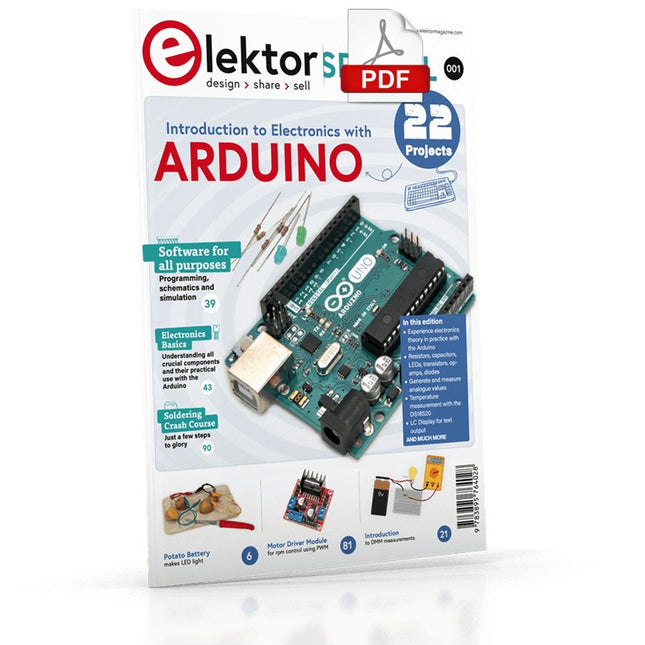
Although the Arduino isn’t a novelty any longer, there are still many beginners who want to try programming and development with a microcontroller, and to them, it is all new. All beginnings can be difficult, though they should be light and enjoyable.
You do not need much or expensive equipment for the examples. The circuits are built on a small breadboard, and, if necessary, connected to an Arduino Uno, which you can program on a Windows PC. You will find clear examples of how to build all circuits, ensuring easy and error-free reproduction.
Projects Discussed
Current & Voltage – How it all began
Arduino Hardware
Arduino Programming
The Electrical Circuit
Measuring with the Multimeter
Circuit Diagrams and Breadboards
Creating Circuit Diagrams
Breadboard Views with Fritzing
Online Circuit Simulation
Indispensable: Resistors (Part 1)
Hands-on with Resistors (Part 2)
Variable Resistors
Diodes: One-way Street for Current
The Transistor Switch
Electromagnetism
Relays and Motors
op-amps: Operational Amplifiers
Capacitors
The NE555 Timer
PWM and Analogue Values with Arduino
7-Segment Temperature Display
Introduction to Soldering and LCDs