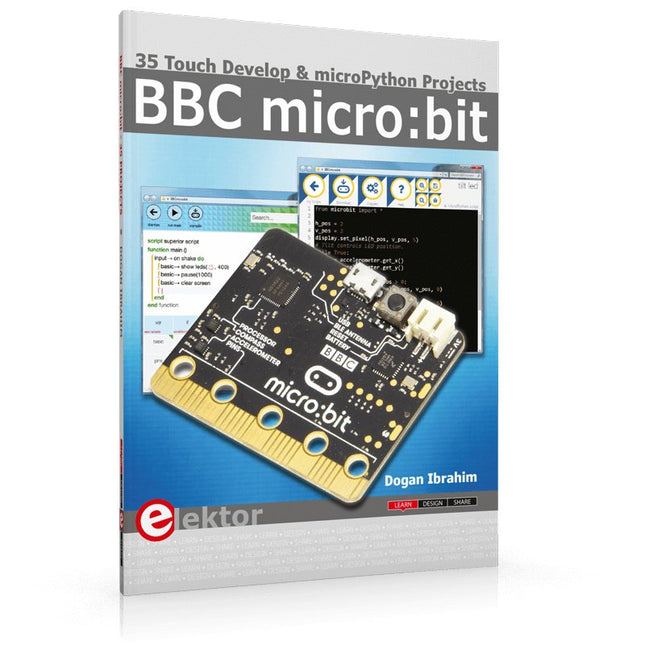
35 Touch Develop & MicroPython Projects
The BBC micro:bit is a credit sized computer based on a highly popular and high performance ARM processor. The device is designed by a group of 29 partners for use in computer education in the UK and will be given free of charge to every secondary school student in the UK.
The device is based on the Cortex-M0 processor and it measures 4 x 5 cm. It includes several important sensors and modules such as an accelerometer, magnetometer, 25 LEDs, 2 programmable push-button switches, Bluetooth connectivity, micro USB socket, 5 ring type connectors, and a 23-pin edge connector. The device can be powered from its micro USB port by connecting it to a PC, or two external AAA type batteries can be used.
This book is about the use of the BBC micro:bit computer in practical projects. The BBC micro:bit computer can be programmed using several different programming languages, such as Microsoft Block Editor, Microsoft Touch Develop, MicroPython, and JavaScript.
The book makes a brief introduction to the Touch Develop programming language and the MicroPython programming language. It then gives 35 example working and tested projects using these language. Readers who learn to program in Touch Develop and MicroPython should find it very easy to program using the Block Editor or any other languages.
The following are given for each project:
Title of the project
Description of the project
Aim of the project
Touch Develop and MicroPython program listings
Complete program listings are given for each project. In addition, working principles of the projects are described briefly in each section. Readers are encouraged to go through the projects in the order given in the book.
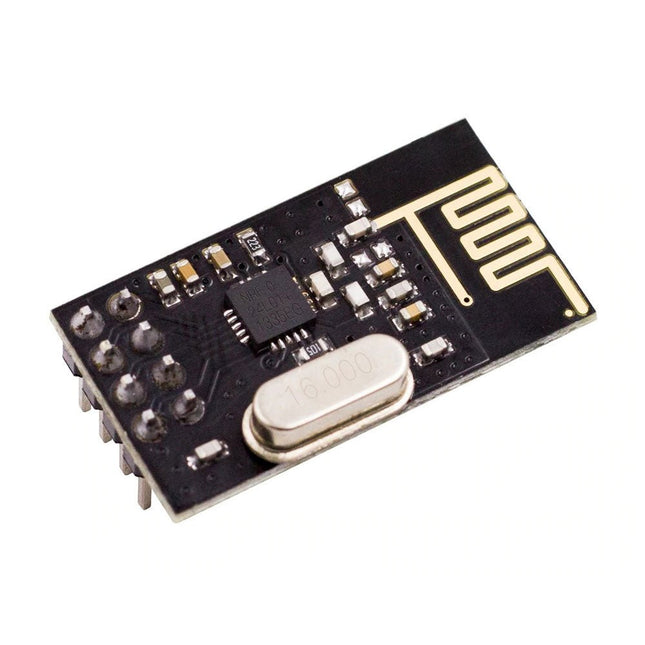
NRF24L01 is a universal ISM band monolithic transceiver chip works in the 2.4-2.5 GHz. Features Wireless transceiver including: Frequency generator, enhanced type, SchockBurstTM, mode controller, power amplifier, crystal amplifier, modulator, demodulator The output power channel selection and protocol settings can be set extremely low current consumption, through the SPI interface As the transmit mode, the transmit power is 6 dBm, the current is 9.0 mA, the accepted mode current is 12.3 mA, the current consumption of the power-down mode and standby mode are lower Built-in 2.4 GHz antenna, supports up to six channels of data reception Size: 15 x 29 mm (including antenna)
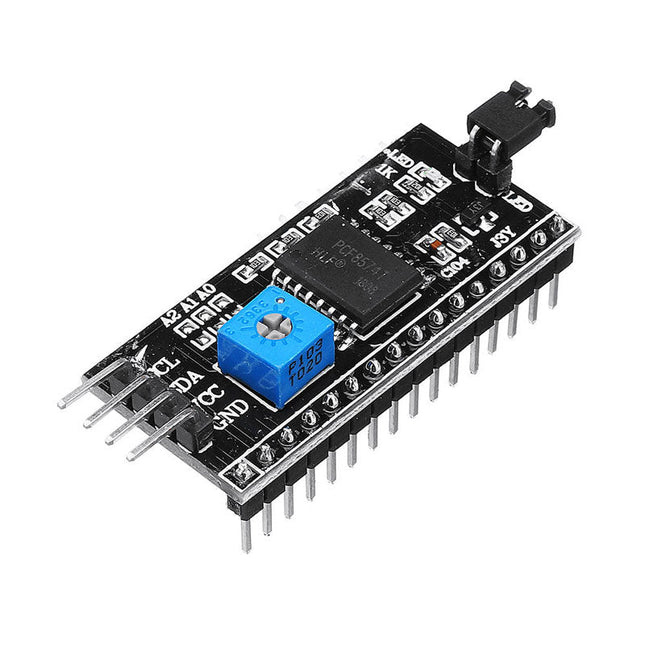
This is another great IIC/I²C/TWI/SPI Serial Interface. As the pin resources of controller is limited, your project may be not able to use normal LCD shield after connected with a certain quantity of sensors or SD card. However, with this I²C interface module, you will be able to realize data display via only 2 wires. If you already has I²C devices in your project, this LCD module actually cost no more resources at all. It is fantastic for based project. I²C Address: 0X20~0X27 (the original address is 0X20,you can change it yourself) The backlight and contrast is adjusted by potentiometer Comes with 2 IIC interface, which can be connected by Dupont Line or IIC dedicated cable I²C Address: 0x27 (I²C Address: 0X20~0X27 (the original address is 0X27,you can change it yourself) Specifications Compatible for 1602 LCD Supply voltage: 5 V Weight: 5 g Size: 5.5 x 2.3 x 1.4 cm
This programmer is specifically designed for burning bootloaders (without a computer) on Arduino-compatible ATmega328P/ATmega328PB development boards.
Simply plug the programmer into the ICSP interface to re-burn the bootloader. It’s also compatible with new chips, provided the IC is functional.
Note: Burning a bootloader erases all previous chip data.
Features
Working voltage: 3.1-5.3 V
Working current: 10 mA
Compatible with Arduino Uno R3 based boards (ATmega328P or ATmega328PB)
Dimensions: 39.6 x 15.5 x 7.8 mm
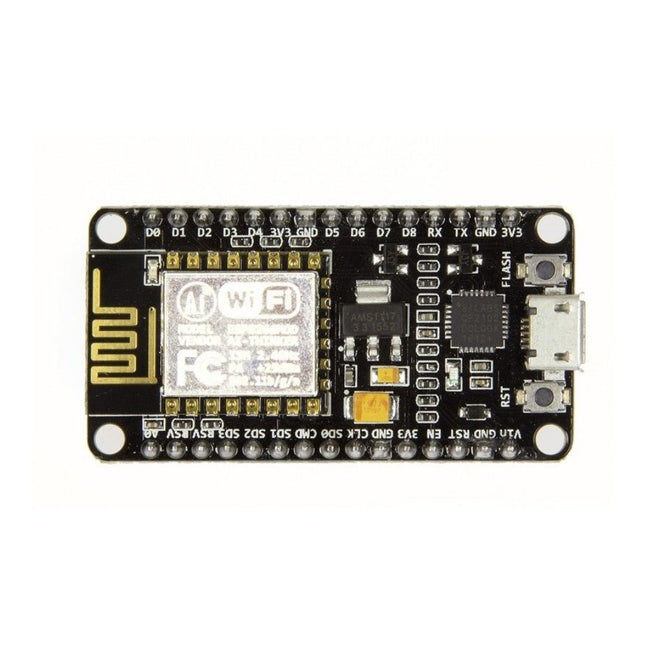
Note: NodeMCU is the name of both a firmware and a boardNodeMCU is an open source IoT platform, whose firmware runs on Espressif's SoC Wi-Fi ESP8266, based on the ESP8266 nonOS SDK. Its hardware is based on the ESP-12 module. The scripting language is Lua which allows to use many open source projects like lua-cjson and spiffs. Features Wi-Fi Module – ESP-12E module similar to ESP-12 module but with 6 extra GPIOs. USB – micro USB port for power, programming and debugging Headers – 2x 2.54 mm 15-pin header with access to GPIOs, SPI, UART, ADC, and power pins Reset & Flash buttons Power: 5V via micro USB port Dimensions: 49 x 24.5 x 13 mm
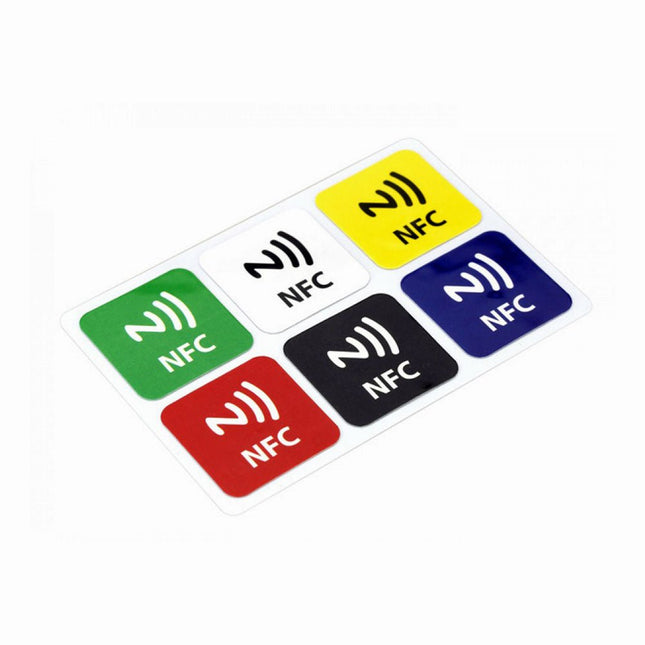
Features NFC chip material: PET + Etching antenna Chip: NTAG216 (compatible with all NFC phones) Frequency: 13.56 MHz (High Frequency) Reading time: 1 - 2 ms Storage capacity: 888 bytes Read and write times: > 100,000 times Reading distance: 0 - 5 mm Data retention: > 10 years NFC chip size: Diameter 30 mm Non-contact, no friction, the failure rate is small, low maintenance costs Read rate, verification speed, which can effectively save time and improve efficiency Waterproof, dustproof, anti-vibration No power comes with an antenna, embedded encryption control logic, and communication logic circuit Included 1x NFC Stickers (6-color kit)
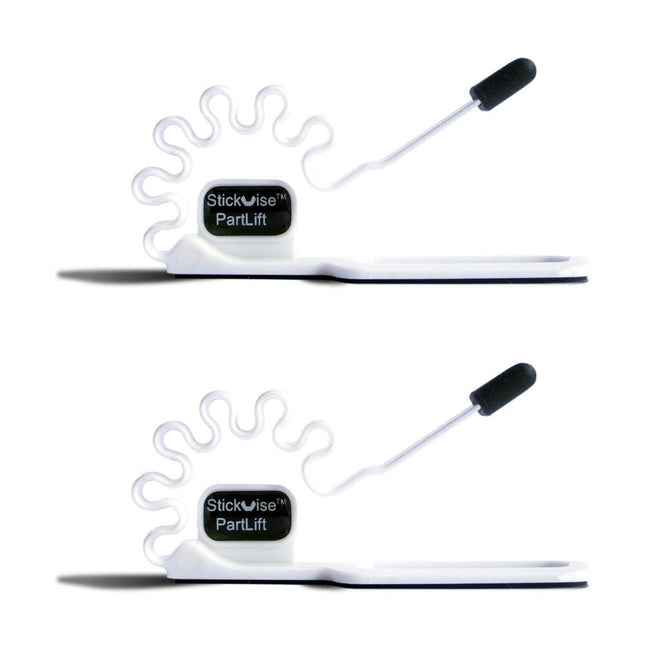
An easy way to hold parts to the bottom of a PCB while soldering
PartLift holds thru hole parts in place to free up your hands while you solder the legs. A simple but useful tool to go along with your Stickvise. The base pad is non-slip silicone foam, the body of the tool is ABS which provides very light spring tension to hold your part in place. The tip of the tool is made from high temperature silicone that withstands soldering temperatures without being damaged.
Features
PartLift holds thru hole parts in place during soldering
Use with a Stickvise or any low profile PCB holder
The tip is silicone that withstands soldering temperatures
The base pad is non-slip silicone foam
Specifications
Material
Silicone
Dimensions
109 x 40 x 40 mm
Weight
59 g
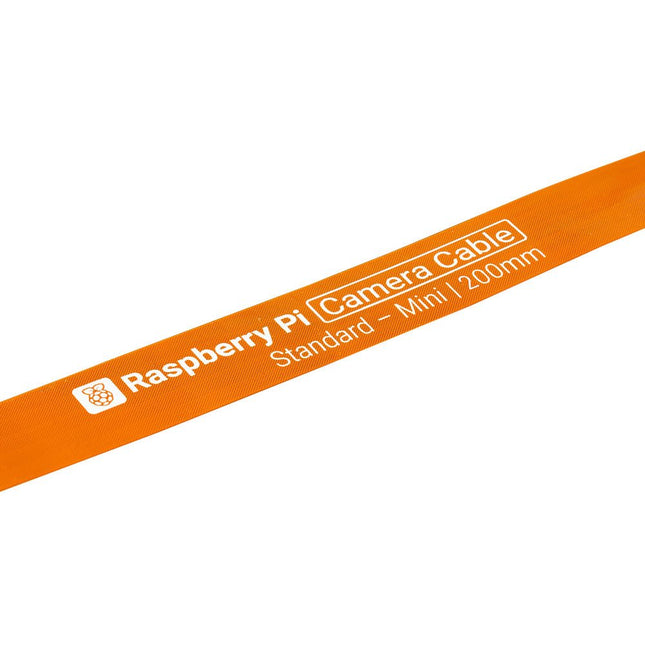
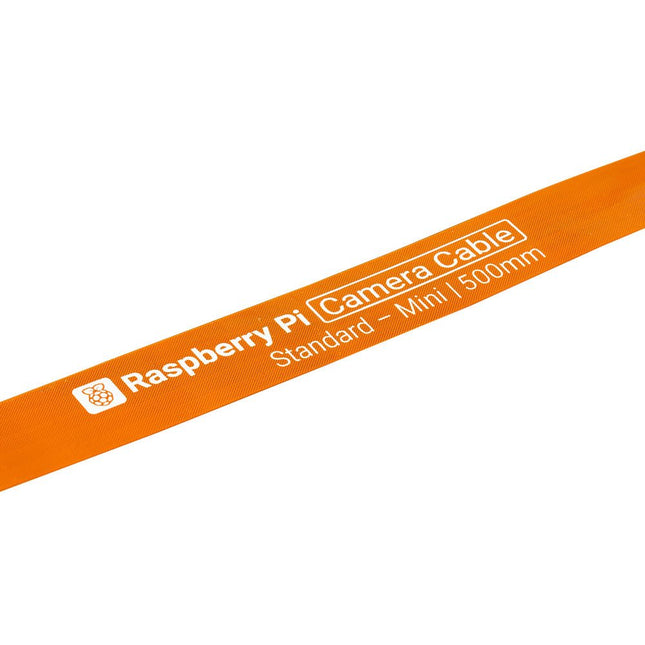
Raspberry Pi 5 provides two four-lane MIPI connectors, each of which can support either a camera or a display. These connectors use the same 22-way, 0.5 mm-pitch “mini” FPC format as the Compute Module Development Kit, and require adapter cables to connect to the 15-way, 1 mm-pitch “standard” format connectors on current Raspbery Pi camera and display products.These mini-to-standard adapter cables for cameras and displays (note that a camera cable should not be used with a display, and vice versa) are available in 200 mm, 300 mm and 500 mm lengths.
Specifications
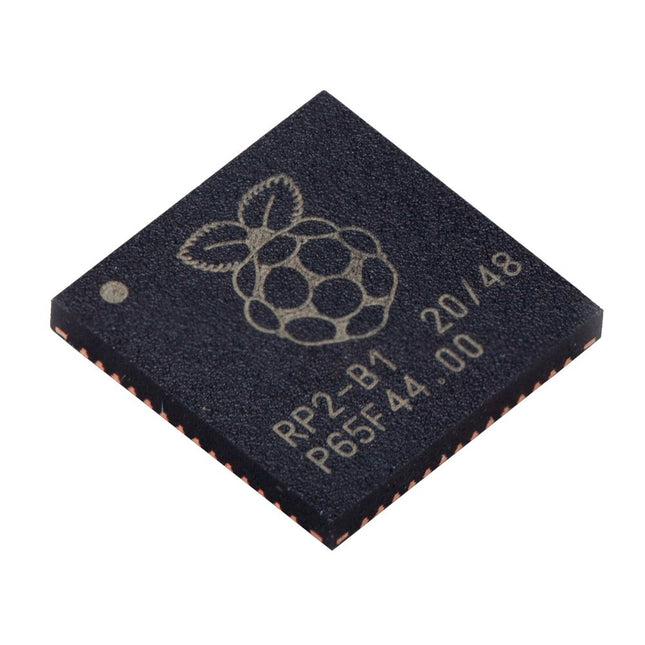
Dual ARM Cortex-M0+ @ 133 MHz
264 kB on-chip SRAM in six independent banks
Support for up to 16 MB of off-chip Flash memory via dedicated QSPI bus
DMA controller
Fully-connected AHB crossbar
Interpolator and integer divider peripherals
On-chip programmable LDO to generate core voltage
2x on-chip PLLs to generate USB and core clocks
30x GPIO pins, 4 of which can be used as analogue inputs
Peripherals
2x UARTs
2x SPI controllers
2x I²C controllers
16x PWM channels
USB 1.1 controller and PHY, with host and device support
8x PIO state machines
What you'll get
10x bare RP2040 chips
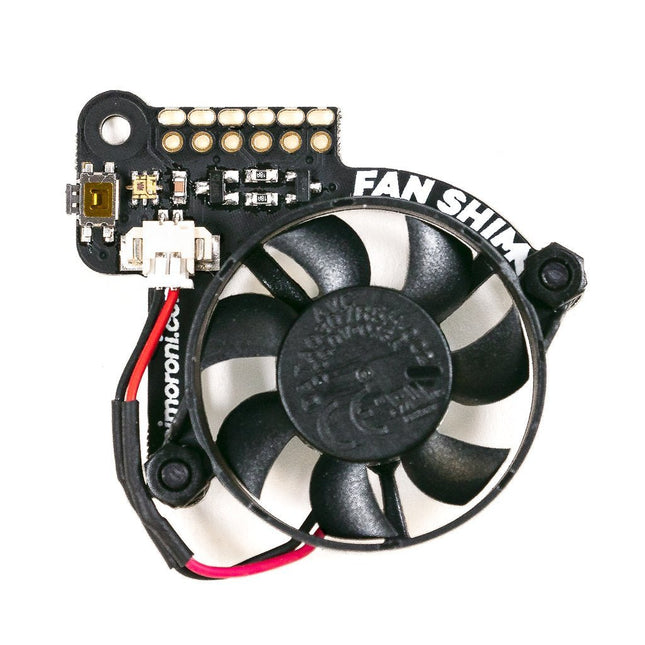
When Raspberry Pi 4's system on chip (SoC) achieves a certain temperature, it lowers its operating speed to protect itself from harm. As a result, you don't get maximum performance from the single board computer. Fan SHIM is an affordable accessory that effectively eliminates thermal throttling and boosts the performance of RPi 4. It's quite easy to attach the fan SHIM to Raspberry pi: fan SHIM uses a friction-fit header, so it just slips onto your Pi's pins and it's ready to go, no soldering required! The fan can be controlled in software, so you can adjust it to your needs, for example, toggle it on when the CPU reaches a certain temperature etc. You can also program the LED as a visual indicator of the fan status. The tactile switch can also be programmed, so you can use it to toggle the fan on or off, or to switch between temperature-triggered or manual mode. Features 30 mm 5 V DC fan 4,200 RPM 0.05 m³/min air flow 18.6 dB acoustic noise (whisper-quiet) Friction-fit header No soldering required RGB LED (APA102) Tactile switch Basic assembly required Compatible with Raspberry Pi 4 (and 3B+, 3A+)
Python library and daemon Pinout Scope of delivery Fan SHIM PCB 30 mm 5 V DC fan with JST connector M2.5 nuts and bolts Assembly The assembly is really simple and almost takes no time With the component side of the PCB facing upwards, push the two M2.5 bolts through the holes from below, then screw on the first pair of nuts to secure them and act as spacers. Push the fan's mounting holes down onto the bolts, with the cable side of the fan downwards (as pictured) and the text on the fan upwards. Attach with another two nuts. Push the fan's JST connector into the socket on Fan SHIM. Software With the help of Python library you can control the fan (on/off), RGB LED, and switch. You'll also find a number of examples that demonstrate each feature, as well as a script to install a daemon (a computer program that runs as a background process) that runs the fan in automatic mode, triggering it on or off when the CPU reaches a threshold temperature, with a manual override via the tactile switch.
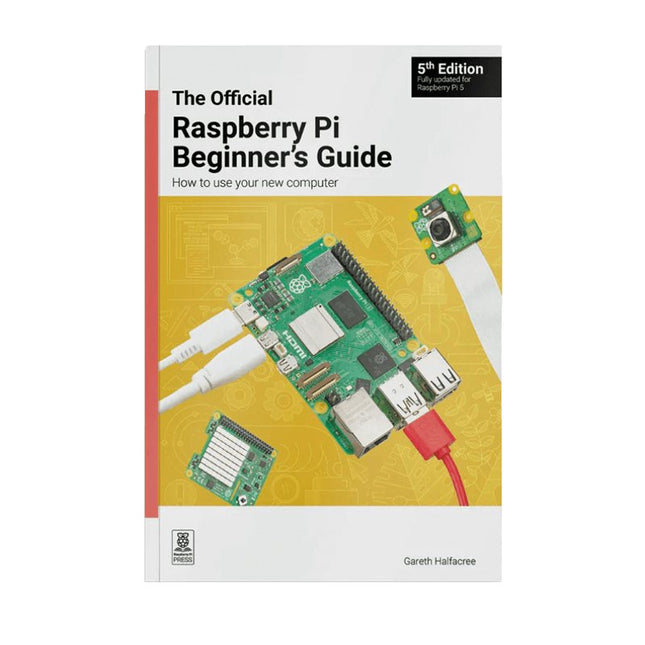
Fully updated for Raspberry Pi 5
Raspberry Pi is a small, clever, British-built computer that's packed with potential. Made using a desktop-class, energy-efficient processor, Raspberry Pi is designed to help you learn coding, discover how computers work, and build your own amazing things. This book was written to show you just how easy it is to get started.
Learn how to:
Set up your Raspberry Pi, install its operating system, and start using this fully functional computer.
Start coding projects, with step-by-step guides using the Scratch 3, Python, and MicroPython programming languages.
Experiment with connecting electronic components, and have fun creating amazing projects.
New in the 5th edition:
Updated for the latest Raspberry Pi computers: Raspberry Pi 5 and Raspberry Pi Zero 2 W.
Covers the latest Raspberry Pi OS.
Includes a new chapter on the Raspberry Pi Pico.
Downloads
GitHub
An upgraded jaw set that withstands direct contact with a soldering iron
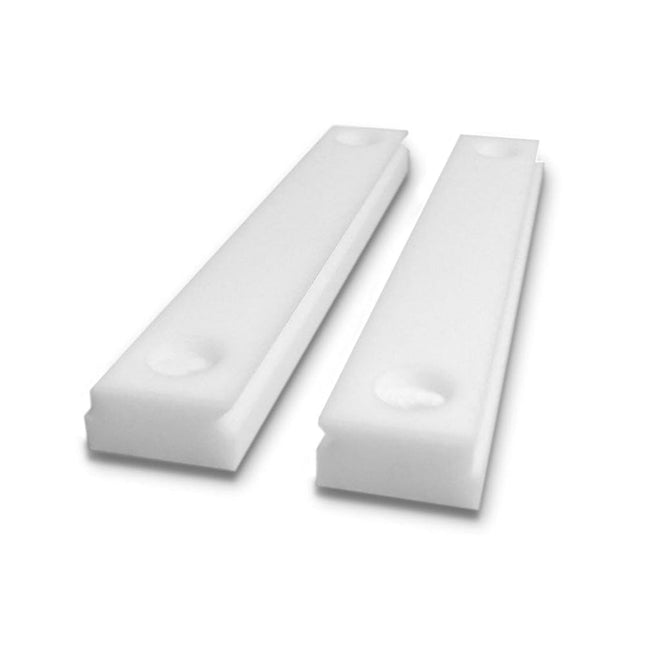
Stickvise High Temperature PTFE Vise Jaws will withstand accidental contact with a soldering iron and will not melt. These are a great upgrade for your Stickvise.
Features
Made from PTFE with extremely high melting point
Withstands incidental contact with a soldering iron
This is the jaw plates only, does not include a Stickvise
Specifications
Material
Aluminum
Dimensions
73 x 53 x 3 mm
Weight
21 g
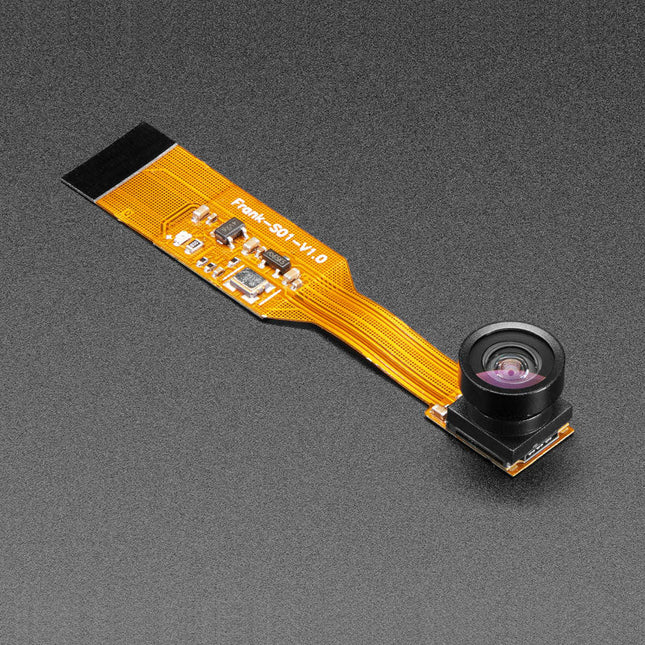
Is your house haunted? Or, rather, are you convinced that your house is haunted but have never been able to prove it since you've never had a camera that integrated with your Raspberry Pi Zero but was still small enough that the ghosts wouldn't notice it?
Luckily, the spy camera for Raspberry Pi Zero is smaller than a thumbnail with a high enough resolution to see people, ghosts, or whatever it is you're looking for. It's about the size of a cell phone camera – the module being just 8.6 x 8.6 mm – with only a 2' cable, so you can create an extra compact and sneaky little spy cam. It has a 160-degree focal angle for a very wide/distorted fisheye effect that's great for security systems or watching a big swath of the living room or roadway.
Like the Raspberry Pi camera board, it attaches to your Raspberry Pi Zero v1.3 or Zero W by way of the small socket on the board's edge closest to the 'PWR in' port. This interface uses the dedicated CSI interface, which was designed especially for interfacing to cameras. The CSI bus is capable of extremely high data rates, and it exclusively carries pixel data.
The camera is connected to the BCM2835 processor on the RPi via the CSI bus, a higher bandwidth link which carries pixel data from the camera back to the processor. This bus travels along the ribbon cable that attaches the camera board to the Pi. The ribbon cables are compatible with both the RPi Zero v1.3 and RPi Zero W.
The sensor itself has a native resolution of 5 megapixels and has a fixed focus lens onboard. It has similar specs as the original RPi camera, but is not as high-res as the new RPi camera v2!
Specifications
Camera Module Dimensions: 8.6 x 8.6 mm
Lens Diameter: 10 mm
Total Length: 60 mm
Lens Focal Angle: 160 degrees
Weight: 1.9 g
Features
Universal pen for use on almost all surfaces
Suitable for overhead projection
Also suitable for use on CDs/DVDs
Excellent smudge-proof and waterproof qualities on almost all surfaces
Dries in seconds, therefore ideal for left-handed users
Permanent, low-odour ink
Lightfast colours: black, brown
Weatherproof colour black
Stand-up STAEDTLER box
PP barrel and cap guarantee long service life
DRY SAFE – can be left uncapped for days without drying up (Standard atmosphere according to ISO 554)
Airplane-safe - automatic pressure equalization prevents pen from leaking on board aircraft
Xylene and toluene-free ink
Superb colour brilliancy
Line width superfine approx. 0.4 mm
Refillable
Raspberry Pi 5 provides two four-lane MIPI connectors, each of which can support either a camera or a display. These connectors use the same 22-way, 0.5 mm-pitch “mini” FPC format as the Compute Module Development Kit, and require adapter cables to connect to the 15-way, 1 mm-pitch “standard” format connectors on current Raspbery Pi camera and display products.These mini-to-standard adapter cables for cameras and displays (note that a camera cable should not be used with a display, and vice versa) are available in 200 mm, 300 mm and 500 mm lengths.
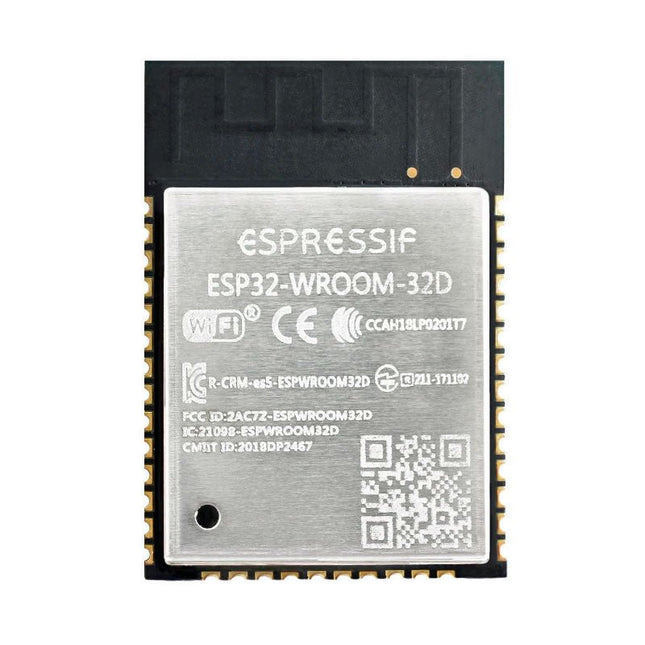
The ESP32-WROOM-32, measuring 25.2 x 18 mm only, contains the ESP32 SoC, flash memory, precision discrete components, and PCB antenna to provide outstanding RF performance in space-constrained applications.
ESP32-WROOM-32 is a powerful, generic Wi-Fi + BT + BLE MCU module that targets a wide variety of applications, ranging from low-power sensor networks to the most demanding tasks, such as voice encoding, music streaming and MP3 decoding.
At the core of this module is the ESP32-D0WDQ6 chip. The chip embedded is designed to be scalable and adaptive. There are two CPU cores that can be individually controlled, and the clock frequency is adjustable from 80 MHz to 240 MHz. The user may also power off the CPU and make use of the low-power co-processor to monitor the peripherals for changes or crossing of thresholds constantly. ESP32 integrates a rich set of peripherals, ranging from capacitive touch sensors, Hall sensors, SD card interface, Ethernet, high-speed SPI, UART, I²S and I²C.
The integration of Bluetooth, Bluetooth LE and Wi-Fi ensures that a wide range of applications can be targeted and that the module is future proof. Using Wi-Fi allows a vast physical range and direct connection to the internet through a Wi-Fi router while using Bluetooth allows the user to conveniently connect to the phone or broadcast low energy beacons for its detection.
The sleep current of the ESP32 chip is less than 5 µA, making it suitable for battery powered and wearable electronics applications. ESP32 supports a data rate of up to 150 Mbps, and 20.5 dBm output power at the antenna to ensure the broadest physical range. As such the chip does offer industry-leading specifications and the best performance for electronic integration, range, power consumption, and connectivity.
Downloads
Datasheet
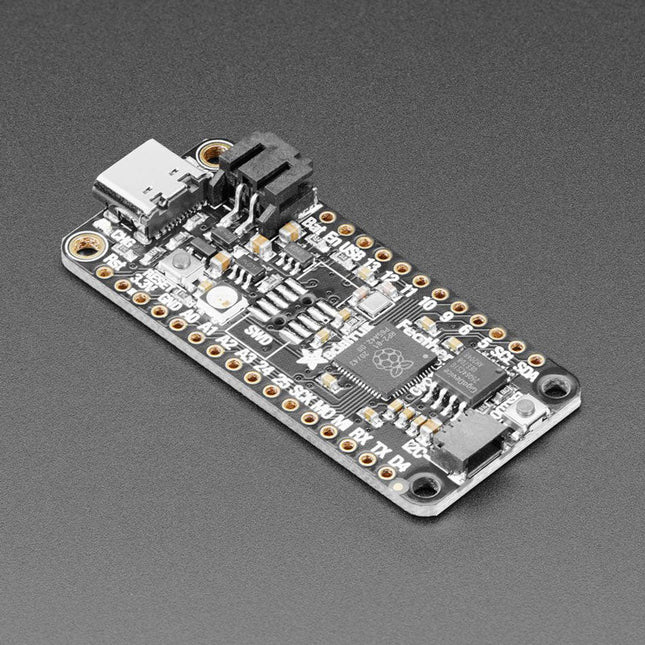
Inside the RP2040 is a 'permanent ROM' USB UF2 bootloader. What that means is when you want to program new firmware, you can hold down the BOOTSEL button while plugging it into USB (or pulling down the RUN/Reset pin to ground) and it will appear as a USB disk drive you can drag the firmware onto. Folks who have been using Adafruit products will find this very familiar – Adafruit uses the technique on all thier native-USB boards. Just note you don't double-click reset, instead hold down BOOTSEL during boot to enter the bootloader!
The RP2040 is a powerful chip, which has the clock speed of our M4 (SAMD51), and two cores that are equivalent to our M0 (SAMD21). Since it is an M0 chip, it does not have a floating point unit, or DSP hardware support – so if you're doing something with heavy floating-point math, it will be done in software and thus not as fast as an M4. For many other computational tasks, you'll get close-to-M4 speeds!
For peripherals, there are two I²C controllers, two SPI controllers, and two UARTs that are multiplexed across the GPIO – check the pinout for what pins can be set to which. There are 16 PWM channels, each pin has a channel it can be set to (ditto on the pinout).
Specifications
Measures 2.0 x 0.9 x 0.28' (50.8 x 22.8 x 7 mm) without headers soldered in
Light as a (large?) feather – 5 grams
RP2040 32-bit Cortex M0+ dual core running at ~125 MHz @ 3.3 V logic and power
264 KB RAM
8 MB SPI FLASH chip for storing files and CircuitPython/MicroPython code storage. No EEPROM
Tons of GPIO! 21 x GPIO pins with following capabilities:
Four 12 bit ADCs (one more than Pico)
Two I²C, Two SPI and two UART peripherals, one is labeled for the 'main' interface in standard Feather locations
16 x PWM outputs - for servos, LEDs, etc
The 8 digital 'non-ADC/non-peripheral' GPIO are consecutive for maximum PIO compatibility
Built in 200 mA+ lipoly charger with charging status indicator LED
Pin #13 red LED for general purpose blinking
RGB NeoPixel for full color indication.
On-board STEMMA QT connector that lets you quickly connect any Qwiic, STEMMA QT or Grove I²C devices with no soldering!
Both Reset button and Bootloader select button for quick restarts (no unplugging-replugging to relaunch code)
3.3 V Power/enable pin
Optional SWD debug port can be soldered in for debug access
4 mounting holes
24 MHz crystal for perfect timing.
3.3 V regulator with 500mA peak current output
USB Type C connector lets you access built-in ROM USB bootloader and serial port debugging
RP2040 Chip Features
Dual ARM Cortex-M0+ @ 133 MHz
264 kB on-chip SRAM in six independent banks
Support for up to 16 MB of off-chip Flash memory via dedicated QSPI bus
DMA controller
Fully-connected AHB crossbar
Interpolator and integer divider peripherals
On-chip programmable LDO to generate core voltage
2 on-chip PLLs to generate USB and core clocks
30 GPIO pins, 4 of which can be used as analog inputs
Peripherals
2 UARTs
2 SPI controllers
2 I²C controllers
16 PWM channels
USB 1.1 controller and PHY, with host and device support
8 PIO state machines
Comes fully assembled and tested, with the UF2 USB bootloader. Adafruit also tosses in some header, so you can solder it in and plug it into a solderless breadboard.
Raspberry Pi Pico Wireless Pack attaches to the back of your Pico and uses an ESP32 chip to let your Pico connect to 2.4 GHz wireless networks and transfer data. There's a microSD card slot for if you want to store lots of data locally as well as a RGB LED (for status updates) and a button (useful for things like enabling/disabling Wi-Fi).
Great for quickly adapting an existing Pico project to have wireless functionality, Raspberry Pi Pico Wireless Pack would come in handy for sending sensor data into home automation systems or dashboards, for hosting a web page from a matchbox or for letting your Pico interact with online APIs.
Features
ESP32-WROOM-32E module for wireless connectivity (connected via SPI) (datasheet)
1x Tactile button
RGB LED
Micro-SD card slot
Pre-soldered female headers for attaching your Raspberry Pi Pico
Fully assembled
No soldering required (as long as your Pico has header pins attached)
Compatible with Raspberry Pi Pico
Dimensions: approx 53 x 25 x 11 mm (L x W x H, including headers and components)
C++ and MicroPython libraries
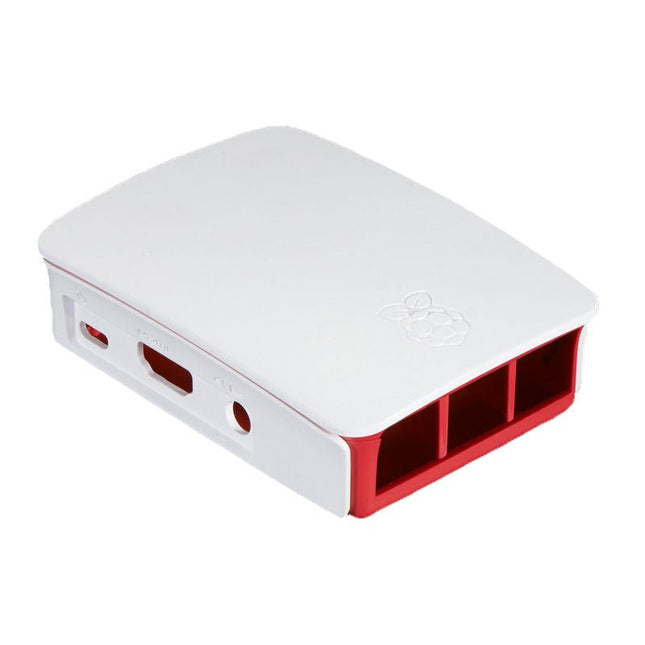
High-quality ABS construction Removable side panels and lid for easy access to GPIO, camera and display connectors Light pipes for power and activity LEDs Extraordinarily handsome Colour: white/red
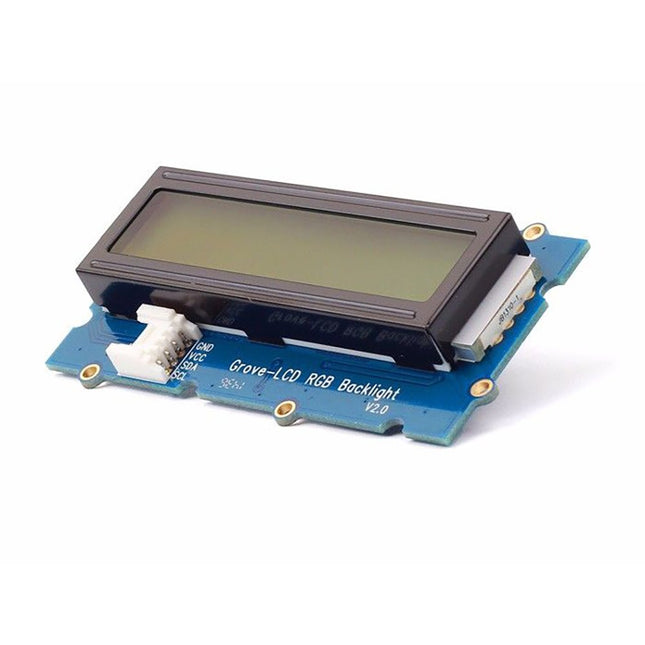
With the help of the Grove I²C connector, only 2 signal pins and 2 power pins are needed. You don't even need to care about how to connect these pins. Just plug it into the I²C interface on Seeeduino or Arduino/Raspberry Pi+baseshield via the Grove cable.
No complicated wiring, no soldering, no need to worry about burning the LCD caused by the wrong current limiting resistor. Easy peasy.
Specifications
Battery: Exclude
Input Voltage: 5 V
Dimensions: 83 x 44 x 13 mm
Weight: 42 g
The RedBoard Artemis has the improved power conditioning and USB to serial that we've refined over the years on our RedBoard line of products. A modern USB-C connector makes programming easy. A Qwiic connector makes I²C easy. The RedBoard Artemis is fully compatible with SparkFun's Arduino core and can be programmed easily under the Arduino IDE. We've exposed the JTAG connector for more advanced users who prefer to use professional tools' power and speed. We've added a digital MEMS microphone for folks wanting to experiment with always-on voice commands with TensorFlow and machine learning. We've even added a convenient jumper to measure current consumption for low power testing.
With 1MB flash and 384k RAM, you'll have plenty of room for your sketches. The on-board Artemis module runs at 48MHz with a 96MHz turbo mode available and with Bluetooth to boot!
Features
Arduino Uno R3 Footprint
1M Flash / 384k RAM
48MHz / 96MHz turbo available
24 GPIO - all interrupt capable
21 PWM channels
Built-in BLE radio
10 ADC channels with 14-bit precision
2 UARTs
6 I²C buses
4 SPI buses
PDM Interface
I²S Interface
Qwiic Connector
The RP2040 contains two ARM Cortex-M0+ processors (up to 133 MHz) and features:
264 kB of embedded SRAM in six banks
6 dedicated IO for SPI Flash (supporting XIP)
30 multifunction GPIO:
Dedicated hardware for commonly used peripherals
Programmable IO for extended peripheral support
Four 12-bit ADC channels with internal temperature sensor (up to 0.5 MSa/s)
USB 1.1 Host/Device functionality
The RP2040 is supported with C/C++ and MicroPython cross-platform development environments, including easy access to runtime debugging. It has a UF2 boot and floating-point routines baked into the chip. While the chip has a large internal RAM, the board includes an additional 16 MB of external QSPI flash memory to store program code.
Features
Raspberry Pi Foundation's RP2040 microcontroller
16MB QSPI Flash Memory
JTAG PTH Pins
Thing Plus (or Feather) Form-Factor:
18x Multifunctional GPIO Pins
Four available 12-bit ADC channels with an internal temperature sensor (500 kSa/s)
Up to eight 2-channel PWM
Up to two UARTs
Up to two I²C buses
Up to two SPI buses
USB-C Connector:
USB 1.1 Host/Device functionality
2-pin JST Connector for a LiPo Battery (not included):
500 mA charging circuit
Qwiic Connector
Buttons:
Boot
Reset
LEDs:
PWR - Red 3.3 V power indicator
CHG - Yellow battery charging indicator
25 - Blue status/test LED (GPIO 25)
WS2812 - Addressable RGB LED (GPIO 08)
Four Mounting Holes:
4-40 screw compatible
Dimensions: 2.3' x 0.9'
RP2040 Features
Dual Cortex M0+ processors, up to 133 MHz
264 kB of embedded SRAM in 6 banks
6 dedicated IO for QSPI flash, supporting execute in place (XIP)
30 programmable IO for extended peripheral support
SWD interface
Timer with 4 alarms
Real-time counter (RTC)
USB 1.1 Host/Device functionality
Supported programming languages
MicroPython
C/C++
The Arduino Nano 33 BLE Rev2 stands at the forefront of innovation, leveraging the advanced capabilities of the nRF52840 microcontroller. This 32-bit Arm Cortex-M4 CPU, operating at an impressive 64 MHz, empowers developers for a wide range of projects. The added compatibility with MicroPython enhances the board's flexibility, making it accessible to a broader community of developers.
The standout feature of this development board is its Bluetooth Low Energy (Bluetooth LE) capability, enabling effortless communication with other Bluetooth LE-enabled devices. This opens up a realm of possibilities for creators, allowing them to seamlessly share data and integrate their projects with a wide array of connected technologies.
Designed with versatility in mind, the Nano 33 BLE Rev2 is equipped with a built-in 9-axis Inertial Measurement Unit (IMU). This IMU is a game-changer, offering precise measurements of position, direction, and acceleration. Whether you're developing wearables or devices that demand real-time motion tracking, the onboard IMU ensures unparalleled accuracy and reliability.
In essence, the Nano 33 BLE Rev2 strikes the perfect balance between size and features, making it the ultimate choice for crafting wearable devices seamlessly connected to your smartphone. Whether you're a seasoned developer or a hobbyist embarking on a new adventure in connected technology, this development board opens up a world of possibilities for innovation and creativity. Elevate your projects with the power and flexibility of the Nano 33 BLE Rev2.
Specifications
Microcontroller
nRF52840
USB connector
Micro USB
Pins
Built-in LED Pins
13
Digital I/O Pins
14
Analog Input Pins
8
PWM Pins
All digital pins (4 at once)
External interrupts
All digital pins
Connectivity
Bluetooth
u-blox NINA-B306
Sensors
IMU
BMI270 (3-axis accelerometer + 3-axis gyroscope) + BMM150 (3-axis Magnetometer)
Communication
UART
RX/TX
I²C
A4 (SDA), A5 (SCL)
SPI
D11 (COPI), D12 (CIPO), D13 (SCK). Use any GPIO for Chip Select (CS)
Power
I/O Voltage
3.3 V
Input Voltage (nominal)
5-18 V
DC Current per I/O Pin
10 mA
Clock Speed
Processor
nRF52840 64 MHz
Memory
nRF52840
256 KB SRAM, 1 MB flash
Dimensions
18 x 45 mm
Downloads
Datasheet
Schematics
The RP2040 utilizes dual ARM Cortex-M0+ processors (up to 133MHz):
264kB of embedded SRAM in six banks
6 dedicated IO for SPI Flash (supporting XIP)
30 multifunction GPIO:
Dedicated hardware for commonly used peripherals
Programmable IO for extended peripheral support
Four 12-bit ADC channels with internal temperature sensor (up to 0.5 MSa/s)
USB 1.1 Host/Device functionality
The RP2040 is supported with C/C++ and MicroPython cross-platform development environments, including easy access to runtime debugging. It has a UF2 boot and floating-point routines baked into the chip. The built-in USB can act as both device and host. It has two symmetric cores and high internal bandwidth, making it useful for signal processing and video. While the chip has a large internal RAM, the board includes an additional external flash chip.
Features
Dual Cortex M0+ processors, up to 133 MHz
264 kB of embedded SRAM in 6 banks
6 dedicated IO for QSPI flash, supporting execute in place (XIP)
30 programmable IO for extended peripheral support
SWD interface
Timer with 4 alarms
Real-time counter (RTC)
USB 1.1 Host/Device functionality
Supported programming languages
MicroPython
C/C++