
Search results for "make OR avr OR programming"
-

Elektor Digital AVR-Programmierung für Quereinsteiger (E-book)
Atmel AVR ist eine 8-bit-Mikrocontroller-Familie des Herstellers Atmel. Diese Controller sind wegen ihres einfachen Aufbaus, ihrer leichten Programmierbarkeit, den kostenlosen Entwicklungswerkzeugen und der Verfügbarkeit in DIP-Gehäuseformen auch bei Elektronikern und Makern äußerst beliebt. Darüber hinaus sind diese Controller bereits ab zwei Euro erhältlich. Im Arduino Uno-Board wird der ATmega328 verwendet. AVR-Programmierung für Quereinsteiger besteht aus zwei Teilen. Im ersten Teil wird in einfachen Worten erklärt, wie eine MCU (= Micro Controller Unit) im Detail arbeitet. Dem folgt eine Einführung in die Programmiersprache C. Anschließend taucht der Leser im zweiten Teil des Buches in die Welt der Register und ihre Bits ein. Dort findet man auch ein umfangreiches Glossar aller Register- und Bit-Namen. Das Buch dient somit auch als Nachschlagewerk, wenn man sich durch das Datenblatt oder andere Texte arbeiten muss. Das Buch wendet sich an alle, die bisher mit dem Arduino programmiert haben und nun nach technischen Möglichkeiten und Wegen suchen, ihre Elektronik- und Programmierkenntnisse zu erweitern. Dazu eignet sich die AVR-Programmierung im besonderen Maße.
€ 32,80
Members: € 29,52
-

Elektor Digital Explore ATtiny Microcontrollers using C and Assembly Language (E-book)
AVR Architecture and Programming An in-depth look at the 8-bit AVR architecture found in ATtiny and ATmega microcontrollers, mainly from a software and programming point of view. Explore the AVR architecture using C and assembly language in Microchip Studio (formerly Atmel Studio) with ATtiny microcontrollers. Learn the details of how AVR microcontrollers work internally, including the internal registers and memory map of ATtiny devices. Program ATtiny microcontrollers using an Atmel-ICE programmer/debugger, or use a cheap hobby programmer, or even an Arduino Uno as a programmer. Most code examples can be run using the Microchip Studio AVR simulator. Learn to write programs for ATtiny microcontrollers in assembly language. See how assembly language is converted to machine code instructions by the assembler program. Find out how programs written in the C programming language end up as assembly language and finally as machine code instructions. Use the Microchip Studio debugger in combination with a hardware USB programmer/debugger to test assembly and C language programs, or use the Microchip Studio AVR simulator. DIP packaged ATtiny microcontrollers are used in this volume for easy use on electronic breadboards, targeting mainly the ATtiny13(A) and ATtiny25/45/85. Learn about instruction timing and clocks in AVR microcontrollers using ATtiny devices. Be on your way to becoming an AVR expert with advanced debugging and programming skills.
€ 34,95
Members: € 31,46
-

Elektor Digital AVR-Mikrocontroller (PDF)
Programmierung in Assembler und C am Beispiel der ATtiny-Familie Dieses Buch bietet einen eingehenden Blick auf die 8-Bit-AVR-Architektur in ATtiny- und ATmega-Mikrocontrollern, hauptsächlich aus der Sicht der Software und der Programmierung. Erforschen Sie die AVR-Architektur unter Verwendung von C und Assembler in Microchip Studio (früher Atmel Studio) mit ATtiny-Mikrocontrollern. Lernen Sie die Details der internen Funktionsweise von AVR-Mikrocontrollern kennen, einschließlich der internen Register und des Speicherplans von ATtiny-Bausteinen. Programmieren Sie ATtiny-Mikrocontroller mit einem Atmel-ICE-Programmiergerät/Debugger oder verwenden Sie ein preiswertes Hobby-Programmiergerät oder sogar einen Arduino Uno als Programmiergerät. Die meisten Code-Beispiele können mit dem Microchip Studio AVR-Simulator ausgeführt werden. Lernen Sie, Programme für ATtiny-Mikrocontroller in Assembler zu schreiben. Erfahren Sie, wie Assemblersprache in Maschinencodebefehle umgewandelt wird. Finden Sie heraus, wie Programme, die in der Programmiersprache C geschrieben wurden, in Assemblersprache und schließlich in Maschinencode umgewandelt werden. Verwenden Sie den Microchip Studio Debugger in Kombination mit einem Hardware-USB-Programmierer/Debugger, um Assembler- und C-Programme zu testen oder verwenden Sie den Microchip Studio AVR-Simulator. ATtiny-Mikrocontroller im DIP-Gehäuse werden verwendet, um eine einfache Nutzung auf Breadboards zu ermöglichen. Erfahren Sie mehr über Timing und Taktimpuls in AVR-Mikrocontrollern mit ATtiny-Bausteinen. Werden Sie zu einem AVR-Experten mit fortgeschrittenen Debugging- und Programmierfähigkeiten.
€ 32,80
Members: € 29,52
-

Elektor Digital Programmiertechniken für AVR-Mikrocontroller (E-book)
Programmiertechniken für AVR-Mikrocontroller (E-book)
€ 39,80
Members: € 35,82
-

Elektor Digital AVR – Hardware en C-Programmering in de praktijk (E-book)
De schrijver laat niet alleen beginners maar ook gevorderden op professionele wijze en met verstand van zaken kennismaken met dit uiterst interessant onderwerp. Ook hobbyisten of professionals die hun kennis willen verdiepen of uitbreiden, krijgen daartoe in dit boek volop mogelijkheid. De moderne state-of-the-art AVR-processoren van Atmel vormen in combinatie met programmering in C een platform dat gedurende lange tijd actueel zal blijven. Na een inleiding en een kennismaking met de vereiste ontwikkelomgeving komen projecten aan bod die stap voor stap naar het gewenste doel leiden. Voor de meeste projecten wordt het Mini-Megaboard gebruikt – een experimenteerprint die oorspronkelijk in het maandblad Elektor is beschreven. Dit garandeert dat de beschreven projecten probleemloos kunnen worden nagebouwd. Maar natuurlijk kunnen ook eigen experimenteerprinten worden gebruikt – een van de doelstellingen van dit boek is immers dat de lezer uiteindelijk zelfstandig eigen schakelingen kan ontwerpen en bouwen. Een greep uit de inhoud: De juiste microcontroller De ontwikkelomgeving De eerste experimenten met de ?C Het Mini-Mega-board Beginselen van I/O Vloeibaar-kristal-displays Seriële data-overdracht Analoge in- en uitvoer Programmasturing met interrupts Timers en counters Geheugenoperaties De seriële I²C-bus en SPI Voorbeeldprojecten
€ 29,95
Members: € 26,96
-

Elektor Digital AVR (DE) | E-book
AVR neu (DE) | E-book
€ 32,80
Members: € 29,52
-

Elektor Publishing AVR-Mikrocontroller
Programmierung in Assembler und C am Beispiel der ATtiny-Familie Dieses Buch bietet einen eingehenden Blick auf die 8-Bit-AVR-Architektur in ATtiny- und ATmega-Mikrocontrollern, hauptsächlich aus der Sicht der Software und der Programmierung. Erforschen Sie die AVR-Architektur unter Verwendung von C und Assembler in Microchip Studio (früher Atmel Studio) mit ATtiny-Mikrocontrollern. Lernen Sie die Details der internen Funktionsweise von AVR-Mikrocontrollern kennen, einschließlich der internen Register und des Speicherplans von ATtiny-Bausteinen. Programmieren Sie ATtiny-Mikrocontroller mit einem Atmel-ICE-Programmiergerät/Debugger oder verwenden Sie ein preiswertes Hobby-Programmiergerät oder sogar einen Arduino Uno als Programmiergerät. Die meisten Code-Beispiele können mit dem Microchip Studio AVR-Simulator ausgeführt werden. Lernen Sie, Programme für ATtiny-Mikrocontroller in Assembler zu schreiben. Erfahren Sie, wie Assemblersprache in Maschinencodebefehle umgewandelt wird. Finden Sie heraus, wie Programme, die in der Programmiersprache C geschrieben wurden, in Assemblersprache und schließlich in Maschinencode umgewandelt werden. Verwenden Sie den Microchip Studio Debugger in Kombination mit einem Hardware-USB-Programmierer/Debugger, um Assembler- und C-Programme zu testen oder verwenden Sie den Microchip Studio AVR-Simulator. ATtiny-Mikrocontroller im DIP-Gehäuse werden verwendet, um eine einfache Nutzung auf Breadboards zu ermöglichen. Erfahren Sie mehr über Timing und Taktimpuls in AVR-Mikrocontrollern mit ATtiny-Bausteinen. Werden Sie zu einem AVR-Experten mit fortgeschrittenen Debugging- und Programmierfähigkeiten.
€ 39,80
Best Price
-

Elektor Digital Systemprogrammierung für AVR-Mikrocontroller (E-book)
Systemprogrammierung für AVR-Mikrocontroller (E-book)
€ 39,80
Members: € 35,82
-
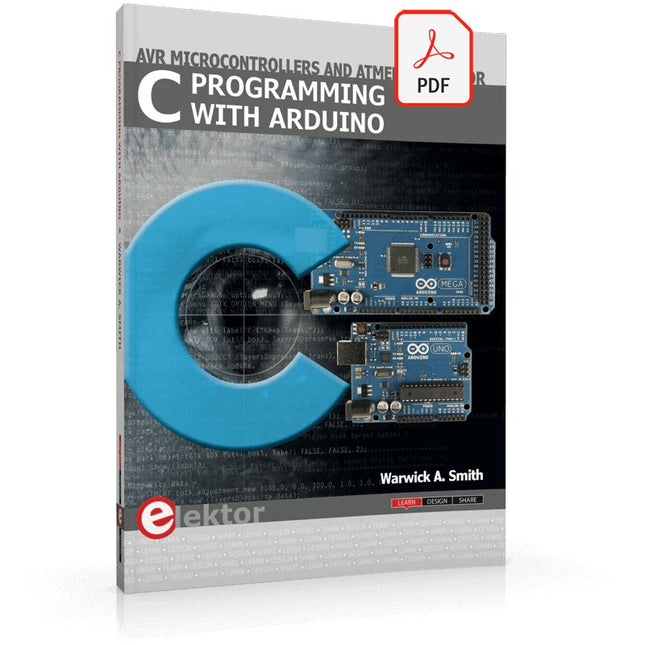
Elektor Digital C Programming with Arduino (E-book)
Technology is constantly changing. New microcontrollers become available every year. The one thing that has stayed the same is the C programming language used to program these microcontrollers. If you would like to learn this standard language to program microcontrollers, then this book is for you! Arduino is the hardware platform used to teach the C programming language as Arduino boards are available worldwide and contain the popular AVR microcontrollers from Atmel. Atmel Studio is used as the development environment for writing C programs for AVR microcontrollers. It is a full-featured integrated development environment (IDE) that uses the GCC C software tools for AVR microcontrollers and is free to download. At a glance: Start learning to program from the very first chapter No programming experience is necessary Learn by doing – type and run the example programs A fun way to learn the C programming language Ideal for electronic hobbyists, students and engineers wanting to learn the C programming language in an embedded environment on AVR microcontrollers Use the free full-featured Atmel Studio IDE software for Windows Write C programs for 8-bit AVR microcontrollers as found on the Arduino Uno and MEGA boards Example code runs on Arduino Uno and Arduino MEGA 2560 boards and can be adapted to run on other AVR microcontrollers or boards Use the AVR Dragon programmer/debugger in conjunction with Atmel Studio to debug C programs
€ 39,95
Members: € 35,96
-

Elektor Digital Basiscursus Bascom-AVR (E-book)
AVR-microcontrollers zijn populair, eenvoudig in het gebruik en bijzonder veelzijdig. In het elektronicatijdschrift 'Elektor' is dan ook al een groot aantal speciale toepassingen en printen met een ATmega- of een ATtiny-controller gepubliceerd. Meestal ging het daarbij om afgeronde projecten. In dit boek staat echter de programmering van deze controllers centraal. BASCOM is hiervoor een ideaal gereedschap. Na een minimale voorbereiding kunt u al beginnen uw eigen ideeën te realiseren. BASCOM en AVR-controllers, een onverslaanbaar team! Wat u ook wilt ontwikkelen, in de meeste gevallen heeft een ATmega alles aan boord wat u nodig hebt. Poorten, timers, A/D-omzetters, PWM-uitgangen en seriële interfaces, RAM, flash-ROM en EEPROM: alles is ruimschoots voorhanden. En met BASCOM is het gebruik daarvan kinderspel. Ook ingewikkelder periferie als LCD, RC5 en I²C kan met slechts een handjevol instructies worden gebruikt. Er is een brede hardware-basis beschikbaar. Of u nu de STK500 van Atmel gebruikt, de ATM18 of een eigen print, u kunt de voorbeelden uit dit boek meteen in praktijk brengen. Voor heel kleine taken worden controllers uit de ATtiny-reeks gebruikt. Op die manier kunt u uw eigen projecten snel en met weinig kosten realiseren. Downloads Software
€ 34,95
Members: € 31,46




-
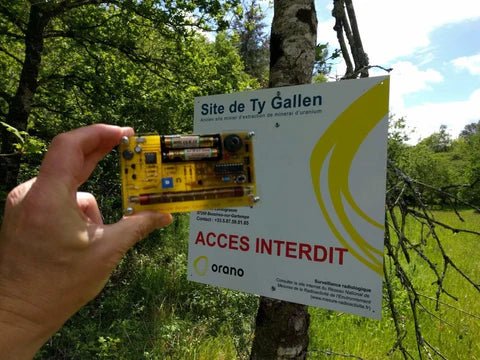
, by Clemens Valens Review: Detect Radiation with the MightyOhm Geiger Counter Kit
The MightyOhm Geiger Counter is a device for detecting beta and gamma radiation levels. Because radiation is so harmful, you may want to keep an...
-
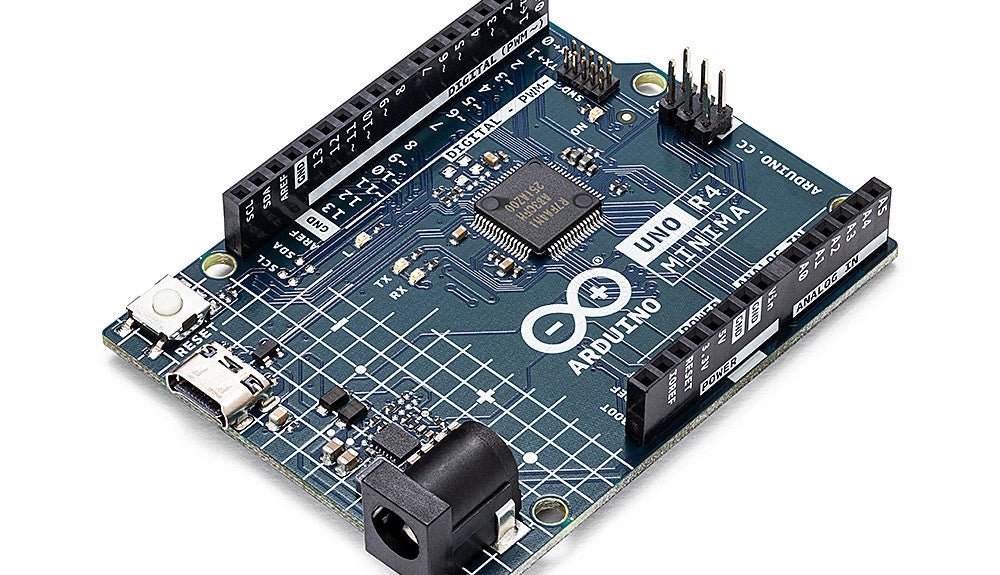
, by Clemens Valens Two New Arduino UNO R4 Boards: Minima and WiFi
The Arduino UNO R4 Minima and the Arduino UNO R4 WiFi have finally hit the shelves, introducing an exciting new chapter for Arduino enthusiasts and...

